Limited Time Offer!
For Less Than the Cost of a Starbucks Coffee, Access All DevOpsSchool Videos on YouTube Unlimitedly.
Master DevOps, SRE, DevSecOps Skills!

As one of the most widely used relational databases, MySQL serves as the backbone for countless applications, from e-commerce websites to enterprise-level data platforms. However, the demands placed on MySQL databases continue to grow in both scale and complexity. High traffic volumes, large datasets, and intricate queries can lead to various challenges that affect database performance and reliability. Addressing these challenges requires not only a solid understanding of MySQL’s architecture but also the ability to diagnose and resolve issues efficiently. This guide is crafted to equip you with advanced troubleshooting skills and tools to tackle MySQL’s most challenging issues.
In this guide, we’ll delve into the intricacies of troubleshooting MySQL at a granular level. We’ll look beyond basic error fixes, exploring performance tuning, resource optimization, and configuration adjustments to ensure MySQL runs smoothly and effectively even under heavy workloads. Key areas such as slow query performance, replication lags, and InnoDB-specific issues are common pain points that, when optimized, can drastically improve system responsiveness and stability.
To get the most out of this guide, it’s essential to have some familiarity with MySQL basics, as well as a foundational knowledge of SQL. Each section covers both theoretical aspects and practical, actionable steps, enabling you to systematically approach and resolve issues. You’ll find details on diagnosing slow queries, troubleshooting network-related connection issues, resolving deadlocks in InnoDB, and handling replication errors. We’ll also explore tools and techniques for monitoring MySQL’s performance and tuning its settings for peak operation, ensuring you have a thorough understanding of how to keep your database healthy, responsive, and resilient.
Whether you’re managing a single MySQL instance or a complex, multi-server environment, this guide offers the insights and best practices to resolve issues faster and proactively prevent them in the future. With a structured approach to MySQL troubleshooting, you’ll gain the expertise to navigate even the most complex database scenarios with confidence.
What are the MySQL Troubleshooting Advanced Guide?
1. Introduction to MySQL Troubleshooting
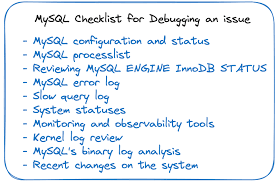
- Overview of Common MySQL Issues: Dive into the types of issues that can impact MySQL performance, such as slow queries, replication problems, deadlocks, and hardware resource constraints.
- Understanding MySQL Architecture for Troubleshooting: Explore the role of MySQL’s key components (query optimizer, storage engines, buffer pools) and how each can influence troubleshooting.
- Key Troubleshooting Areas in MySQL: Identify common trouble zones, including connections, indexing, storage, and configuration misalignments. Discuss why each area often requires special attention.
2. Identifying Common MySQL Performance Issues
- Detecting and Diagnosing Slow Queries: Explain how to use tools like
EXPLAIN, the MySQL Slow Query Log, and Performance Schema to identify problematic queries. Discuss advanced query optimization techniques. - High CPU Usage: Cover strategies to find the root cause of high CPU consumption, including diagnosing CPU-bound queries, assessing the load of JOIN operations, and optimizing CPU-heavy indexes.
- High Memory Usage: Discuss effective memory management, how to adjust
innodb_buffer_pool_size, and troubleshoot memory leaks. - Disk I/O Bottlenecks: Explore how to use monitoring tools to detect I/O bottlenecks and strategies for tuning disk usage, like splitting reads/writes across disks and caching frequently accessed data.
3. Troubleshooting MySQL Connection Issues
- Too Many Connections: Explain how to diagnose connection spikes, set appropriate connection limits (
max_connections), and troubleshoot connection pooling. - Connection Timeout Errors: Detail common causes of timeouts, how to adjust
wait_timeoutandinteractive_timeout, and how to track down slow network responses. - Network-Related Issues: Cover troubleshooting tips for network issues, such as DNS resolution delays and firewall blocking, as well as monitoring tools for network analysis.
4. InnoDB Engine-Specific Issues
- Locking Issues: How to resolve deadlocks and lock waits using the
SHOW ENGINE INNODB STATUScommand, adjusting transaction isolation levels, and implementing strategies to reduce contention. - Buffer Pool Issues: Delve into buffer pool configurations (e.g.,
innodb_buffer_pool_size,innodb_buffer_pool_instances) to avoid performance degradation due to cache misses. - Corrupt Tables and Data Recovery: Advanced methods for handling InnoDB table corruption, from diagnostic commands to full recovery processes, and best practices to prevent future corruption.
5. MySQL Replication Troubleshooting
- Replication Errors and Inconsistencies: Cover typical replication issues, such as the “Duplicate Entry” error, and how to resynchronize master and replica databases.
- Addressing Slave Lag: Techniques to monitor and reduce slave lag using
SHOW SLAVE STATUS,slave_parallel_workers, andreplicate_wild_ignore_table. - Replication Failures and GTID Troubleshooting: Explain how to resolve GTID issues in complex replication setups and recover from broken replication in GTID environments.
6. Advanced Indexing Troubleshooting
- Diagnosing Inefficient Indexing: Advanced techniques for detecting poor indexing strategies, such as
FULLTEXTand composite indexes, and improving index usage withEXPLAIN. - Resolving Index Fragmentation: Explore the effects of fragmented indexes on query performance and how to address fragmentation with regular
OPTIMIZE TABLEcommands. - Index Usage Patterns: Explain how to analyze and adjust index usage based on specific query patterns, such as range scans and multi-column indexing.
7. MySQL Configuration and Tuning for Performance
- Fine-Tuning my.cnf Parameters: Discuss performance-critical settings (
query_cache_size,innodb_log_file_size) and guidelines for setting these values based on database usage patterns. - Buffer and Cache Settings: How to configure MySQL’s memory management parameters for optimal performance, including
innodb_buffer_pool_sizeandkey_buffer_size. - Thread and Connection Settings: Explore settings like
max_connections,thread_cache_size, andthread_handling, and how to tune these for high concurrency and large user bases.
8. Handling and Analyzing MySQL Logs
- Different MySQL Logs and Their Uses: Overview of error, slow query, and binary logs, and which type of issues each log can help diagnose.
- Log Rotation and Management: How to configure log rotation to keep log sizes manageable and reduce the chance of performance impacts due to large logs.
- Analyzing Slow Query Logs: Techniques to interpret the slow query log to diagnose performance bottlenecks and identify high-impact query improvements.
9. MySQL Backup and Restore Troubleshooting
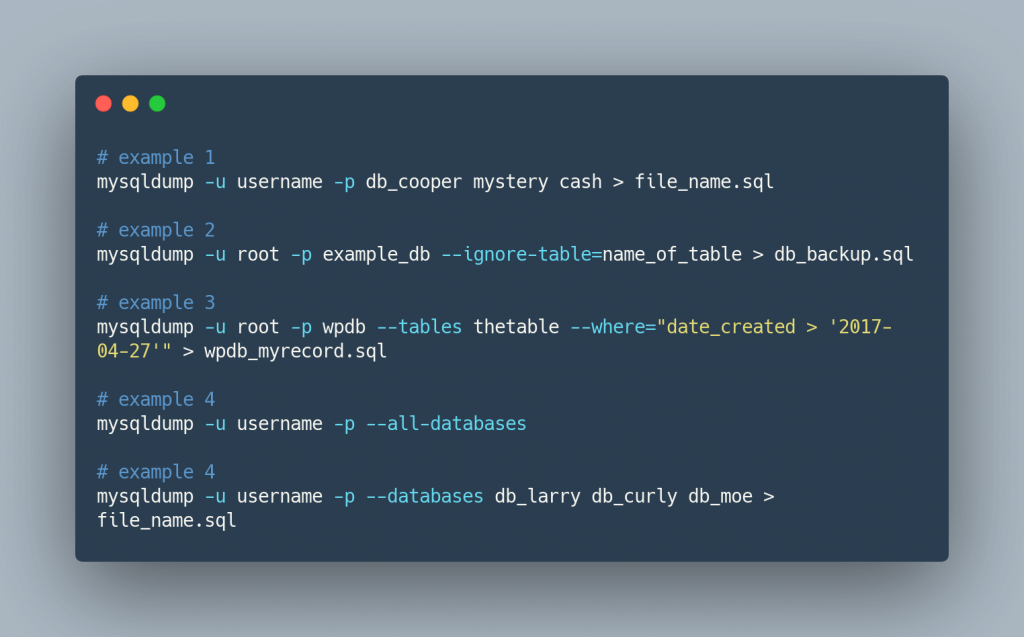
- mysqldump and Percona XtraBackup: Common issues encountered with backups, such as locking, timeout errors, and how to use
mysqldumpfor minimal disruption backups. - Backup Corruption: Detecting and handling backup corruption, including checksum verification and validation processes.
- Point-In-Time Recovery (PITR): Walkthrough of PITR, using binary logs for precise recovery, and how to handle various PITR edge cases.
10. Advanced MySQL Troubleshooting Tools and Commands
- SHOW STATUS and SHOW PROCESSLIST: How to use these commands for monitoring MySQL health and troubleshooting active connections and processes.
- EXPLAIN and Query Execution Optimization: Advanced
EXPLAINusage for complex query tuning, interpreting costs, and rewriting queries for better performance. - Using pt-query-digest and MySQLTuner: Detailed steps for using these tools to analyze performance metrics, highlight problematic queries, and provide optimization recommendations.
- Profiling and Tracing: Using
SET profilingand other profiling tools to trace query performance, analyze execution times, and identify hotspots.
11. Conclusion and Best Practices
- MySQL Health Maintenance: A summary of preventive measures, including regular index maintenance, log monitoring, and connection limit management.
- Proactive Monitoring Tips: Overview of continuous monitoring tools (like Prometheus and Grafana) for automated performance checks and alerts.
- Backups and Recovery Planning: Emphasis on the importance of backups, restoration tests, and maintaining a recovery playbook.
Why MySQL Troubleshooting is important?
MySQL troubleshooting is essential for maintaining a database environment that is stable, efficient, and capable of supporting high-performance applications. Here’s why it’s crucial:
1. Ensuring Optimal Performance and Speed
MySQL databases are the backbone of many applications, from small websites to enterprise-grade systems. As applications grow in complexity and handle more users, database performance can become a bottleneck. Slow queries, high latency, and resource constraints directly impact user experience and can lead to lost revenue, especially for applications relying on real-time data. Effective troubleshooting helps identify and resolve performance issues, ensuring that MySQL can handle increasing demands without significant slowdowns.
2. Minimizing Downtime and Maintaining Availability
Downtime can be disastrous for businesses, leading to customer dissatisfaction and potential revenue loss. In high-availability systems, even a few minutes of downtime can impact thousands of users. MySQL troubleshooting enables administrators to detect and address issues before they escalate into system outages. Proactively monitoring and troubleshooting MySQL helps in minimizing service disruptions and ensuring that applications remain available to users around the clock.
3. Preserving Data Integrity and Security
Data integrity is paramount in any database system. Issues like deadlocks, data corruption, or replication inconsistencies can compromise data integrity, leading to inaccurate information and potential compliance issues. Troubleshooting MySQL allows administrators to diagnose and resolve these issues quickly, preventing data corruption, data loss, or unauthorized access. Moreover, database security vulnerabilities can often be identified during the troubleshooting process, allowing administrators to take corrective measures to protect sensitive information.
4. Optimizing Resource Usage and Cost Efficiency
Databases consume system resources such as CPU, memory, and disk I/O. When MySQL is not optimized, it may overuse these resources, increasing operational costs and impacting other services. Effective troubleshooting and tuning help reduce unnecessary resource consumption, allowing businesses to save on infrastructure costs. It also enables efficient scaling, where resources are allocated precisely as needed to handle workloads, rather than simply provisioning more hardware or cloud resources.
5. Enhancing Scalability and Future-Proofing
As data grows, so does the demand for a scalable database infrastructure. Troubleshooting helps to uncover underlying bottlenecks in the current MySQL setup, allowing organizations to address these issues before scaling the database. By identifying limitations and resolving them early on, MySQL troubleshooting helps create a scalable, future-ready database environment capable of handling growing data volumes and user loads.
6. Supporting Complex Applications with Diverse Workloads
Modern applications often have complex architectures that place a variety of demands on MySQL, from transactional data processing to large-scale analytical queries. Troubleshooting enables administrators to manage these diverse workloads effectively, ensuring that each query is optimized for its specific use case. This not only improves the performance of individual applications but also helps maintain stability across multiple applications sharing the same database resources.
7. Preventing Technical Debt and Reducing Maintenance Overhead
Neglecting database issues often leads to accumulating technical debt, where minor issues become major challenges over time. Advanced MySQL troubleshooting practices allow administrators to identify the root causes of recurring problems, apply sustainable fixes, and prevent future issues from arising. By reducing technical debt, troubleshooting minimizes the need for emergency fixes and unplanned maintenance, freeing up time for more strategic development work.
Conclusion
In today’s digital landscape, MySQL serves as a critical component of data-driven applications and online platforms. Ensuring the database operates smoothly, reliably, and efficiently is essential to meeting user expectations and supporting business operations. Advanced MySQL troubleshooting isn’t just about fixing problems as they arise—it’s a proactive, systematic approach to maintaining an optimal database environment that can handle growth, adapt to changes, and support high-performance applications.
This guide has highlighted the wide range of issues that MySQL administrators may encounter, from performance bottlenecks and memory management challenges to replication errors and connection issues. Each problem area requires specific tools, techniques, and insights to diagnose and resolve effectively. By mastering these troubleshooting skills, administrators can enhance MySQL’s overall health and reduce the likelihood of recurring issues, contributing to a stable and scalable infrastructure.
Beyond resolving immediate issues, MySQL troubleshooting plays a key role in several broader operational goals:
- Optimized Performance and Resource Utilization: Effective troubleshooting allows databases to operate at peak performance, minimizing the risk of slowdowns that frustrate users. By identifying and addressing inefficiencies, administrators can ensure that MySQL uses system resources effectively, translating into cost savings and improved system stability.
- Increased Uptime and Reliability: A proactive approach to troubleshooting helps prevent minor issues from escalating into critical failures, reducing downtime and ensuring that applications remain accessible to users around the clock. This reliability is crucial for businesses that depend on high-availability systems.
- Enhanced Data Integrity and Security: Troubleshooting uncovers vulnerabilities and data integrity issues, allowing administrators to resolve them before they compromise the database. By addressing these areas, organizations can protect sensitive data, meet compliance requirements, and build user trust.
- Scalability and Future-Readiness: MySQL troubleshooting prepares databases to handle growth by identifying and removing bottlenecks that limit scalability. A well-maintained database can adapt to increased loads, supporting future expansion without requiring significant re-architecture.
- Reduced Maintenance Costs and Lower Technical Debt: By diagnosing root causes and implementing lasting solutions, troubleshooting reduces the need for frequent fixes, unplanned maintenance, and technical debt. This, in turn, allows administrators to focus on strategic projects that add value rather than repeatedly addressing avoidable issues.
MySQL troubleshooting is both an art and a science. It requires a mix of technical knowledge, problem-solving skills, and a deep understanding of how MySQL’s various components work together. By continuously improving troubleshooting skills and staying updated with the latest tools and techniques, database administrators can keep MySQL running smoothly and be prepared to tackle the challenges of tomorrow.
In essence, investing time and resources into advanced MySQL troubleshooting pays off in a more reliable, efficient, and scalable database environment that is ready to support the evolving needs of modern applications.