

Skip to content
Menu
DevSecOps Now!!!
  • About
  • Certifications
  • Contact
  • Courses
  • DevSecOps Consulting
  • DevSecOps Tools
  • Training
  • Tutorials
DevSecOps Now!!!

How to do git clone without installing git in WSL (Windows Subsystem for Linux)

Posted on November 23, 2023

Limited Time Offer!

For Less Than the Cost of a Starbucks Coffee, Access All DevOpsSchool Videos on YouTube Unlimitedly.
Master DevOps, SRE, DevSecOps Skills!

Enroll Now

In this Article i m going to share the step by step guide to git clone in Windows Subsystem for Linux Ubuntu server.

First of all one of the major question is raised that is installing git is necessary to git clone in Windows Subsystem for Linux Ubuntu server.
Answer is –

No, installing Git within the Windows Subsystem for Linux (WSL) is not required in order to clone a Git repository. Without installing it within WSL, you may use Git via a GUI client or the Windows command prompt.

Nevertheless, you may install Git within WSL to clone repositories and carry out Git activities directly in that environment if you want to work in the Linux environment that WSL offers. If you wish to utilize Linux commands and tools, this could be useful.
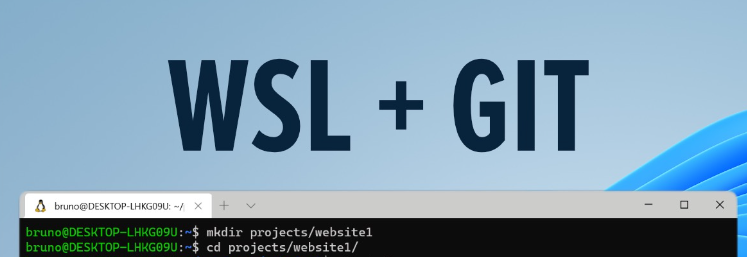
How to clone git repository is WSL (Windows Subsystem for Linux) ?

Step – 1 : First go to the directory where you want to clone the git repo.

Step – 2 : you can directly run the git clone command if your ssh key is already set in the git hub.

git clone git@github.com:git-repo-for-your-project.git

These are the only steps for the git clone.

If your SSH key is not set in your github then follow the below process.
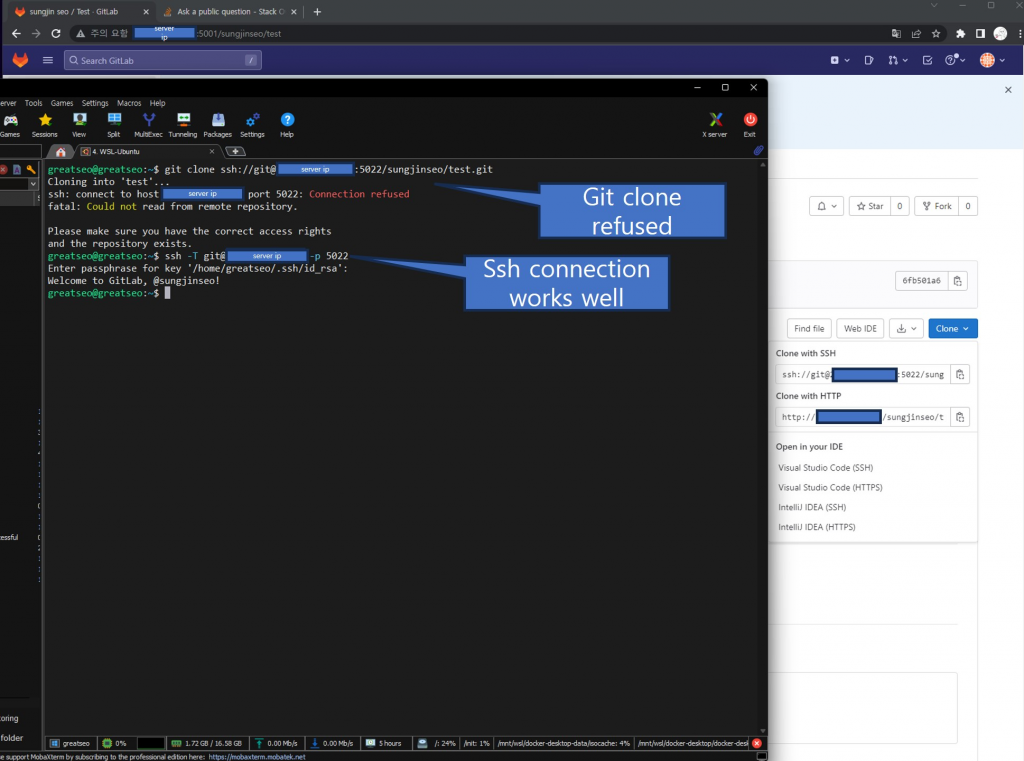
How to add SSH Key in your github in WSL (Windows Subsystem for Linux)?

Here are the steps to add your SSH Key in your github in WSL.

Step – 1 : Go to your root directory.

Step – 2 : Run this command to generate your ssh key for your github account.

ssh-keygen -t rsa -b 4096 -C "your_email@example.com"

Step – 3 : Run the command as follow, and then add the SSH key to the ssh-agent:

eval "$(ssh-agent -s)"
ssh-add ~/.ssh/id_rsa

Step – 4 : Copy the contents of the public key (id_rsa.pub) to your clipboard:

cat ~/.ssh/id_rsa.pub

Step – 5 : Activate the duplicated key on your GitHub profile. Add a new SSH key by going to your GitHub account settings, selecting “SSH and GPG keys,” and then finish.
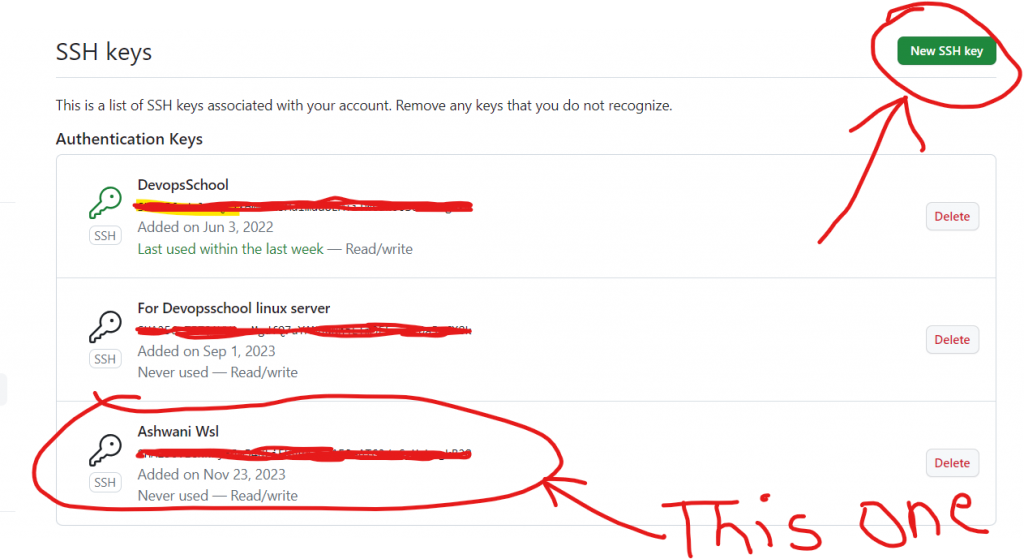
Step – 6 : Run the Below command to verify the connection to github:

ssh -T git@github.com

Step – 7 : Run your git clone command to clone any repo from github in WSL (Windows Subsystem for Linux).

Post Views: 4,372
  • add SSH Key in your github in WSL
  • git clone without installing git in WSL
  • github
  • How
  • How to add SSH Key in your github in WSL
  • How to clone git repository is WSL
  • How to do git clone without installing git in WSL
  • How to do git clone without installing git in WSL (Windows Subsystem for Linux)
  • SSH Key
  • Windows Subsystem for Linux
  • WSL
Subscribe
Login
Notify of
guest
guest
8 Comments
Oldest
Newest Most Voted
Inline Feedbacks
View all comments
Amit Kumar
Amit Kumar
2 years ago

Good tutorials..

0
Reply
Maruti Kumar
Maruti Kumar
2 years ago

Wow! This blog post brilliantly encapsulates git repository in a comprehensive yet engaging manner. The way you “SSH key is not set in your github truly” makes it stand out.

0
Reply
Rajesh
Rajesh
2 years ago

Good Content on WSL for git. But what is WSL and How it works? I think title is confusing for me.

0
Reply
Dolly K
Dolly K
2 years ago

I have shared this with my juniors. I think they will find this type of information useful. By the way, thanks for sharing!

0
Reply
Anup rajak
Anup rajak
2 years ago

Thanks for sharing..by the way nice content on wsl for git…

0
Reply
trackback
viagra online without a prescription
2 years ago

viagra online without a prescription

How to do git clone without installing git in WSL (Windows Subsystem for Linux) – DevSecOps Now!!!

0
Reply
trackback
best rated essay writing service
2 years ago

best rated essay writing service

How to do git clone without installing git in WSL (Windows Subsystem for Linux) – DevSecOps Now!!!

0
Reply
trackback
homework essay help
2 years ago

homework essay help

How to do git clone without installing git in WSL (Windows Subsystem for Linux) – DevSecOps Now!!!

0
Reply
wpdiscuz   wpDiscuz
  • The Complete DevOps Salary Overview for IT Professionals
  • The Modern DevOps Certification Guide: Roadmaps for Every Engineering Role
  • Security Champions in DevSecOps: Responsibilities and Best Practices
  • The DevSecOps Handbook for Shift-Left Security
  • Top DevSecOps Principles for Effective Secure Software Delivery
  • Guide to DevSecOps Maturity Levels for Platform and Security Teams
  • Canada PR CRS Calculator: Express Entry Points System Explained
  • Austria PR Points Calculator: Ultimate Guide to Navigating the Red-White-Red Card System
  • The Essential Guide to Enterprise DevSecOps Implementation
  • How to Set Up Claude Code Agent on a Local Windows Laptop and Use claude Command from Anywhere
  • DevOps and DevSecOps Explained: Bridging the Gap Between Speed and Security
  • Comprehensive Manual on DevOps Methodologies and Cloud Native Engineering
  • The Master Guide to Immigration Points: Calculating Your Path to Canada, Australia, and Beyond
  • How to Skip the Activation Email and Password Reset After Google Login in Keycloak Auto-Link Existing Users in First Broker Login
  • Free SSL Certificate Generation Tutorial for Any Website Using Certbot and Apache
  • The Ultimate Guide to Certified FinOps Professional: Skills, Levels, and Career Impact
  • Certified FinOps Manager: Essential Skills for Modern Cloud Operations
  • How to Use Claude AI for Programming: Complete Guide for Developers to Boost Productivity
  • The Definitive Guide to Certified FinOps Engineer: Master Cloud Value Engineering
  • A Comprehensive Guide to the Certified FinOps Architect Certification and Training
  • Linux Server Diagnostic Commands: Complete Guide for Performance, Network & System Troubleshooting
  • The Ultimate Guide to CDOM – Certified DataOps Manager Certification
  • The Practical Path to AI Reliability: A Guide to the Certified MLOps Manager
  • Master the Machine Learning Lifecycle:Guide to Becoming a Certified MLOps Architect
  • How to Build a Project-Level AI Memory System That Works Across Codex, Claude, and Other AI Coding Tools
  • Certified MLOps Professional: A Deep Dive into the Certified MLOps Professional Certification
  • Certified MLOps Engineer : The Comprehensive Guide to Mastering Machine Learning Operations
  • Codex vs Claude: A Complete Practical Guide for Modern Developers (2026)
  • Certified AIOps Professional Program A Guide to Career Growth
  • Keycloak Multi-Client Architecture with Project-Based Email Validation (Student, Trainer, Company, Consulting)

Recent Comments

  1. emmy day on SQLSTATE[42S22]: Column not found: 1054 Unknown column ‘provider’ in ‘field list’
  2. digital banking on Complete Tutorial: Setting Up Laravel Telescope Correctly (Windows + XAMPP + Custom Domain)
  3. SAHIL DHINGRA on How to Uninstall Xampp from your machine when it is not visible in Control panel programs & Feature ?
  4. Abhishek on MySQL: List of Comprehensive List of approach to secure MySQL servers.
  5. Kristina on Best practices to followed in .httacess to avoid DDOS attack?

Archives

  • May 2026
  • April 2026
  • March 2026
  • February 2026
  • January 2026
  • December 2025
  • November 2025
  • October 2025
  • September 2025
  • August 2025
  • July 2025
  • June 2025
  • May 2025
  • April 2025
  • March 2025
  • February 2025
  • January 2025
  • December 2024
  • November 2024
  • October 2024
  • September 2024
  • August 2024
  • July 2024
  • June 2024
  • May 2024
  • April 2024
  • March 2024
  • February 2024
  • January 2024
  • December 2023
  • November 2023
  • October 2023
  • September 2023
  • August 2023
  • July 2023
  • May 2023
  • April 2023
  • March 2023
  • February 2023
  • January 2023
  • December 2022

Categories

  • Ai
  • AI Blogging
  • AiOps
  • ajax
  • Android Studio
  • Antimalware
  • Antivirus
  • Apache
  • Api
  • API Security
  • Api Testing
  • APK
  • Aws
  • Bike Rental Services
  • ChatGPT
  • Code Linting
  • Composer
  • cPanel
  • Cyber Threat Intelligence
  • Cybersecurity
  • Data Loss Prevention
  • Database
  • dataops
  • Deception Technology
  • DeepSeek
  • Devops
  • DevSecOps
  • DevTools
  • Digital Asset Management
  • Digital Certificates
  • Docker
  • Drupal
  • emulator
  • Encryption Tools
  • Endpoint Security Tools
  • Error
  • facebook
  • Firewalls
  • Flutter
  • git
  • GITHUB
  • Google Antigravity
  • Google play console
  • Google reCAPTCHA
  • Gradle
  • Guest posting
  • health and fitness
  • IDE
  • Identity and Access Management
  • Incident Response
  • Instagram
  • Intrusion Detection and Prevention Systems
  • jobs
  • Joomla
  • Keycloak
  • Laravel
  • Law News
  • Lawyer Discussion
  • Legal Advice
  • Linkedin
  • Linkedin Api
  • Linux
  • Livewire
  • Mautic
  • Medical Tourism
  • MlOps
  • MobaXterm
  • Mobile Device Management
  • Multi-Factor Authentication
  • MySql
  • Network Traffic Analysis tools
  • Paytm
  • Penetration Testing
  • php
  • PHPMyAdmin
  • Pinterest Api
  • Quora
  • SAST
  • SecOps
  • Secure File Transfer Protocol
  • Security Analytics Tools
  • Security Auditing Tools
  • Security Information and Event Management
  • Seo
  • Server Management Tools
  • Single Sign-On
  • Site Reliability Engineering
  • soft 404
  • software
  • SSL
  • SuiteCRM
  • SysOps
  • Threat Model
  • Twitter
  • Twitter Api
  • ubuntu
  • Uncategorized
  • Virtual Host
  • Virtual Private Networks
  • VPNs
  • Vulnerability Assessment Tools
  • Web Application Firewalls
  • Windows Processor
  • Wordpress
  • WSL (Windows Subsystem for Linux)
  • X.com
  • Xampp
  • Youtube
©2026 DevSecOps Now!!! | WordPress Theme: EcoCoded
wpDiscuz