Limited Time Offer!
For Less Than the Cost of a Starbucks Coffee, Access All DevOpsSchool Videos on YouTube Unlimitedly.
Master DevOps, SRE, DevSecOps Skills!
Introduction
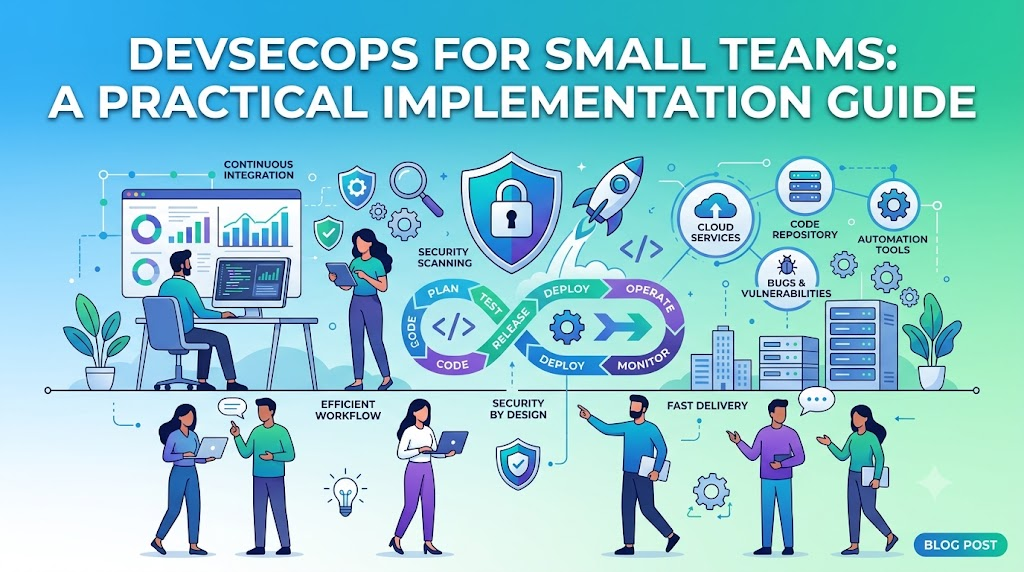
In the early stages of a startup or growing engineering team, the relentless pressure to ship features often leads to the dangerous misconception that security is a luxury you cannot afford, yet this velocity-first approach frequently turns small teams into easy targets for cyber threats. Security debt accumulates quickly, and waiting until you have a massive budget or a dedicated security department to address it is a recipe for disaster; instead, you must shift your perspective to view security as an inherent quality attribute of your software rather than a hurdle that slows down deployment. DevSecOps is the practical answer to this challenge, enabling you to integrate security directly into your CI/CD pipelines, infrastructure, and culture through automation that scales with your business without requiring extensive manual oversight. By adopting these strategies, you ensure that security becomes a foundational part of your development lifecycle rather than an afterthought, and if you are ready to master the methodology and tooling required to implement these practices effectively, the resources at DevOpsSchool offer a comprehensive path to building a secure, cloud-native foundation that protects your hard work while maintaining the speed your organization depends on.
What Is DevSecOps for Small Teams?
DevSecOps is the practice of integrating security testing and processes into every stage of the software development lifecycle (SDLC). For a large enterprise, this might involve complex governance boards. For a small team, it means making security a natural byproduct of development.
Think of it this way: if your developer commits code, your pipeline should automatically check that code for vulnerabilities. If your infrastructure team deploys a new server via code, your system should automatically check if that server is exposed to the internet. Security as a shared responsibility means that when a bug is found, it is fixed by the developer who wrote it, not by a security team tossing a ticket over a wall.
For small teams, DevSecOps is about survival and efficiency. You cannot afford to have a dedicated person manually clicking through dashboards to check for threats. You need automation that provides immediate feedback, allowing your engineers to fix issues before the code ever reaches production.
Why Small Teams Need DevSecOps
- Limited Resources: You do not have the manpower to conduct manual security audits every month. Automation is the only way to scale your security efforts.
- Faster Delivery Cycles: If security is an afterthought, you end up doing massive security refactors right before a launch. This is expensive and stressful. Integrating security early means finding bugs when they are cheap and easy to fix.
- Cloud-Native Risks: Modern infrastructure is complex. One misconfigured S3 bucket or open security group can expose your entire database. You need automated controls to prevent these human errors.
- Compliance: Whether you are dealing with GDPR, SOC2, or HIPAA, compliance is not a point-in-time event. It is continuous. DevSecOps helps you maintain compliance by treating security configurations as code.
- Customer Trust: In the SaaS world, security is a feature. Customers are increasingly asking for SOC2 reports or penetration test results before they sign a contract. Demonstrating a secure DevSecOps workflow is a massive competitive advantage.
Common Security Challenges Faced by Small Teams
| Challenge | Impact | Typical Cause | Recommended Solution |
| Weak access controls | Unauthorized access | Over-privileged IAM roles | Enforce Least Privilege & MFA |
| Misconfigured cloud | Data exposure | Manual cloud console changes | Use Infrastructure as Code (IaC) |
| Lack of testing | Vulnerable code in prod | No automated scanning | Integrate SAST/DAST in CI/CD |
| Secrets management | Credentials leaked | Hardcoded passwords in Git | Use a Secrets Manager |
| Dependency bugs | Known exploits in libs | Outdated libraries | Automate software composition analysis |
| Limited monitoring | Blind spots during hacks | No centralized logging | Implement log aggregation & alerting |
Building a Security-First Culture
Tools are only 20% of the solution. The other 80% is culture. You need to shift the mindset from “security is the blocker” to “security is a quality attribute of our software.”
- Shared Ownership: Make developers accountable for the security of their features. If a vulnerability is found in production, the team that wrote the code owns the fix.
- Security Training: Do not assume your developers know how to write secure code. Host lunch-and-learns on OWASP Top 10 vulnerabilities.
- Security-Focused Code Reviews: Add a security checklist to your Pull Request templates. Ask reviewers to look for potential injection points or hardcoded secrets.
- Team Accountability: Celebrate secure code. Reward engineers who proactively fix vulnerabilities or harden infrastructure.
Secure CI/CD Pipelines for Small Teams
Your CI/CD pipeline is the heart of your engineering machine. It is the perfect place to inject security.
- Automated Security Testing: Run Static Application Security Testing (SAST) tools every time code is committed.
- Dependency Scanning: Use Software Composition Analysis (SCA) to check if your open-source libraries have known vulnerabilities.
- Secret Detection: Never allow a commit to reach your repo if it contains an API key or private key. Use pre-commit hooks to block this.
- Deployment Validation: Before the code hits production, run a policy check to ensure your deployment manifests are not asking for excessive permissions.
Tools like GitHub Actions, GitLab CI/CD, and Jenkins are excellent. The key is to fail the build if a critical vulnerability is detected, preventing insecure code from ever reaching your users.
Infrastructure as Code Security Best Practices
If you are using Terraform, CloudFormation, or Ansible, your infrastructure is just software. This means you can test it like software.
- Policy as Code: Use tools like Checkov or Terraform-compliance to scan your IaC files before they are applied. If someone tries to open port 22 to the world, the pipeline should fail.
- Drift Detection: Ensure that your cloud environment matches your code. If someone makes a manual change in the AWS console, your monitoring should flag it as drift.
- Immutability: Treat your infrastructure as immutable. If you need to change a server, replace it with a new one rather than modifying the existing one.
Container Security for Small Teams
Containers are standard, but they come with their own threat vectors.
- Base Image Selection: Only use trusted, minimal base images (like Alpine or Distroless). The fewer packages in the image, the smaller your attack surface.
- Image Scanning: Every time you build a container image, scan it for vulnerabilities. Block the deployment if a critical vulnerability is found.
- Lifecycle Management: Do not let images sit in your registry indefinitely. Scan them periodically, as new vulnerabilities are discovered in old packages daily.
Kubernetes Security Basics
Kubernetes is complex. Do not try to secure everything at once. Focus on the basics.
- RBAC Fundamentals: Role-Based Access Control is the firewall of your cluster. Give pods and users only the access they need.
- Namespace Isolation: Use namespaces to separate environments (dev, staging, prod) and potentially different services.
- Secrets Management: Never store secrets as plain text Kubernetes Secrets. Use an external provider or use sealed secrets.
- Admission Controls: Use tools like OPA Gatekeeper or Kyverno to enforce policies. For example, you can enforce that no pod runs as “root” or that all images must come from your private registry.
Cloud Security Best Practices
The cloud provides the tools to be secure, but you have to configure them.
- IAM Management: This is the most critical area. Always enforce Multi-Factor Authentication (MFA) for every user, especially root accounts.
- Least Privilege: Start with no permissions and add only what is necessary.
- Resource Monitoring: Use built-in tools like AWS Security Hub or Azure Security Center to get an overview of your cloud security posture.
- Security Logging: Enable CloudTrail or similar services. If something goes wrong, you need a trail to understand what happened.
Secrets Management for Small Teams
The most common way small teams get breached is by leaking an AWS access key or a database password in a public GitHub repository.
- Never Hardcode: Remove all credentials from source code immediately.
- Centralized Storage: Use HashiCorp Vault, AWS Secrets Manager, or Google Secret Manager.
- CI/CD Injection: Pass secrets into your CI/CD pipeline at runtime using environment variables. Never commit them to the repo, even encrypted, if you can avoid it.
- Rotation: Automate secret rotation. If a key is leaked, it should be useless within a few hours.
Monitoring and Incident Detection
You cannot fix what you cannot see.
- Logging Strategies: Log everything that is important. Who accessed what? When? Was it successful?
- Alerting Workflows: Do not alert on everything. Alerting fatigue is real. Focus on high-signal alerts: failed login attempts, unauthorized API calls, unexpected configuration changes.
- Tools: Prometheus and Grafana are industry standards for metric visualization. ELK Stack (Elasticsearch, Logstash, Kibana) is great for log aggregation. Keep it simple—you do not need a complex SIEM tool initially.
Vulnerability Management Best Practices
Vulnerabilities will be found. The goal is to manage them before they become exploits.
- Dependency Scanning: Automate this. If a library you use releases a patch, your CI/CD pipeline should ideally warn you or update it automatically.
- Remediation Prioritization: Not every bug is critical. Use CVSS scores to prioritize. If a bug has a score of 9.0+ and is internet-facing, it is your top priority.
- Continuous Assessment: Security is not a one-time check. Scan your infrastructure and applications continuously.
Compliance Without a Large Security Team
Compliance (SOC2, ISO 27001) feels like a burden, but it forces good habits.
- Compliance as Code: Use tools that can map your cloud configurations to compliance frameworks.
- Audit Readiness: Keep your infrastructure clean. If you use Terraform for everything, your “infrastructure documentation” is essentially your Terraform code.
- Documentation: Keep a simple internal wiki of your security policies. Even a few pages covering access control, password policy, and incident response is better than nothing.
Real-World DevSecOps Workflow for a Small SaaS Team
Let’s look at a realistic workflow:
- Development: A developer writes code and runs a local pre-commit hook that checks for secrets.
- Commit: The developer pushes code to the repository.
- CI Scan: The CI pipeline automatically runs SAST (Static Analysis) and SCA (Dependency Analysis). If it finds a critical issue, it breaks the build.
- Deployment: The IaC code (Terraform) is scanned by a policy engine (like Checkov) to ensure no misconfigured cloud resources.
- Container Build: The application is containerized, and the image is scanned.
- CD Deployment: The deployment is pushed to Kubernetes, where an Admission Controller ensures the pod adheres to security policies.
- Runtime: Monitoring tools (like Prometheus) watch for unusual traffic, and logs are shipped to a central repository.
- Feedback Loop: Any issues found in production are fed back into the Jira/GitHub issues backlog for the team to fix.
DevSecOps Tool Stack for Small Teams
| Category | Recommended Tools | Purpose | Difficulty Level |
| CI/CD Security | Snyk, SonarQube | SAST/SCA scanning | Low |
| Secrets Management | AWS Secrets Manager, Vault | Manage keys/passwords | Medium |
| Container Security | Trivy, Clair | Scan images for bugs | Low |
| Kubernetes Security | Kyverno, OPA Gatekeeper | Enforce policies | Medium |
| IaC Security | Checkov, TFSec | Scan Terraform/K8s files | Low |
| Monitoring | Prometheus, Grafana | Metrics & Alerts | Medium |
Benefits of DevSecOps for Small Teams
- Reduced Security Risks: By catching bugs early, you reduce the likelihood of a successful exploit.
- Faster Incident Detection: With centralized logging and monitoring, you know when something is wrong immediately.
- Improved Customer Trust: Being able to show clients that you have a secure pipeline is a major sales lever.
- Better Compliance Readiness: You are always “audit-ready” because your security controls are automated.
- Stronger Cloud-Native Operations: You end up with a more organized, repeatable, and stable infrastructure.
Common DevSecOps Mistakes Small Teams Make
- Delaying Implementation: Thinking you are “too small” to be hacked. You are never too small.
- Ignoring Dependencies: Focusing only on your code while ignoring the thousands of lines of open-source code you imported.
- Weak IAM: Giving every developer admin rights to the production cloud account.
- Lack of Monitoring: Relying on customers to report when your app is down or compromised.
- Overcomplicating Tooling: Trying to implement enterprise-grade security tools that require a full-time engineer to manage. Start simple.
Practical Roadmap for Implementing DevSecOps
Phase 1: Security Foundations
- Implement MFA everywhere.
- Audit and restrict IAM roles.
- Stop hardcoding secrets.
Phase 2: CI/CD Security
- Introduce automated SAST/SCA scanning in the pipeline.
- Set up a pre-commit hook for secret detection.
Phase 3: Cloud & Container Security
- Implement image scanning.
- Start using IaC scanning for your cloud resources.
Phase 4: Monitoring & Compliance
- Set up centralized logging.
- Begin mapping your controls to a standard framework (like CIS benchmarks).
Phase 5: Continuous Improvement
- Perform regular manual “game days” or simulated security drills.
- Rotate secrets and update dependencies regularly.
DevSecOps vs Traditional Security for Small Teams
| Feature | Traditional Security | DevSecOps for Small Teams |
| Security timing | At the end of development | Integrated from the start |
| Automation | Manual audits/checklists | Automated pipeline checks |
| Collaboration | Siloed security team | Shared responsibility |
| Monitoring | Periodic manual checks | Continuous observability |
| Compliance | Once-a-year scramble | Continuous validation |
| Deployment speed | Slow (gatekeeping) | Fast (guardrails) |
| Cloud readiness | Often reactive | Native by design |
Industries Benefiting Most from Small-Team DevSecOps
- SaaS Startups: High exposure to data; customers demand high security.
- E-Commerce: Handling payment info; high risk of financial fraud.
- FinTech: Highly regulated; security is the product.
- Healthcare Technology: Strict privacy requirements (HIPAA).
- EdTech: Managing student data; privacy is paramount.
- Enterprise Software Providers: Need to prove security maturity to sell to large clients.
Career Opportunities in DevSecOps
The demand for people who understand both DevOps and Security is skyrocketing.
- DevSecOps Engineer: The bridge between security, development, and ops.
- Cloud Security Engineer: Specializes in securing cloud environments.
- Security Automation Engineer: Focuses entirely on building the tools that secure the pipeline.
- Platform Security Engineer: Focuses on the security of the underlying infrastructure (Kubernetes, etc.).
- Compliance Automation Specialist: Focuses on turning compliance requirements into automated code.
These roles require a blend of coding skills, Linux/system administration knowledge, cloud provider expertise (AWS/Azure/GCP), and a solid grasp of security concepts. The salary potential is significantly higher than standard DevOps or pure SysAdmin roles.
Certifications & Learning Paths
Start with the basics of cloud and Linux, then move to security-specific certs. The learning ecosystem at DevOpsSchool is a great place to find structured training paths.
| Certification | Best For | Skill Level | Focus Area |
| CompTIA Security+ | Beginners | Beginner | Security Fundamentals |
| AWS Certified Security – Specialty | AWS Users | Intermediate | Cloud Security |
| Certified Kubernetes Security Specialist (CKS) | K8s Users | Advanced | Container/K8s Security |
| DevSecOps Professional | All | Intermediate | Pipeline Security |
Common Beginner Mistakes
- Learning Tools Before Concepts: Don’t just learn how to click buttons in a security tool. Learn why a cross-site scripting attack happens.
- Weak Linux Fundamentals: Most security and cloud operations happen on Linux. If you don’t understand the OS, you can’t secure it.
- Ignoring Cloud Fundamentals: Security is context-dependent. If you don’t understand VPCs, Subnets, and IAM, you cannot secure a cloud environment.
- Avoiding Hands-on Labs: Security is a practical skill. Build a vulnerable app and then fix it.
- Underestimating Monitoring: People forget that security is an operational task. You need to be able to read logs.
Future of DevSecOps for Small Teams
- AI-Assisted Security: AI will soon be writing policies and fixing vulnerabilities automatically, allowing small teams to achieve the security posture of large enterprises.
- GitOps Security: Security policies will be managed exactly like code, version-controlled in Git, and deployed via GitOps workflows.
- Platform Engineering Security: Platforms will come “secure by default,” meaning developers don’t have to worry about the underlying infrastructure as much.
- Automated Compliance: Compliance will become a real-time dashboard rather than a yearly audit.
FAQs
- What is DevSecOps for small teams?It is the integration of security practices into your existing automated development pipelines, ensuring that security is a shared responsibility, not a bottleneck.
- Can a small startup implement DevSecOps?Absolutely. In fact, it is easier to implement when you are small. You have fewer legacy systems and can set the right culture from day one.
- Which DevSecOps tools are easiest to start with?Start with Snyk or Trivy. They integrate directly into CI/CD pipelines and require very little configuration to start providing value.
- Is Kubernetes security necessary for small teams?Yes. If you are using Kubernetes, it is the foundation of your production environment. If it is misconfigured, your entire application is vulnerable.
- How much automation is enough?Automate the “low-hanging fruit” first: secret detection in commits, dependency scanning, and container scanning. Do not try to automate everything at once.
- What are the biggest security risks for startups?Leaked credentials (API keys), vulnerable third-party libraries, and misconfigured cloud buckets.
- How can small teams manage compliance?By using Infrastructure as Code to enforce standards and using tools that automatically map cloud configurations to compliance requirements.
- Is DevSecOps a good career path?Yes, it is one of the highest-paying and most stable roles in tech right now.
- Does DevSecOps slow down development?Initially, it might feel like it. But in the long run, it speeds up development by preventing the need for massive “security fixes” and rework before releases.
- Do I need to be a security expert to do DevSecOps?No. You need to be a developer or DevOps engineer who is willing to learn security fundamentals.
- What is the first step in a DevSecOps roadmap?Start with securing your identity and access management (IAM) and setting up secret management.
- Can I use free tools for DevSecOps?Yes, many industry-standard tools like Trivy, Checkov, and Prometheus have excellent open-source versions.
- How often should I scan my code?At every commit and at least daily for the entire repository.
- Is DevSecOps just about tools?No. Tools are only 20%. The rest is culture, communication, and process.
- How do I convince my team to adopt DevSecOps?Show them the cost of a data breach and the time saved by automating security tasks that they currently have to do manually.
Final Thoughts
Implementing DevSecOps is a journey, not a destination. You do not need to be perfect on day one. Start by securing your secrets and your dependencies. Then, move to infrastructure and container scanning. The most successful teams I have worked with are the ones that acknowledge security debt, create a plan to pay it off, and iterate constantly.
Do not be intimidated by the terminology or the sheer number of tools available. Pick one or two, master them, and integrate them into your workflow. The goal is to build a secure environment that empowers your developers to ship code with confidence, knowing that the guardrails are in place to catch mistakes. Security, when done right, is not a blocker—it is a competitive advantage.
