Limited Time Offer!
For Less Than the Cost of a Starbucks Coffee, Access All DevOpsSchool Videos on YouTube Unlimitedly.
Master DevOps, SRE, DevSecOps Skills!
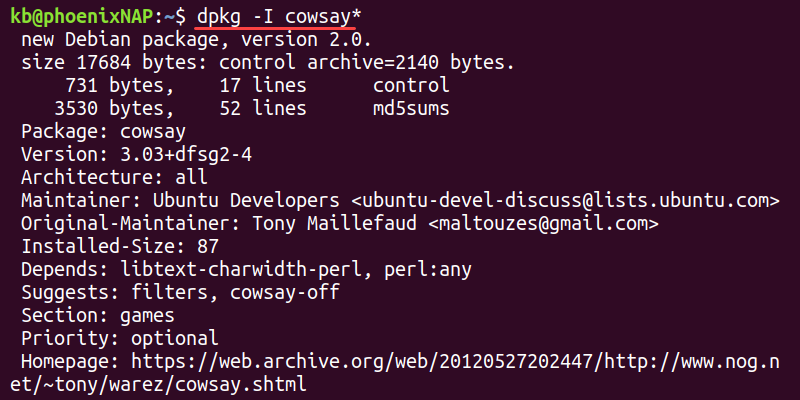
The dpkg (Debian Package Manager) command is used in Debian-based Linux distributions (such as Ubuntu, Debian, and Kali Linux) for installing, removing, and managing .deb packages. Unlike apt, dpkg does not resolve dependencies automatically but provides more low-level package control.
1. Install a .deb Package
sudo dpkg -i package.deb
✔ What it does:
-i→ Installs the.debpackage.- Does not handle missing dependencies.
📌 Example:
sudo dpkg -i google-chrome-stable_current_amd64.deb
📌 If dependencies are missing, fix them using:
sudo apt-get install -f
💡 Use when manually installing .deb files.
2. Remove a Package
sudo dpkg -r package-name
✔ What it does:
-r→ Removes a package but keeps its configuration files.
📌 Example:
sudo dpkg -r google-chrome-stable
📌 To remove configuration files as well, use -P:
sudo dpkg -P google-chrome-stable
💡 Use -r for uninstalling but keeping settings. Use -P to erase everything.
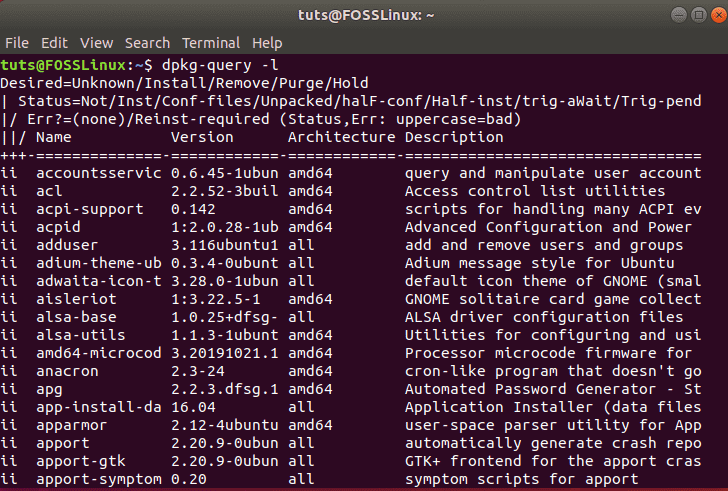
3. List Installed Packages
dpkg -l
✔ What it does:
-l→ Lists all installed packages.
📌 Example Output:
ii  google-chrome-stable  95.0.4638.69-1 amd64
ii  git                   2.34.1         amd64
📌 To check if a specific package is installed:
dpkg -l | grep chrome
💡 Helpful when checking for installed packages before updating or removing them.
4. Get Information About a Package
dpkg -s package-name
✔ What it does:
-s→ Shows detailed information about an installed package.
📌 Example:
dpkg -s git
📌 Output Example:
Package: git
Status: install ok installed
Version: 2.34.1
Architecture: amd64
Description: Distributed version control system
💡 Useful for checking version, status, and description.
5. List Files Installed by a Package
dpkg -L package-name
✔ What it does:
-L→ Lists all files installed by a package.
📌 Example:
dpkg -L apache2
📌 Sample Output:
/.
/etc/apache2
/etc/apache2/apache2.conf
/usr/sbin/apache2
/usr/lib/apache2
💡 Helpful for knowing where a package installs its files.
6. Find the Package That Owns a File
dpkg -S /path/to/file
✔ What it does:
-S→ Finds which installed package a specific file belongs to.
📌 Example:
dpkg -S /usr/bin/git
📌 Output:
git: /usr/bin/git
💡 Useful for identifying which package installed a file.
7. Reconfigure a Package
sudo dpkg-reconfigure package-name
✔ What it does:
- Reconfigures a package after installation.
- Used to reset settings or fix issues.
📌 Example:
sudo dpkg-reconfigure tzdata
📌 Allows you to select the correct timezone again. 💡 Great for reconfiguring system-wide settings.
8. Extract .deb Package Without Installing
dpkg-deb -x package.deb output-directory/
✔ What it does:
-x→ Extracts package contents without installing.
📌 Example:
dpkg-deb -x google-chrome-stable_current_amd64.deb chrome-files/
💡 Useful for inspecting package files before installation.
9. Check if a Package is Installed
dpkg -l | grep package-name
✔ What it does:
- Searches for a package in the installed package list.
📌 Example:
dpkg -l | grep firefox
📌 Output:
ii firefox 96.0+build1-0ubuntu amd64
💡 Useful for verifying if a package is already installed.
10. Fix Broken Packages
sudo dpkg --configure -a
✔ What it does:
- Completes installation for partially installed packages.
📌 Example Error:
dpkg was interrupted, you must manually run 'dpkg --configure -a' to correct the problem.
📌 Fix it with:
sudo dpkg --configure -a
💡 Run this if package installation was interrupted.
Final Thoughts
dpkgis low-level and does not resolve dependencies automatically (useaptfor that).- It’s useful for managing
.debfiles manually, checking installation details, and fixing issues.