Limited Time Offer!
For Less Than the Cost of a Starbucks Coffee, Access All DevOpsSchool Videos on YouTube Unlimitedly.
Master DevOps, SRE, DevSecOps Skills!
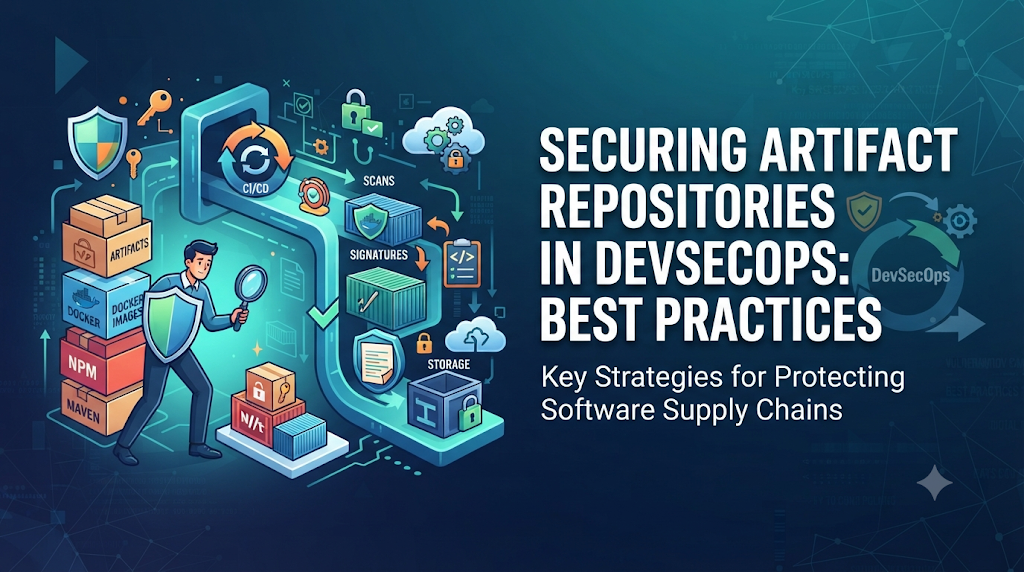
Imagine a typical development lifecycle. A development team writes code, runs unit tests, passes quality gates, and successfully triggers an automated build pipeline. The pipeline packages the application into a standard container image or binary artifact, tests it against a staging environment, and uploads it to an enterprise artifact repository. Everything appears normal. The test logs are green, the code review was approved, and the deployment script is ready to execute. However, during the deployment stage to production, a security audit reveals a troubling discrepancy. The artifact deployed in production contains a modified configuration file and an unexpected dependency that was never present in the original source code repository. Tracing the artifact reveals that the package stored in the repository was silently altered after the build completed, or alternatively, an external dependency injected malicious code during a downstream retrieval step. The team discovers that a successful build and clean source code are not enough. If the storage layer, transfer channels, and verification mechanisms are flawed, the final deliverable cannot be trusted.
This scenario highlights a critical gap in many traditional software delivery pipelines. Organizations often invest heavily in source code security, static analysis, and perimeter defenses while treating the artifact repository as a simple file server or dumping ground. Securing artifact repositories within DevSecOps means ensuring that every binary, package, container image, and configuration bundle remains protected, verified, traceable, and distributed through trusted channels from creation to production deployment.
Understand the Role of Artifact Repositories in DevSecOps
An artifact repository is a centralized storage and management system designed to hold binary build outputs, packages, libraries, and deployment assets. While source code repositories store human-readable instructions, artifact repositories store the compiled, packaged, and assembled components required to run software in production.
Modern software teams depend heavily on these repositories for dependency management, build consistency, versioning, collaboration, and release distribution. Common artifact types managed in these repositories include:
- Container images: OCI-compliant images used for microservices and cloud-native deployments.
- Application packages: Compiled binaries, JAR files, and executable packages.
- Maven and Gradle dependencies: Java libraries and enterprise modules.
- npm packages: JavaScript and TypeScript modules for frontend and backend services.
- Python packages: Wheels and source distributions for Python applications.
- NuGet packages: .NET libraries and assemblies.
- Helm charts: Kubernetes package definitions and deployment templates.
- Binary build outputs: Compiled artifacts ready for installation.
- Infrastructure and deployment packages: Terraform modules, configuration bundles, and provisioning scripts.
It is important to distinguish between different storage systems in the software supply chain. Source code repositories store raw code and version history. Artifact repositories store compiled build outputs and third-party dependencies. Container registries specialize in OCI image layers and manifests. Package registries manage language-specific libraries. Securing artifact repository platforms requires understanding their unique storage models, metadata structures, and access mechanisms.
Professionals looking to master these principles often turn to specialized training platforms like DevOpsSchool to deepen their understanding of enterprise DevSecOps pipelines, toolchain integration, and secure software supply chain management.
Map the Security Risks Across the Artifact Lifecycle
Security vulnerabilities can enter the artifact repository workflow at multiple points. Mapping these risks across the artifact lifecycle helps security engineers apply targeted controls.
[Creation & Build] ---> [Upload & Validation] ---> [Storage & Repository] ---> [Retrieval & Promotion] ---> [Deployment]
Key security risks include:
- Unauthorized artifact uploads: Malicious actors or compromised pipelines publishing rogue packages directly to production repositories.
- Malicious or compromised dependencies: Pulling typosquatted or poisoned packages from public registries.
- Artifact replacement or tampering: Overwriting an immutable release tag with a modified binary.
- Public exposure of private packages: Leaking proprietary source code, internal packages, or hardcoded credentials stored within artifacts.
- Weak credentials and excessive permissions: Giving build pipelines administrator-level access to all repositories.
- Unverified third-party packages: Consuming external components without validating integrity or origin.
- Vulnerable components: Storing and deploying packages with known critical CVEs.
- Insecure repository-to-pipeline communication: Transporting binaries over unencrypted channels or failing to validate TLS certificates.
- Poor version and retention management: Accumulating abandoned, vulnerable tags that can be exploited.
- Missing provenance and audit information: Inability to prove which commit, pipeline run, or developer produced a specific artifact.
Design Repository Access Around Least Privilege
Access control is the first line of defense for any artifact repository. In many organizations, developers and CI/CD pipelines share broad permissions, allowing any automated job to read, write, and delete packages across all environments.
Effective repository security requires strict enforcement of the principle of least privilege:
- Role-based access control (RBAC): Assign permissions based on operational necessity. Separate read, write, delete, and administrative capabilities.
- Dedicated service accounts: Ensure CI/CD pipelines use restricted service accounts with access limited to specific repositories or namespaces rather than global admin tokens.
- Multi-factor authentication (MFA): Require MFA for all human administrators and developers interacting with repository management interfaces.
- Short-lived credentials: Utilize token-based authentication with automatic expiration rather than static passwords or long-lived API keys.
- Separation of roles: Prevent developers from publishing directly to production repositories. Development teams should publish to snapshot or development registries, while formal promotion workflows handle movement to release repositories.
Example Permission Model
| Role / Identity | Dev Repository | Staging Repository | Production Repository | Administration |
| Developer | Read / Write | Read Only | No Access | None |
| CI/CD Build Pipeline | Read / Write | Read / Write | Read Only | None |
| Release Manager | Read / Write | Read / Write | Read / Write | None |
| Security Automation | Read Only | Read Only | Read Only | None |
| System Administrator | Manage | Manage | Manage | Full Admin |
Pipelines should never use administrator-level credentials simply to upload an artifact. Scoping credentials to specific virtual repositories limits the blast radius if a pipeline token is leaked.
Protect Artifacts Before They Enter the Repository
Security controls must be applied before an artifact is accepted into a trusted repository. Allowing unvalidated builds into storage undermines downstream security. Pre-upload validation steps include:
- Source code validation: Ensuring the build originated from an approved commit hash and verified branch.
- Dependency and license checks: Scanning imported libraries for compliance and known vulnerabilities.
- Malware and vulnerability scanning: Inspecting compiled binaries and container layers for malicious payloads.
- Build environment integrity: Ensuring build runners are ephemeral, isolated, and free from tampering.
- Secure build runner configuration: Hardening CI/CD agents against container escape and credential theft.
- Artifact naming and version conventions: Enforcing strict semantic versioning and preventing mutable tag overwrites.
- Checksums and hash generation: Generating cryptographic hashes (SHA-256) immediately upon build completion.
- SBOM generation: Producing a Software Bill of Materials detailing all nested dependencies.
- Build provenance collection: Recording metadata about the build environment, toolchain versions, and source repository.
Verify Artifact Integrity and Authenticity
A fundamental distinction in artifact security lies between integrity and authenticity.
- Integrity ensures that an artifact has not been altered or corrupted in transit or storage. This is typically verified using cryptographic hashes and checksums (e.g., SHA-256).
- Authenticity proves the exact origin of the artifact—confirming who built it and whether that entity is trusted. This is achieved through digital signatures, cryptographic keys, and verifiable provenance metadata.
Modern Verification Tooling
- Sigstore & Cosign: Used for signing and verifying container images and arbitrary binaries without managing complex X.509 certificate authorities.
- SLSA (Supply-chain Levels for Software Artifacts): A security framework providing standards for supply chain integrity and build provenance levels.
- in-toto: A framework to protect integrity throughout the supply chain by verifying that each step in the pipeline was executed as intended.
Illustrative Signing Workflow
- The CI/CD pipeline builds the container image and generates its digest:
sha256:abc123xyz... - The pipeline authenticates using an ephemeral OIDC token issued by the CI provider.
- Cosign signs the container image digest using a secure signing service:Bash
cosign sign --yes --identity-provider github-actions registry.example.com/myapp@sha256:abc123xyz... - Before deployment, the Kubernetes admission controller or deployment pipeline verifies the signature against trusted public keys or identity certificates:Bash
cosign verify --certificate-identity "https://github.com/org/repo/.github/workflows/build.yml@refs/heads/main" \ --certificate-iss "https://token.actions.githubusercontent.com" \ registry.example.com/myapp@sha256:abc123xyz...
Scan and Govern Dependencies Stored in Repositories
Artifact repositories accumulate thousands of third-party libraries, packages, and container layers. Without active governance, these repositories become warehouses for outdated and vulnerable code.
Organizations must implement continuous scanning and policy enforcement:
- Software Composition Analysis (SCA): Scans all stored packages to identify open-source components, licenses, and known CVEs.
- Transitive dependency analysis: Detects vulnerabilities hidden deep within nested dependency trees.
- Malicious package detection: Identifies typosquatted packages or known malware signatures.
- Quarantine workflows: Automatically isolate newly ingested packages in a staging or review repository until security scans pass.
- Approved dependency policies: Restrict developers to using pre-approved upstream registries and licensed packages.
Popular Scanning Tools
- Dependency-Track: An enterprise component analysis platform that tracks dependencies across software portfolios.
- OWASP Dependency-Check: A software composition analysis utility that detects publicly disclosed vulnerabilities in project dependencies.
- Trivy / Grype: Comprehensive vulnerability scanners for container images, file systems, and language-specific packages.
Vulnerability scanning does not guarantee safety. Scan results require context, severity tuning, and clear remediation ownership to prevent alert fatigue.
Configure Repository Security Policies
Manual approvals do not scale in fast-paced DevSecOps environments. Security requirements must be codified into automated repository policies:
- Only authenticated users and approved CI/CD pipelines can publish artifacts.
- Production repositories reject mutable tags (e.g., forcing immutable version tags like
1.2.3instead oflatest). - Release artifacts must possess valid cryptographic signatures.
- Critical vulnerabilities block promotion or deployment workflows.
- Unapproved external package sources are blocked or proxied through vetted cache repositories.
- Artifact deletion and modification are disabled on release storage pools.
- Comprehensive audit logging is enabled for all administrative and access events.
Automated repository rules ensure governance is maintained consistently without slowing down legitimate release velocity.
Connect Artifact Repository Security With CI/CD
An artifact repository cannot be secured in isolation; it must integrate seamlessly into an end-to-end DevSecOps pipeline.
Secure Pipeline Workflow
- Developer commits application changes to the source repository.
- The CI server validates source code integrity and runs static analysis.
- Automated unit, integration, and security tests execute.
- The pipeline builds the artifact in an isolated, ephemeral runner environment.
- The artifact is scanned for vulnerabilities and an SBOM is generated.
- Build provenance metadata is recorded.
- The artifact is digitally signed.
- The pipeline publishes the signed artifact and SBOM to an approved repository.
- Release workflows retrieve the artifact using a verified identity.
- Deployment pipelines execute signature, digest, and policy verification checks prior to rollout.
Example GitHub Actions Workflow Snippet
YAML
name: Secure Build and Publish

on:
  push:
    branches: [ main ]

permissions:
  id-token: write
  contents: read

jobs:
  build-and-publish:
    runs-on: ubuntu-latest
    steps:
      - name: Checkout Source
        uses: actions/checkout@v4

      - name: Set up Docker Buildx
        uses: docker/setup-buildx-action@v3

      - name: Authenticate to Registry
        uses: docker/login-action@v3
        with:
          registry: registry.example.com
          username: ${{ secrets.REGISTRY_USER }}
          password: ${{ secrets.REGISTRY_PASSWORD }}

      - name: Build and Push Container Image
        uses: docker/build-push-action@v5
        with:
          context: .
          push: true
          tags: registry.example.com/app:v1.0.0

      - name: Install Cosign
        uses: sigstore/cosign-installer@v3.5.0

      - name: Sign Container Image
        run: |
          cosign sign --yes registry.example.com/app:v1.0.0
Pipelines should never rebuild an application independently in every environment. Instead, promote the exact same verified, immutable artifact through development, staging, and production repositories.
Organize Repositories for Safer Release Management
Logical separation of repositories prevents accidental promotion of untested code. Organizations should structure their storage namespaces effectively:
- Development / Snapshot Repositories: Where developers and early CI builds push experimental packages.
- Staging / Release Candidate Repositories: Where validated builds undergo integration and security testing.
- Production / Release Repositories: Immutable storage pools containing cryptographically verified packages approved for production deployment.
- Virtual Repositories: Single endpoints that aggregate local and remote upstream repositories securely for consumption.
- Retention and Cleanup Rules: Automatically purge old, unreferenced snapshot artifacts while retaining production releases according to compliance mandates.
Practical Lab: Secure an Artifact Repository Workflow
This hands-on lab demonstrates a secure container image publishing, signing, and verification workflow using OCI-compliant tooling.
Lab Preparation
- A container registry (e.g., local registry or GitHub Packages).
- Trivy vulnerability scanner.
- Cosign signing tool.
- A sample Dockerfile and application source.
Lab Activities
- Build a sample container image:Bash
docker build -t registry.example.com/secure-app:1.0.0 . - Scan the image for vulnerabilities:Bash
trivy image --exit-code 1 --severity CRITICAL registry.example.com/secure-app:1.0.0 - Push the image to the registry:Bash
docker push registry.example.com/secure-app:1.0.0 - Generate an image digest reference:Bash
IMAGE_DIGEST=$(docker inspect --format='{{index .RepoDigests 0}}' registry.example.com/secure-app:1.0.0) echo $IMAGE_DIGEST - Sign the container image:Bash
cosign sign --yes $IMAGE_DIGEST - Verify the signature before deployment:Bash
cosign verify $IMAGE_DIGEST - Verify rejection behavior: Attempt to deploy an unsigned image or an image with an invalid tag, ensuring the deployment policy blocks execution.
Respond to Repository Security Incidents
Despite robust preventative controls, security incidents can occur. Organizations must maintain a structured incident response plan tailored for artifact repositories.
- Suspicious package uploaded: Immediately isolate the repository, quarantine the affected package, revoke publishing credentials, and audit download logs.
- Invalid signature detected: Block deployment pipelines, investigate the build runner logs, and verify whether the signing key was compromised.
- Exposed service account credential: Immediately rotate tokens, review audit trails for unauthorized access, and invalidate active sessions.
- Vulnerable dependency discovered post-publication: Mark the package version as deprecated or blocked in the repository policy, notify consuming teams, and trigger patch builds.
- Unexpected artifact modification: Treat as a severe integrity breach. Rebuild from verified source commits and re-establish repository immutability controls.
Repository Security Tools and Their Responsibilities
Selecting the right tool depends on architecture, scale, and compliance requirements:
- Artifact Repository Platforms: JFrog Artifactory, Sonatype Nexus Repository, and cloud-native services (AWS CodeArtifact) manage storage, proxying, and access control.
- Container Registries: Amazon ECR, Azure Container Registry, and Google Artifact Registry provide native cloud OCI storage and vulnerability scanning.
- Scanning Tools: Trivy, Grype, and OWASP Dependency-Check analyze code packages and container layers for CVEs.
- SBOM & Analysis: Syft and Dependency-Track generate and analyze software bills of materials.
- Signing & Provenance: Cosign, Sigstore, and SLSA utilities handle cryptographic verification and supply chain attestation.
Measure the Effectiveness of Repository Security
Security metrics help teams evaluate their posture and identify areas for improvement:
- Percentage of release artifacts with verified digital signatures.
- Percentage of stored artifacts possessing an accompanying SBOM.
- Number of critical and high vulnerabilities present in active production repositories.
- Mean time to remediate (MTTR) vulnerable dependencies.
- Frequency of unauthorized access attempts or policy violations.
- Percentage of CI/CD pipelines utilizing dedicated, least-privilege service accounts.
- Frequency of periodic repository access reviews.
Common Mistakes to Avoid
- Allowing unrestricted artifact uploads: Letting any pipeline or user push packages to production storage.
- Using shared administrator credentials: Hardcoding high-privilege tokens into pipeline configuration files.
- Treating private repositories as secure: Assuming internal network placement protects against insider threats or lateral movement.
- Replacing release artifacts: Overwriting existing version tags with modified binaries instead of enforcing immutability.
- Ignoring transitive dependencies: Focusing solely on direct libraries while overlooking deep dependency trees.
- Skipping signature verification: Relying on repository storage without verifying signatures at deployment time.
- Failing to maintain audit logs: Lacking visibility into who downloaded, modified, or deleted sensitive packages.
Frequently Asked Questions
- What is an artifact repository in DevSecOps? A centralized system that stores compiled binaries, packages, container images, and deployment assets required to run applications in production.
- Why does an artifact repository need security controls? To prevent unauthorized uploads, block malicious dependencies, ensure software integrity, and protect against supply chain tampering.
- How can teams prevent unauthorized artifact uploads? By enforcing role-based access control, using dedicated pipeline service accounts, and restricting write permissions.
- What is the difference between artifact signing and checksum verification? Checksum verification ensures data integrity (no corruption), while artifact signing proves authenticity and identity of the builder.
- Why should an SBOM be stored with an artifact? To provide complete visibility into all nested components and dependencies included within the build.
- How do artifact repositories integrate with CI/CD pipelines? Pipelines build artifacts, scan them, sign them, and automatically publish them to secure repositories for downstream deployment.
- Should production artifacts be immutable? Yes. Release tags and production repositories should never allow overwriting or modification of existing binaries.
- How can teams detect vulnerable packages in repositories? By using automated Software Composition Analysis (SCA) and continuous vulnerability scanning tools.
- What should an organization do if an artifact is compromised? Quarantine the package immediately, revoke compromised credentials, audit access logs, and rebuild from verified source code.
Final Perspective: Trust Every Artifact Before Release
Artifact repositories represent a critical nexus in the software supply chain. Securing them requires extending the same rigorous discipline applied to source code, build infrastructure, and production environments directly into binary storage and distribution workflows.
By implementing least-privilege access controls, comprehensive vulnerability scanning, cryptographic signing, build provenance, and immutable release policies, organizations can ensure the integrity of their software delivery lifecycle. Ultimately, a mature DevSecOps workflow must be able to definitively establish where an artifact came from, who produced it, whether it was altered, and whether it is officially approved for deployment.
