Limited Time Offer!
For Less Than the Cost of a Starbucks Coffee, Access All DevOpsSchool Videos on YouTube Unlimitedly.
Master DevOps, SRE, DevSecOps Skills!
Error:-
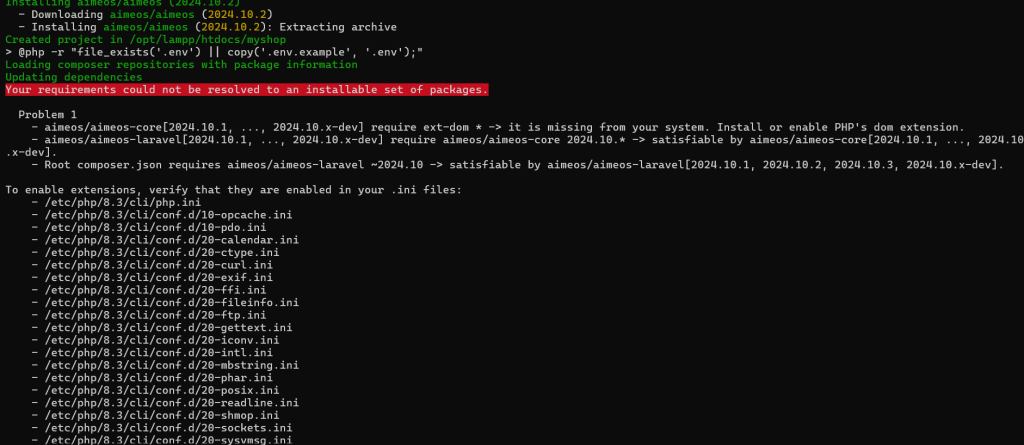
root@Ashwani:/opt/lampp/htdocs# php /usr/bin/composer create-project aimeos/aimeos myshop
Do not run Composer as root/super user! See https://getcomposer.org/root for details
Continue as root/super user [yes]? yes
Creating a "aimeos/aimeos" project at "./myshop"
Installing aimeos/aimeos (2024.10.2)
  - Downloading aimeos/aimeos (2024.10.2)
  - Installing aimeos/aimeos (2024.10.2): Extracting archive
Created project in /opt/lampp/htdocs/myshop
> @php -r "file_exists('.env') || copy('.env.example', '.env');"
Loading composer repositories with package information
Updating dependencies
Your requirements could not be resolved to an installable set of packages.

  Problem 1
    - aimeos/aimeos-core[2024.10.1, ..., 2024.10.x-dev] require ext-dom * -> it is missing from your system. Install or enable PHP's dom extension.
    - aimeos/aimeos-laravel[2024.10.1, ..., 2024.10.x-dev] require aimeos/aimeos-core 2024.10.* -> satisfiable by aimeos/aimeos-core[2024.10.1, ..., 2024.10.x-dev].
    - Root composer.json requires aimeos/aimeos-laravel ~2024.10 -> satisfiable by aimeos/aimeos-laravel[2024.10.1, 2024.10.2, 2024.10.3, 2024.10.x-dev].

To enable extensions, verify that they are enabled in your .ini files:
    - /etc/php/8.3/cli/php.ini
    - /etc/php/8.3/cli/conf.d/10-opcache.ini
    - /etc/php/8.3/cli/conf.d/10-pdo.ini
    - /etc/php/8.3/cli/conf.d/20-calendar.ini
    - /etc/php/8.3/cli/conf.d/20-ctype.ini
    - /etc/php/8.3/cli/conf.d/20-curl.ini
    - /etc/php/8.3/cli/conf.d/20-exif.ini
    - /etc/php/8.3/cli/conf.d/20-ffi.ini
    - /etc/php/8.3/cli/conf.d/20-fileinfo.ini
    - /etc/php/8.3/cli/conf.d/20-ftp.ini
    - /etc/php/8.3/cli/conf.d/20-gettext.ini
    - /etc/php/8.3/cli/conf.d/20-iconv.ini
    - /etc/php/8.3/cli/conf.d/20-intl.ini
    - /etc/php/8.3/cli/conf.d/20-mbstring.ini
    - /etc/php/8.3/cli/conf.d/20-phar.ini
    - /etc/php/8.3/cli/conf.d/20-posix.ini
    - /etc/php/8.3/cli/conf.d/20-readline.ini
    - /etc/php/8.3/cli/conf.d/20-shmop.ini
    - /etc/php/8.3/cli/conf.d/20-sockets.ini
    - /etc/php/8.3/cli/conf.d/20-sysvmsg.ini
    - /etc/php/8.3/cli/conf.d/20-sysvsem.ini
    - /etc/php/8.3/cli/conf.d/20-sysvshm.ini
    - /etc/php/8.3/cli/conf.d/20-tokenizer.ini
    - /etc/php/8.3/cli/conf.d/20-zip.ini
You can also run `php --ini` in a terminal to see which files are used by PHP in CLI mode.
Alternatively, you can run Composer with `--ignore-platform-req=ext-dom` to temporarily ignore these required extensions
Solutions:
It looks like the DOM extension (ext-dom) is missing from your PHP installation. Follow these steps to enable or install it.
Step 1: Install the PHP XML Extension
Since you are using PHP 8.3, install the required extension using:
sudo apt update
sudo apt install php8.3-xml
If you are using XAMPP, then you need to enable the dom extension in the php.ini file manually.
Step 2: Enable the DOM Extension in XAMPP
If you are using XAMPP, you need to manually enable the extension.
- Find the
php.inifile for CLI:php --iniYou will see something like:Loaded Configuration File: /opt/lampp/etc/php.ini - Edit the
php.inifile: Open it using:sudo nano /opt/lampp/etc/php.ini - Uncomment or Add the
domExtension: Find the line:;extension=domRemove the;at the beginning to enable it:extension=dom - Save and Exit:
- Press
CTRL + X - Press
YandEnter
- Press
Step 3: Restart XAMPP
Restart Apache to apply changes:
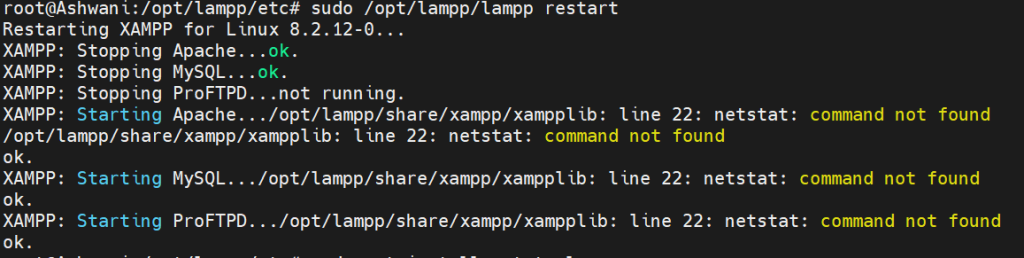
sudo /opt/lampp/lampp restart
Step 4: Verify the Extension
Run:
php -m | grep dom
It should now show:
dom
Step 5: Retry the Aimeos Installation
Now, try installing Aimeos again:
php /usr/bin/composer create-project aimeos/aimeos myshop