Limited Time Offer!
For Less Than the Cost of a Starbucks Coffee, Access All DevOpsSchool Videos on YouTube Unlimitedly.
Master DevOps, SRE, DevSecOps Skills!
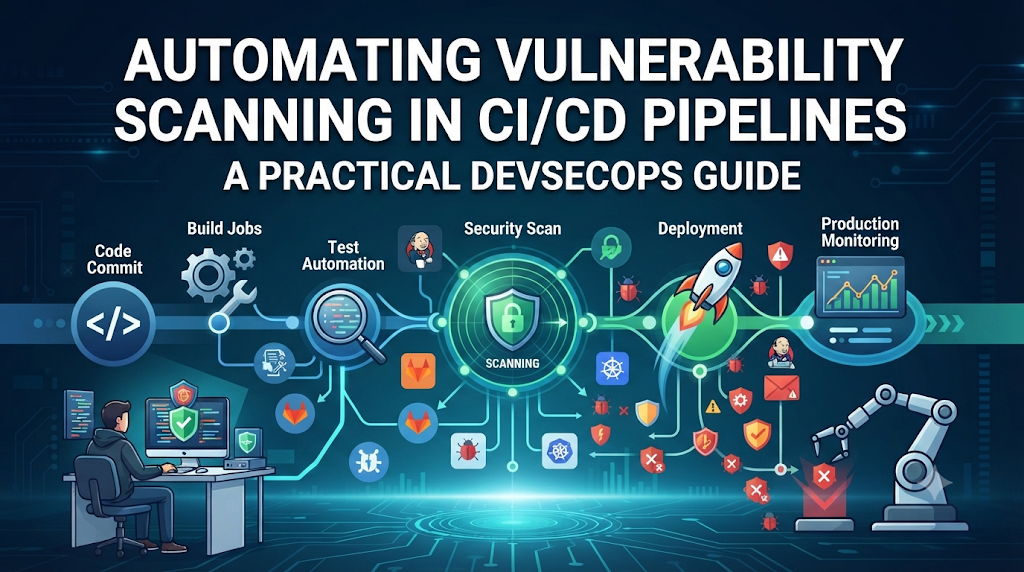
Modern software delivery moves at lightning speed, but deploying applications without automated security checks leaves systems exposed to critical vulnerabilities. Imagine releasing an update that passes all functional tests, only for a hidden third-party dependency flaw to trigger a production breach. By integrating automated vulnerability scanning directly into your CI/CD pipeline jobs, teams can catch security weaknesses in source code, dependencies, and container images before they ever reach production. For professionals looking to master these skills and elevate their DevSecOps practices, structured programs from DevOpsSchool provide essential, real-world learning pathways.
Understand Vulnerability Scanning in CI/CD Pipelines
Vulnerability scanning refers to the automated process of inspecting software artifacts, configurations, and environments against known databases of security flaws, misconfigurations, and weaknesses.
Unlike traditional manual security reviews—which are slow, expensive, and unable to keep pace with rapid agile deployments—automated scanning evaluates every code commit, pull request, and build artifact in seconds.
- Early Detection: Catching flaws during development avoids expensive hotfixes and security patches after production release.
- DevSecOps Integration: Automated scanning embeds security directly into pipelines, turning security into a shared responsibility across development, operations, and security teams.
- Testing vs. Management: Security testing identifies flaws, whereas vulnerability management encompasses tracking, prioritizing, remediation, and auditing findings over time.
- Consistency: Pipeline automation guarantees that every build undergoes the exact same rigorous security assessment without relying on human memory or manual checklists.
- Broad Coverage: Modern applications rely on complex stacks, requiring automated tools to look beyond source code into libraries, containers, cloud environments, and configuration files.
For professionals seeking to master these concepts and improve their DevSecOps and CI/CD security skills, structured training programs from DevOpsSchool offer practical, industry-aligned learning pathways.
Identify What Needs to Be Scanned
A secure software delivery environment requires multi-layered scanning because applications are composed of diverse components running across distributed infrastructure.
+-----------------------------------------------------------------+
|                  Application Delivery Layers                    |
+-----------------------------------------------------------------+
  [ Source Code ] ---> [ Dependencies ] ---> [ Container Image ]
         |                     |                     |
         v                     v                     v
  [ Infrastructure ] ---> [ Secrets ] ---> [ Runtime Environment ]
+-----------------------------------------------------------------+
Source Code
Developers write code that can introduce insecure coding patterns, such as SQL injection vulnerabilities, cross-site scripting flaws, hardcoded paths, or improper error handling. Source code scanning evaluates the raw syntax and logic before compilation.
Dependencies
Modern applications consist of up to 90% third-party open-source libraries and packages. If a popular logging utility or database driver contains a known Common Vulnerability and Exposure (CVE), the entire application inherits that risk.
Container Images
Containers bundle applications alongside operating system packages, binaries, and runtime libraries. An otherwise secure application running on an outdated base container image can introduce severe OS-level vulnerabilities.
Infrastructure as Code (IaC)
Cloud infrastructure is increasingly defined in code using tools like Terraform, CloudFormation, or Kubernetes manifests. Insecure configurations—such as open security groups, unencrypted storage buckets, or overly permissive IAM roles—must be identified before provisioning.
Secrets
Accidentally committing database passwords, API tokens, private cryptographic keys, or cloud provider credentials into version control is a frequent cause of breaches. Secret scanners inspect git history and file changes for sensitive strings.
Runtime Environments
Once applications and infrastructure are deployed, runtime assessment tools evaluate active environments, network ports, and live configurations for newly discovered threats or drift from baseline security policies.
Select the Right Scanning Approach for Each Pipeline Stage
Different scanning categories target different parts of the application architecture. No single scanner can identify every security issue.
- Static Application Security Testing (SAST): Analyzes source code or compiled binaries without executing the program. Best used early in the pipeline during pull requests to find code-level vulnerabilities.
- Software Composition Analysis (SCA): Scans third-party libraries and open-source dependencies against vulnerability databases. Best executed during dependency installation stages.
- Dynamic Application Security Testing (DAST): Tests a running application by simulating external attacks (such as fuzzing and input manipulation). Best run in staging environments prior to production release.
- Container Image Vulnerability Scanning: Inspects container layers, OS packages, and embedded binaries for known CVEs. Executed immediately after container image creation.
- Infrastructure as Code Scanning: Parses configuration templates to detect security misconfigurations and compliance violations before deployment.
- Secret Scanning: Scans repositories, commits, and artifacts for exposed credentials and API keys. Executed as the very first stage in the pipeline.
- Configuration and Policy Validation: Validates runtime policies, Kubernetes manifests, and compliance standards against organizational baselines.
Design a Security Scanning Pipeline
A robust security scanning pipeline orchestrates multiple validation checks in a logical sequence, ensuring fast feedback for developers while blocking risky builds from reaching production.
+---------------------------------------------------------------------------------------------+
|                               CI/CD Security Pipeline Flow                                  |
+---------------------------------------------------------------------------------------------+
| 1. Source Checkout                                                                          |
| 2. Secret Scanning (Block on high severity credentials)                                     |
| 3. Code Validation & Linting                                                                |
| 4. SAST Analysis (Static code security inspection)                                          |
| 5. Dependency Scanning (SCA check against known CVE databases)                              |
| 6. Unit & Integration Testing                                                               |
| 7. Container Image Building                                                                 |
| 8. Container Image Scanning (OS packages & binaries check)                                  |
| 9. Infrastructure Configuration Scanning (IaC security validation)                          |
| 10. Deployment Approval & Quality Gate Check                                                 |
| 11. Post-Deployment Security Validation                                                     |
+---------------------------------------------------------------------------------------------+
Each stage serves as a gate. If a critical failure occurs in early stages (like secret detection), subsequent build jobs are aborted immediately to save compute time and prevent leakage.
Integrate Vulnerability Scanners Into Pipeline Jobs
Automating scanners within pipeline configuration files requires understanding CLI invocation, exit codes, report generation, and platform-specific syntax (such as GitLab CI, GitHub Actions, or Jenkins).
Below is an example snippet demonstrating how a security scanning job can be structured in a modern CI/CD platform configuration file:
YAML
version: '2.8'
stages:
  - secret-scan
  - sast-scan
  - container-scan

jobs:
  secret_detection:
    stage: secret-scan
    image: gitleaks/gitleaks:latest
    script:
      - gitleaks detect --source=. --verbose --exit-code=1

  sast_analysis:
    stage: sast-scan
    image: returntocorp/semgrep:latest
    script:
      - semgrep --config=auto --error --metrics=off

  container_vulnerability_scan:
    stage: container-scan
    image: aquasec/trivy:latest
    script:
      - trivy image --exit-code 1 --severity CRITICAL,HIGH my-app-image:latest
In this configuration, each job executes a dedicated open-source security tool inside an isolated container runner. The --exit-code=1 flag ensures that if vulnerabilities or secrets are discovered, the command returns a non-zero exit code, causing the CI/CD pipeline job to fail and block further progression.
Configure Security Quality Gates
A quality gate is the rule set that determines whether a pipeline job passes or fails based on scan findings. Treating every finding with equal urgency leads to alert fatigue and blocked deployments. Quality gates should be configured based on several core factors:
- Severity Levels: Categorizing findings into Critical, High, Medium, and Low. Pipelines typically block on Critical and High vulnerabilities, while Medium and Low issues generate warning reports.
- Exploitability: Assessing whether a vulnerability is actively reachable and exploitable in the specific context of the application.
- Available Security Fixes: Determining if a patch or upgraded package version exists.
- Application Exposure: Evaluating whether the service is internal-only or exposed directly to the public internet.
- Business Impact: Weighing the criticality of the affected system against operational risks.
- False-Positive Handling and Risk Acceptance: Allowing documented exceptions with expiration dates for vulnerabilities that cannot be immediately patched.
Practical Example of a Quality Gate Failure
If an SCA scanner detects a dependency with a CVSS score of 9.8 (Critical) and an exploit exists in the wild, the quality gate evaluation script reads the JSON report, detects the critical count greater than zero, and halts the deployment script, outputting a clear failure message to the engineering team.
Manage Scan Reports and Security Findings
Automated scanners generate vast quantities of data. Managing these findings effectively requires converting raw scanner output into actionable insights.
- Machine-Readable Reports: Standardized formats like SARIF (Static Analysis Results Interchange Format), JSON, and XML allow security platforms to ingest and parse findings programmatically.
- Human-Readable Reports: HTML or console summaries formatted for developers to quickly inspect file paths, line numbers, and remediation guidance.
- Pipeline Artifacts: Storing raw scan logs and reports as downloadable artifacts within the CI/CD platform for auditing and historical comparison.
- Security Dashboards: Centralized aggregation platforms that track vulnerability trends across multiple microservices and repositories.
- Pull Request Comments: Injecting scan findings directly into code review interfaces so developers see security warnings before merging code.
- Vulnerability Ownership: Automatically mapping findings to specific code authors or engineering teams using Git blame data or codeowners files.
Handle False Positives and Reduce Scanning Noise
Automated security tools sometimes report issues that are either theoretically possible but practically unexploitable, or entirely incorrect (false positives). Managing scan noise is vital to prevent developers from ignoring security alerts altogether.
- Validating Findings: Security and development teams must review whether vulnerable code paths are actually executed by the application runtime.
- Dependency Usage Checks: Determining whether a vulnerable function in a third-party library is imported and called, or sits dormant in unused code.
- Approved Suppression Rules: Configuring tool-specific
.trivyignore,.semgrepignore, or security policy files to ignore verified false positives. - Documenting Accepted Risks: Requiring formal business justification and management sign-off for any security finding left unpatched.
- Setting Expiration Dates: Ensuring risk exceptions expire automatically after 30 to 90 days, forcing teams to re-evaluate temporary workarounds.
Practical Project: Build an Automated Vulnerability Scanning Workflow
To understand how these concepts operate in practice, let us walk through building an automated vulnerability scanning workflow for a sample Node.js web application and its accompanying Docker container.
+-------------------------------------------------------------------------------------------------+
|                                    Practical Pipeline Walkthrough                               |
+-------------------------------------------------------------------------------------------------+
| 1. Prepare sample repository containing source code and package.json.                           |
| 2. Define security scanning requirements for secrets, code, and dependencies.                   |
| 3. Add Gitleaks step to check for committed API tokens or secrets.                              |
| 4. Integrate Semgrep for static application security testing (SAST).                            |
| 5. Run npm audit or Trivy filesystem scan to catch vulnerable node modules.                    |
| 6. Build Docker image locally or within the runner daemon.                                      |
| 7. Scan built Docker image using Trivy for OS-level CVEs.                                       |
| 8. Export JSON and SARIF reports as pipeline artifacts.                                         |
| 9. Enforce severity thresholds (block on Critical/High).                                        |
| 10. Review scan output, patch vulnerable package in package.json, and re-run pipeline.           |
+-------------------------------------------------------------------------------------------------+
Step 1: Repository Preparation
Ensure your sample repository includes a package.json file with a deliberately outdated dependency (for testing purposes) and a Dockerfile.
Step 2: Pipeline Configuration (.gitlab-ci.yml or GitHub Actions workflow)
Create your workflow file defining sequential jobs for secret detection, SAST, dependency analysis, and container scanning. Use safe test inputs and do not insert real production secrets or credentials into test files.
Step 3: Executing and Verifying
Trigger a pipeline run via a code commit. Observe the secret scanner pass successfully, the SAST tool analyze source code patterns, the dependency scanner flag the outdated package, and the container scanner evaluate the built image layers. Review the generated reports, update the vulnerable dependency version in package.json, commit the fix, and watch the pipeline pass successfully on the subsequent run.
Integrate Vulnerability Scanning With Developer Workflows
Security scanning should not feel like an external barrier imposed at the end of a sprint. True DevSecOps integrates security checks directly into the tools developers use every day.
- Pre-commit Hooks: Running lightweight linters and secret detectors locally before code is even committed to git (
git commit). - Pull Request Scanning: Automatically triggering SAST and SCA checks on every pull request, displaying comments inline next to the affected lines of code.
- IDE-Based Security Checks: Equipping developers with IDE extensions that highlight security anti-patterns in real-time as they type.
- Automated Issue Creation: Integrating scanner outputs with issue trackers (like Jira or GitHub Issues) to automatically create remediation tickets assigned to code owners.
- Cultural Collaboration: Fostering transparent communication where security teams act as enablers and advisors rather than roadblocks.
Keep Scanning Efficient Without Slowing Down Delivery
Security checks must not degrade developer velocity or cause excessive pipeline build times. Organizations can optimize scanning performance using several strategies:
- Parallel Scanning Jobs: Executing SAST, SCA, and secret scanning concurrently in separate runner containers instead of sequentially.
- Caching: Caching dependency directories (such as
node_modules,.m2, or pip caches) and vulnerability database downloads across pipeline runs. - Incremental Scanning: Configuring SAST tools to analyze only modified files and git diffs rather than performing full codebase scans on every minor commit.
- Reusable Pipeline Templates: Creating centralized CI/CD templates that standard security jobs inherit automatically across dozens of microservices.
- Separating Fast Checks from Deep Scans: Running rapid static checks and secret scans on every commit, while scheduling intensive DAST or deep architectural scans for nightly or weekly pipelines.
Common Problems in Automated Vulnerability Scanning
Implementing automated security scanning often presents practical hurdles. Below are common challenges and how to resolve them:
- Scanner Installation Failures: Usually caused by network timeouts or missing dependencies in runner base images. Fix: Pin scanner versions and use pre-built official runner container images.
- Incorrect Scanner Configuration: Misconfigured rule paths or ignored directories. Fix: Validate configuration files locally using CLI dry-run modes.
- Missing Authentication for Private Registries: Container scanners failing to pull base images from private artifactory registries. Fix: Securely inject registry credentials into pipeline runner environment variables.
- Incomplete Vulnerability Databases: Scanners failing to detect recent CVEs because definitions are outdated. Fix: Ensure scanners update their offline vulnerability databases at the start of every pipeline job.
- Large Report Files: Unstructured raw logs crashing CI/CD visualization interfaces. Fix: Export reports in compact SARIF or summary table formats.
Build a Continuous Vulnerability Remediation Process
Detecting vulnerabilities is only the first step. Organizations must establish a structured, continuous remediation lifecycle to ensure identified flaws are actually resolved.
+---------------------------------------------------------------------------------+
|                    Vulnerability Remediation Lifecycle                          |
+---------------------------------------------------------------------------------+
|  [ Detection ] ---> [ Triage & Ownership ] ---> [ Prioritization ]              |
|        ^                                                |                       |
|        |                                                v                       |
|  [ Retesting ] <--- [ Rebuilding & Patching ] <--- [ Remediation SLA ]          |
+---------------------------------------------------------------------------------+
- Assigning Ownership: Automatically routing vulnerability alerts to the engineering team responsible for the specific microservice or repository.
- Prioritization: Ranking remediation efforts based on exploitability, business criticality, and asset exposure rather than raw CVE scores alone.
- Updating Dependencies: Upgrading vulnerable packages or applying vendor patches promptly.
- Rebuilding Artifacts: Triggering automated rebuilds of container images and deployment packages following dependency updates.
- Retesting Fixes: Verifying through subsequent pipeline runs that the vulnerability signature is successfully eliminated.
- Reviewing Patterns: Analyzing recurring vulnerability trends during retrospective meetings to improve secure coding training across the organization.
Final Thoughts: Make Security Scanning a Normal Pipeline Activity
Automating vulnerability scanning in pipeline jobs transforms application security from a reactive, bottlenecked audit into a proactive, continuous capability. By embedding secret detection, static code analysis, software composition analysis, and container scanning directly into automated CI/CD workflows, engineering teams catch security flaws when they are fast, inexpensive, and easy to fix.
Effective security automation combines reliable tools, sensible quality gates, actionable reports, close developer collaboration, and a disciplined remediation process. When security scanning becomes a normal, routine part of every pipeline run, organizations achieve faster delivery without compromising safety or resilience.
