Limited Time Offer!
For Less Than the Cost of a Starbucks Coffee, Access All DevOpsSchool Videos on YouTube Unlimitedly.
Master DevOps, SRE, DevSecOps Skills!
What is IAM?
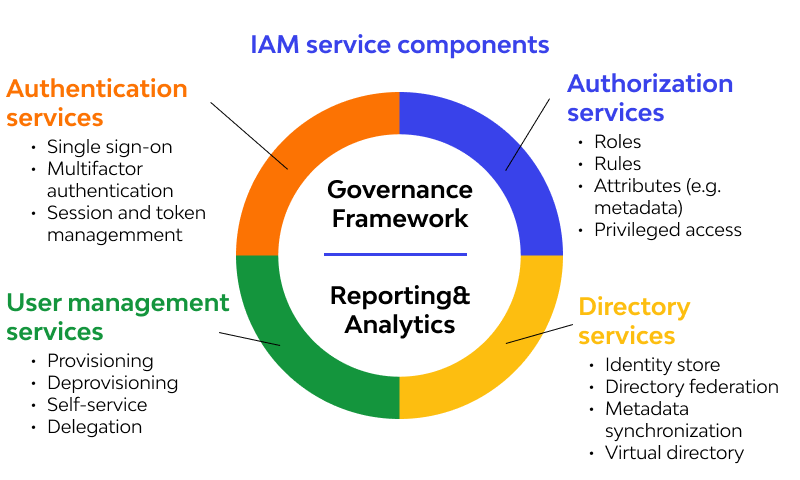
Identity and Access Management (IAM) is a framework that combines policies, processes, and technologies to ensure that the right individuals in an organization have appropriate access to technology resources. IAM is crucial for managing user identities, authenticating access to systems, and defining roles within an organization. It provides mechanisms to manage users (employees, customers, devices, and applications) and their interactions with various resources securely and efficiently.
IAM tools are often employed to automate identity management tasks, such as user provisioning, password resets, and access control, while maintaining compliance with regulatory requirements and security standards.
Why Do We Need IAM?
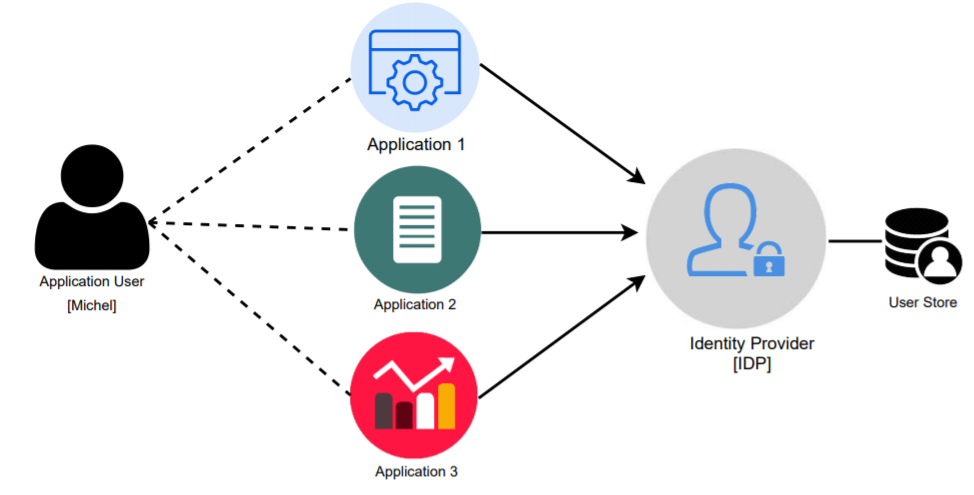
- Enhanced Security:
- Protect sensitive organizational data by ensuring that only authorized individuals can access it.
- Mitigate risks from unauthorized access, phishing attacks, and insider threats.
- Regulatory Compliance:
- Help organizations comply with standards like GDPR, HIPAA, PCI-DSS, and SOX, which mandate secure identity and access controls.
- Improved Operational Efficiency:
- Automate manual processes like onboarding, offboarding, and access provisioning to save time and reduce human error.
- Seamless User Experience:
- Features like single sign-on (SSO) and passwordless authentication simplify user interactions with systems while maintaining high security.
- Cost Reduction:
- Reduce costs associated with password resets, security breaches, and managing multiple access control systems.
- Scalability:
- Easily accommodate growth, whether through additional users, applications, or devices, without compromising security.
What Are the Advantages of IAM?
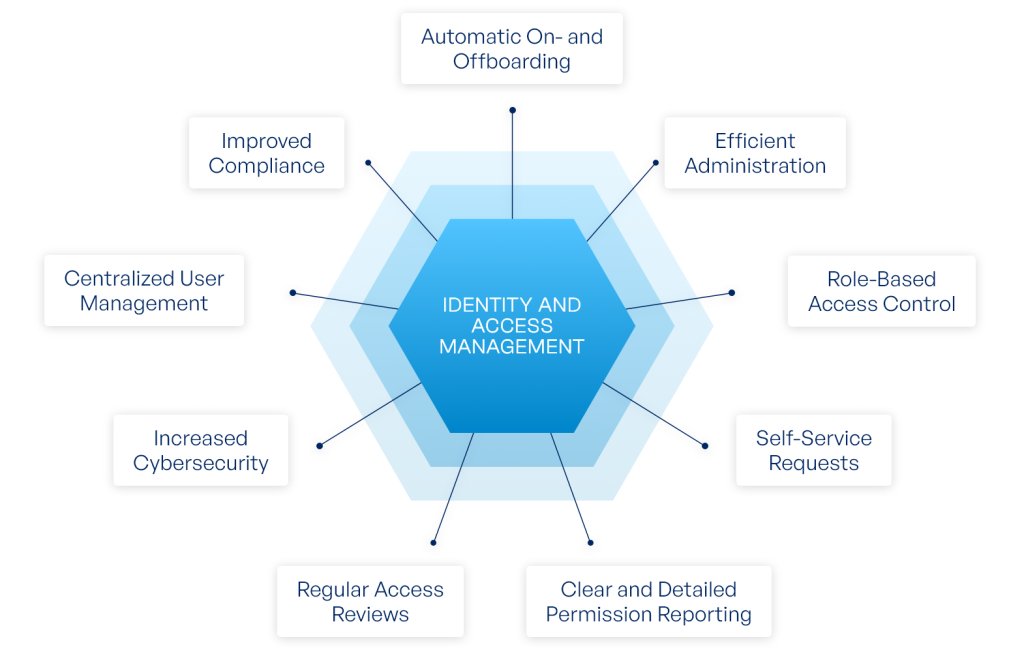
- Centralized Access Management:
- Provides a unified platform to manage and control access across various systems and applications.
- Increased Security:
- Implements best practices such as least privilege access, multi-factor authentication (MFA), and real-time monitoring to enhance the organization’s security posture.
- Streamlined Compliance:
- Facilitates auditing and compliance reporting, ensuring organizations meet legal and regulatory requirements.
- Improved User Experience:
- Reduces friction in accessing resources by implementing SSO, self-service password resets, and user-friendly interfaces.
- Automation:
- Automates repetitive tasks like user provisioning and access deprovisioning, reducing errors and saving time.
- Support for Remote Work:
- Secures remote access by enforcing strong authentication mechanisms and conditional access policies.
What Are the Features of IAM?
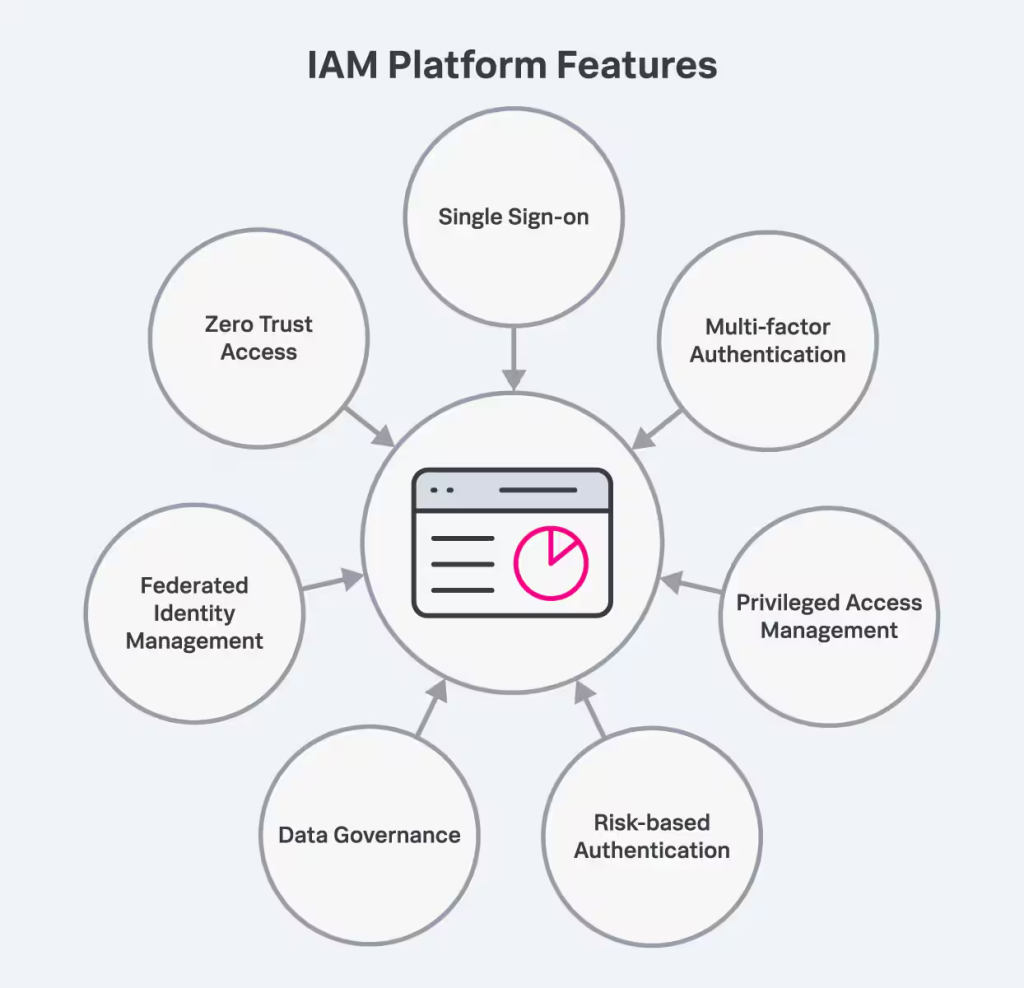
- Single Sign-On (SSO):
- Allows users to log in once and gain access to multiple systems without needing to authenticate repeatedly.
- Multi-Factor Authentication (MFA):
- Requires multiple forms of verification (e.g., password and biometric) to add an extra layer of security.
- Role-Based Access Control (RBAC):
- Ensures users have access only to the resources necessary for their role.
- Privileged Access Management (PAM):
- Secures and monitors access to critical systems and data by users with elevated permissions.
- User Lifecycle Management:
- Automates processes for creating, modifying, and deleting user accounts based on changes in employment status.
- Audit and Reporting:
- Tracks user activity and generates reports for compliance and incident response.
- Password Management:
- Enables secure storage, retrieval, and rotation of passwords for both users and privileged accounts.
- API Security:
- Ensures secure interaction between applications and services through token-based authentication.
- Integration with Directory Services:
- Works with directories like Active Directory (AD), LDAP, or cloud directories for seamless identity management.
- Access Analytics:
- Uses AI and machine learning to identify anomalous access patterns and enforce real-time security measures.
What Are the Top 10 Use Cases of IAM?
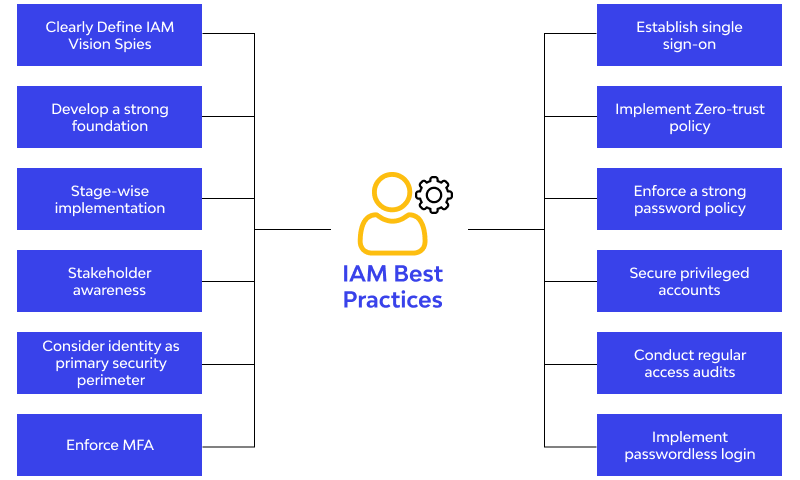
- Enterprise Security:
- Protect sensitive business data by enforcing strict access controls for employees, vendors, and contractors.
- Cloud Access Management:
- Secure access to cloud applications and infrastructure (e.g., AWS, Azure, Google Cloud) using IAM policies.
- Remote Workforce Enablement:
- Provide secure access to corporate resources for remote employees while enforcing policies like geo-fencing and time-based access.
- Customer Identity and Access Management (CIAM):
- Manage customer accounts and secure their interactions with applications and portals.
- Regulatory Compliance:
- Ensure access control practices comply with legal standards such as HIPAA, GDPR, and CCPA.
- Zero Trust Implementation:
- Enforce a security model that assumes no user or device is trusted by default.
- DevOps Security:
- Manage identities and control access to DevOps tools and CI/CD pipelines.
- Privileged Access Management:
- Restrict and monitor access to critical systems and infrastructure by users with elevated privileges.
- Third-Party Access:
- Enable secure, monitored access for external vendors and partners to specific systems or data.
- IoT Security:
- Manage identities and secure access for IoT devices in industrial and consumer environments.
How to Implement IAM?
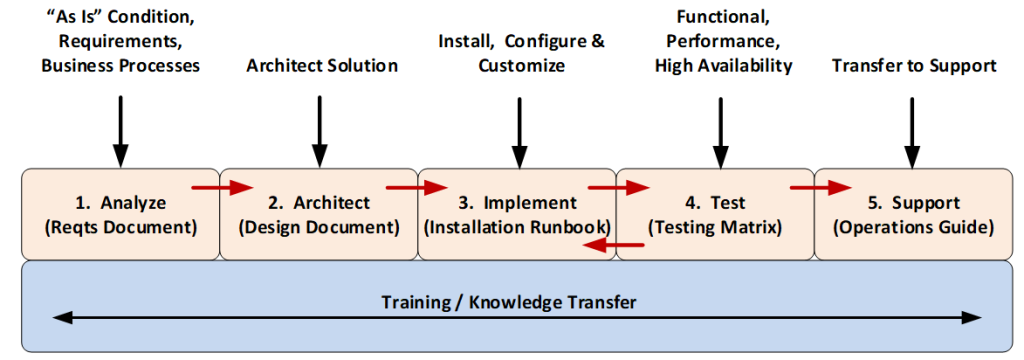
- Assess Organizational Needs:
- Evaluate your organization’s specific requirements, including compliance mandates, existing systems, and potential security risks.
- Choose an IAM Solution:
- Select an IAM platform that aligns with your organization’s size, infrastructure, and budget. Popular IAM tools include Okta, Microsoft Azure AD, Ping Identity, and ForgeRock.
- Define Access Policies and Roles:
- Develop clear policies and define roles to establish who can access what, under which circumstances.
- Integrate IAM with Systems:
- Connect the IAM solution to your existing systems and applications, such as cloud services, databases, and on-premises software.
- Enable Core Security Features:
- Activate features like MFA, SSO, and passwordless authentication to strengthen security.
- Automate User Provisioning and Deprovisioning:
- Set up workflows to automatically grant and revoke user access based on role changes, new hires, or terminations.
- Conduct Training:
- Train employees, IT staff, and administrators on how to use the IAM solution effectively and securely.
- Monitor and Audit:
- Regularly review user activity logs, access permissions, and IAM configurations to ensure compliance and detect suspicious activity.
- Update Policies and Systems:
- Continuously update IAM policies and configurations to adapt to evolving security threats and business needs.
- Adopt a Zero Trust Approach:
- Enhance IAM implementation by integrating Zero Trust principles, ensuring continuous verification for every access request, and applying least privilege access.
