Limited Time Offer!
For Less Than the Cost of a Starbucks Coffee, Access All DevOpsSchool Videos on YouTube Unlimitedly.
Master DevOps, SRE, DevSecOps Skills!
What is Encryption?
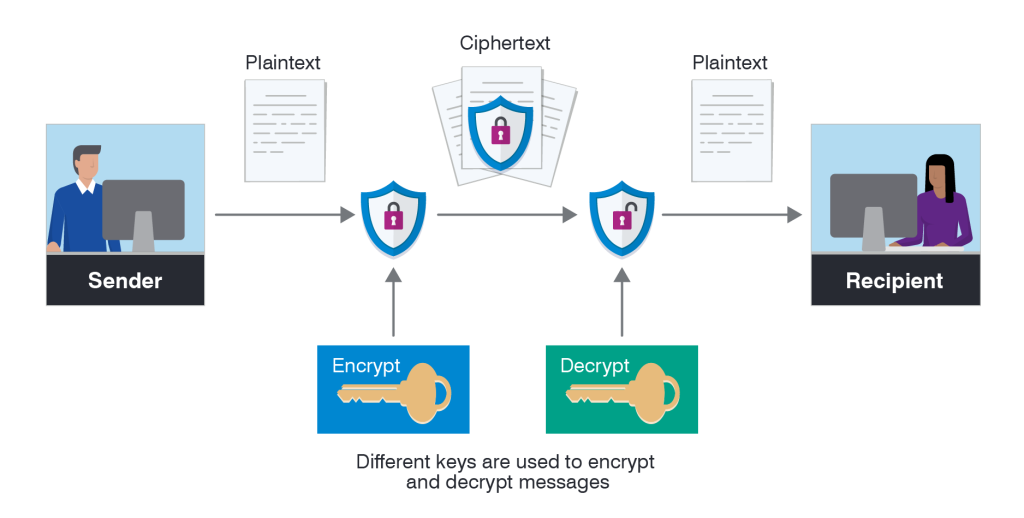
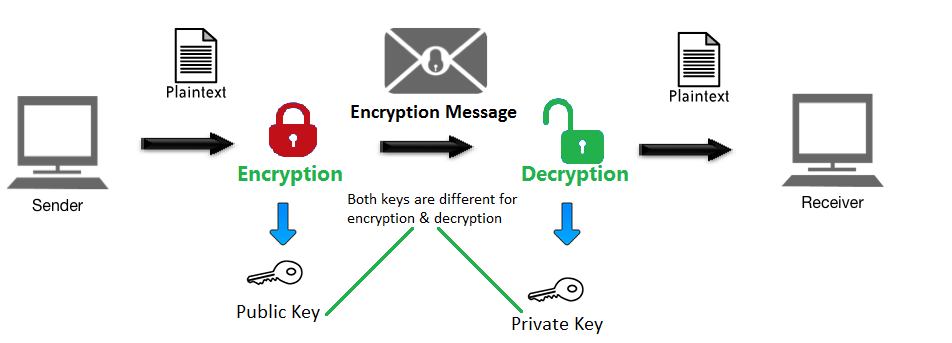
Encryption is the process of converting information or data into a coded format to prevent unauthorized access. This process involves using mathematical algorithms to scramble readable data (plaintext) into an unreadable format (ciphertext). Only authorized parties, who possess the correct decryption key or password, can transform the ciphertext back into its original, readable form. Encryption plays a vital role in modern data security, ensuring confidentiality, integrity, and protection against cyber threats. It is widely used in various applications, from secure communications to safeguarding sensitive data stored in databases.
Why Do We Need Encryption?
- Data Protection: Encryption ensures that confidential and sensitive information, such as personal identification details, financial records, and trade secrets, is protected from unauthorized access and potential misuse.
- Prevent Unauthorized Access: By encrypting data, organizations can reduce the risk of data breaches and unauthorized access by malicious actors.
- Compliance: Many regulatory frameworks and laws, including GDPR, HIPAA, and PCI DSS, mandate the use of encryption to secure sensitive data, ensuring legal compliance.
- Secure Communication: Encryption is critical for enabling secure communication over the internet, such as encrypted emails, virtual private networks (VPNs), and secure messaging platforms.
- Trust Building: Businesses that implement robust encryption practices demonstrate their commitment to protecting customer data, fostering trust and loyalty.
- Mitigation of Risks: Encryption minimizes the impact of data breaches, as encrypted data is nearly useless to unauthorized users without the correct decryption key.
What Are the Advantages of Encryption?
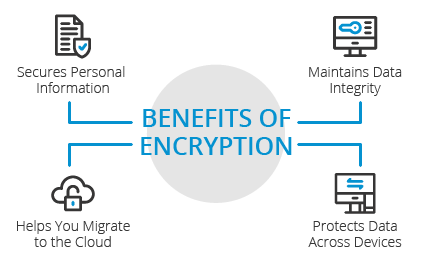
- Enhanced Security: Encryption provides a robust defense against cyberattacks, ensuring data remains secure even if intercepted.
- Data Integrity: It guarantees that data remains unchanged and intact during transmission or storage, protecting against tampering or corruption.
- Privacy Protection: Encryption safeguards personal information, ensuring privacy in sensitive communications and transactions.
- Regulatory Compliance: Helps organizations meet industry-specific security requirements, avoiding penalties and legal consequences.
- Reduced Risks: By encrypting data, businesses minimize exposure to risks associated with data theft or loss.
- Flexibility: Encryption methods can be tailored to secure various types of data, including files, communications, and entire systems.
- Cross-Platform Security: Encryption tools support multiple platforms, ensuring data protection regardless of the operating system or device.
What Are the Features of Encryption Tools?
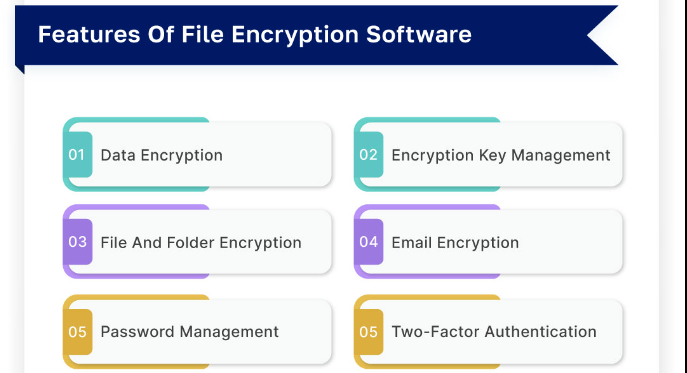
- Support for Multiple Algorithms: Encryption tools often support various encryption standards, such as AES (Advanced Encryption Standard), RSA (Rivest-Shamir-Adleman), DES (Data Encryption Standard), and ECC (Elliptic Curve Cryptography).
- Key Management Systems: These tools include robust mechanisms for generating, storing, and distributing encryption keys securely.
- Platform Compatibility: Compatibility with different operating systems, devices, and applications to ensure seamless integration.
- Real-Time Encryption: Capability to encrypt data instantly during its transmission or storage.
- User Authentication: Features like multi-factor authentication (MFA) ensure only authorized users can access encrypted data.
- Audit Logs: Detailed logs and reports help monitor encryption activities and identify potential security breaches.
- Ease of Use: User-friendly interfaces and intuitive workflows make these tools accessible to non-technical users.
- Scalability: Ability to scale encryption capabilities as the organization grows, handling larger datasets and increasing users.
- Multi-Layered Protection: Integration with other security measures, such as firewalls and intrusion detection systems, for comprehensive defense.
What Are the Top 10 Use Cases of Encryption?
- Email Security: Encryption ensures that sensitive emails are protected from interception and unauthorized access.
- Cloud Data Security: Encrypting files stored in cloud services prevents unauthorized users from accessing sensitive data.
- Secure Messaging: Applications like Signal, WhatsApp, and Telegram use encryption to enable private and secure conversations.
- Financial Transactions: Encryption protects sensitive financial information, such as credit card numbers, during online purchases and banking transactions.
- Health Data Protection: Encrypting patient records and medical information ensures compliance with healthcare regulations like HIPAA.
- E-Commerce Platforms: Encryption secures payment gateways and protects customer data from cybercriminals.
- Data Backups: Encrypted backups provide a secure way to store data, ensuring it remains safe even in the event of a breach.
- IoT Security: Encryption protects data transmitted between Internet of Things (IoT) devices, mitigating risks of data interception.
- Mobile Device Security: Encrypting data on mobile devices secures both personal and business information from unauthorized access.
- Government and Military Applications: Encryption protects classified information and critical communications from adversaries.
How to Implement Encryption?
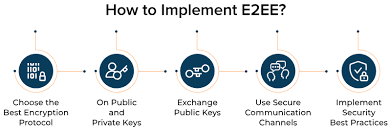
- Identify Sensitive Data: Assess and classify data to determine which information requires encryption based on its sensitivity and importance.
- Select an Appropriate Encryption Method: Choose a method that aligns with your needs—AES for data storage, RSA for secure communications, etc.
- Use Encryption Tools: Implement trusted encryption tools such as BitLocker, VeraCrypt, AxCrypt, or enterprise-grade solutions like IBM Guardium or Symantec Endpoint Encryption.
- Key Management: Establish a secure system for generating, storing, and rotating encryption keys. Utilize hardware security modules (HSMs) for additional security.
- Integrate Encryption with Systems: Ensure encryption solutions are integrated with existing IT infrastructure, including databases, applications, and networks.
- Educate Users: Conduct training sessions to familiarize employees with encryption policies, tools, and best practices for secure data handling.
- Regular Testing: Periodically test the encryption system to ensure it is functioning correctly and effectively protecting data.
- Monitor and Audit: Implement monitoring systems to track encryption activities and identify any anomalies or vulnerabilities.
- Update and Maintain: Keep encryption tools and algorithms up to date to counter evolving cyber threats and vulnerabilities.
- Develop a Backup Plan: Ensure that encrypted data is regularly backed up and recovery processes are tested for emergencies.
