Limited Time Offer!
For Less Than the Cost of a Starbucks Coffee, Access All DevOpsSchool Videos on YouTube Unlimitedly.
Master DevOps, SRE, DevSecOps Skills!
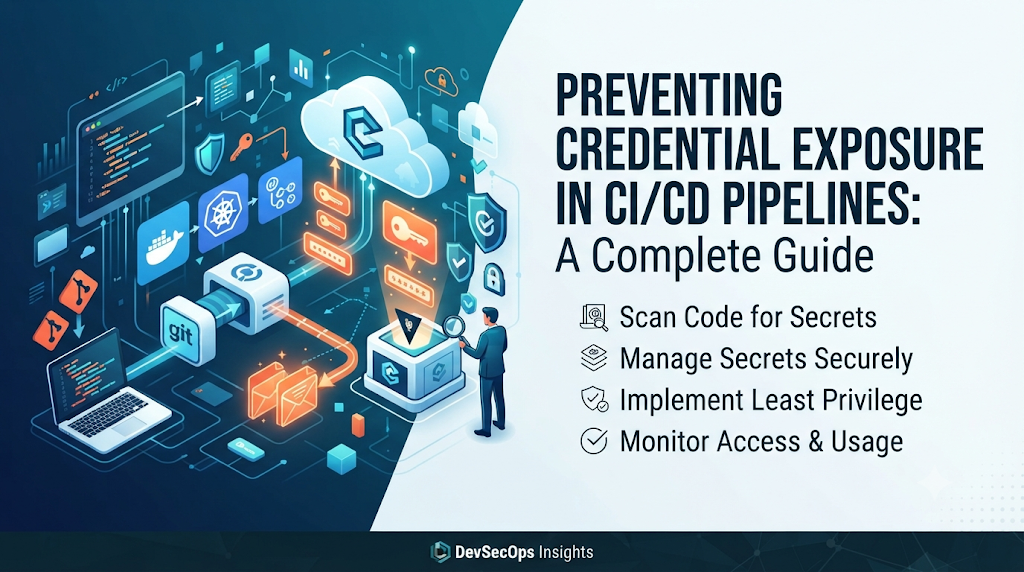
1. Introduction: Why Pipeline Credentials Need Strong Protection
Picture a standard engineering scenario: an automated deployment pipeline spins up to release a new version of a microservice into production. To complete its job, this pipeline requires programmatic access to cloud infrastructure, container registries, source code repositories, and target staging or production environments. It fetches database passwords, cloud access keys, and API tokens to build, test, and push code seamlessly.
However, what happens when a credential is accidentally printed to a build log, checked into a public branch, or left unprotected in an environment variable? Suddenly, the perimeter security of entire cloud ecosystems is compromised. Exposing even a single credential can grant malicious actors unrestricted access across connected systems, leading to data breaches, infrastructure hijacking, and severe compliance violations.
In modern software engineering, pipelines have become the nerve center of delivery workflows. Treating credentials as sensitive assets and protecting them throughout the entire CI/CD lifecycle is no longer optional—it is a core pillar of resilient system architecture. Educational resources and practical training platforms like DevOpsSchool help engineering teams master these critical security concepts, enabling developers and operators to build resilient, secure pipelines from the ground up.
2. Understanding Credential Exposure in CI/CD Pipelines
Credential exposure occurs when sensitive authentication data required for system access leaks outside of secure channels, becoming accessible to unauthorized individuals, automated scanners, or malicious third parties. In a CI/CD context, pipelines process an array of sensitive artifacts that must be handled with extreme care.
Common sensitive information processed within pipelines includes:
- Passwords and API keys: Plain-text or hashed secrets used to authenticate against third-party services and internal APIs.
- Access tokens: Bearer tokens, OAuth tokens, and personal access tokens granting programmatic rights to code repositories or APIs.
- SSH private keys: Cryptographic keys used for secure shell access to remote servers, build agents, and source control managers.
- Cloud access credentials: Secret access keys, account keys, and subscription credentials for cloud providers like AWS, Azure, and GCP.
- Database connection strings: Credentials combined with network locators that expose direct database access parameters.
- Signing keys and certificates: Code-signing keys, SSL/TLS certificates, and container-signing secrets.
- Service account credentials: JSON key files, client secrets, and dedicated machine identity tokens.
- Deployment and registry tokens: Tokens permitting push and pull operations against container registries and artifact repositories.
Understanding how these items are compromised requires distinguishing between different failure modes. Accidental exposure happens when developers unintentionally commit secrets or expose variables in public spaces. Excessive credential access occurs when pipelines or identities possess broader permissions than necessary, magnifying the blast radius of a breach. Unauthorized credential use takes place when leaked tokens are hijacked by attackers to execute malicious code, spin up unauthorized crypto-mining workloads, or exfiltrate proprietary data.
3. How Credentials Commonly Leak From Pipelines
Leaks rarely happen due to sophisticated cyberattacks alone; they often stem from routine operational oversights, debugging habits, or misconfigured environments. Recognizing these exposure paths is the first step toward building effective defenses.
[Developer Workstation]
        │
        ├──> Hardcoded in Code / Config Files
        └──> Plain-Text Environment Variables

[CI/CD Execution]
        │
        ├──> Secrets Printed in Build Logs
        ├──> Unprotected Pipeline Artifacts
        └──> Insecure Docker Image Layers
Common exposure vectors include:
- Hardcoded secrets in source code: Embedding passwords or API keys directly into application code or infrastructure-as-code (IaC) templates.
- Credentials committed to configuration files: Storing sensitive parameters in plaintext configuration files tracked by version control systems.
- Plain-text environment variables: Passing secrets into build jobs as unmasked environment variables that can be inspected by any step or tool.
- Secrets printed in build logs: Verbose debugging flags or misconfigured scripts that echo sensitive variables directly into standard output (stdout).
- Unprotected pipeline artifacts: Saving build outputs, configuration dumps, or logs containing credentials to accessible storage buckets without encryption or access controls.
- Insecure Docker images: Baking secrets directly into container image layers during the build process, where they remain discoverable via image inspection.
- Exposed configuration files: Leaving sensitive deployment descriptors or service definitions world-readable on shared runners.
- Shared runner environments: Reusing build runners across untrusted projects without proper workspace sanitization or isolation.
- Over-permissioned service accounts: Granting broad administrative privileges to pipeline agents that only require narrow, task-specific access.
- Credentials stored in scripts or documentation: Embedding deployment credentials in internal wiki pages, README files, or helper shell scripts.
Seemingly temporary debugging practices—such as temporarily echoing an environment variable to verify connectivity—frequently become permanent vulnerabilities when developers forget to revert the change before merging code.
4. Building a Secure Secrets Management Strategy
To protect sensitive data, organizations must adopt a centralized, disciplined approach to secrets management. Secrets should never reside in source code repositories, plain-text configuration files, or hardcoded pipeline scripts.
Key elements of a robust strategy include:
- Dedicated secrets managers: Utilize enterprise-grade secrets management systems (such as HashiCorp Vault, AWS Secrets Manager, Azure Key Vault, or GCP Secret Manager) to store, encrypt, and audit access to sensitive data.
- Encrypted CI/CD secret stores: Leverage platform-native encrypted storage features provided by CI/CD tools to inject secrets securely at runtime.
- Environment-specific secrets: Maintain strict separation between development, staging, and production secrets. A compromised staging secret should never grant access to production resources.
- Centralized credential management: Consolidate secret lifecycle management into a single tool or team, preventing decentralized, ad-hoc credential storage across disparate repositories.
- Access restrictions: Implement principle-of-least-privilege access policies, ensuring that only authorized pipelines and roles can retrieve specific secrets.
- Secret ownership: Assign clear ownership for every stored secret, establishing accountability for its lifecycle and review schedule.
- Rotation and expiration: Implement automated rotation policies so that credentials expire and update regularly without manual intervention.
- Audit logging: Monitor and record all access attempts, retrievals, and modifications of secrets to detect anomalies and unauthorized access patterns.
Organizations should strictly prohibit copying production credentials between teams or environments unless a verified, documented security requirement dictates it, and even then, under strict time-bound controls.
5. Using Short-Lived Credentials Instead of Long-Lived Secrets
Traditional security models rely heavily on static, long-lived access keys and passwords stored in secret vaults. If a static key leaks, it remains valid until manually revoked. Transitioning to short-lived credentials fundamentally alters this risk equation.
Short-lived authentication relies on dynamic generation and rapid expiration:
- Workload identity: Eliminates the need to store static credentials by treating the CI/CD pipeline runner itself as a verifiable identity.
- OpenID Connect (OIDC) federation: Allows CI/CD platforms to exchange a short-lived cryptographic token with cloud providers for temporary access without storing long-term credentials.
- Temporary cloud credentials: Generating cloud access tokens valid only for the duration of a specific pipeline job (e.g., lasting 15 to 60 minutes).
- Role-based access: Assigning temporary IAM roles to the pipeline execution context based on repository and branch context.
- Token expiration and renewal: Ensuring tokens automatically expire immediately after the build job concludes, rendering intercepted tokens useless.
Practical Example: OIDC Authentication in CI/CD
Instead of storing an AWS Secret Access Key in CI/CD settings, a secure pipeline requests an OIDC token from the CI/CD provider, presents it to AWS IAM, and receives temporary role credentials:
YAML
# Conceptual workflow step demonstrating OIDC assumption
- name: Authenticate to Cloud via OIDC
  uses: aws-actions/configure-aws-credentials@v4
  with:
    role-to-assume: arn:aws:iam::123456789012:role/CI-CD-Deployment-Role
    aws-region: us-east-1
By leveraging OIDC federation, organizations eliminate long-lived keys entirely, drastically reducing the potential impact of credential leakage.
6. Applying Least Privilege to Pipeline Identities
Even with secure storage, an over-permissioned pipeline identity creates severe security exposure. If a pipeline with administrator-level permissions is compromised, an attacker gains unrestricted control over the entire cloud environment.
Practicing least privilege in CI/CD involves:
- Job-specific permissions: Restricting each pipeline job to the exact permissions required for its specific task. A linting job needs zero cloud permissions; a database migration job needs scoped database write access.
- Separate identities for build and deployment: Use different service accounts and credentials for building artifacts versus deploying them to production.
- Repository-level access restrictions: Ensure that pull requests from fork repositories or untrusted branches cannot access production deployment secrets or privileged runners.
- Environment-specific authorization: Require manual approvals and strict environment gates before production deployment jobs can access production credentials.
- Restricted runner permissions: Configure self-hosted runners with minimal host-level privileges to prevent container escape vulnerabilities from compromising the host infrastructure.
- Regular access reviews: Periodically audit pipeline identities, roles, and secret access policies to remove stale or excessive privileges.
When refining permissions, teams should systematically audit pipeline error logs and access patterns to trim unused scopes without interrupting legitimate deployment workflows.
7. Preventing Credential Exposure Across Popular CI/CD Platforms
Different CI/CD platforms offer distinct mechanisms for handling secrets. Understanding platform-specific configurations ensures proper implementation across diverse technology stacks.
GitHub Actions
GitHub Actions manages secrets via repository and environment settings.
- Repository and environment secrets: Encrypted secrets stored at the repo or organization level, injected via
secrets.SECRET_NAME. - GITHUB_TOKEN permissions: Fine-grained permissions configured via
permissions:blocks in workflow YAML files to limit default token capabilities. - OIDC authentication: Integrates natively with cloud providers using JSON Web Tokens (JWT) issued by GitHub.
- Pull request security: Ensure workflows triggered by pull requests from public forks do not automatically receive access to production secrets.
YAML
name: Secure Build
on: [push]
permissions:
  contents: read
jobs:
  build:
    runs-on: ubuntu-latest
    steps:
      - name: Checkout Code
        uses: actions/checkout@v4
      - name: Deploy with OIDC
        uses: aws-actions/configure-aws-credentials@v4
        with:
          role-to-assume: arn:aws:iam::123:role/deploy
          aws-region: us-east-1
Jenkins
Jenkins manages credentials through its core credential store and security plugins.
- Credentials plugin: Centralized storage supporting usernames, passwords, secret texts, SSH keys, and certificates.
- Credential scopes: Restricting credentials to specific jobs, folders, or global visibility.
- Masking sensitive values: Built-in console log masking for defined credential variables.
- Folder-level access control: Using Role-Based Access Control (RBAC) to restrict credential usage to authorized engineering teams.
- Secure agent configuration: Isolating Jenkins agents to prevent malicious jobs from stealing credentials from the controller.
GitLab CI/CD
GitLab provides robust variable management features.
- Protected and masked variables: Protected variables are only exposed to pipelines running on protected branches or tags; masked variables are hidden from job logs.
- Environment-scoped variables: Restricting specific variables (such as production keys) to specific deployment environments (e.g.,
production). - File-type variables: Storing certificates or SSH keys as file variables rather than raw strings.
- Protected deployment environments: Enforcing approval rules before environment variables are injected into jobs.
- Runner security: Configuring private and tagged runners to control job execution environments.
YAML
deploy_prod:
  stage: deploy
  script:
    - ./deploy.sh
  environment:
    name: production
  rules:
    - if: '$CI_COMMIT_BRANCH == "main"'
      when: manual
  variables:
    DATABASE_URL: $PROD_DATABASE_URL
8. Preventing Secrets From Appearing in Logs and Artifacts
Even when stored securely, secrets can be inadvertently exposed during execution if build tools or scripts print environment variables to standard output.
Effective logging hygiene requires:
- Safe logging practices: Reviewing build scripts to ensure sensitive variables are never explicitly echoed or logged during debugging.
- Avoiding shell tracing: Disabling command tracing (
set -xin Bash) when executing commands that handle sensitive tokens, as tracing outputs every evaluated command and variable value. - Understanding masking limitations: Log masking (replacing secret strings with
***in console output) is a helpful safeguard, but it is not foolproof. Complex string transformations, base64 encoding, or truncation can bypass mask filters. - Artifact inspection: Ensuring that build artifacts (such as log dumps, test reports, or debug bundles) do not inadvertently package configuration files containing unmasked secrets.
- Temporary file cleanup: Purging temporary files, credential caches, and environment dumps immediately upon job completion.
- Secure diagnostic practices: Training developers to sanitize logs before sharing troubleshooting output with internal or external support channels.
Masking must always be treated as an auxiliary defense layer, not a replacement for proper secret handling and short-lived authentication.
9. Adding Automated Secret Detection to CI/CD
Detecting accidental credential exposure before code reaches production is vital for maintaining pipeline security. Automated scanning tools act as an early warning system across the software development lifecycle.
[Developer Commit] ──> [Pre-commit Hooks] ──> [PR Scanning] ──> [Pipeline Secret Detection] ──> [Production]
Key integration points include:
- Pre-commit scanning: Running lightweight scanners locally on developer workstations before code is even committed.
- Repository secret scanning: Continuously auditing existing code repositories for leaked API keys, tokens, and private keys.
- Pull request validation: Scanning incoming code changes during pull request reviews to block merges containing exposed secrets.
- Pipeline secret detection: Incorporating dedicated secret scanning steps directly into CI/CD build pipelines.
- Historical repository scans: Performing deep historical scans across git commit histories to uncover buried secrets.
- Custom detection patterns: Writing regular expressions and entropy-based rules to detect organization-specific internal token formats.
- False-positive management: Establishing triage workflows to quickly vet flagged alerts and refine detection rules.
- Blocking rules and exception handling: Configuring pipelines to fail immediately when a secret is detected, accompanied by clear remediation guidance.
Automated scanning significantly reduces the window of exposure, catching mistakes seconds after they are introduced.
10. Securing Containers, Runners, and Build Environments
The underlying execution environment of a CI/CD pipeline represents a significant attack surface. If a runner or build container is compromised, any secret processed within that environment is vulnerable.
Key hardening practices include:
- Avoiding secrets in Docker build arguments: Passing secrets via standard
ARGinstructions in Dockerfiles leaves them permanently embedded in image layers inspectable viadocker history. - Secure BuildKit secret mounts: Utilizing Docker BuildKit secret mounting (
--secret) to inject credentials securely during the build process without persisting them in final image layers. - Runner isolation: Running CI/CD jobs inside ephemeral, isolated containers or virtual machines (such as Kubernetes pods or ephemeral cloud instances) rather than persistent bare-metal servers.
- Ephemeral runners: Provisioning fresh runner instances for every job and destroying them immediately afterward to eliminate cross-job contamination.
- Workspace cleanup: Ensuring build workspaces are thoroughly wiped clean at the start and end of every pipeline execution.
- Restricted network access: Limiting outbound network access from build runners to prevent exfiltration of stolen secrets to external servers.
- Separation of untrusted and trusted jobs: Never executing untrusted code (such as pull requests from external contributors) on self-hosted runners that possess access to internal production credentials.
Maintaining strict discipline around runner infrastructure ensures that execution environments remain tamper-resistant.
11. Credential Rotation and Incident Response
When a credential is exposed or suspected of being compromised, swift action is essential. Treating leaked credentials as active security breaches prevents attackers from establishing persistent access.
Organizations should follow a structured incident response sequence:
- Identify the exposed credential and affected systems: Determine exactly which secret leaked, where it was exposed, and what systems it had access to.
- Revoke or disable the credential: Immediately invalidate the compromised secret at its source (e.g., revoking an API key in AWS IAM or GitHub).
- Generate a replacement using a secure process: Issue a new credential and update the underlying secret store.
- Review access logs and suspicious activity: Audit authentication logs, API request histories, and cloud trails to determine if the leaked credential was exploited.
- Identify the original exposure path: Investigate how the leak occurred (e.g., hardcoded in commit history, printed in logs) to prevent recurrence.
- Remove exposed copies where possible: Purge compromised history where feasible (keeping in mind that Git history rewriting has limitations if repositories are public).
- Update pipeline configuration: Ensure pipelines reference the newly rotated credential securely.
- Verify that the replacement works securely: Run test pipelines to confirm successful integration with the new credential.
- Document the incident and preventive actions: Conduct a post-mortem review with the engineering team to share lessons learned.
Simply deleting a secret from the latest commit does not secure an already exposed credential; revocation and rotation are mandatory.
12. Practical Implementation: Hardening a Sample CI/CD Pipeline
To illustrate these principles in practice, let us examine a hypothetical application pipeline that requires access to a container registry and a cloud deployment environment.
Scenario Overview
- Application: Node.js web service.
- Pipeline Goal: Build Docker image, push to container registry, and deploy to staging.
- Security Objectives: Remove hardcoded credentials, use OIDC authentication, scan for secrets, and prevent log leaks.
Secure Pipeline Configuration (GitHub Actions Example)
YAML
name: Hardened CI/CD Pipeline

on:
  push:
    branches: [ "main" ]
  pull_request:
    branches: [ "main" ]

permissions:
  contents: read
  id-token: write # Required for OIDC cloud authentication

jobs:
  security-scan:
    name: Secret Scanning
    runs-on: ubuntu-latest
    steps:
      - name: Checkout Code
        uses: actions/checkout@v4
        with:
          fetch-depth: 0
      - name: Run Secret Scanner
        uses: trufflesecure/trufflehog-actions@main
        with:
          base: ${{ github.event.repository.default_branch }}
          head: ${{ github.sha }}

  build-and-deploy:
    needs: security-scan
    runs-on: ubuntu-latest
    steps:
      - name: Checkout Source Code
        uses: actions/checkout@v4

      - name: Authenticate to Cloud via OIDC
        uses: aws-actions/configure-aws-credentials@v4
        with:
          role-to-assume: arn:aws:iam::123456789012:role/StagingDeploymentRole
          aws-region: us-east-1

      - name: Login to Container Registry
        uses: docker/login-action@v3
        with:
          registry: ghcr.io
          username: ${{ github.actor }}
          password: ${{ secrets.GITHUB_TOKEN }}

      - name: Build and Push Docker Image
        uses: docker/build-push-action@v5
        with:
          context: .
          push: true
          tags: ghcr.io/${{ github.repository }}/app:${{ github.sha }}
          # Using BuildKit secret mounts if build arguments require sensitive tokens
Key Security Highlights of This Configuration:
- OIDC Integration: Uses short-lived AWS IAM roles instead of static access keys.
- Automated Scanning: Executes secret detection before allowing build and deployment stages to run.
- Scoped Token Permissions: Limits
GITHUB_TOKENcapabilities strictly to necessary registry operations. - Environment Separation: Restricts deployment jobs to verified branches with manual approval gates.
(Note: Account IDs, repository names, and role ARNs in this scenario are illustrative examples and must be adapted to fit specific organizational environments.)
13. Security Checklist for Pipeline Credential Protection
Use this practical checklist to audit and verify your organization’s pipeline credential security posture:
- No hardcoded secrets: All source code and configuration files are verified free of embedded passwords, API keys, and private keys.
- Centralized secret storage: Secrets are stored in dedicated secrets managers or encrypted platform stores rather than plaintext files.
- Short-lived credentials: Long-lived access keys are replaced with OIDC federation or dynamic, time-bound tokens where supported.
- Least-privilege identities: Pipeline service accounts and roles possess only the minimum necessary permissions required for execution.
- Restricted production access: Production deployment pipelines require strict approval gates and environment-scoped credentials.
- Automated secret scanning: Secret detection tools run on pre-commit hooks, pull requests, and within CI/CD pipelines.
- Safe logging practices: Build scripts avoid shell tracing (
set -x) and sensitive variable echoing; log masking is enabled. - Secure runner configuration: Self-hosted runners are isolated, ephemeral, and restricted from executing untrusted external code.
- Credential rotation policies: Regular automated rotation schedules are established for all static service credentials.
- Incident response readiness: A clear, tested procedure exists for revoking and rotating compromised credentials immediately.
- Regular access reviews: Periodic audits are conducted to verify pipeline permissions, secret ownership, and access logs.
14. Common Mistakes Teams Should Avoid
Even experienced engineering teams occasionally fall into common traps regarding pipeline security. Being aware of these pitfalls helps maintain robust defenses:
- Storing credentials in repository files: Believing that “internal-only” repositories protect hardcoded secrets from exposure. Any user with read access can view them, and supply chain dependencies increase risk.
- Relying solely on log masking: Assuming that console log masking eliminates all risks of credential leakage. If a secret is leaked via an artifact or error report, masking offers zero protection.
- Using shared permanent access keys: Reusing a single master API key across multiple different projects, teams, and pipelines. If one project is compromised, all systems sharing that key are breached.
- Granting broad administrative permissions: Assigning
AdministratorAccessorownerroles to pipeline service accounts for convenience. - Exposing secrets to untrusted pull requests: Triggering build jobs that load production secrets on pull requests originating from public forks.
- Forgetting to rotate compromised credentials: Deleting a leaked secret from the git history while failing to revoke the underlying token, leaving the active key vulnerable to attackers.
Avoiding these mistakes requires continuous education, automated guardrails, and a security-first engineering culture.
15. A 30-Day Plan to Improve Pipeline Credential Security
Improving pipeline credential security is most effective when approached as a structured, phased roadmap. Organizations can follow this 30-day improvement plan:
Week 1 – Discover: Inventory and Risk Assessment
- Deliverables:
- Conduct a comprehensive inventory of all code repositories, CI/CD platforms, and pipeline workflows.
- Run a historical secret scan across all codebases to identify existing hardcoded credentials.
- Catalog all active service accounts, static access keys, and long-lived tokens currently used in pipelines.
Week 2 – Protect: Secure Storage and Least Privilege
- Deliverables:
- Migrate all discovered plaintext secrets into an approved centralized secrets manager (e.g., HashiCorp Vault, cloud secret stores).
- Remove all hardcoded credentials from source code and configuration files.
- Audit and trim pipeline service account permissions, enforcing the principle of least privilege.
Week 3 – Automate: Scanners, OIDC, and Logging Safeguards
- Deliverables:
- Implement automated secret scanning on pre-commit hooks, pull requests, and CI/CD pipelines.
- Transition cloud authentication from static access keys to OIDC federation where supported.
- Review build scripts to eliminate risky logging practices, shell tracing, and unmasked variables.
Week 4 – Validate: Testing, Rotation, and Governance
- Deliverables:
- Test incident response workflows by simulating a credential compromise, revocation, and rotation cycle.
- Review access logs, audit trails, and secret retrieval metrics.
- Document security standards, establish mandatory training requirements, and schedule recurring quarterly access reviews.
16. Conclusion: Making Credential Security Part of DevOps
Securing CI/CD pipelines against credential exposure is a fundamental requirement for modern software delivery. As development velocity increases, the complexity of automated pipelines grows, making manual security reviews insufficient. Protecting your software delivery lifecycle requires a comprehensive approach encompassing centralized secret storage, short-lived authentication mechanisms, least-privilege access controls, automated secret detection, secure execution runners, and rapid incident response readiness. Credential security should never be treated as a one-time cleanup activity performed right before a compliance audit. Instead, it must be embedded directly into everyday pipeline design and engineering culture. For professionals and teams looking to deepen their expertise, DevOpsSchool provides comprehensive educational resources and hands-on training programs designed to help engineers master practical DevOps and DevSecOps skills, fostering a secure, resilient operational environment across every stage of the software delivery lifecycle.
