Limited Time Offer!
For Less Than the Cost of a Starbucks Coffee, Access All DevOpsSchool Videos on YouTube Unlimitedly.
Master DevOps, SRE, DevSecOps Skills!
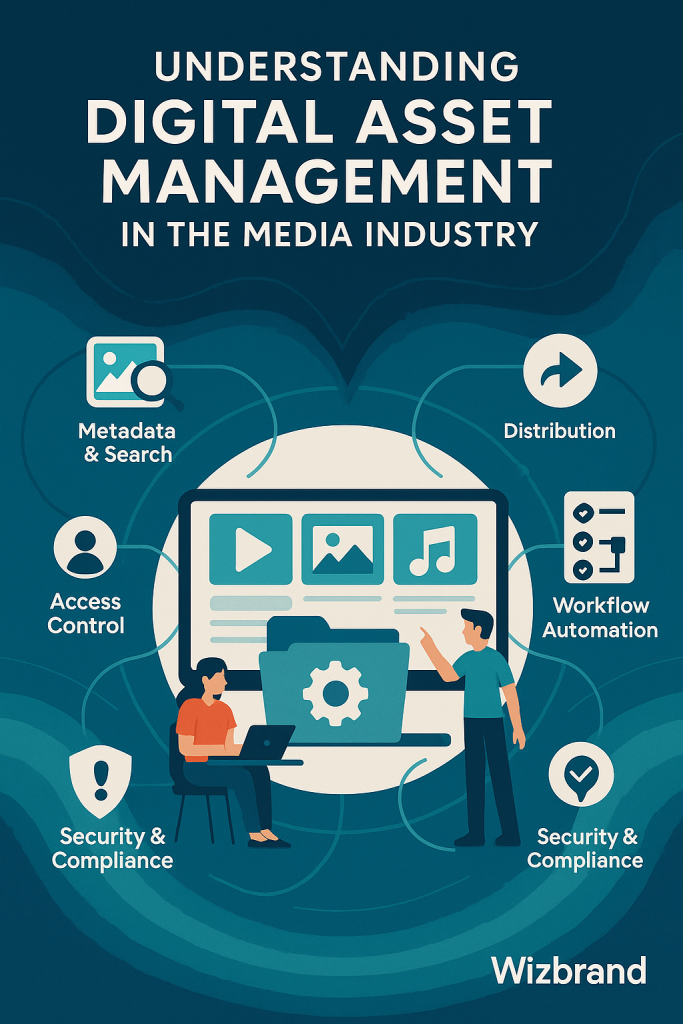
Understanding Digital Asset Management in the Media Industry
Best Digital asset management (DAM) is a modern necessity for media companies faced with the challenges of swiftly producing, storing, publishing, and archiving enormous volumes of digital content. Digital assets can include videos, audio tracks, high-resolution images, brand kits, promotional material, and much more. Managing these efficiently is crucial for maintaining workflow efficiency, controlling costs, ensuring security, and building a cohesive brand identity across diverse distribution channels.
For media organizations, DAM platforms like Wizbrand represent the strategic hub where all digital content is organized, secured, and made accessible to authorized users. Instead of relying on scattered drives, email attachments, or generic cloud storage, media professionals benefit from a purpose-built, intelligent solution that matches their daily requirements.
The Crucial Role of DAM for Media Companies
Within media companies, the sheer speed and scope of production place tremendous demands on digital asset handling. Frequently, projects involve teams working across multiple locations, sharing large files, dealing with various content formats, and referencing both new and historical assets. Common challenges in this environment include:
- Waste of time searching for files scattered across devices or cloud folders.
- Difficulty enforcing brand standards and graphics usage policies.
- Relying on outdated, duplicate, or unauthorized asset versions.
- Bottlenecks during review and approval cycles.
- Risk of unauthorized access or accidental deletion of valuable content.
- Complicated file sharing, especially with external collaborators.
A robust DAM platform provides tangible solutions by:
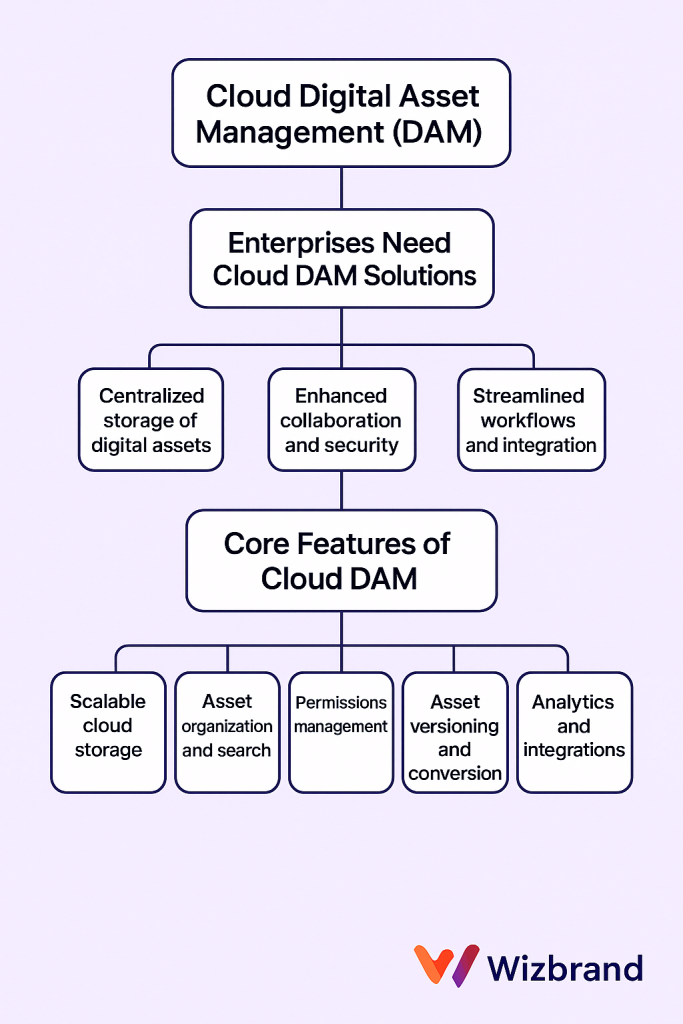
- Centralizing the entire digital asset library in one organized, searchable system.
- Allowing granular control over asset usage, permissions, and version histories.
- Enabling secure sharing, download, and previewing of large files—internally or with partners.
- Streamlining creative workflows, including approvals and collaborative editing.
- Guaranteeing compliance, licensing, and proper attribution for all media assets.
Deep Dive: Key Features of Wizbrand DAM for Media Companies
Wizbrand’s digital asset management system is designed with media industry professionals in mind. Here is an expanded look at core features and benefits:
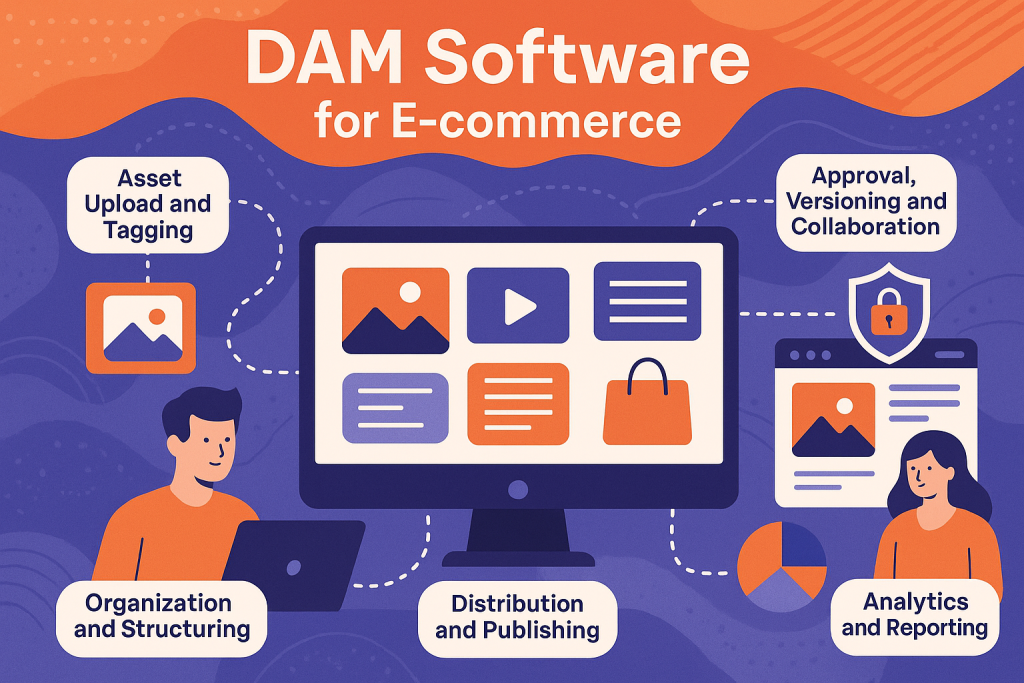
- Advanced Metadata and Search: Every asset can be tagged with custom metadata fields (like project name, client, usage rights, content type, campaign, or production date). This allows lightning-fast retrieval using keyword search, filters, and saved queries, regardless of the size or age of your library.
- Bulk Upload and Smart Ingest: Media teams often need to add hundreds of files from shoots or campaigns. Wizbrand supports bulk uploads, automatically extracting and populating metadata from file properties or folder structures, reducing manual work and errors.
- Comprehensive File Previews: The platform supports previewing images, audio, and videos right within the browser, alongside PDFs, graphics, or even raw files—eliminating the need to download and open assets in separate tools just to check content.
- Version Control and History Tracking: Each time a file is updated or replaced, a new version is added to the history log. Editors, designers, and reviewers can easily revert, compare, or restore any previous version, ensuring proper audit trails and transparency.
- Permission Settings and Access Controls: Assign user roles and fine-tune permissions down to individual folders or assets. Freelancers, partners, or clients can be given access to only what’s relevant to their work—reducing risk and confusion.
- Flexible Distribution Tools: Instead of emailing large files, users can share secure, expiring download links or even allow direct publishing from DAM to social media, websites, or third-party platforms.
- Workflow Automation: Built-in workflow capabilities support custom approval routes, e-signatures, and notification triggers, helping drive creative collaboration and accountability.
- Robust Security and Compliance: Compliance is built-in with encrypted storage, user authentication, role-based access, and detailed activity logs. This is essential for handling embargoed, sensitive, or licensed commercial content common in media.
- Integration Capability: Wizbrand’s DAM can be connected to leading editing tools (like Adobe Creative Suite), content management systems, or project management software, ensuring a smooth end-to-end workflow.
- Analytics and Reporting: Gain insight at a glance into most-used assets, team activities, sharing patterns, and file download statistics. These analytics drive smarter content decisions and asset ROI measurement.
Workflow Transformation: From Content Creation to Distribution
To illustrate how Wizbrand’s DAM supports media workflows, let’s walk through typical project stages:
- Asset Ingestion and Cataloging: Post-shoot or event, thousands of images and hours of video footage are uploaded. Wizbrand’s smart ingest extracts JPEG EXIF data, camera info, and footage metadata so assets instantly become searchable by project, location, device, or contributor.
- Tagging and Organization: Producers or archivists assign descriptive tags such as “Spring Launch Campaign,” “Interview with CEO,” or “Behind the Scenes.” Custom folders or smart collections automatically group assets per campaign, show, or client.
- Team Collaboration and Review: Editors annotate video clips or images, designers upload revised graphics, while marketers add captions. Approval workflows route specific creations through designated approvers for comments or digital sign-off. Notifications and visual progress bars keep everyone updated.
- Publishing and Distribution: When ready, approved assets are distributed directly to content management systems, social platforms, or TV schedules. Format conversions are handled within the DAM (for example, resizing a video for Instagram versus broadcast TV standards).
- Archival and Compliance: Completed project files are archived according to legal or contractual requirements. Permission settings restrict who can access sensitive or licensed material afterwards, providing peace of mind for teams and legal departments.
Real-World Examples and Use Cases
- Broadcast Networks: Large teams producing daily news gather, tag, and archive hours of footage and interviews. DAM ensures editors can instantly locate prior segments or B-roll footage for rapid news coverage without duplicating work.
- Content Marketing Agencies: High volumes of promotional videos and product photography are organized by client and campaign. Creative teams access only approved templates and styles, ensuring brand consistency for each campaign.
- Film Production Companies: Multiple collaborators in different locations upload and review rushes, scripts, and assets from set. Secure sharing ensures segments of unreleased films remain confidential until distribution is authorized.
- Music Labels and Podcasters: Artwork, audio masters, and lyric sheets are centralized for each artist or show. Teams collaborate with external contributors for mixing or approvals—all inside the DAM, with usage tracked for rights management.
Setting Up and Customizing DAM for Maximum Effectiveness
Getting the most from DAM requires thoughtful planning and continued adaptation.
- Define Clear Taxonomy: Before importing assets, plan your folder hierarchy, naming conventions, and metadata fields. For instance, divide by production type (film, ad, promo), then by show or campaign, then year. Develop a tagging guide and train all users.
- Automate Where Possible: Automate routine tasks such as file ingestion, tagging for recurring fields, or project-based collection creation. This drastically reduces manual labor and mistakes.
- Maintain Your Library: Schedule audits to remove outdated file versions or redundant assets. Archive inactive assets according to retention policies to prevent clutter.
- Educate Teams: Onboard new users with training sessions or guides. Empower team leads to enforce best practices, ensuring everyone follows standardized processes.
- Integrate with Creative Workflows: Connect your DAM to video editing tools or graphics software so users can open, edit, and save directly from the library, minimizing file downloads and confusion.
- Secure Your Content: Regularly review user permissions, update security policies, and monitor sharing links for unusual activity, especially when assets are embargoed or tightly licensed.
Measuring Success and Evolving Your DAM Practice
Monitor how DAM improves business operations by tracking:
- Time saved locating, editing, and sharing assets.
- Improved content reuse and reduction in asset duplication.
- Brand compliance, seen in consistent use of current logos, intros, fonts, and brand elements.
- Stakeholder satisfaction through smoother collaboration and faster time-to-publish.
Collect ongoing feedback to refine your taxonomy, permissions, and workflows. As your business grows and technologies evolve, your DAM should flex to fit new needs, such as supporting AI-driven auto-tagging, video transcription, or copyright verification.
The Future: AI, Automation, and Beyond
Modern DAM platforms, including Wizbrand, are evolving to incorporate machine learning and automation. AI engines will soon:
- Automatically recognize celebrities, objects, or logos in video and image libraries.
- Generate text transcriptions and auto-tag assets.
- Detect duplicate or similar files, prompting users to merge or clean up libraries.
- Drive smarter distribution, pushing content where engagement or licensing dictates.
Media companies will be able to deliver more content, more quickly, and to more channels—without sacrificing control, security, or creative quality.
Final Thoughts: Adopting Wizbrand for Media DAM Excellence
Digital asset management is an essential backbone for every media company determined to thrive in today’s fast-paced, content-driven world. Wizbrand’s comprehensive platform offers more than just storage: it delivers workflow automation, intelligent search, secure collaboration, and the scalability media professionals need.
By adopting Wizbrand’s DAM, your company can replace chaos with clarity—transforming how your teams create, manage, and distribute content, all while safeguarding your media assets for years to come.