Limited Time Offer!
For Less Than the Cost of a Starbucks Coffee, Access All DevOpsSchool Videos on YouTube Unlimitedly.
Master DevOps, SRE, DevSecOps Skills!
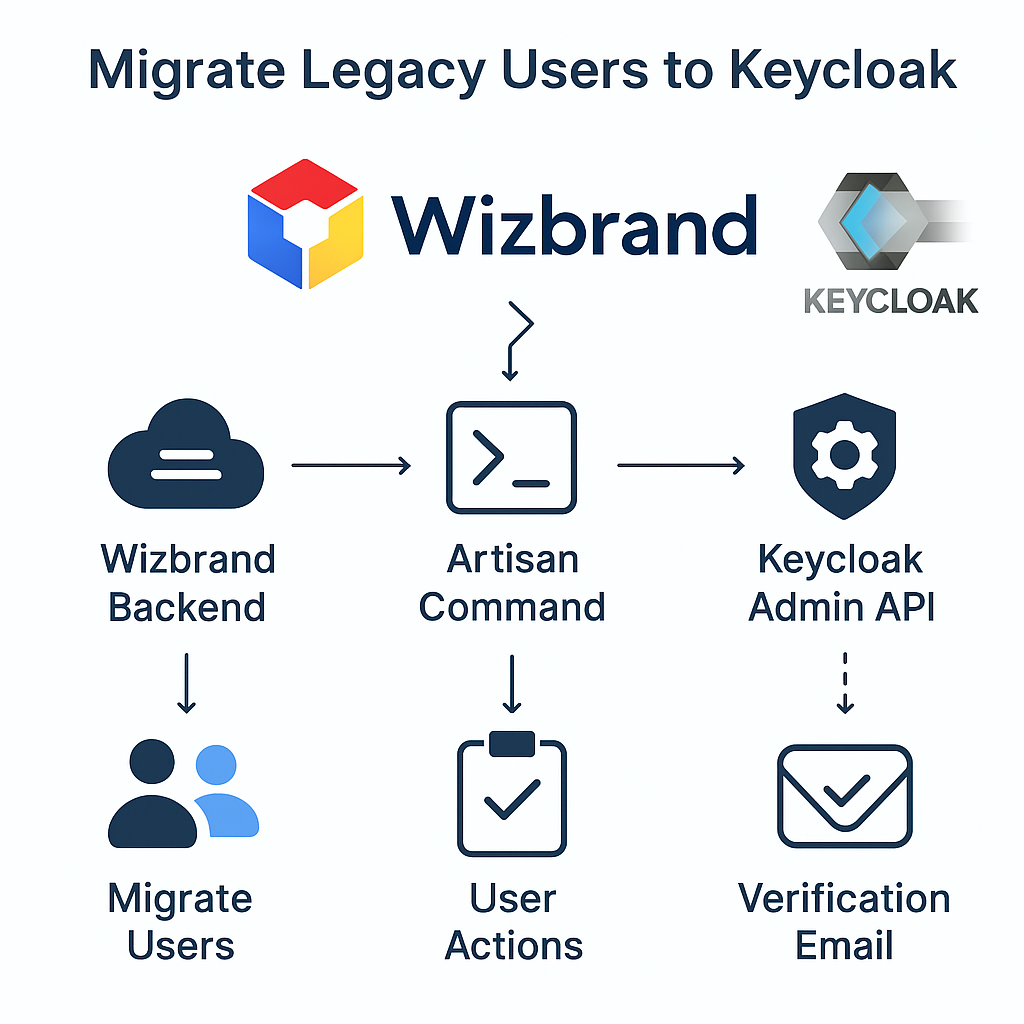
When you integrated Keycloak SSO into Wizbrand, new users began being created in both Wizbrand and Keycloak.
However, existing users (created before Keycloak integration) only exist in Wizbrand’s database.
To unify authentication, we need to migrate old users into Keycloak while keeping their Wizbrand data intact.
This tutorial explains:
- How to migrate existing users into Keycloak with automation
- How to handle email verification / password reset flows
- How to add a “no-email” mode (so users reset passwords during next login)
- How to fix redirect & email-sending errors
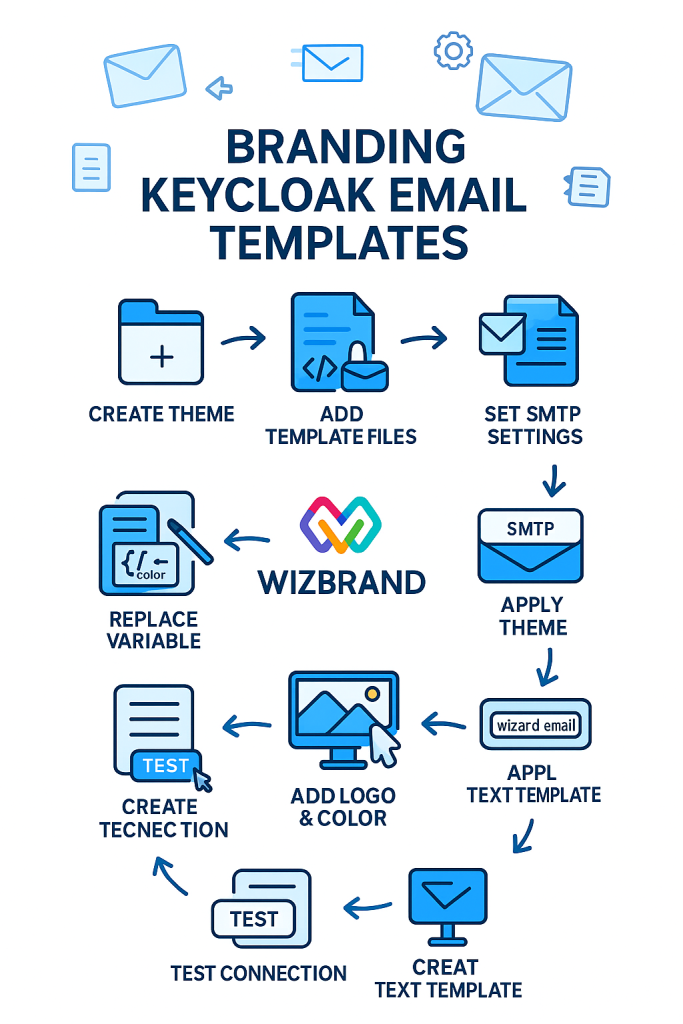
- How to fully customize Keycloak’s email UI to a modern, branded template
Architecture Summary
| Component | Description |
|---|---|
| Wizbrand Backend | Laravel-based service managing your app users |
| Keycloak | Auth provider for SSO, OAuth2, OpenID Connect |
| Communication | Laravel Artisan command uses Keycloak Admin API |
| Flow | Users migrated → Actions set → Email sent → Login triggers password reset |
Files Involved
| File | Purpose |
|---|---|
app/Services/RoleMapper.php | Maps Wizbrand user roles/groups to Keycloak roles |
app/Console/Commands/MigrateUsersToKeycloak.php | Main migration logic |
app/Console/Kernel.php | Registers the command for Artisan |
app/Services/KeycloakAdminService.php | Handles Keycloak API calls (already implemented) |
Updated Migration Command
Here’s the final version of app/Console/Commands/MigrateUsersToKeycloak.php
It includes:
--no-email→ skip sending emails--lifespan→ custom expiry time- Graceful error handling
- No method renaming or removal
(You already have this updated version; keep it as your base.)
Key usage examples:
# Normal migration + verification email
php artisan kc:migrate --limit=50 --email-verify

# Send emails with a 30-day valid link
php artisan kc:migrate --limit=50 --email-verify --lifespan=2592000

# Skip emails; users reset password on next login
php artisan kc:migrate --limit=50 --email-verify --no-email
Understanding Each Option
| Option | Description |
|---|---|
--limit | Number of users to process in one run |
--offset | Start offset for pagination |
--dry-run | Simulate migration without writing to Keycloak |
--email-verify | Adds VERIFY_EMAIL to required actions |
--lifespan | Lifespan of email action link (default: 1 day) |
--redirect | Optional callback URL after password reset |
--only | Comma-separated DB IDs for targeted migration |
--where | Add SQL conditions like email like '%@wizbrand.com' |
--include-disabled | Include inactive/disabled users |
--no-email | Skip sending emails and force reset on next login |
Common Errors & Fixes
Invalid Redirect URI
Error:
Invalid redirect uri
Fix:
- In Keycloak → Clients →
wizbrand-web - Add your redirect:
http://wz-account-admin-ms/auth/callback - Save and re-run your command.
Invalid Sender Address ‘null’
Error:
Failed to send execute actions email: Invalid sender address 'null'
Fix:
Configure SMTP in Realm Settings → Email
| Field | Example |
|---|---|
| From | no-reply@wizbrand.com |
| Host | smtp.gmail.com |
| Port | 587 |
| Encryption | StartTLS |
| Username | your-email |
| Password | App Password |
| Test Connection | ✅ must succeed |
Tip — Infinite Token is NOT Possible
Keycloak action links (password reset, verification) are JWT-based and must expire.
However, you can:
- Extend their lifespan (e.g., 30–90 days) using:
--lifespan=2592000 - Set a global default:
- Realm Settings → Tokens → Default Admin-Initiated Action Lifespan →
30d
- Realm Settings → Tokens → Default Admin-Initiated Action Lifespan →
Forcing Reset at Next Login (No Email)
When --no-email is used:
- No email link is sent.
- Keycloak sets
UPDATE_PASSWORDandVERIFY_EMAILas required actions. - User will be forced to reset password during their next login.
To verify:
- Go to Users → [user] → Required Actions
- You’ll see:
UPDATE_PASSWORD VERIFY_EMAIL - After user completes reset, list becomes empty.
Customizing the Email Design (Wizbrand Branded)
The default email looks basic.
You can fully rebrand it to match Wizbrand’s identity.
Folder Structure
/opt/keycloak/themes/wizbrand/
├─ theme.properties
├─ messages/messages_en.properties
└─ email/
   ├─ html/execute-actions.ftl
   └─ text/execute-actions.ftl
theme.properties
parent=keycloak
types=email
locales=en
HTML Template (Beautiful Modern UI)
email/html/execute-actions.ftl
(abridged summary — full version above in chat)
Features:
- Wizbrand logo & dark header
- Clean card layout
- “Continue & secure my account” button
- Action list (e.g., Update Password, Verify Email)
- Expiry notice & fallback link
- Responsive design (works in Gmail, Outlook, Apple Mail)
Plain Text Fallback
email/text/execute-actions.ftl — simple message body for clients that block HTML.
Select Theme in Keycloak
- Go to Realm Settings → Themes
- Set Email Theme =
wizbrand - Save
- Restart Keycloak if needed
--spi-theme-cache-themes=false --spi-theme-cache-templates=false
Preview of the Styled Email (Conceptually)
(You can imagine this layout)
╔══════════════════════════════════════╗
║ Wizbrand Logo                        ║
╠══════════════════════════════════════╣
║  Action required to secure your account
║  Click below to reset your credentials
║  [ Continue & Secure My Account ]     ║
║  This link expires in 30 days.        ║
╠══════════════════════════════════════╣
║  Need help? Contact support@wizbrand.com
╚══════════════════════════════════════╝
Folder Path & Permissions (Linux/Docker)
If Keycloak runs in Docker:
docker cp ./wizbrand keycloak:/opt/keycloak/themes/wizbrand
docker exec -it keycloak chmod -R 755 /opt/keycloak/themes/wizbrand
docker restart keycloak
If self-hosted on Linux:
sudo mkdir -p /opt/keycloak/themes/wizbrand
sudo chown -R keycloak:keycloak /opt/keycloak/themes/wizbrand
sudo systemctl restart keycloak
Optional Enhancements
| Feature | Description |
|---|---|
| Resend pending actions | Use a cron job to resend execute-actions-email to users who haven’t completed verification |
| Auto-detect SMTP errors | Catch Invalid sender in logs and automatically switch to --no-email |
| Multi-client redirect | Add --client-id override to target different Keycloak clients |
| Error metrics | Log success/error counts for daily monitoring |
Verification Checklist
| Check | Result |
|---|---|
php artisan kc:migrate runs without ERR | ✅ |
| Keycloak email config tested | ✅ |
| Wizbrand redirect whitelisted | ✅ |
Email theme = wizbrand | ✅ |
| Email styling verified | ✅ |
| Required actions visible in KC | ✅ |
| User resets password successfully | ✅ |
Key Benefits Achieved
Seamless migration of legacy users
Stronger password reset and verification enforcement
Optional email-less password reset
100% branded, professional email communication
Automated, repeatable process for future imports
Example: Full Command Lifecycle
Initial Import
php artisan kc:migrate --limit=100 --email-verify --lifespan=2592000
If SMTP fails
php artisan kc:migrate --limit=100 --email-verify --no-email
Weekly resend pending resets
php artisan kc:resend-actions --verify --lifespan=604800
Final Outcome
After completing this setup:
- All Wizbrand users (old + new) are in Keycloak.
- New users use standard registration.
- Old users either:
- Receive a Wizbrand-branded email to reset credentials, or
- Are forced to reset at next login (no email mode).
- Emails now look professional and consistent with Wizbrand’s identity.