Limited Time Offer!
For Less Than the Cost of a Starbucks Coffee, Access All DevOpsSchool Videos on YouTube Unlimitedly.
Master DevOps, SRE, DevSecOps Skills!
What is Endpoint Security?
Endpoint security refers to the practice of protecting network endpoints — such as desktops, laptops, mobile devices, servers, and other internet-connected devices — from cyber threats. Endpoints serve as entry points to an organization’s network and are often targeted by attackers to exploit vulnerabilities and gain unauthorized access. Endpoint security tools provide a centralized framework to detect, prevent, and respond to such threats, ensuring the integrity of data and the safety of an organization’s assets.
Endpoint security solutions encompass a wide range of technologies, including antivirus software, firewalls, intrusion prevention systems, and modern Endpoint Detection and Response (EDR) tools. By integrating these tools, organizations can maintain a proactive security posture to safeguard against evolving threats.
Why Do We Need Endpoint Security?
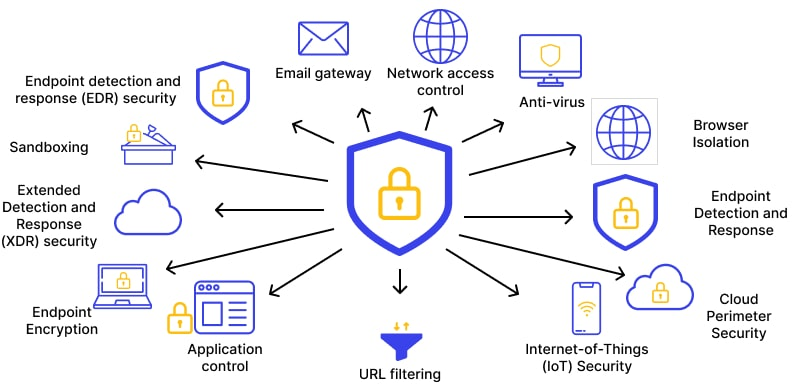
Endpoint security is essential due to the following reasons:
- Increased Cyber Threats: The frequency and sophistication of cyber-attacks have grown significantly. Endpoints are a primary target for hackers looking to infiltrate organizational networks, steal sensitive data, or disrupt operations.
- Remote Work Trends: With the rise of remote and hybrid work environments, employees often access corporate networks from home or public locations. This shift has expanded the attack surface, making endpoint protection a critical necessity.
- Data Protection: Organizations store valuable data, including customer information, intellectual property, and financial records. Endpoint security ensures this data remains secure and prevents unauthorized access or breaches.
- Device Proliferation: Bring Your Own Device (BYOD) policies and the increasing use of IoT devices have introduced more endpoints to networks, requiring robust protection mechanisms.
- Cost Implications: A single security breach can lead to devastating financial losses, regulatory fines, and reputational damage. Endpoint security mitigates these risks by providing proactive defense mechanisms.
- Compliance Requirements: Many industries have strict regulations that mandate the implementation of endpoint security to protect sensitive data and maintain customer trust.
What Are the Advantages of Endpoint Security?
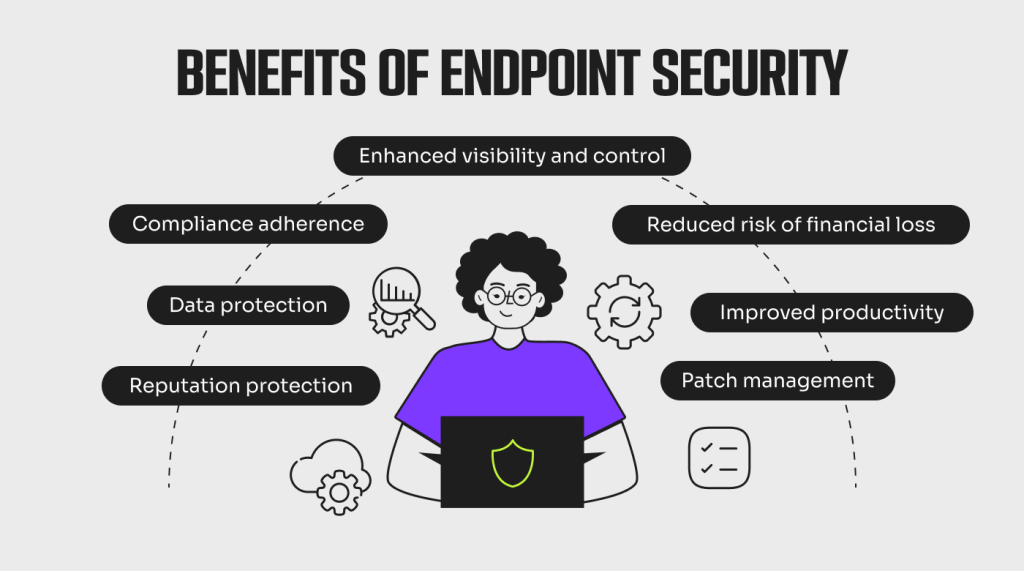
Endpoint security tools provide numerous benefits that contribute to an organization’s overall cybersecurity posture:
- Enhanced Protection: Endpoint security solutions provide real-time protection against a wide range of threats, including viruses, ransomware, phishing attacks, and zero-day exploits.
- Centralized Management: Organizations can manage and monitor all endpoints from a single platform, simplifying the administration of security measures.
- Reduced Attack Surface: By enforcing strict security protocols, endpoint security reduces the number of vulnerable points in a network.
- Compliance Assurance: Endpoint security ensures organizations adhere to legal and regulatory requirements by securing sensitive data and providing audit trails.
- Improved Productivity: By preventing system downtime caused by malware or attacks, endpoint security allows employees to focus on their work without disruptions.
- Threat Detection and Response: Advanced features like behavioral analysis and machine learning enable rapid identification and mitigation of threats, reducing potential damage.
- Scalability: Modern endpoint security solutions can adapt to the changing needs of organizations, whether they have a handful of devices or thousands of endpoints to protect.
What Are the Key Features of Endpoint Security Tools?
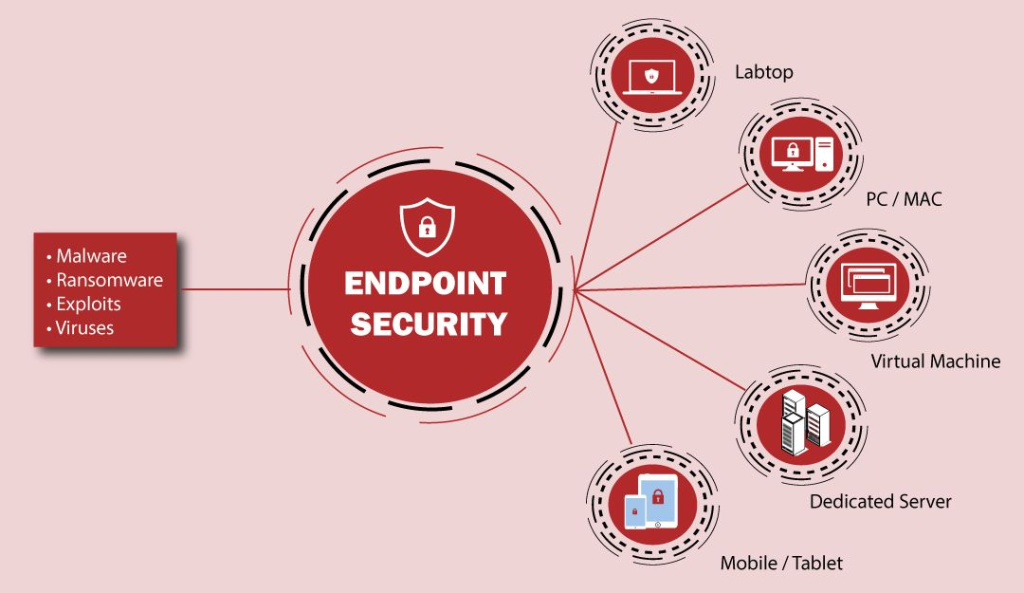
- Antivirus and Anti-Malware: Provides foundational protection against malicious software, ensuring devices remain clean and secure.
- Endpoint Detection and Response (EDR): Monitors and analyzes endpoint activities in real time to detect unusual behavior, enabling quick response to threats.
- Data Encryption: Protects sensitive information by encrypting data both in transit and at rest, ensuring that unauthorized parties cannot access it.
- Device Control: Restricts the use of unauthorized external devices, such as USB drives, to prevent data theft and malware introduction.
- Patch Management: Automatically identifies and installs security updates to address vulnerabilities in operating systems and applications.
- Firewall and Intrusion Prevention: Defends against unauthorized network access and intrusion attempts, providing an additional layer of security.
- Access Control: Implements robust authentication mechanisms, such as multi-factor authentication (MFA), to prevent unauthorized access.
- Cloud-Based Management: Offers a centralized console hosted in the cloud, enabling remote monitoring and management of endpoints.
- Machine Learning and AI: Utilizes advanced algorithms to proactively identify and block emerging threats.
- Incident Reporting: Provides detailed logs and reports to support compliance audits and forensic investigations.
Top 10 Use Cases of Endpoint Security
- Preventing Ransomware Attacks: Endpoint security tools can detect and block ransomware before it encrypts critical data, ensuring business continuity.
- Securing Remote Work: Protects employees who access corporate resources from unsecured home networks or public Wi-Fi.
- Detecting Insider Threats: Identifies suspicious activities originating from within the organization, whether intentional or accidental.
- Regulatory Compliance: Helps organizations meet the requirements of data protection laws such as GDPR, HIPAA, and PCI DSS.
- Zero-Day Threat Protection: Leverages behavioral analysis and threat intelligence to detect and block previously unknown exploits.
- Device and Application Whitelisting: Allows only authorized devices and applications to operate within the network, reducing the risk of unauthorized access.
- Email Security: Protects endpoints from phishing and malicious attachments delivered via email.
- Data Leak Prevention: Prevents sensitive information from being transmitted outside the organization without authorization.
- IoT Device Security: Secures Internet of Things devices that are often vulnerable to attacks, ensuring they do not become entry points for hackers.
- Incident Response: Facilitates rapid isolation and remediation of compromised endpoints, minimizing damage and recovery time.
How to Implement Endpoint Security?
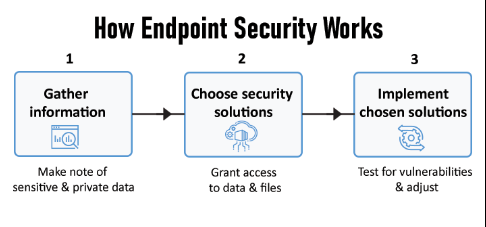
- Assess Your Needs:
- Conduct a thorough assessment to understand the specific security requirements of your organization.
- Identify critical assets, high-risk endpoints, and potential vulnerabilities.
- Choose the Right Solution:
- Evaluate endpoint security tools based on features, scalability, and ease of integration with existing systems.
- Select a solution that aligns with your organizational goals and budget.
- Deploy Centralized Management:
- Implement a centralized management platform to monitor and control all endpoints efficiently.
- Ensure the platform provides real-time visibility and actionable insights.
- Establish Security Policies:
- Develop comprehensive policies that govern device usage, patch management, and data access.
- Communicate these policies clearly to employees and enforce them consistently.
- Integrate with Existing Infrastructure:
- Ensure seamless integration with existing IT and security systems, such as firewalls, SIEMs, and identity management solutions.
- Implement Multi-Layered Security:
- Use a combination of endpoint security, network security, cloud security, and identity management to create a robust defense.
- Regular Updates and Maintenance:
- Keep security tools updated to protect against the latest threats.
- Perform regular security audits and penetration testing to identify and address vulnerabilities.
- Train Employees:
- Educate employees about common cyber threats and safe practices, such as recognizing phishing emails and avoiding unsafe downloads.
- Monitor and Analyze:
- Continuously monitor endpoint activities for signs of unusual behavior.
- Leverage threat intelligence to stay ahead of emerging risks.
- Test and Improve:
- Simulate cyber-attacks to evaluate the effectiveness of your endpoint security measures.
- Use insights from these tests to refine your strategy and enhance protection.
