Limited Time Offer!
For Less Than the Cost of a Starbucks Coffee, Access All DevOpsSchool Videos on YouTube Unlimitedly.
Master DevOps, SRE, DevSecOps Skills!
The data accessibility environment is always changing, especially when it comes to social networking platforms, therefore it’s important to know how to navigate the complexities of using APIs to access data. The well-known professional networking site LinkedIn has modified its API restrictions, mostly in response to growing worries about user privacy. This change has resulted in a significant discrepancy in the data available via the LinkedIn API’s free and commercial editions. Here, we outline the differences between the free and subscription versions, providing insight into the kinds of data that are available as well as the constraints imposed by LinkedIn’s privacy-conscious policy. Professionals and companies may make well-informed judgments about their data collection strategy on the LinkedIn network by defining these distinctions.
What is LinkedIn Api?
Developers may communicate programmatically with LinkedIn’s platform using a collection of tools and protocols called the LinkedIn API (Application Programming Interface). In essence, it frees developers from having to visit the LinkedIn website directly in order to incorporate LinkedIn’s functionality and data into their own apps or websites.
Developers may obtain a wide range of data, including job ads, corporate information, relationships, user profiles, and more, using the LinkedIn API. Depending on the rights provided by LinkedIn, they can also carry out tasks including sending messages, updating corporate sites, and posting updates.
Developers may incorporate LinkedIn’s capabilities into their own apps, which can include analytics dashboards, social network management tools, resume builders, and job search platforms, by using the API, which offers a standard method for doing so.
To securely access the LinkedIn API, developers usually utilize authentication methods like OAuth. This ensures that only authorized users and apps are able to interact with LinkedIn’s data on behalf of users.
LinkedIn API Data Access: Understanding Free vs. Paid Options
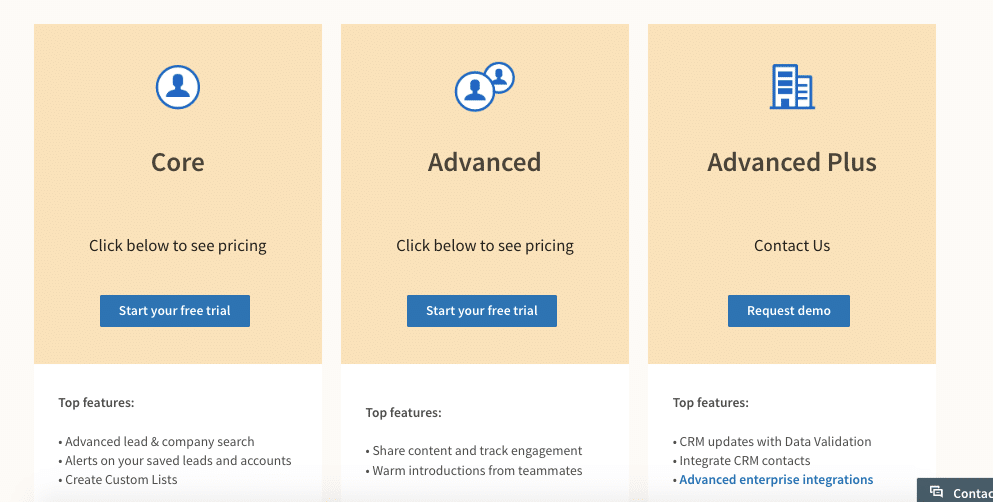
The data available through LinkedIn’s free and commercial versions of the API has considerably decreased due to modifications made to the platform and their emphasis on user privacy. Below is a summary of what to anticipate:
Free Version:
- No access to user-deemed private information, including connection and post counts, or any other private data.
- Restrictions on public profile data access:
- Name, headline, position as of right now, and location (based on user privacy choices) are examples of basic information.
- experiences and educational information made public.
- Restricted availability of corporate data: publicly accessible information on businesses, such as their name, address, and sector.
Paid Versions (Professional and Enterprise):
- Basic contact details include phone number and email address, if disclosed by the individual (if publicly available).
- Job seeker information: Details, such as talents and endorsements (if made public), that individuals specifically add in their profiles in order to look for work.
- Limited company data: If the user agrees and according to their privacy settings, further information on businesses that are pertinent to your particular needs can be accessible.
What are the Key Points of LinkedIn API?
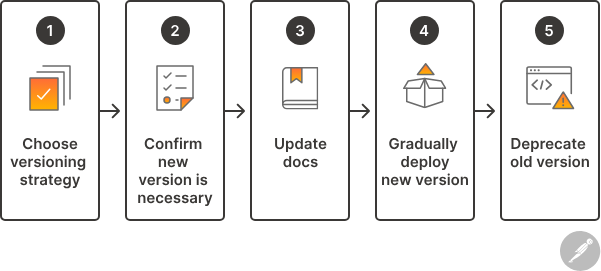
It’s crucial to be aware of critical changes that have affected the functionality and data availability of the LinkedIn API, even if it still presents great prospects for integrations and data access. Here’s a thorough rundown:
- Limited Data Access: The LinkedIn API no longer offers access to private data, such as connection and post counts, and other user-specific information, as a result of privacy improvements and policy changes.
- Importance on Public Information: The public profile data that comprises the following is the main emphasis of both the free and commercial versions of the API:
- Basic details: Name, headline, current position, and location (depending on the user’s privacy settings) are the basic facts.
- experiences and education that are made public.
- Restricted firm information: Name, address, and industry are publicly accessible facts.
- User approval for more Data (premium Plans): LinkedIn’s authorization flow requires user approval before you can access more data in premium plans (Professional and Enterprise). This might consist of:
- Basic contact information: phone number (if accessible) and email address (if shared).
- Information for job seekers: Competencies and recommendations (if disclosed) for job-seeking profiles.
- Limited company data: restricted company information More business information customized to your requirements, pending user approval and privacy settings.
What are the Data available for public?
LinkedIn provides a variety of ways for developers with different skill levels and needs to use its API:
REST API:
- For seasoned developers who feel at ease handling HTTP requests and answers, the REST API provides a standard mechanism for gaining access to online services.
- Developers may define precisely the data they want and how they want it structured thanks to the REST API, which gives them fine-grained control over data retrieval.
- By sending HTTP queries to certain endpoints, developers may communicate with the API and retrieve data from it, including user profiles, connections, business details, and more.
- Although it needs a greater grasp of web technology and programming ideas, this alternative offers flexibility and control.
SDKs (Software Development Kits):
- Official SDKs for Python, Java, JavaScript, and other programming languages are available from LinkedIn.
- By removing some of the complexity involved in interacting directly with the API, SDKs provide a more user-friendly experience.
- They offer pre-built classes and methods that streamline routine operations like receiving answers, submitting API queries, and authenticating users.
- Even for developers who are not as knowledgeable about the nuances of HTTP and REST, using SDKs may speed up development and minimize the amount of boilerplate code needed.
Documentation:
- Developers wishing to interface with the LinkedIn API may find extensive documentation provided by LinkedIn.
- The many API endpoints, request parameters, authentication techniques, rate limitations, and answer formats are all described in detail in the documentation.
- To assist developers in understanding how to properly interact with the API, it offers usage scenarios and examples.
- Regardless of whether developers want to utilize SDKs or the REST API directly, the documentation is an invaluable tool for comprehending the features and constraints of the API.