Limited Time Offer!
For Less Than the Cost of a Starbucks Coffee, Access All DevOpsSchool Videos on YouTube Unlimitedly.
Master DevOps, SRE, DevSecOps Skills!
What Are Security Auditing Tools?
Security Auditing Tools are like a security guard for your digital world. Think of them as specialized tools designed to inspect your computer systems, networks, applications, and even cloud environments for any weaknesses or vulnerabilities. Just as you might lock the doors and windows of your house to protect against intruders, these tools help you secure your digital assets by identifying gaps that hackers might exploit. They analyze things like outdated software, improper configurations, or even suspicious activities. Ultimately, these tools ensure your systems are safe, reliable, and compliant with rules and regulations like GDPR or HIPAA.
Why Do We Need Security Auditing Tools?
In today’s interconnected world, the internet is a double-edged sword. While it connects us to limitless opportunities, it also opens doors to cyber threats. Security auditing tools are crucial because they act as the first line of defense to:
- Stay Ahead of Hackers: Cybercriminals are always finding new ways to exploit systems. Security tools help you stay one step ahead by identifying and fixing weaknesses before they’re exploited.
- Avoid Costly Breaches: Data breaches are expensive—not just in terms of money but also reputation. A good auditing tool can save you from both by detecting risks early.
- Comply with Regulations: Every industry has rules to follow (like GDPR in Europe or HIPAA in healthcare). These tools ensure you’re ticking all the boxes and avoiding hefty fines.
- Save Time and Resources: Imagine manually checking every corner of your IT infrastructure for security flaws—it’s impossible! These tools automate that process, saving you valuable time and resources.
- Protect Your Reputation: Nobody wants to be the company that customers no longer trust because of a data breach. Security auditing tools ensure you maintain your credibility.
What Are the Advantages of Security Auditing Tools?
Here’s what makes these tools a game-changer for organizations:
- All-in-One Coverage: They don’t just look at one part of your system—they cover everything from servers to software to networks.
- Automation Power: Manual security checks take ages, but these tools can automate the process and even monitor continuously.
- Instant Alerts: If something fishy happens, you’ll know about it immediately, giving you a chance to act fast.
- Tailored to Your Needs: Most tools are highly customizable, so you can focus on what matters most to your organization.
- Easy Reporting: Need to prove to regulators or stakeholders that your systems are secure? These tools generate clear, professional reports.
What Are the Features of Security Auditing Tools?
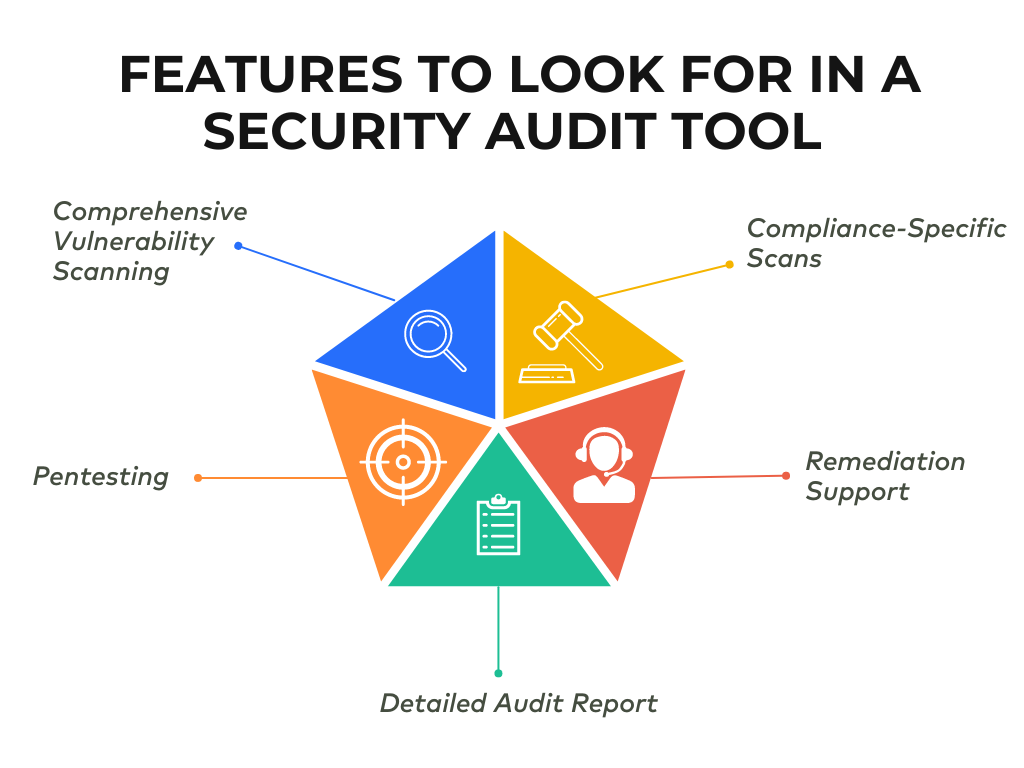
Security auditing tools come packed with features that make them indispensable. Some key ones include:
- Vulnerability Scanning: They scan your systems to find outdated software or bugs that could be exploited.
- Penetration Testing: Simulates real-world attacks to see if your defenses can hold up.
- Configuration Checks: Ensures that everything is set up correctly and securely (e.g., firewalls and servers).
- Compliance Monitoring: Tracks your systems to make sure you’re meeting industry regulations.
- User Monitoring: Watches for unusual or unauthorized activities, like a user accessing sensitive data they shouldn’t.
- Log Analysis: Looks through system logs to find patterns or anomalies that indicate trouble.
- Visual Dashboards: Offers easy-to-read graphs and summaries of your security health.
- Real-Time Threat Alerts: Flags risks as they happen so you can respond quickly.
What Are the Top 10 Use Cases of Security Auditing Tools?
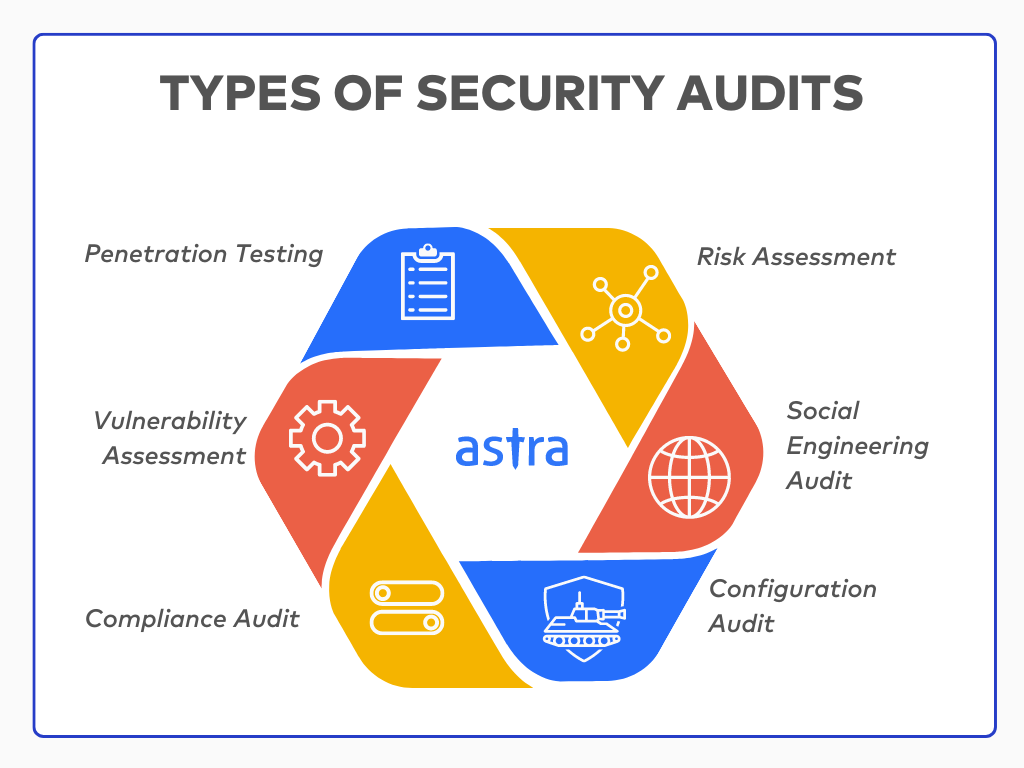
Here are some real-world scenarios where these tools make a difference:
- Finding Weak Spots: They help discover vulnerabilities like unpatched software or misconfigurations in your systems.
- Keeping You Compliant: Whether it’s GDPR, HIPAA, or PCI DSS, they ensure you meet regulatory standards.
- Testing Your Defenses: Penetration testing tools simulate attacks to see if your security measures can handle the heat.
- Securing Your Network: These tools check for problems in your firewalls, routers, and other network setups.
- Monitoring Applications: Web applications often have security flaws like SQL injection. These tools identify and help fix such issues.
- Securing Remote Work: With remote work on the rise, endpoint auditing tools ensure devices outside the office are secure.
- Protecting the Cloud: They make sure your cloud setups (like AWS or Azure) are free from vulnerabilities and misconfigurations.
- Watching Out for Insiders: Not every threat comes from outside. These tools track employee activity for any suspicious behavior.
- Avoiding Data Leaks: They help prevent sensitive information from being accessed or leaked.
- Responding to Threats: They strengthen your incident response plans by identifying gaps and helping you respond faster.
How to Implement Security Auditing Tools?
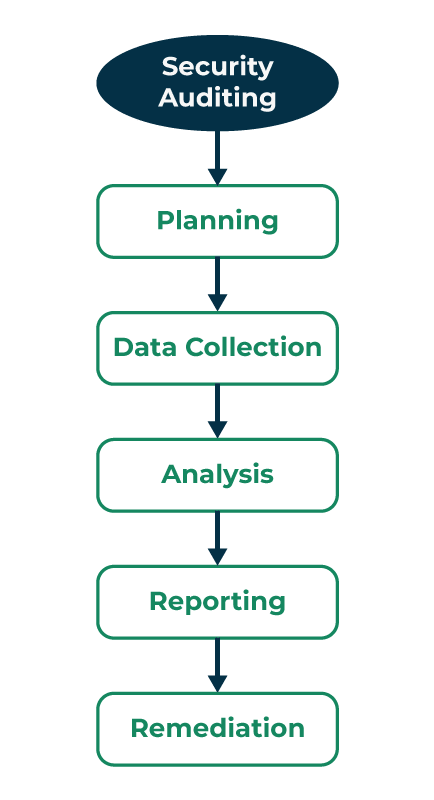
Getting started with security auditing tools can feel overwhelming, but here’s a step-by-step guide:
- Define Your Goals: Start by understanding why you need the tool. Is it for compliance, vulnerability scanning, or something else?
- Assess Your Needs: Think about your specific environment. Are you dealing with cloud systems, legacy software, or both? Your requirements will guide your tool selection.
- Pick the Right Tool: Research options that align with your goals. Popular tools like Nessus, Qualys, and OpenVAS are great places to start.
- Set It Up: Once you’ve chosen a tool, install and configure it. Most tools come with step-by-step guides to make this process easier.
- Run an Initial Scan: Perform a baseline scan to see where your security currently stands.
- Analyze Results: Go through the findings and prioritize issues based on severity. Address high-risk vulnerabilities first.
- Fix the Problems: Use the tool’s recommendations to patch vulnerabilities, fix misconfigurations, and improve security.
- Schedule Regular Audits: Don’t stop at one scan—make audits a regular practice to keep your systems secure.
- Train Your Team: Make sure your IT team knows how to use the tool effectively. Some tools even offer training sessions.
- Monitor Continuously: Security isn’t a one-and-done deal. Use the tool’s continuous monitoring features to stay ahead of new threats.
