Limited Time Offer!
For Less Than the Cost of a Starbucks Coffee, Access All DevOpsSchool Videos on YouTube Unlimitedly.
Master DevOps, SRE, DevSecOps Skills!
Introduction
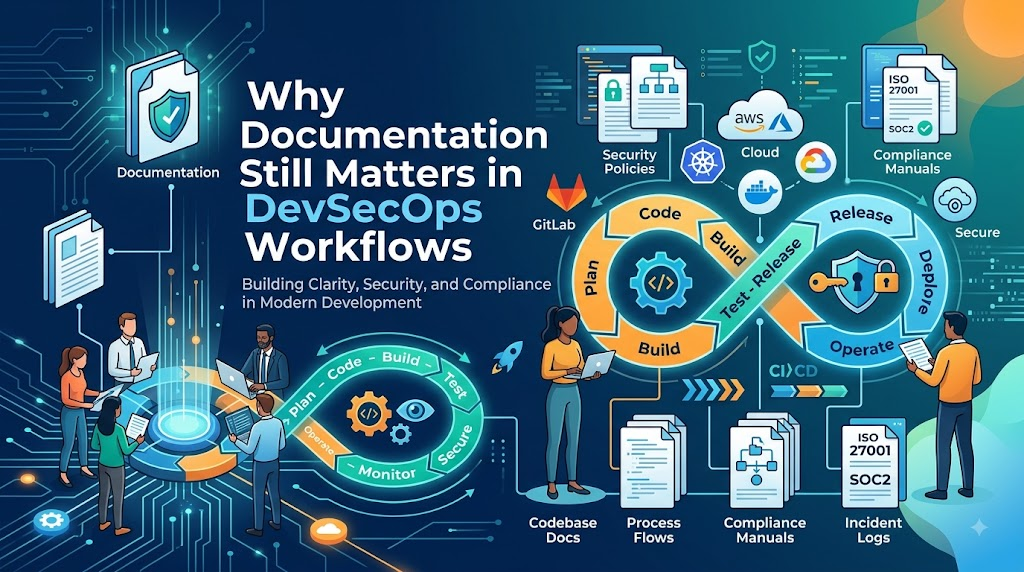
In modern technology environments, the push toward complete automation has transformed software delivery, creating the common assumption that highly automated systems render documentation obsolete; however, automation can execute repetitive tasks efficiently but cannot communicate intent, architectural rationale, or recovery strategies, meaning that when unexpected failures occur, human engineers still rely heavily on clear documentation to troubleshoot and restore operations safely. At DevOpsSchool, engineering teams learn that technical capability and clear communication go hand in hand, as practical documentation acts as the connective tissue between automated systems and the humans who operate them, ensuring teams can understand infrastructure, respond to incidents, secure applications, and make better technical decisions without creating unnecessary paperwork. Ultimately, documentation remains a vital component of modern DevSecOps because it provides the right guidance at the right time, empowering teams to deliver software faster, safer, and with greater confidence when it is treated as an integrated part of the engineering lifecycle rather than an administrative afterthought.
What Is Documentation in DevSecOps?
DevSecOps documentation is not a stack of heavy, static documents buried in a shared drive. In a modern engineering culture, documentation encompasses a wide variety of lightweight, accessible artifacts that explain how systems are designed, secured, deployed, and operated. It bridges the gap between raw code and human comprehension.
Key components of DevSecOps documentation include:
- Architecture documentation: Visual and textual guides showing how systems interact across environments.
- Runbooks: Step-by-step instructions for performing operational tasks or resolving specific alerts.
- Playbooks: Structured response guidance for complex scenarios like security incidents or major outages.
- Pipeline documentation: Explanations of CI/CD stages, security gates, and deployment workflows.
- Security policies: Guidelines detailing access controls, compliance rules, and risk management strategies.
- Infrastructure documentation: Descriptions of cloud resources, network boundaries, and resource hierarchies.
- Troubleshooting guides: Collections of known error patterns, diagnostic commands, and resolution steps.
- Onboarding guides: Structured learning paths to help new team members become productive quickly.
- Architecture Decision Records (ADRs): Lightweight logs capturing why specific technical or security choices were made.
Documentation exists in different forms depending on its audience and purpose. It can live in a wiki, alongside source code in version control, or inside collaborative knowledge bases. The defining characteristic of good documentation is not its length or format, but its ability to provide immediate, actionable clarity when it is needed most.
Why Documentation Still Matters in an Automated DevSecOps Environment
The relationship between automation and human understanding is frequently misunderstood. Automation is designed to execute defined tasks consistently, while documentation is designed to explain the broader system context. Without documentation, automated environments can quickly become opaque black boxes that few people fully understand.
The operational flow in a healthy engineering organization follows a continuous loop:
Automation Executes
       ↓
Documentation Explains
       ↓
Teams Understand
       ↓
Teams Operate
       ↓
Teams Improve
Automation alone cannot communicate the business impact of a failing service, the rationale behind a specific security exception, or the recovery procedure when an automated deployment pipeline stalls midway. When engineers rely exclusively on automation without supporting documentation, they struggle to adapt when edge cases occur. Documentation provides the safety net that allows teams to innovate rapidly without losing control of their systems.
Documentation vs Automation in DevSecOps
To understand how documentation and automation complement one another, it helps to compare their specific roles within an engineering lifecycle.
| Automation Provides | Documentation Provides |
| Repeatable execution | Human context |
| Consistent processes | Explanation of design choices |
| Faster operations | Troubleshooting guidance |
| Automated validation | Decision history |
| Deployment consistency | Ownership information |
| Recovery automation | Recovery instructions |
Strong DevSecOps environments do not treat automation and documentation as competing priorities. Instead, they recognize that automation handles the heavy lifting of execution, while documentation provides the governance, context, and operational intelligence required to guide that automation effectively.
Documentation as a Security Control
Security in a DevSecOps environment is a shared responsibility distributed across development, operations, and security teams. Without clear documentation, security policies become ambiguous, leading to inconsistent enforcement, misconfigurations, and vulnerabilities. Documentation acts as a foundational security control by establishing clear guardrails and expectations.
Comprehensive security documentation covers several critical areas:
- Security policies: Clear definitions of acceptable use, data classification standards, and password requirements.
- Access-control procedures: Transparent guidelines on who can request access, how permissions are approved, and how role-based access control is managed.
- Secrets-management processes: Documented workflows for storing, rotating, and injecting API keys, database passwords, and cryptographic certificates.
- Security exceptions: A formal record of approved deviations from security baselines, including risk acceptance and expiration dates.
- Vulnerability remediation procedures: Step-by-step guidance on how to triage, prioritize, and patch security flaws identified by automated scanners.
When security controls are well-documented, team members do not have to guess how to remain compliant. They can easily reference established standards, ensuring that security is woven into every stage of the software delivery lifecycle rather than treated as an afterthought.
Documentation in the DevSecOps Lifecycle
Documentation supports every phase of the modern delivery pipeline. As code moves from conception to production, documentation ensures that context is preserved at every step.
Plan
 ↓
Code
 ↓
Build
 ↓
Test
 ↓
Secure
 ↓
Release
 ↓
Deploy
 ↓
Monitor
 ↓
Respond
 ↓
Improve
During the planning and coding stages, architecture diagrams and decision records capture design intent. In the build, test, and security phases, pipeline specifications and vulnerability triage guides help engineers resolve issues quickly. During deployment and monitoring, runbooks and alert definitions ensure that operations teams can interpret telemetry data and execute safe rollbacks when anomalies occur.
Documentation for CI/CD Pipelines
CI/CD pipelines are the engine rooms of modern software delivery. However, as pipelines grow to include multiple testing stages, static analysis tools, vulnerability scanners, and automated approvals, they can become complex and difficult to maintain. Without pipeline documentation, a single broken build can stall release cycles for days while engineers try to reverse-engineer custom scripts.
Pipelines should be documented to ensure clarity for everyone interacting with them:
- Pipeline purpose: A brief summary of what application or service the pipeline builds and deploys.
- Triggers: Information on whether the pipeline runs on pull requests, merges to main, or scheduled intervals.
- Stages: A breakdown of build, test, security validation, and deployment steps.
- Security checks: Documentation on which scanners run, what thresholds fail the build, and how to request overrides.
- Rollback procedures: Clear instructions on how to revert a failed deployment in production.
A typical pipeline documentation structure provides a quick reference for engineers:
Pipeline Name
  → Purpose
  → Trigger
  → Build
  → Test
  → Security Validation
  → Deployment
  → Approval
  → Rollback
  → Troubleshooting
When pipeline structures are clearly documented, developers can troubleshoot failed builds independently, reducing bottlenecks and accelerating software delivery.
Documentation for Infrastructure as Code
Infrastructure as Code (IaC) allows teams to provision cloud resources using declarative configuration files. While IaC ensures consistency and eliminates manual configuration drift, the code itself only dictates what resources to create. It does not explain why those resources were organized in a specific way or how they support the broader application architecture.
Effective IaC documentation focuses on operational clarity:
- Infrastructure purpose: The overarching goal of the Terraform, Ansible, or CloudFormation templates.
- Module responsibilities: What each reusable module accomplishes and which dependencies it requires.
- Environment structure: How staging, development, and production environments differ in scale and configuration.
- State considerations: Guidelines on remote state management, locking mechanisms, and backup strategies.
- Security controls: Documentation of network segmentation, encryption settings, and IAM policies embedded within the code.
Code tells the system what to do, but documentation explains why and how the system should be operated, maintained, and scaled over time.
Cloud Infrastructure Documentation
Cloud environments are dynamic, distributed, and constantly changing. As organizations scale across multiple regions and accounts, maintaining visibility into cloud resources becomes a significant challenge. Without cloud documentation, teams risk creating untracked resources, orphaned infrastructure, and security blind spots.
Cloud documentation should clearly outline the structural boundaries of the organization’s footprint:
- Account structure: A map of cloud accounts, subscriptions, or projects and their associated business units.
- Network architecture: Details on VPC layouts, peering connections, VPN tunnels, and public-facing endpoints.
- Identity structure: Documentation of single sign-on configurations, federated identities, and administrative roles.
- Data flows: Clear descriptions of how data moves between storage buckets, databases, and application tiers.
- Backup strategies: RTO and RPO targets along with verification procedures for data restoration.
A simple cloud architecture summary helps engineers understand resource boundaries and ensures that new deployments adhere to organizational standards.
Documentation and Containerized Environments
Containerization technologies like Docker and orchestration platforms like Kubernetes have revolutionized application deployment. However, containerized environments introduce new layers of complexity involving pod networking, ingress controllers, persistent volumes, and resource quotas.
Documentation in containerized environments should focus on operational understanding rather than duplicating configuration files:
- Application architecture: High-level diagrams showing how microservices communicate within the cluster.
- Deployment process: Guidance on how Helm charts or Kubernetes manifests are applied across clusters.
- Secrets management: Documentation on how sensitive data is injected into containers using external secret stores.
- Health checks: Explanations of liveness, readiness, and startup probes and what happens when they fail.
- Service dependencies: A map showing which services rely on others to function correctly.
Focusing documentation on operational behavior helps platform engineers diagnose scheduling failures, resource starvation, and network policy drops without needing to read thousands of lines of YAML.
Documentation and Incident Response
During a production incident, stress is high and every minute of downtime impacts the business. Responders should never have to discover basic operational knowledge or search for administrative contact numbers while an alert is firing.
An effective incident response documentation framework includes:
- Incident response plans: High-level protocols defining severity levels and communication channels.
- Runbooks: Step-by-step diagnostic and remediation guides for known failure modes.
- Escalation paths: Clear instructions on when and how to engage secondary on-call engineers or external vendors.
- Service ownership: Immediate visibility into which team owns the affected component.
- Post-incident review processes: Guidelines for conducting blameless post-mortems and updating documentation with lessons learned.
The incident resolution lifecycle relies heavily on pre-existing documentation:
Incident
   ↓
Identify
   ↓
Consult Runbook
   ↓
Investigate
   ↓
Contain
   ↓
Recover
   ↓
Validate
   ↓
Document Lessons
When runbooks and escalation paths are documented and easily accessible, incident response times drop significantly, minimizing user impact and system downtime.
Runbooks vs Playbooks vs Standard Operating Procedures
In technical documentation, terms like runbooks, playbooks, and Standard Operating Procedures (SOPs) are often used interchangeably, but they serve distinct purposes in a DevSecOps environment.
- Runbooks: Detailed, step-by-step operational procedures designed for executing specific tasks or resolving routine technical alerts, such as restarting a failed service or clearing a stuck message queue.
- Playbooks: Comprehensive, structured response guides for complex or high-risk scenarios that require decision-making and cross-functional coordination, such as a suspected security breach or a multi-region cloud outage.
- Standard Operating Procedures (SOPs): Broad organizational processes that define routine administrative tasks, such as conducting quarterly access reviews or onboarding new team members.
| Type | Primary Purpose | Example |
| Runbook | Operational task execution | Restarting a failed caching service |
| Playbook | Structured scenario response | Responding to a credential leakage alert |
| SOP | Standard organizational process | Performing a monthly identity access audit |
Understanding the distinction between these artifacts helps teams organize their knowledge base effectively, ensuring that engineers have the right level of guidance for any given situation.
Documentation and Troubleshooting
Troubleshooting is a core activity for engineers, yet much of it is performed through trial and error. When troubleshooting knowledge is undocumented, teams solve the same recurring problems repeatedly, wasting valuable time and energy.
Effective troubleshooting documentation focuses on symptoms, decisions, and outcomes:
- Known errors: A catalog of recurring error messages, stack traces, and failure codes.
- Diagnostic commands: Quick commands to check logs, inspect network traffic, or verify resource utilization.
- Expected behavior: Clear baselines showing what normal system telemetry looks like.
- Dependency checks: Guidance on how to verify whether upstream or downstream services are causing the issue.
- Verification steps: Instructions to confirm that the fix was successful before closing the incident.
Troubleshooting guides should avoid becoming bloated collections of random commands. Instead, they should provide logical diagnostic workflows that guide an engineer from an initial symptom to a confirmed resolution.
Documentation and Knowledge Sharing
In many engineering organizations, critical knowledge is concentrated in the heads of a few senior engineers. This creates dangerous knowledge silos. If an expert leaves the company or goes on vacation, the team is left vulnerable to operational blind spots.
Documentation acts as the primary mechanism for distributing knowledge across teams and eliminating single points of failure. It enables:
- Shared understanding: Ensuring that architecture and operational practices are understood by the entire engineering group rather than individuals.
- Cross-functional collaboration: Helping developers, security engineers, and operations staff speak a common language.
- Remote team alignment: Providing asynchronous access to critical information across different time zones.
- Effective on-call rotations: Giving on-call engineers the confidence to handle alerts outside of normal working hours.
Organizations that prioritize knowledge sharing build resilient teams where operational capability is distributed evenly across the workforce.
Documentation and Onboarding
The time it takes for a new engineer to become productive is a direct reflection of an organization’s documentation maturity. When documentation is missing or outdated, onboarding relies on endless meetings, shadow sessions, and piecemeal explanations, delaying the new hire’s contribution.
A well-structured onboarding documentation flow helps new team members ramp up systematically:
Organization Overview
         ↓
DevSecOps Lifecycle
         ↓
Architecture
         ↓
Development Workflow
         ↓
Security Workflow
         ↓
Deployment
         ↓
Monitoring
         ↓
Incident Response
By providing clear, up-to-date onboarding guides, organizations reduce the burden on senior staff, accelerate time-to-productivity, and ensure that every new engineer starts with a secure and standardized understanding of the environment.
Documentation and Compliance
Compliance frameworks such as SOC 2, ISO 27001, PCI-DSS, and HIPAA require organizations to prove that their security controls are designed properly and operating effectively. While documentation alone does not guarantee security, it is essential for demonstrating governance during audits.
Documentation supports compliance by providing verifiable evidence for:
- Policies and procedures: Documented rules governing system access, change management, and data protection.
- Access reviews: Records showing that user permissions are audited and pruned regularly.
- Change management: Evidence that code changes undergo peer review and security testing before reaching production.
- Risk decisions: Documented justifications for accepted security risks and exceptions.
- Incident records: Post-incident reports detailing how past security events were handled and remediated.
When compliance evidence is maintained continuously as part of normal engineering workflows, audit preparation shifts from a stressful scramble into a routine review.
Documentation for Security Decisions
Technical decisions made during architectural design often have long-lasting implications for security and scalability. When these decisions are left undocumented, future engineers may modify systems in ways that inadvertently break security boundaries or reintroduce past vulnerabilities.
The concept of Architecture Decision Records (ADRs) addresses this challenge by providing a lightweight format for recording important choices:
- Context: What problem or constraint prompted the decision?
- Decision: What solution was chosen?
- Consequences: What are the trade-offs, security implications, and future obligations resulting from this choice?
Recording security and architectural decisions preserves institutional memory, helping future team members understand why systems were constructed in a specific way and preventing the repetition of past mistakes.
Documentation and Change Management
DevSecOps environments change continuously. Code is merged, infrastructure is updated, security policies are tightened, and cloud resources are reconfigured. If documentation is not updated alongside these changes, it quickly becomes misleading and obsolete.
To maintain relevance, documentation should be integrated into the change management lifecycle:
Change
  ↓
Implementation
  ↓
Validation
  ↓
Documentation Update
  ↓
Review
Treating documentation updates as a mandatory step in the deployment workflow ensures that runbooks, architecture diagrams, and pipeline guides remain accurate reflection of the live production environment.
Documentation as Code
The “Docs as Code” movement applies software engineering best practices to documentation management. Instead of treating documentation as a separate administrative task stored in proprietary word processors, Docs as Code stores documentation alongside source code in version control systems.
Key principles of Docs as Code include:
- Version control: Keeping documentation in Git repositories so changes can be tracked over time.
- Pull requests: Requiring peer review for documentation updates just like application code.
- Automated validation: Using linters and formatters to check for broken links and syntax errors.
- Consistent formatting: Writing documentation in lightweight markup languages like Markdown.
Treating documentation with engineering discipline improves quality, encourages collaboration, and ensures accountability across engineering teams.
What Good DevSecOps Documentation Looks Like
Practical DevSecOps documentation is designed to be consumed quickly by busy engineers under pressure. It adheres to specific qualitative standards:
- Accurate: Reflects the actual state of the system, not an idealized design.
- Current: Updated regularly as workflows and technologies evolve.
- Searchable: Easily discoverable through internal knowledge bases or code repositories.
- Concise: Free of fluff, long introductions, and unnecessary theoretical background.
- Actionable: Provides clear instructions or solutions that engineers can execute immediately.
- Accessible: Available to the people who need it, when they need it.
- Owned: Assigned to a specific team or individual responsible for its maintenance.
- Versioned: Tracked in version control so historical changes are visible.
- Reviewed: Subject to periodic review cycles to prevent decay.
- Connected to real workflows: Embedded directly into developer tools and CI/CD pipelines.
What Bad DevSecOps Documentation Looks Like
Poorly maintained documentation can be worse than no documentation at all, leading engineers down incorrect paths and wasting valuable time during critical operations.
| Problem | Impact | Better Approach |
| Outdated Docs | Leads to wrong technical decisions | Implement regular review cycles |
| No Owner | Documentation decays and loses accuracy | Assign clear ownership to teams |
| Too Long | Nobody reads dense, multi-page documents | Keep content concise and modular |
| No Context | Hard to understand the “why” behind a process | Explain design decisions and goals |
| Duplicate Docs | Causes confusion about the source of truth | Establish a single source of truth per topic |
How to Keep DevSecOps Documentation Up to Date
Documentation decay is one of the most common challenges engineering organizations face. When documentation falls out of sync with reality, engineers stop trusting it, and the knowledge base becomes abandoned.
Practical strategies for keeping documentation fresh include:
- Assigning clear ownership: Every document, runbook, and pipeline guide must have a designated owning team.
- Establishing review cycles: Set calendar reminders to review critical operational runbooks every few months.
- Linking updates to changes: Make documentation updates part of the pull request checklist for significant architectural changes.
- Leveraging feedback loops: Provide a simple way for readers to report errors or suggest improvements directly from the documentation page.
- Triggering updates from incidents: Use post-incident reviews to identify missing runbook steps and update them immediately.
When documentation maintenance is treated as a natural part of engineering work, the documentation base remains accurate and reliable over time.
Documentation and Observability
Observability tools provide telemetry through metrics, logs, and traces, telling engineers what is happening inside their systems. However, telemetry data alone cannot explain what a metric means or how to respond when an anomaly occurs. Documentation provides the necessary bridge between observability and action.
Good observability documentation explains:
- Metric definitions: What a specific CPU or latency metric actually measures in the context of the application.
- Normal baselines: What acceptable performance looks like during peak and off-peak hours.
- Alert contexts: What an incoming alert indicates about user experience or system health.
- Actionable steps: Clear instructions on what diagnostic commands to run when an alert fires.
The integration between monitoring and documentation follows a clear operational path:
Alert
  ↓
Meaning
  ↓
Investigation
  ↓
Runbook
  ↓
Action
  ↓
Verification
When alerts are linked directly to relevant runbooks, responders can transition from identifying a problem to resolving it with minimal friction.
Documentation for Security Alerts
Security monitoring tools generate a high volume of alerts regarding potential vulnerabilities, suspicious logins, and anomalous network traffic. Without contextual documentation, security teams spend excessive time investigating false positives or trying to determine the blast radius of an alert.
Security alert documentation should outline:
- Severity criteria: Clear definitions of what constitutes a low, medium, or critical security finding.
- Expected behavior: Explanations of why certain automated actions or user behaviors might trigger false positives.
- Investigation steps: Step-by-step guidance on how to inspect audit logs, check IAM permissions, or isolate compromised containers.
- Containment guidance: Immediate actions to revoke compromised credentials or block malicious IP addresses.
Providing clear context for security alerts empowers engineers to triage threats efficiently and respond with confidence.
Documentation and Business Continuity
Business continuity and disaster recovery planning rely heavily on clear, accessible documentation. When a catastrophic failure occurs, technical teams must be able to restore critical services quickly while minimizing data loss and financial impact.
Business continuity documentation covers:
- Critical services inventory: A prioritized list identifying which applications and databases are essential for business operations.
- Dependency mapping: Clear records of upstream and downstream service relationships during recovery.
- Recovery priorities: Explicit recovery time objectives (RTO) and recovery point objectives (RPO) for each tier of service.
- Backup verification: Documented schedules and procedures for testing data restoration integrity.
- Emergency contacts: Up-to-date escalation lists for internal leadership, cloud providers, and legal counsel.
Comprehensive business continuity documentation ensures that recovery efforts are organized, efficient, and aligned with organizational priorities during a crisis.
Real-World DevSecOps Documentation Example
Consider a realistic enterprise scenario where a production payment API experiences repeated deployment failures accompanied by security alerts regarding unencrypted traffic.
Without documentation, the on-call engineer must inspect the pipeline code, review cloud network policies, and guess service ownership, losing valuable time. With good DevSecOps documentation, the engineer immediately accesses a centralized service catalog that provides:
- Service ownership: The Payments Engineering Team.
- Deployment architecture: Kubernetes microservice running behind an API gateway with mTLS enabled.
- Pipeline stages: GitLab CI pipeline featuring static code analysis and container scanning.
- Security controls: TLS 1.3 enforcement and automated secret injection via HashiCorp Vault.
- Known failure modes: Expired internal certificates or misconfigured ingress routing rules.
- Rollback procedure: A documented one-click rollback script in the deployment runbook.
The incident response workflow becomes streamlined and structured:
Alert
  ↓
Documentation Lookup
  ↓
System Understanding
  ↓
Investigation
  ↓
Resolution
  ↓
Documentation Improvement
By updating the documentation to cover the specific root cause discovered during the incident, the team ensures that the same issue will be resolved much faster in the future.
Common Documentation Mistakes in DevSecOps
Organizations often struggle with documentation not because engineers don’t care, but because of common procedural missteps. Recognizing these pitfalls is the first step toward building a sustainable documentation culture.
- Writing documentation only during audits: Treating documentation as a compliance chore rather than an engineering tool results in static, inaccurate documents.
- Documenting everything manually: Relying entirely on manual word processors leads to out-of-date information. Use automation and Docs as Code where possible.
- Never assigning ownership: Unowned documents quickly decay. Every guide must have a designated author or team.
- Creating monolithic documents: Huge, multi-hundred-page manuals are difficult to read and maintain. Break information into concise, modular guides.
- Keeping critical knowledge in private chats: Relying on Slack history for architectural decisions leaves no searchable institutional memory.
- Ignoring user feedback: If engineers report that a runbook is broken and no one fixes it, trust in the documentation erodes.
How to Build a DevSecOps Documentation Strategy
Building a sustainable documentation culture requires a structured, step-by-step approach that integrates seamlessly into existing engineering workflows.
- Identify Critical Systems: Determine which applications and infrastructure components are vital to business operations.
- Identify Critical Workflows: Focus initial documentation efforts on deployment, CI/CD pipelines, and incident response.
- Identify Security Responsibilities: Document security baselines, access controls, and vulnerability remediation procedures.
- Identify Operational Risks: Create runbooks for known failure modes and high-frequency alerts.
- Create Documentation Templates: Provide standardized templates for runbooks, ADRs, and service catalogs to ensure consistency.
- Assign Ownership: Designate specific teams responsible for maintaining each documentation artifact.
- Store Documentation in an Accessible Location: Keep documentation discoverable, preferably alongside code or in a unified internal knowledge base.
- Connect Documentation to Engineering Workflows: Integrate documentation updates into pull requests and deployment checklists.
- Review and Improve: Schedule periodic reviews to prune outdated content and verify accuracy.
- Measure Documentation Health: Track metrics related to documentation freshness, runbook usage, and onboarding speed.
DevSecOps Documentation Checklist
Engineering teams can use this checklist to evaluate the completeness of their DevSecOps documentation practice:
- Architecture documented
- Service ownership documented
- CI/CD pipelines documented
- Security controls documented
- Infrastructure documented
- Cloud architecture documented
- Deployment process documented
- Rollback process documented
- Incident-response procedures documented
- Runbooks created
- Security playbooks created
- Monitoring alerts explained
- Troubleshooting procedures documented
- Access procedures documented
- Recovery procedures documented
- Critical dependencies identified
- Documentation ownership assigned
- Review process established
- Documentation tested during real workflows
- Outdated documentation removed or updated
Practical DevSecOps Documentation Workflow
Integrating documentation into normal engineering operations ensures it remains up to date without adding administrative overhead:
Engineering Change
        ↓
Impact Assessment
        ↓
Implementation
        ↓
Testing
        ↓
Security Validation
        ↓
Documentation Review
        ↓
Deployment
        ↓
Monitoring
        ↓
Feedback
        ↓
Documentation Improvement
Treating documentation updates as an essential phase of every engineering change transforms documentation from an afterthought into a natural output of the development lifecycle.
How to Measure Documentation Quality
To ensure documentation remains valuable, organizations should track practical indicators of quality and usefulness rather than vanity metrics like page counts.
| Metric | What It Indicates |
| Documentation Freshness | How recently information has been verified and updated |
| Runbook Usage | Whether operational guides are actively helping resolve incidents |
| Onboarding Time | The efficiency of knowledge transfer for new team members |
| Repeated Questions | Gaps in documentation that require frequent human clarification |
| Incident Resolution Time | The operational usefulness of troubleshooting guides and runbooks |
| Review Completion | Adherence to scheduled documentation maintenance cycles |
Measuring usefulness ensures that teams focus on maintaining high-impact documents that directly support operational resilience.
Documentation Learning Roadmap for DevSecOps Engineers
Developing strong documentation skills is an essential part of an engineer’s professional growth. A structured learning progression helps engineers build mastery over time:
Technical Writing Basics
           ↓
DevOps Fundamentals
           ↓
Security Concepts
           ↓
Architecture Documentation
           ↓
Runbooks and Playbooks
           ↓
CI/CD Documentation
           ↓
Cloud Documentation
           ↓
Incident Documentation
           ↓
Docs as Code
           ↓
Documentation Automation
           ↓
Continuous Improvement
Mastering each stage of this roadmap enables engineers to communicate complex technical concepts clearly, design resilient systems, and lead cross-functional teams effectively.
Career Value of Documentation Skills in DevSecOps
Engineers who can build robust automation and clearly explain how to operate, secure, and maintain it are among the most valuable professionals in the technology industry. Strong documentation skills distinguish senior engineers, architects, and technical leads.
| Role | Documentation Value |
| DevSecOps Engineer | Ensures security controls, compliance evidence, and pipeline workflows are transparent and reproducible. |
| DevOps Engineer | Documents infrastructure, deployment processes, and scaling strategies for operational clarity. |
| SRE | Creates reliable runbooks, incident response playbooks, and post-mortem review standards. |
| Security Engineer | Establishes clear security baselines, threat response procedures, and compliance frameworks. |
| Cloud Engineer | Maps multi-cloud network topologies, IAM structures, and disaster recovery plans. |
| Platform Engineer | Designs self-service developer portals, architectural guidelines, and onboarding paths. |
| Technical Lead | Drives institutional knowledge sharing, architectural decision records, and team alignment. |
| Consultant | Rapidly assesses client environments, identifies knowledge gaps, and establishes sustainable documentation practices. |
Frequently Asked Questions
Why is documentation important in DevSecOps?
Documentation provides the human context, ownership details, and operational procedures needed to understand and manage automated systems, ensuring teams can troubleshoot failures and maintain security standards.
Does automation make DevSecOps documentation unnecessary?
No. Automation executes processes efficiently, but it cannot explain architectural design decisions, business context, ownership information, or manual recovery steps when automated workflows fail.
What should be documented in a DevSecOps workflow?
Key artifacts include pipeline structures, infrastructure configurations, security policies, incident response runbooks, architecture decision records, and onboarding guides.
How does documentation improve incident response?
Clear runbooks, escalation paths, and service ownership details reduce confusion during high-pressure outages, allowing responders to diagnose and resolve incidents much faster.
What is the difference between a runbook and a playbook?
A runbook is a step-by-step operational guide for performing a specific task or resolving a routine alert, whereas a playbook provides structured response guidance for complex, multi-faceted scenarios like security breaches.
How does documentation support CI/CD pipelines?
Pipeline documentation explains the purpose of each build stage, security gate, deployment trigger, and rollback procedure, helping developers troubleshoot failed builds independently.
Why is Infrastructure as Code not enough by itself?
While IaC code defines resource creation, it does not explain why those resources were organized in a specific way, how they support business logic, or how they should be operated over time.
What is Docs as Code?
Docs as Code is a practice where documentation is stored alongside source code in version control systems, treated with engineering rigor, and updated through pull requests and peer reviews.
How can organizations keep DevSecOps documentation updated?
By assigning clear ownership to teams, tying documentation updates to engineering pull requests, establishing regular review cycles, and updating guides based on lessons learned from incidents.
How does documentation help with security and compliance?
Documentation establishes transparent security baselines, access control procedures, and change management records that demonstrate governance and simplify audit preparation.
What are the biggest documentation mistakes in DevSecOps?
Common mistakes include writing documentation only during audits, failing to assign document ownership, creating massive monolithic documents nobody reads, and letting guides go out of sync with production reality.
How can DevSecOps teams build a sustainable documentation culture?
By starting with critical systems and workflows, providing standardized templates, integrating documentation updates into daily engineering tasks, and measuring documentation usefulness over time.
Final Thoughts
Documentation remains a vital component of modern DevSecOps environments because automation does not remove the need for human understanding. As systems grow more complex and distributed, the ability to clearly explain how they work, how they are secured, and how to recover them when things fail becomes a core engineering competency. Good documentation helps teams understand systems, operate infrastructure, respond to incidents, troubleshoot failures, secure applications, onboard engineers, share knowledge, and make better technical decisions. The goal is not to create endless paperwork, but to provide the right documentation, at the right time, for the people who need it. When documentation is treated as an integrated part of the engineering lifecycle rather than an administrative afterthought, it empowers teams to deliver software faster, safer, and with greater confidence.
