Limited Time Offer!
For Less Than the Cost of a Starbucks Coffee, Access All DevOpsSchool Videos on YouTube Unlimitedly.
Master DevOps, SRE, DevSecOps Skills!
What is a Digital Certificate?
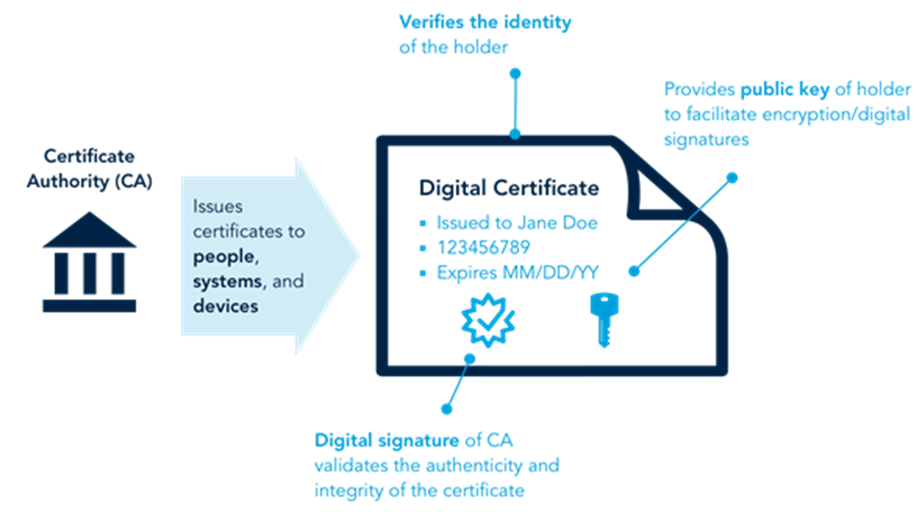
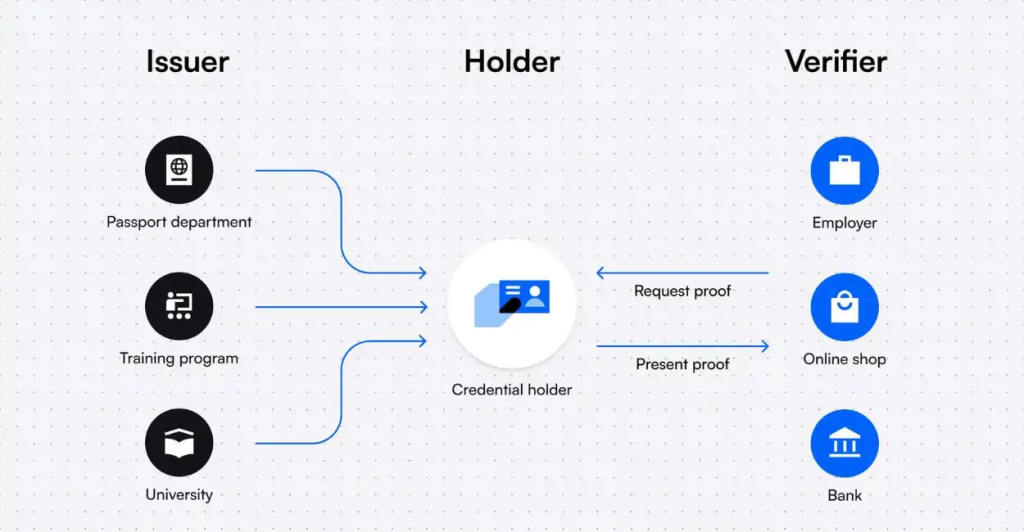
A Digital Certificate is an electronic document that validates the identity of an individual, organization, or device and binds it to a pair of cryptographic keys (public and private keys). It operates as a digital passport that helps establish trust in online interactions.
Key components of a digital certificate include:
- Public Key: A key used for encryption and verifying digital signatures.
- Private Key: A confidential key used for decryption and creating digital signatures.
- Certificate Holder Information: Includes details such as the name, email, domain name, or IP address of the entity it represents.
- Certificate Authority (CA): The trusted entity responsible for issuing the certificate.
- Validity Period: Specifies the duration for which the certificate is valid.
- Digital Signature: Ensures that the certificate has not been tampered with and is issued by a trusted CA.
Digital certificates are central to Public Key Infrastructure (PKI), which is a system that manages the creation, distribution, and revocation of these certificates.
Why Do We Need Digital Certificates?
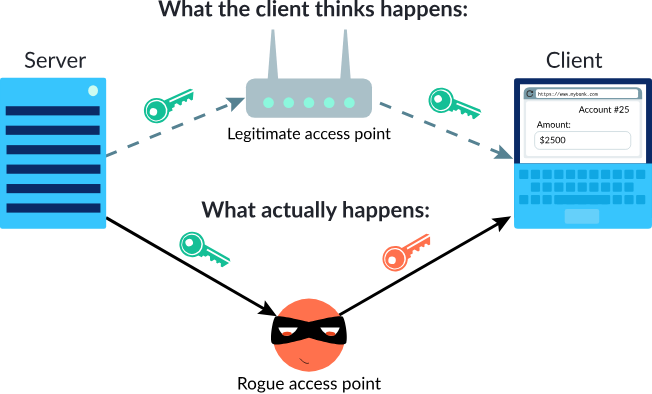
- Secure Online Communication:
- Digital certificates enable secure data transmission over the internet through encryption, ensuring that sensitive data (e.g., passwords, credit card details) cannot be intercepted by malicious actors.
- Identity Verification:
- They confirm the identity of the communicating parties (e.g., a user and a website), ensuring that users interact with legitimate entities and not impersonators.
- Data Integrity:
- Certificates ensure that the transmitted data has not been altered during transit by unauthorized parties, maintaining the trustworthiness of the data.
- Regulatory and Legal Compliance:
- Industries like finance, healthcare, and e-commerce often mandate the use of digital certificates to comply with data protection regulations like GDPR, PCI DSS, and HIPAA.
- Customer Confidence:
- For businesses, a digital certificate (e.g., an SSL/TLS certificate for a website) shows customers that their data is safe, boosting trust and conversion rates.
What are the Advantages of Digital Certificates?
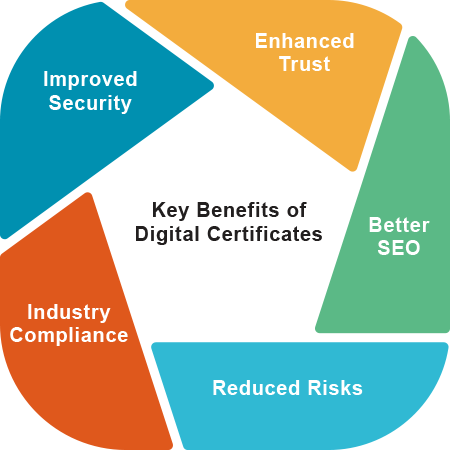
- Robust Security:
- Encrypt data using advanced cryptographic algorithms, protecting it from eavesdropping and cyberattacks.
- Scalability:
- Digital certificates can be deployed across various platforms, devices, and applications, making them ideal for businesses of all sizes.
- Global Acceptance:
- They are based on international standards (e.g., X.509) and widely recognized for secure communication and identity verification.
- Interoperability:
- Certificates can work seamlessly across different systems, applications, and platforms.
- User-Friendly:
- Certificates operate transparently to end-users, providing security without requiring technical expertise from them.
- Automated Processes:
- Many certificate management platforms offer automation for issuance, installation, and renewal, reducing manual effort.
What are the Features of Digital Certificates?
- Uniqueness:
- Every certificate is uniquely tied to the entity it represents and cannot be transferred or reused.
- Multi-Level Validation:
- Certificates come with various levels of validation:
- Domain Validation (DV): Confirms ownership of the domain.
- Organization Validation (OV): Verifies the organization’s identity in addition to the domain.
- Extended Validation (EV): Provides the highest level of trust by thoroughly verifying the organization’s legitimacy.
- Certificates come with various levels of validation:
- Revocation Mechanism:
- Certificates can be revoked by the CA if they are compromised or no longer required, ensuring security.
- Trust Hierarchy:
- Digital certificates operate within a hierarchy of trust where root CAs validate intermediary CAs, which in turn issue certificates.
- Certificate Transparency:
- Enables auditing of certificates to detect fraud or misuse.
Top 10 Use Cases of Digital Certificates
- Securing Websites with SSL/TLS:
- HTTPS protocol protects website data from being intercepted, ensuring secure browsing and transactions.
- Authenticating Emails (S/MIME):
- Digital certificates secure email communication by encrypting messages and verifying the sender’s identity.
- Code Signing:
- Developers use digital certificates to sign software, ensuring it is authentic and has not been tampered with.
- Securing IoT Devices:
- Certificates authenticate IoT devices, enabling secure communication between devices in smart homes, healthcare, and industrial applications.
- Enabling Secure Remote Access (VPN):
- Certificates authenticate users and devices connecting to corporate VPNs, protecting remote work environments.
- Digital Signatures:
- Used to sign documents electronically, providing a legally binding and secure alternative to handwritten signatures.
- Cloud Security:
- Certificates protect access to cloud-based services and data, ensuring secure communication between users and cloud platforms.
- E-Commerce Transactions:
- Protect payment gateways and customer data during online shopping, reducing fraud.
- Mobile App Security:
- Ensure mobile applications are secure and trusted by verifying their source and updates.
- Enterprise Identity and Access Management (IAM):
- Authenticate employees, enforce access controls, and enable single sign-on (SSO) across enterprise applications.
How to Implement Digital Certificates?
- Understand Requirements:
- Determine what type of certificate you need (e.g., SSL/TLS, code signing, S/MIME) and the validation level (DV, OV, EV).
- Select a Certificate Authority (CA):
- Choose a trusted CA such as DigiCert, GoDaddy, or Let’s Encrypt.
- Generate a Certificate Signing Request (CSR):
- Use tools like OpenSSL or your server’s control panel to create a CSR, which includes your public key and identity information.
- Submit the CSR to the CA:
- Provide the CSR along with necessary documentation for validation.
- Undergo Validation:
- Depending on the certificate type, the CA will verify your domain ownership, organizational details, or extended credentials.
- Receive the Certificate:
- Once validated, the CA issues the certificate, which you can download and install on your server or application.
- Install the Certificate:
- Configure the certificate on the intended platform (e.g., web server, email server, VPN).
- Test Configuration:
- Use online tools like SSL Labs to verify that the certificate is installed and functioning correctly.
- Set Up Automatic Renewal:
- For certificates with short validity (e.g., Let’s Encrypt’s 90-day certificates), configure automated renewal to avoid expiration.
- Monitor and Manage Certificates:
- Use a certificate management platform to monitor expiry dates, revoke compromised certificates, and ensure compliance.
