
Limited Time Offer!
For Less Than the Cost of a Starbucks Coffee, Access All DevOpsSchool Videos on YouTube Unlimitedly.
Master DevOps, SRE, DevSecOps Skills!
What is Cyber Threat Intelligence (CTI) Tools?
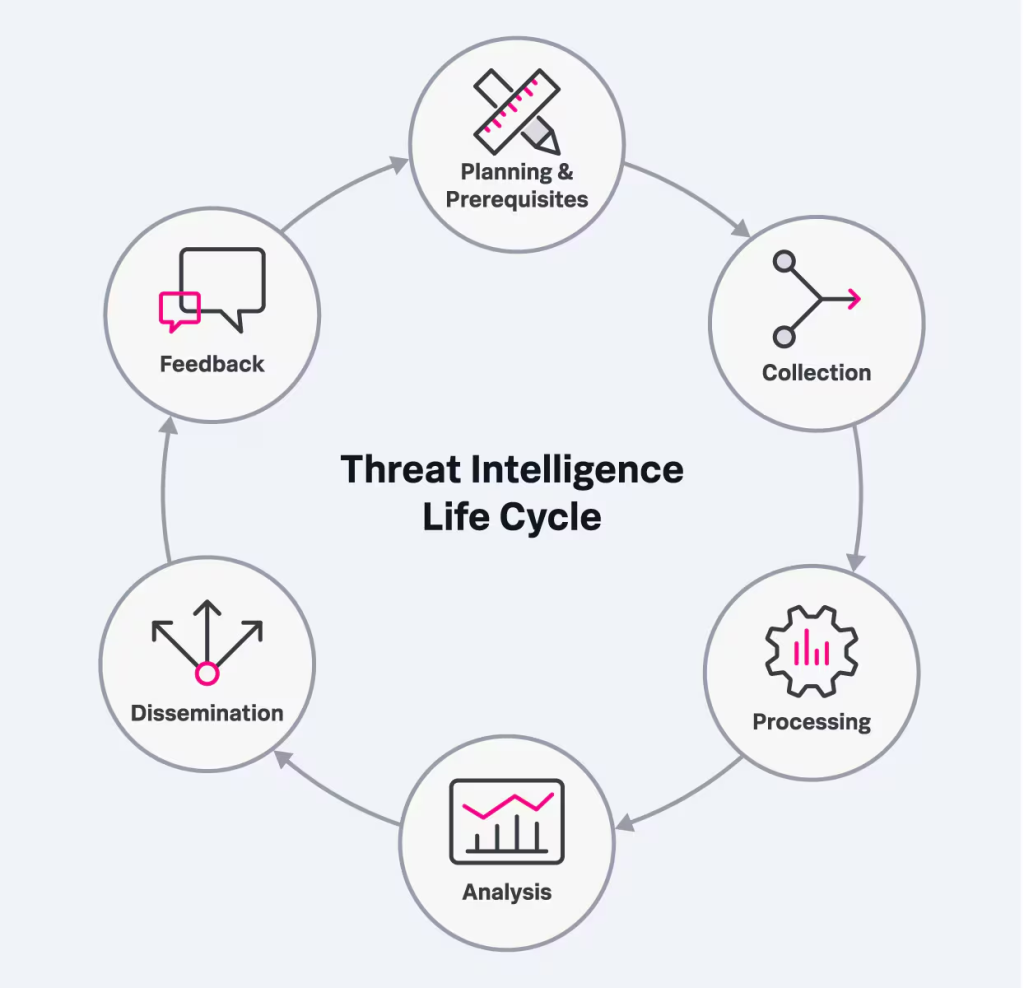
Cyber Threat Intelligence (CTI) tools are like the superheroes of the cybersecurity world. They are specially designed platforms or software solutions that help organizations gather, analyze, and act on critical information about cyber threats. These tools take raw data—from open-source intelligence (OSINT), internal logs, dark web activities, and third-party threat feeds—and turn it into actionable insights. Think of it as turning a chaotic stream of warnings and rumors into a clear roadmap of what threats are out there and how to tackle them.
By using CTI tools, businesses and organizations can better understand potential risks, identify vulnerabilities, and anticipate attack patterns. This proactive approach significantly strengthens the overall security posture of any organization.
Why Do We Need Cyber Threat Intelligence (CTI) Tools?
Cyber threats are evolving faster than ever, and the stakes couldn’t be higher. Here’s why CTI tools are essential:
- Proactive Defense: CTI tools let organizations stay one step ahead of cybercriminals by detecting potential threats before they turn into full-blown attacks.
- Informed Decision-Making: By providing clear, actionable insights, these tools empower security teams to prioritize the most pressing vulnerabilities and allocate resources effectively.
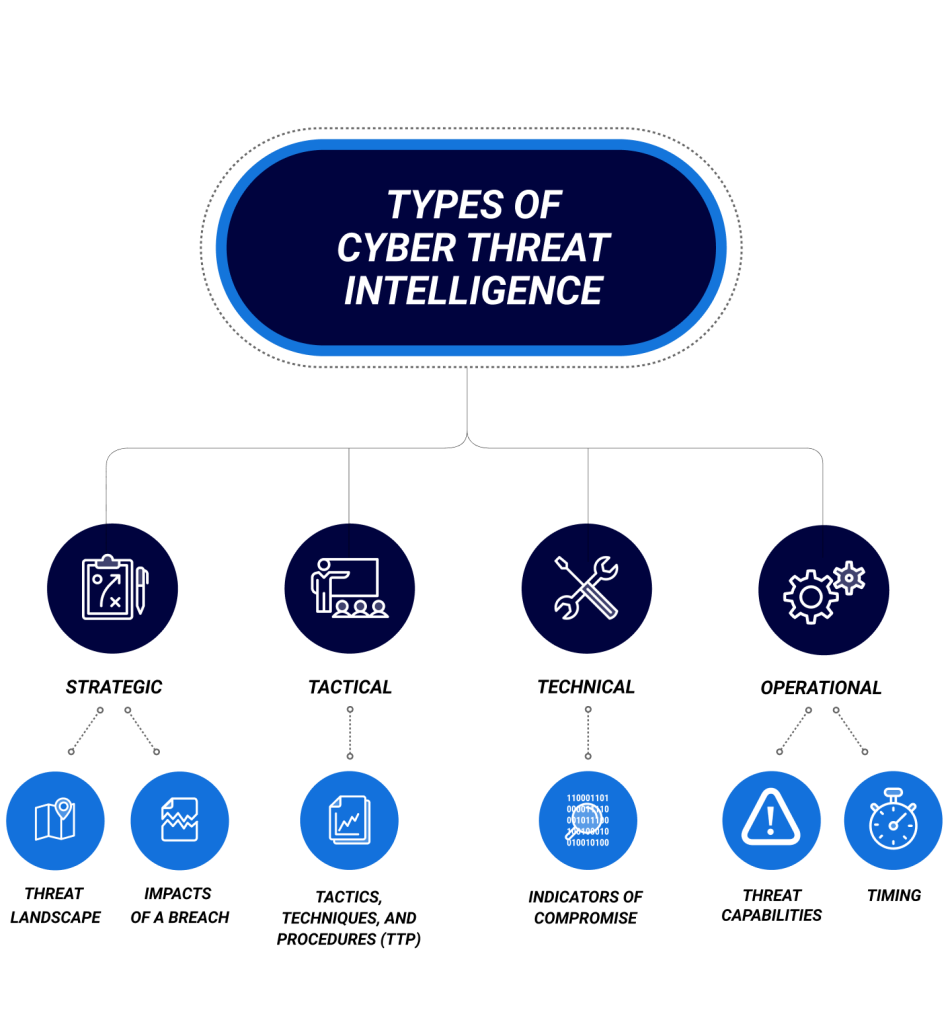
- Identifying Threat Actors: CTI tools help you understand who’s behind the threats, what their tactics are, and how to prepare for them.
- Swift Incident Response: When a cyber incident occurs, CTI tools provide real-time insights that enable rapid containment and recovery.
- Regulatory Compliance: Many industries require robust cybersecurity frameworks. CTI tools make it easier to meet compliance standards by providing the necessary threat documentation.
- Cost Savings: Preventing a cyberattack is always less expensive than dealing with its aftermath, from financial losses to reputational damage.
What are the Advantages of Cyber Threat Intelligence (CTI) Tools?
CTI tools bring a wealth of benefits to the table:
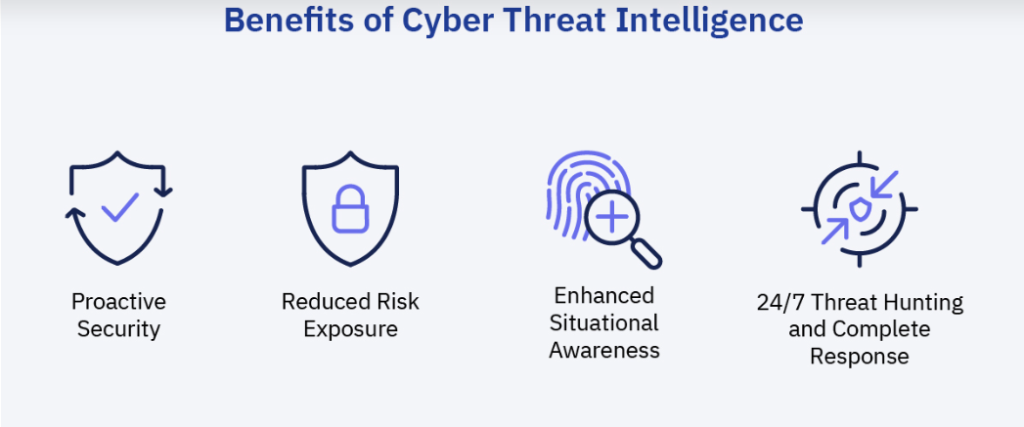
- Enhanced Threat Detection: They provide early warnings about potential attacks, helping organizations prepare in advance.
- Stronger Security Posture: By understanding adversaries and their methods, organizations can implement robust defensive strategies.
- Efficiency Through Automation: Many CTI tools utilize artificial intelligence and machine learning to automate complex tasks, saving valuable time and effort.
- Contextualized Intelligence: They go beyond raw data by explaining why a threat is significant and how it could impact your systems.
- Collaboration Made Easy: CTI tools facilitate the sharing of threat intelligence with peers and industry groups, helping to address widespread threats collectively.
- Real-Time Monitoring: They ensure organizations are always up to date with the latest threats and vulnerabilities.
- Customizability: Tailored dashboards and reports mean organizations can focus on what matters most to their unique needs.
What are the Features of Cyber Threat Intelligence (CTI) Tools?
What are the Features of Cyber Threat Intelligence (CTI) Tools?
Modern CTI tools are packed with features to tackle even the most sophisticated threats:
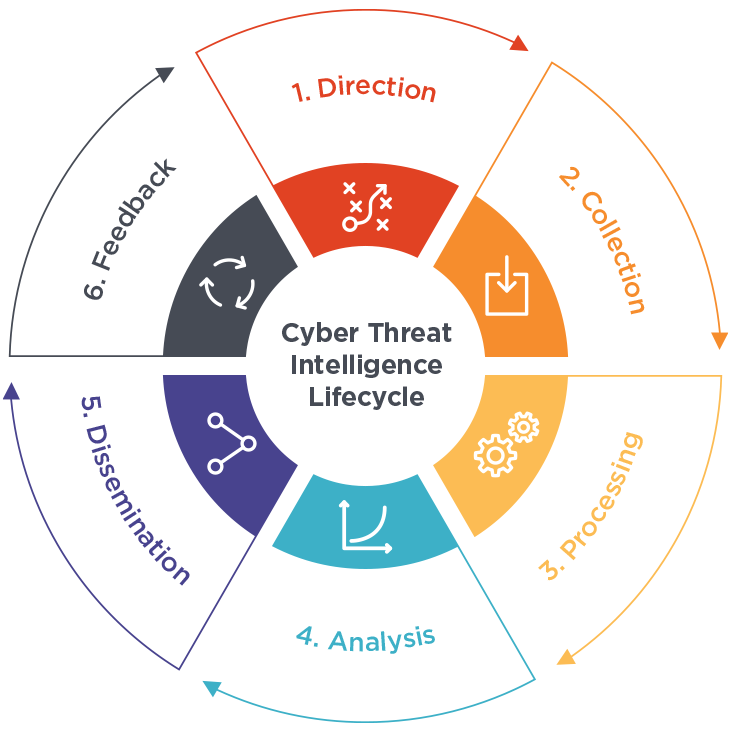
- Data Aggregation: They pull information from a variety of sources, including OSINT, the dark web, and internal systems.
- AI-Powered Analysis: Machine learning algorithms identify patterns and predict potential threats before they manifest.
- Threat Scoring: CTI tools rank threats based on their severity, helping teams prioritize their responses.
- Threat Feeds: Continuous updates about new malware, vulnerabilities, and attack campaigns keep organizations informed.
- Detailed Reporting: Comprehensive reports equip security teams with the insights they need to act quickly.
- Dark Web Surveillance: CTI tools can monitor the dark web for leaked credentials or sensitive information about your organization.
- Integration Capabilities: They seamlessly connect with existing tools like SIEMs (Security Information and Event Management) and SOARs (Security Orchestration, Automation, and Response).
- Visualization Tools: Intuitive dashboards and visualizations make complex threat data easier to understand.
- Alerts and Notifications: Real-time alerts ensure that security teams can respond swiftly to emerging threats.
- Regulatory Compliance Support: These tools help organizations stay compliant with industry-specific regulations and standards.
What are the Top 10 Use Cases of Cyber Threat Intelligence (CTI) Tools?
- Detecting Phishing Attacks: Identifying and preventing malicious phishing campaigns that target employees or customers.
- Dark Web Monitoring: Keeping an eye out for leaked company data or credentials being traded on dark web forums.
- Malware Analysis: Examining malware behavior and mitigating its impact before it spreads.
- Brand Protection: Safeguarding your organization’s reputation by identifying unauthorized mentions, impersonations, or attacks on your brand.
- Managing Vulnerabilities: Identifying and prioritizing vulnerabilities based on current threat trends and likelihood of exploitation.
- Fraud Prevention: Spotting suspicious behaviors like account takeovers or payment fraud before they can cause damage.
- Understanding Adversaries: Analyzing the tactics, techniques, and procedures (TTPs) of threat actors to enhance defensive measures.
- Securing the Supply Chain: Monitoring third-party vendors for risks that could impact your business.
- Geopolitical Threat Monitoring: Tracking cyber threats linked to political events or unrest to mitigate risks.
- Incident Response Enhancement: Speeding up containment and recovery during a security breach.
How to Implement Cyber Threat Intelligence (CTI) Tools?
Implementing CTI tools is a step-by-step process that ensures maximum effectiveness:
- Define Your Goals: What do you want to achieve with CTI tools? Identify your objectives, whether it’s better threat detection, faster incident response, or regulatory compliance.
- Pick the Right Tool: Evaluate CTI tools based on your organization’s size, needs, budget, and existing security framework.
- Integrate Seamlessly: Ensure the chosen tool integrates well with your existing security infrastructure, such as SIEM or endpoint protection tools.
- Train Your Team: Equip your security staff with the skills needed to use CTI tools effectively.
- Tailor Threat Feeds: Customize the tool’s feeds to focus on industry-relevant threats and vulnerabilities.
- Automate Where Possible: Use the automation capabilities of CTI tools to handle repetitive tasks, like data collection and analysis.
- Collaborate: Share insights with industry peers and partners to strengthen collective defenses.
- Enable 24/7 Monitoring: Cyber threats don’t rest, and neither should your defenses. Implement continuous monitoring for up-to-date protection.
- Measure Success: Regularly assess how well the tool is performing through KPIs and feedback from your security team.
- Stay Adaptive: Cyber threats evolve constantly, so update your configurations and strategies to match emerging challenges.