
Limited Time Offer!
For Less Than the Cost of a Starbucks Coffee, Access All DevOpsSchool Videos on YouTube Unlimitedly.
Master DevOps, SRE, DevSecOps Skills!
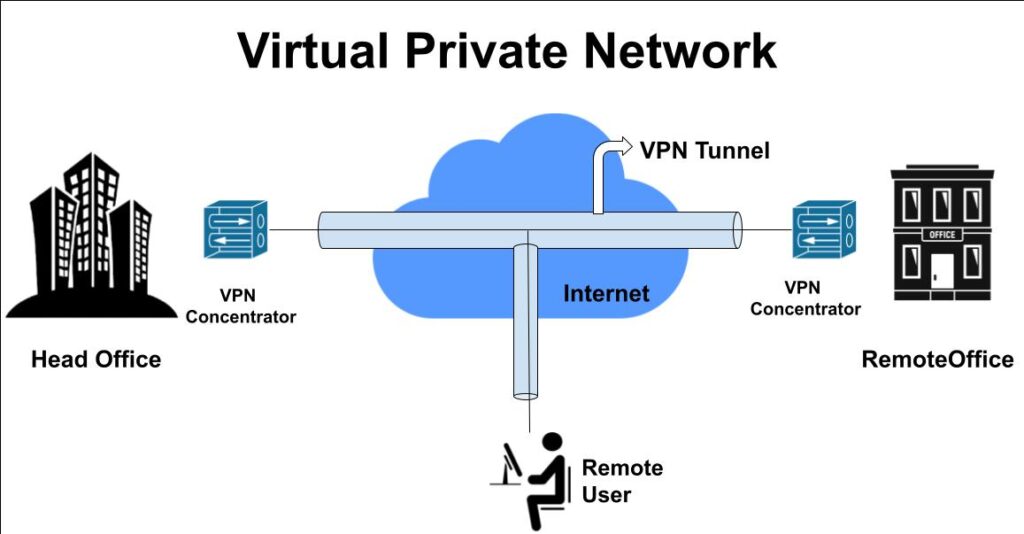
If you have ever used public Wi-Fi in a café, airport, hotel, or shared office, you may have wondered whether your internet connection is really safe. That is exactly where a VPN becomes useful. A VPN, or Virtual Private Network, creates an encrypted connection between your device and another network or server over the internet. This helps protect your traffic from eavesdropping and is one reason VPNs are widely used for remote work, safer browsing, and secure business access. (Cloudflare)
Many articles explain VPNs in very technical language, which can confuse new learners. This tutorial is different. It starts with the basics in simple words, then gradually moves into advanced concepts like VPN types, tunneling, protocols, performance, and enterprise use cases. That way, a complete beginner can understand the topic, while an advanced learner can still gain depth from the same page. This kind of people-first structure also aligns better with Google’s guidance for helpful content. (Google for Developers)
What is a VPN in simple words?
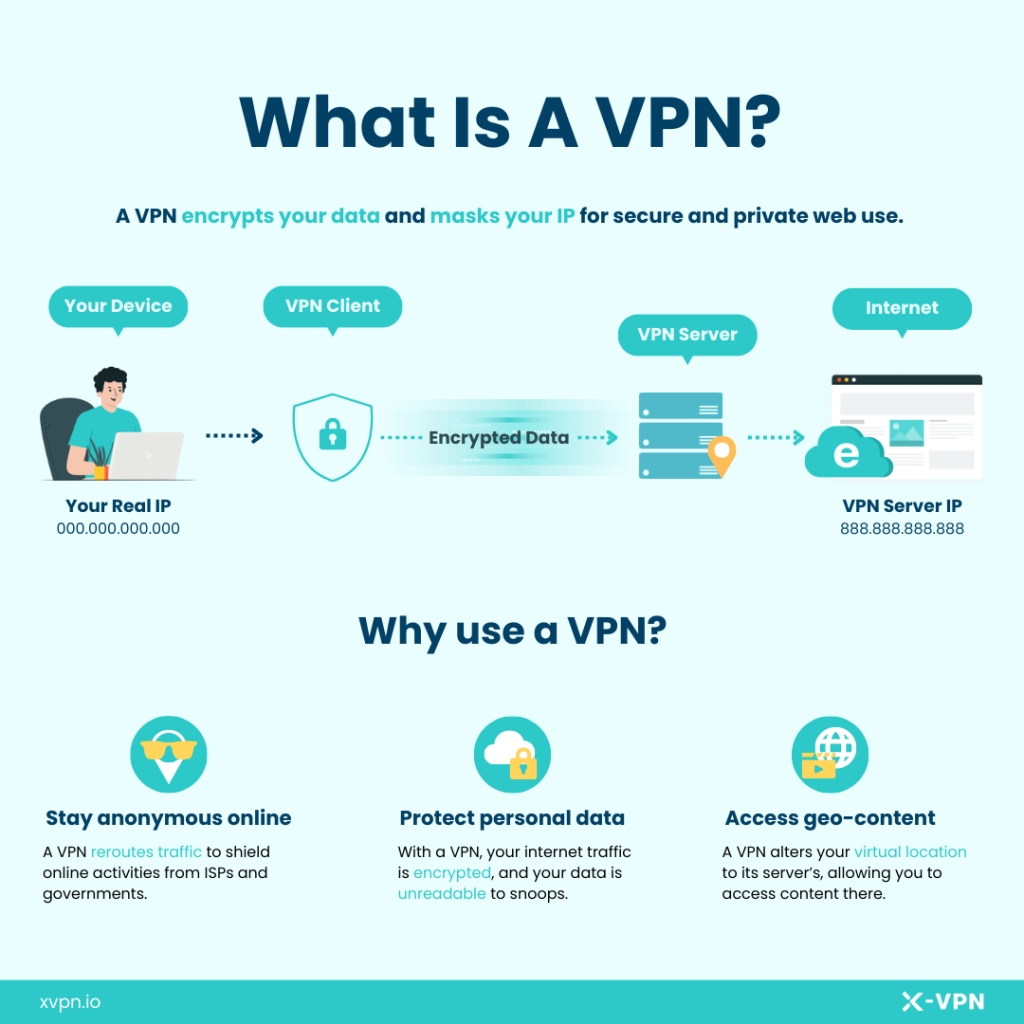
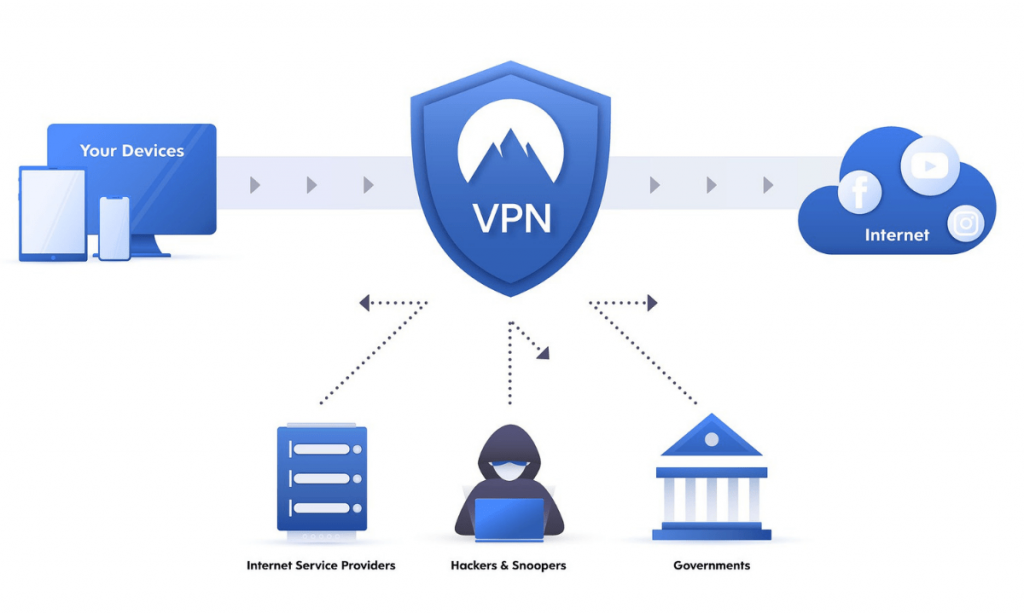
A VPN is a private, protected path for your internet traffic. Normally, when you browse the internet, your traffic moves through your internet provider and local network in a fairly direct way. With a VPN, your traffic is first encrypted and then sent through a VPN server before reaching the final website or service. In simple terms, it creates a secure tunnel between you and the internet or between you and a private company network. (Cloudflare)
Think of it like this: without a VPN, your traffic is like sending a postcard through the mail. With a VPN, it is more like putting that message inside a sealed envelope before sending it. The envelope does not make you invisible, but it does make it much harder for others on the same network to casually read what you are doing. (Cloudflare)
Why do people use a VPN?
People use VPNs for different reasons, but the most common ones are security, privacy, and remote access. A VPN is especially useful on public Wi-Fi, where open or shared networks can expose users to snooping. Businesses also rely on VPNs so employees can securely connect to internal systems from home, while traveling, or from branch offices. (Cloudflare)
For everyday users, a VPN can help reduce exposure on untrusted networks and hide the original public IP address from many websites by showing the VPN server’s IP instead. For organizations, VPNs are often part of a broader remote access and security strategy. (Cloudflare)
How does a VPN work?
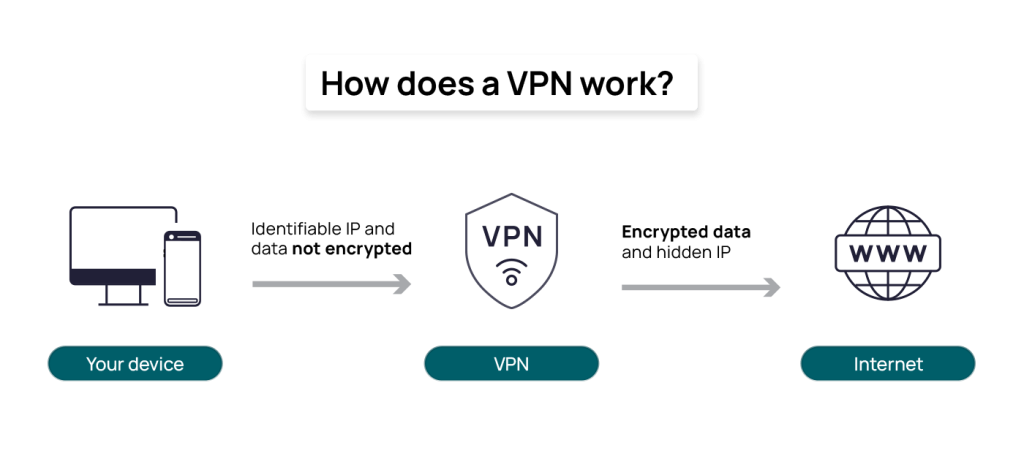
At a basic level, a VPN works in four simple steps. First, your device connects to a VPN client or VPN app. Second, that client creates an encrypted tunnel. Third, your traffic travels through the VPN server. Finally, the request reaches the destination website, application, or internal company resource. The response then comes back through the same protected path. (Cisco)
This matters because anyone watching the local network, such as someone on insecure Wi-Fi, has a much harder time reading that traffic when it is encrypted. That is why VPNs are so often recommended for remote work and for browsing on public networks. (Cloudflare)
A real-life example of VPN usage
Imagine you are sitting in an airport and logging into your company dashboard using public Wi-Fi. Without protection, that environment can be risky. If you connect through a VPN, your traffic is encrypted before it leaves your device, which greatly improves the safety of your session. That is one of the most practical everyday uses of a VPN. (Cloudflare)
Now imagine a remote employee working from home who needs access to company files, internal apps, or admin panels. A business VPN allows that person to connect to the company network securely, even though they are physically outside the office. This is one of the classic enterprise use cases for VPN technology. (Cisco)
Main benefits of a VPN
The biggest benefit of a VPN is encrypted communication over untrusted networks. This helps protect data as it travels between devices and networks. VPNs also support secure remote access, reduce easy local snooping, and can mask a user’s public IP from many online services. (Cloudflare)
From a business perspective, VPNs can help connect distributed teams, branch offices, and traveling employees to company systems without exposing those internal services directly to the open internet. That is why VPNs remain widely used in corporate environments. (Cisco)
What a VPN does not do
A VPN is very useful, but it is not a magic tool. It does not automatically make someone fully anonymous online, and it does not replace good security practices like strong passwords, multi-factor authentication, endpoint protection, and access control. Security agencies and standards bodies consistently treat VPNs as one layer of protection, not the complete answer. (NIST Publications)
This is an important point for both new and advanced learners. A VPN protects traffic in transit, but it does not fix weak passwords, infected devices, poor user access design, or unsafe browsing habits. A secure setup always needs multiple layers. (NIST Publications)
Different types of VPNs
Not all VPNs work the same way. The most common type is the remote access VPN, where one user connects from a laptop, mobile phone, or desktop to a private network or VPN provider. This is common in remote work. (Cisco)
Another common type is the site-to-site VPN, where one office network connects to another office network securely over the internet. This is often used for branch offices and enterprise infrastructure. (Cisco)
There are also SSL/TLS VPNs, which often work through a browser or lightweight client and are known for flexibility and ease of deployment, and IPsec VPNs, which operate at the network layer and are widely used in enterprise security architectures. NIST has separate guidance for both SSL VPNs and IPsec VPNs because they serve different deployment needs. (NIST Publications)
Beginner-friendly comparison of VPN types
Remote Access VPN
Best for individual employees, freelancers, and travelers who need secure access from outside the office. (Cisco)
Site-to-Site VPN
Best for connecting one office network to another office network securely. (Cisco)
SSL/TLS VPN
Best when browser-based or lighter client-based access is preferred. It is often easier for varied devices and user environments. (NIST Computer Security Resource Center)
IPsec VPN
Best for strong network-layer protection in enterprise environments and long-established secure network designs. (NIST)
VPN protocols explained simply
As learners grow beyond the basics, they eventually hear about VPN protocols. A VPN protocol is the set of rules used to create and maintain the encrypted tunnel. Different protocols can affect speed, compatibility, security, and deployment complexity. (Cloudflare)
IPsec
IPsec is a well-known network-layer technology for securing IP communications. NIST’s guidance explains that IPsec provides security services at the network layer and uses technologies such as ESP and IKE. It is widely used in enterprise and site-to-site deployments. (NIST)
SSL/TLS-based VPNs
SSL/TLS VPNs are often favored for flexibility and browser-based accessibility. NIST notes that SSL VPNs can be easier to deploy in some environments because they can work with standard web technologies and varied devices. (NIST Computer Security Resource Center)
WireGuard
WireGuard is a newer, modern VPN protocol that emphasizes simplicity, speed, and modern cryptography. The official WireGuard project describes it as fast, simple, and secure, and notes that it sends packets over UDP using its own modern design approach. (WireGuard)
For advanced learners, this is an important takeaway: protocol choice is not just about “which one is best.” It depends on the use case, the environment, device support, firewall traversal, performance needs, and operational simplicity. (NIST Computer Security Resource Center)
Does a VPN make internet slower?
Sometimes, yes. Because a VPN encrypts traffic and routes it through another server, some latency and speed reduction can happen. Cloudflare notes that encrypted VPN connections may add a small amount of latency, which can slow network traffic. (Cloudflare)
However, the real-world impact depends on many factors, including the protocol used, the distance to the VPN server, server load, device performance, and network conditions. Modern protocols and well-designed networks can reduce this overhead significantly. (Cloudflare)
VPN for personal use vs VPN for business use
A personal VPN is usually focused on safer browsing, public Wi-Fi protection, and added privacy. A business VPN is more about securely connecting users to internal systems, apps, databases, and company networks. These are related, but not identical, use cases. (Cloudflare)
That distinction is important because many readers search “what is a VPN” expecting a simple privacy tool explanation, while professionals may be looking for remote access or enterprise architecture knowledge. A strong tutorial should explain both clearly, because they are both valid parts of the topic. (Cloudflare)
Advanced concepts every serious learner should know
As you move into advanced learning, it helps to understand that VPNs are part of a broader access and network security model. VPNs protect connections, but organizations also need authentication, authorization, firewall policy, endpoint security, and monitoring. NIST and related guidance repeatedly frame VPN deployment alongside planning, encryption standards, authentication, and policy controls. (NIST Publications)
Another advanced point is that protocol and deployment decisions affect usability. For example, SSL VPNs are often chosen when flexibility and browser-based access matter, while IPsec is often chosen for network-layer protection and established enterprise patterns. WireGuard has gained attention because it aims to simplify VPN design while remaining fast and secure. (NIST Computer Security Resource Center)
When should you use a VPN?
You should seriously consider a VPN if you work remotely, travel often, use hotel or airport Wi-Fi, manage sensitive business data, or need secure access to internal systems. These are exactly the scenarios where encrypted tunnels provide real practical value. (Cloudflare)
If you mostly browse from a trusted home network and do not access sensitive resources, a VPN may still be helpful, but it may not be as essential as it is for remote workers and organizations. The right answer depends on your actual risk and use case, not hype. (Cloudflare)
Common myths about VPNs
One common myth is that a VPN makes you completely anonymous. That is not true. A VPN improves privacy and protects traffic in transit, but it is not a total anonymity tool. (Cloudflare)
Another myth is that VPNs are only for large companies. That is also false. Individuals use them for safer internet access, while businesses use them for secure remote connectivity. Both are legitimate uses. (Cloudflare)
A third myth is that a VPN replaces all other security tools. It does not. Strong authentication, secure devices, policy controls, and safe user behavior are still necessary. (NIST Publications)
Final thoughts
A VPN is one of the most practical internet security tools because it protects traffic through encryption and helps users connect more safely over public networks or to private business systems. For beginners, that is the core idea to remember. For advanced learners, the deeper lesson is that VPNs are just one part of a larger secure access architecture. (Cloudflare)
The best way to understand VPNs is not to memorize complicated definitions. It is to understand the real purpose: secure communication over untrusted networks. Once that idea becomes clear, the rest of the topic becomes much easier to learn. (Cisco)
Frequently Asked Questions
What is a VPN?
A VPN, or Virtual Private Network, is an encrypted connection over the internet between a device and another network or server, used to improve security, privacy, and remote access. (Cloudflare)
How does a VPN work?
A VPN works by encrypting your traffic and routing it through a VPN server before it reaches the internet or private network resource. (Cisco)
Is a VPN good for public Wi-Fi?
Yes. One of the most common reasons people use VPNs is to protect against snooping on public Wi-Fi. (Cloudflare)
Does a VPN hide my IP?
In many cases, websites will see the VPN server’s IP address instead of your original public IP, which adds a layer of privacy. (Cloudflare)
Is WireGuard a VPN?
WireGuard is a modern VPN protocol and software design focused on speed, simplicity, and strong cryptography. (WireGuard)
Thanks for sharing it has pretty good content regarding VPN connections. i m imperesed with this
best views on virtual private network…