Limited Time Offer!
For Less Than the Cost of a Starbucks Coffee, Access All DevOpsSchool Videos on YouTube Unlimitedly.
Master DevOps, SRE, DevSecOps Skills!
Laravel has quickly become one of the most popular PHP frameworks due to its elegant syntax, powerful toolset, and focus on simplifying complex tasks for developers. However, even with its advanced capabilities and extensive documentation, real-world applications can encounter performance bottlenecks, unexpected errors, and configuration conflicts. For developers managing or scaling large applications, a deep understanding of Laravel’s troubleshooting techniques is essential to maintain application reliability and optimize performance.
This advanced troubleshooting guide delves into Laravel’s architecture and tools, equipping you with strategies to diagnose and resolve common issues that can arise during development and deployment. From error handling and debugging database queries to managing authentication, caching, and performance optimization, this guide provides a comprehensive approach to identifying and addressing the most challenging problems within Laravel applications. Whether you’re a seasoned developer or new to advanced troubleshooting, these insights will empower you to tackle even the most complex issues, ensuring your Laravel applications remain efficient, secure, and resilient.
What are the Larval Application Troubleshooting Advance Guide
1. Understanding Laravel’s Error Handling Mechanism
- Explanation of Laravel’s built-in error handling using
WhoopsandMonolog. - Configuring error reporting and custom error logging in
config/logging.php. - How to use
try-catchblocks in complex operations. - Utilizing Laravel’s custom exception handling with
app/Exceptions/Handler.php.
2. Troubleshooting Common Errors
- Migration Issues: Troubleshooting migration conflicts, handling column mismatches, and database driver errors.
- Route Not Found: Fixing issues with route caching and route parameters. Tips for using
php artisan route:clearand debugging missing route names. - Middleware Conflicts: Identifying issues with middlewares like
auth,csrf, and custom middleware. - CSRF Token Mismatch: Causes and solutions for CSRF errors, adjusting token timeout settings, and managing AJAX requests with CSRF.
3. Debugging Eloquent ORM and Database Queries
- Efficient debugging of Eloquent queries and relationships:
- Using
toSql()method to see raw SQL. - Leveraging Laravel’s query log for performance insights.
- Using
- Solving N+1 Query Problem:
- Explanation of N+1 issues with examples.
- How to avoid N+1 queries using
eager loading(with).
- Using
DB::listen()to monitor all queries in an application lifecycle.
4. Configuration and Cache Issues
- Config Cache Issues: Resolving
php artisan config:cacheissues, and when to clear configuration cache. - View and Route Cache Issues:
- Best practices for using
php artisan view:clearandphp artisan route:clear. - Managing cache expiration, cache drivers (file, Redis, Memcached), and clearing cached routes.
- Best practices for using
- Debugging Env Variables: Using
env()and.envconfigurations, and troubleshooting.envfile load issues.
5. Authentication and Authorization Troubleshooting
- Session Expiration and Token Issues: Dealing with session expiration and token mismatch errors in API and web applications.
- Authorization Errors:
- Debugging policies and gates.
- Managing user permissions effectively.
- Passport and Sanctum: Common issues with OAuth2 authentication using Passport and session-based API authentication with Sanctum.
6. Performance Optimization and Memory Management
- Optimizing Eloquent Queries: Using indexing, caching, and optimized queries for improved performance.
- Redis and Queue Optimization:
- Configuring Redis for caching and sessions.
- Common issues with
php artisan queue:workandqueue:listen.
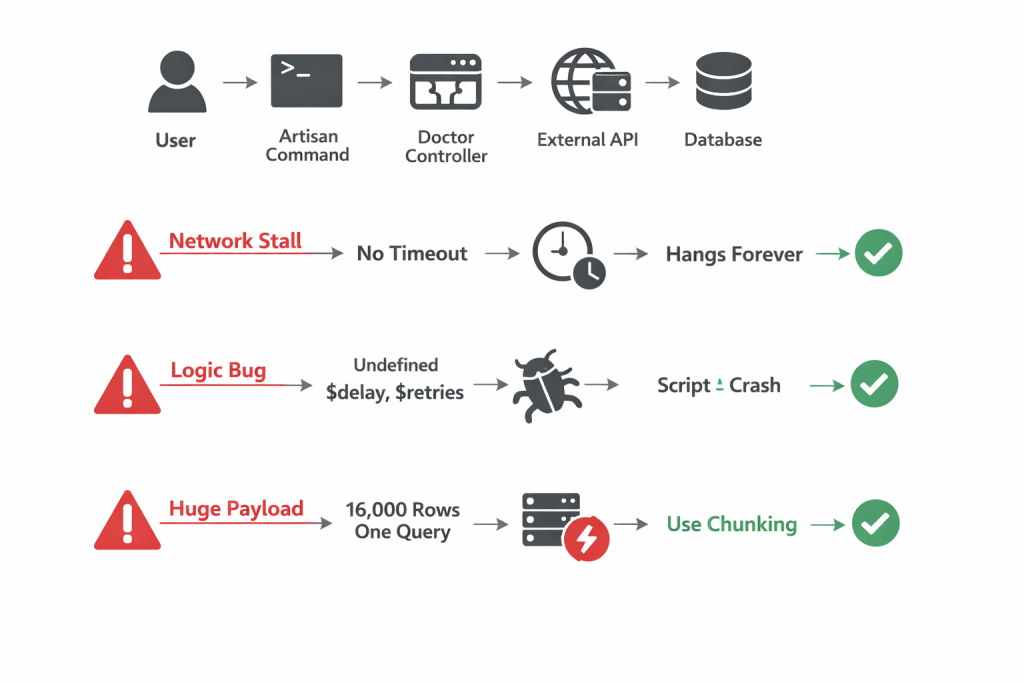
- Memory Limit Errors: Identifying and handling memory leaks, optimizing memory usage, and managing large data with
ChunkingandCursor.
7. Debugging Jobs and Queues
- How to debug job failures using
failed_jobstable. - Configuring logging for job processing.
- Retries and exponential backoffs, configuring retry limits, and managing delayed jobs.
8. File System and Storage Issues
- Troubleshooting File Uploads:
- Managing file permissions for uploads and storage.
- Handling storage symlinks and permission settings for Laravel’s storage folder.
- Cloud Storage Troubleshooting: Integrating and debugging AWS S3, Google Cloud Storage, and DigitalOcean Spaces.
9. Managing and Debugging Event Listeners
- Identifying and resolving issues in event-listener flow.
- Testing listeners and handling exceptions in event broadcasting.
- Understanding real-time event broadcasting with Pusher, Redis, and WebSockets.
10. Network and API Troubleshooting
- API Rate Limiting and Throttling: Configuring and troubleshooting rate limits in Laravel.
- CORS Issues: Debugging Cross-Origin Resource Sharing problems, setting up CORS middleware.
- External API Timeout Issues: Handling timeout settings for HTTP requests, managing retries, and error handling with
GuzzleorLaravel HTTP Client.
11. Advanced Debugging Techniques
- Using Laravel Telescope: A guide to setting up and using Telescope for real-time monitoring of requests, exceptions, database queries, and more.
- Debugging with Xdebug: Setting up Xdebug with Laravel, debugging on local and remote servers, and understanding stack traces.
- Profiling with Blackfire: Profiling application performance with Blackfire and resolving bottlenecks.
12. Security Troubleshooting
- SQL Injection and XSS: Preventing SQL injection and cross-site scripting.
- Security Audits: Running audits on dependencies with
npm auditandcomposer audit. - Managing Sensitive Data: Debugging sensitive data leaks and setting up secure
.envconfigurations.
13. Server and Deployment Issues
- PHP-FPM and Nginx Configuration: Resolving common issues with PHP-FPM settings, memory limits, and Nginx configurations.
- Deployment Caching: Troubleshooting caching issues during deployment, handling
php artisan optimize. - Cron Jobs: Debugging scheduled tasks, handling
cronerrors, and common pitfalls in scheduling.
Step-by-Step Advanced Troubleshooting Guide for Laravel Applications
Step 1: Setting Up Error Handling
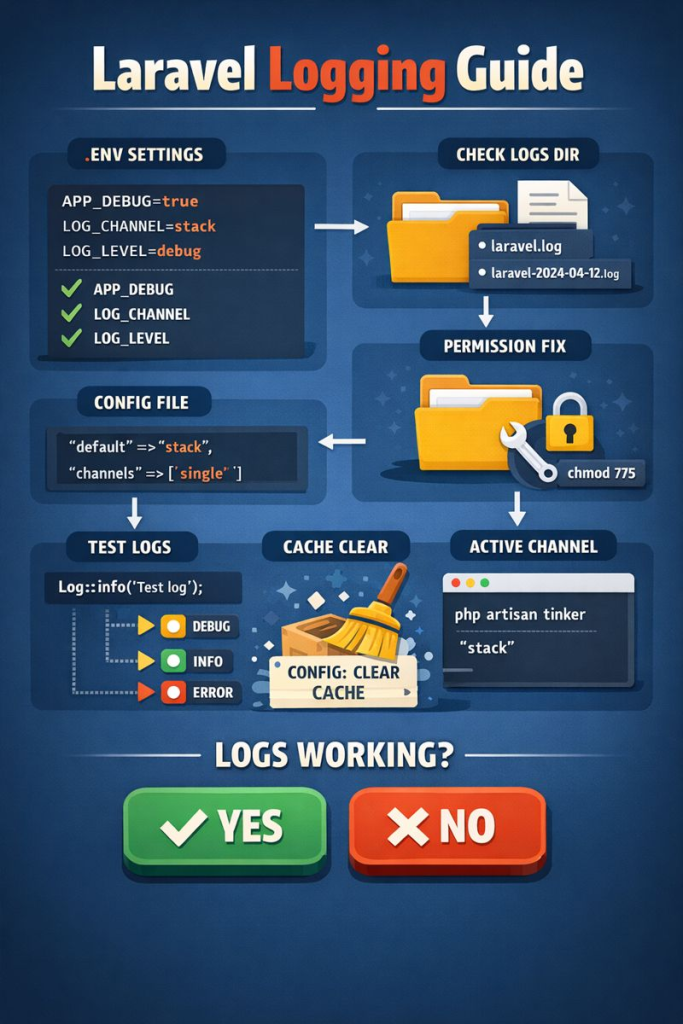
- Enable Debug Mode: Start by enabling
APP_DEBUG=truein the.envfile to show detailed error messages during development. - Custom Error Logging:
- In
config/logging.php, define custom log channels if necessary. - Use
Log::info,Log::error, etc., in your code to log key information.
- In
- Customize Exception Handling:
- Open
app/Exceptions/Handler.php. - Customize
reportandrendermethods to handle specific exceptions uniquely.
- Open
Step 2: Resolve Migration and Database Errors
- Debug Migration Errors:
- Run
php artisan migrate:statusto check current migrations. - Use
php artisan migrate:rollbackif you encounter migration conflicts.
- Run
- Fix Column or Table Not Found Errors:
- Ensure the database structure aligns with your migrations.
- Use SQL commands or Laravel’s Schema Builder to adjust the database as needed.
- Optimize Queries:
- Use
DB::enableQueryLog()to log SQL queries and review any slow or inefficient queries. - Implement eager loading (
with) to avoid N+1 issues with Eloquent.
- Use
Step 3: Identify and Clear Caches
- Clear Config, View, and Route Caches:
- Run
php artisan config:clear,php artisan route:clear, andphp artisan view:clear. - If using caching drivers like Redis, flush caches selectively (
Redis::flushDb()).
- Run
- Optimize Cache Usage:
- Configure caching options in
config/cache.php. - Store commonly queried data in cache using
Cache::putandCache::rememberto improve response times.
- Configure caching options in
Step 4: Debugging Eloquent Relationships
- Identify N+1 Query Issues:
- Use Laravel Debugbar or Telescope to track queries.
- Replace lazy loading with eager loading (
$model->load('relation')orwithin queries).
- Review and Correct Relationships:
- Check model relationships (belongsTo, hasMany, etc.) for accuracy.
- Ensure foreign key constraints are correctly set in the database schema.
Step 5: Troubleshoot Authentication and Authorization
- Debug CSRF and Token Errors:
- Verify CSRF tokens in forms with
@csrfand in AJAX requests by including the token in headers.
- Verify CSRF tokens in forms with
- Handle Session Expiry:
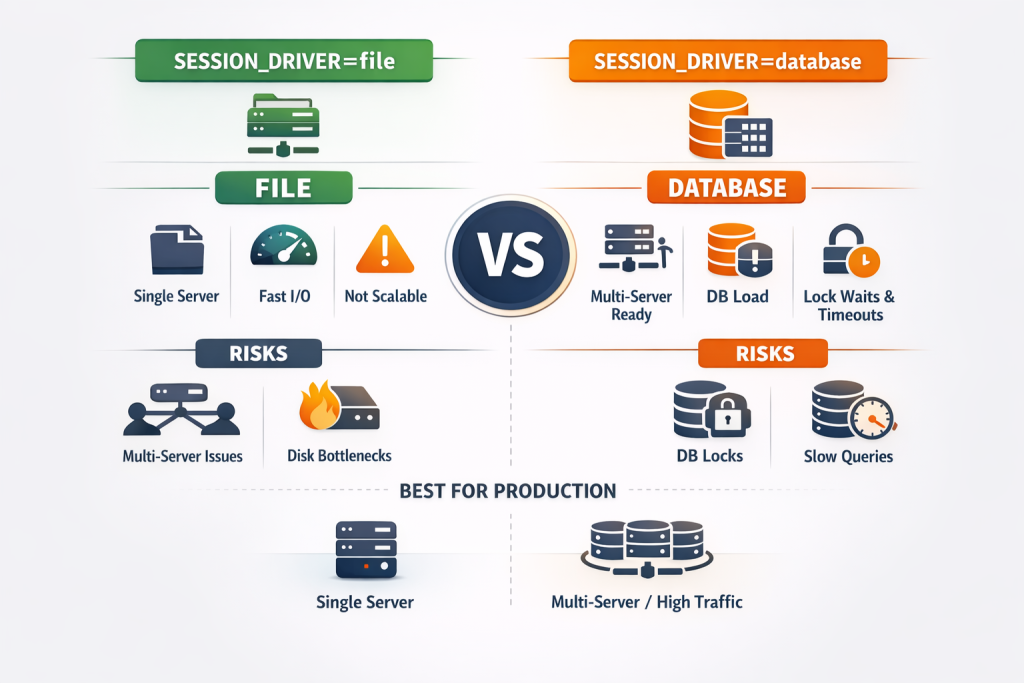
- Adjust session lifetimes in
config/session.php.
- Adjust session lifetimes in
- Check Policies and Gates:
- Run
php artisan policy:makeandphp artisan make:gateto set up and test permissions. - Verify policy files and gates in
app/PoliciesandAuthServiceProvider.phpfor expected behavior.
- Run
Step 6: Optimize and Troubleshoot Performance
- Optimize Database Queries:
- Run
php artisan tinkerand useModel::toSql()to inspect queries. - Optimize slow queries using indexes and by reducing large result sets.
- Run
- Use Laravel Queues:
- Configure queues in
config/queue.phpand handle jobs asynchronously with Redis or database queues. - Monitor and retry failed jobs in
failed_jobstable.
- Configure queues in
- Configure Caching:
- Configure caching for views and routes using
php artisan route:cacheandphp artisan view:cache. - Store repetitive data in cache to reduce processing load.
- Configure caching for views and routes using
Step 7: Resolve File and Storage Issues
- Troubleshoot File Upload Errors:
- Check directory permissions for
storageandpublicfolders. - Use Laravel’s
Storagefacade (Storage::disk('public')->put()) for managing file uploads.
- Check directory permissions for
- Set Up Cloud Storage:
- Configure S3 or another cloud provider in
config/filesystems.php. - Ensure correct
APIkeys and permissions are set for cloud storage access.
- Configure S3 or another cloud provider in
Step 8: Debugging Event Listeners and Broadcasting
- Check Event-Listener Flow:
- Use
php artisan event:listto review registered events. - Add logs within listeners to verify they’re being triggered correctly.
- Use
- Resolve Broadcasting Issues:
- Configure
broadcastingsettings inconfig/broadcasting.php. - Verify your broadcaster (e.g., Pusher, Redis) and debug WebSocket connections.
- Configure
Step 9: Fix API and Network Issues
- Handle CORS Errors:
- Install Laravel CORS package or configure headers in
config/cors.php. - Allow specific origins, headers, and methods to resolve access issues.
- Install Laravel CORS package or configure headers in
- Set Up Rate Limiting:
- Define rate limits in
app/Http/Kernel.phpand usethrottlemiddleware to prevent abuse.
- Define rate limits in
- Manage API Requests:
- Use
try-catchblocks to handle API timeouts and connection issues. - Configure
timeoutin HTTP client requests.
- Use
Step 10: Advanced Debugging Techniques
- Laravel Telescope:
- Install and configure Telescope using
php artisan telescope:install. - Use Telescope to monitor requests, jobs, queries, and exceptions in real time.
- Install and configure Telescope using
- Profiling with Blackfire:
- Set up Blackfire for deep profiling insights.
- Identify and optimize slow functions, memory usage, and database calls.
Step 11: Troubleshoot Server and Deployment Issues
- PHP-FPM and Nginx Configuration:
- Adjust
max_execution_timeandmemory_limitinphp.ini. - Check Nginx configurations for handling requests and managing sessions.
- Adjust
- Resolve Cron Job Failures:
- Review cron job output logs to debug errors in scheduled tasks.
- Ensure scheduled commands run as intended by checking the system cron settings.
- Deployment Configuration:
- Use
php artisan optimizepost-deployment for performance. - Manage environment configurations to ensure production-grade settings (e.g.,
APP_ENV=production).
- Use