
Limited Time Offer!
For Less Than the Cost of a Starbucks Coffee, Access All DevOpsSchool Videos on YouTube Unlimitedly.
Master DevOps, SRE, DevSecOps Skills!
Quora is a goldmine for businesses looking to build authority, drive traffic, and engage with a highly targeted audience. Unlike traditional social media platforms, Quora focuses on knowledge-sharing and discussions, making it a perfect place to establish your business as a thought leader in your industry.
One of the best features for businesses on Quora is Quora Spaces. This allows you to create a dedicated community where you can post valuable insights, share content, and connect with an audience interested in your niche.
If you want to set up and optimize a Quora Space for your business, this detailed guide will walk you through the entire process, from creating your Space to growing your audience and even monetizing your content.
Step 1: Create a Quora Space for Your Business
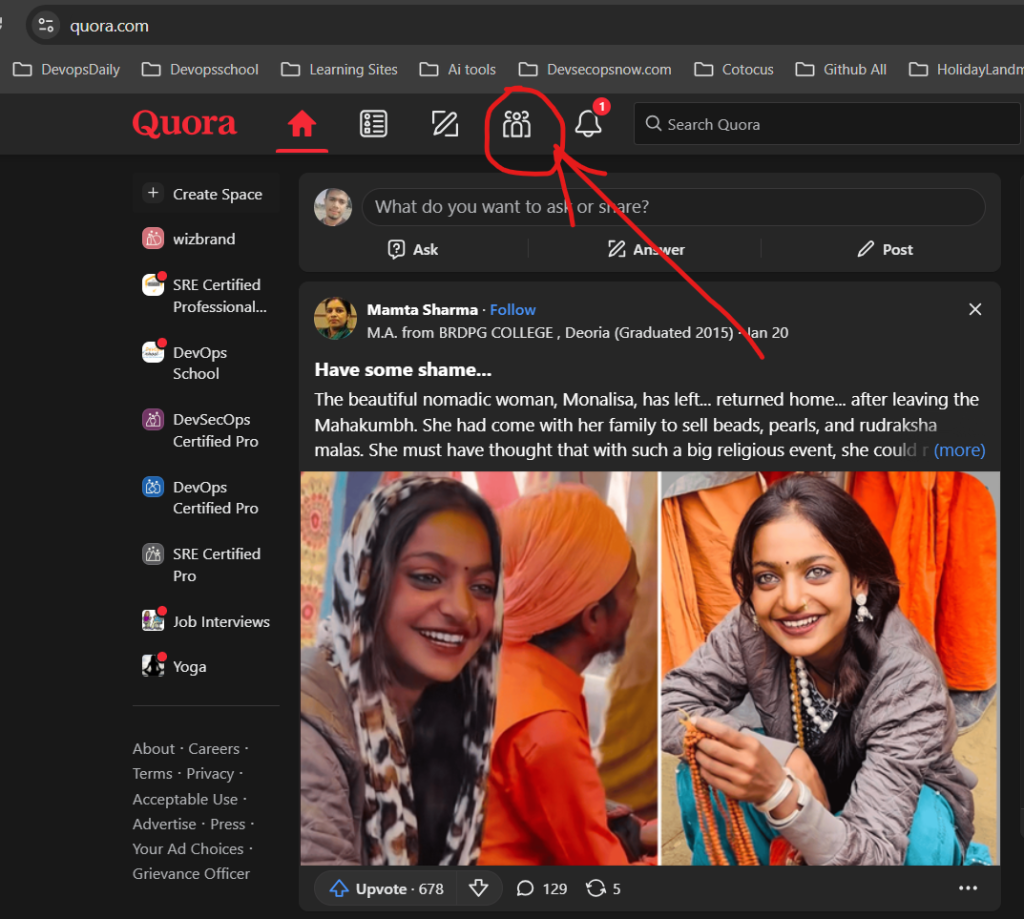
Before you can create a Quora Space, you need to have a Quora account. If you don’t have one yet, sign up on Quora.com using your email, Google, or Facebook account.
How to Create a Quora Space:
- Log in to your Quora account.
- Click on your profile picture in the top right corner of the screen.
- From the dropdown menu, select “Create Space.”
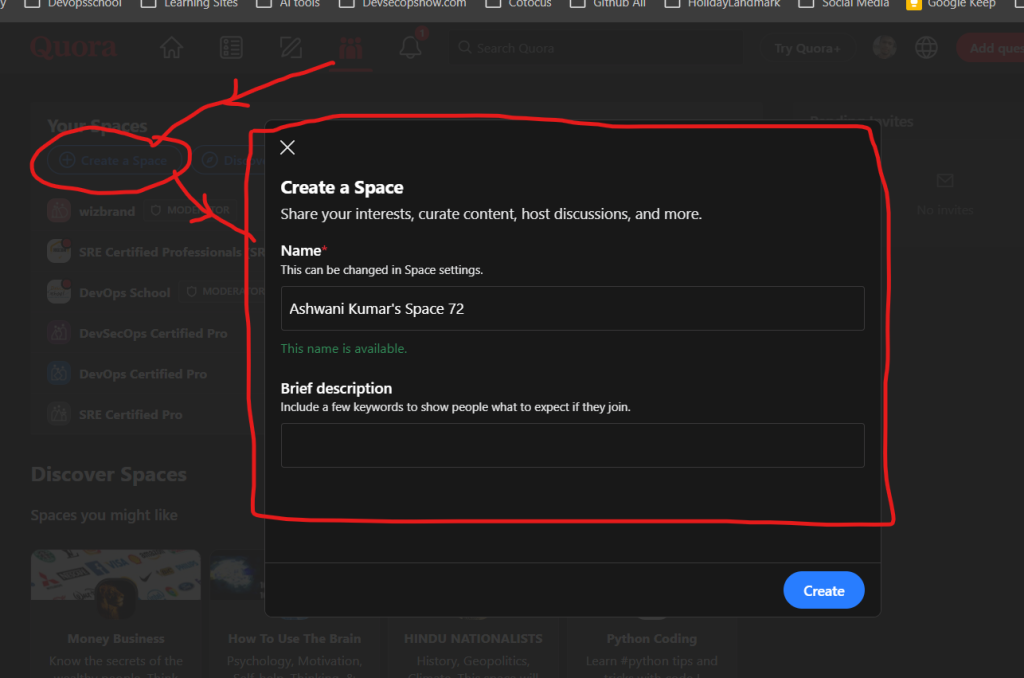
- A pop-up window will appear where you need to:
- Enter the name of your Space – Choose a name that represents your brand or industry niche.
- Add a short description – Explain the purpose of your Space and the type of content that will be shared.
- Click “Create”, and your Quora Space is live!
At this point, your Space exists, but it needs proper customization before you start posting content.
Step 2: Customize Your Quora Space for a Professional Look
Your Quora Space should reflect your brand identity and look professional to attract the right audience.
1. Add a Profile Picture or Logo
Your Space’s profile picture is the first thing people notice. It should be:
- A high-quality version of your business logo (for branding consistency).
- A relevant industry-related image (if you want to focus on a niche topic rather than your brand).
2. Write a Strong Space Description
Your Space description should clearly explain:
- What your Space is about
- Who it is for
- What kind of content people can expect
For example, if your business is in digital marketing, your description could be:
“Welcome to Digital Marketing Growth Hub – your go-to Space for expert insights, tips, and strategies on SEO, social media, and online advertising. Follow us to stay ahead in the digital world!”
A well-written description helps attract the right audience and makes your Space easier to find in Quora search results.
3. Set Your Space to Public or Private
By default, Quora Spaces are public, meaning anyone can follow and interact with your content. If you prefer a more exclusive community, you can set your Space to private, where only approved members can join.
Step 3: Invite Contributors to Your Space
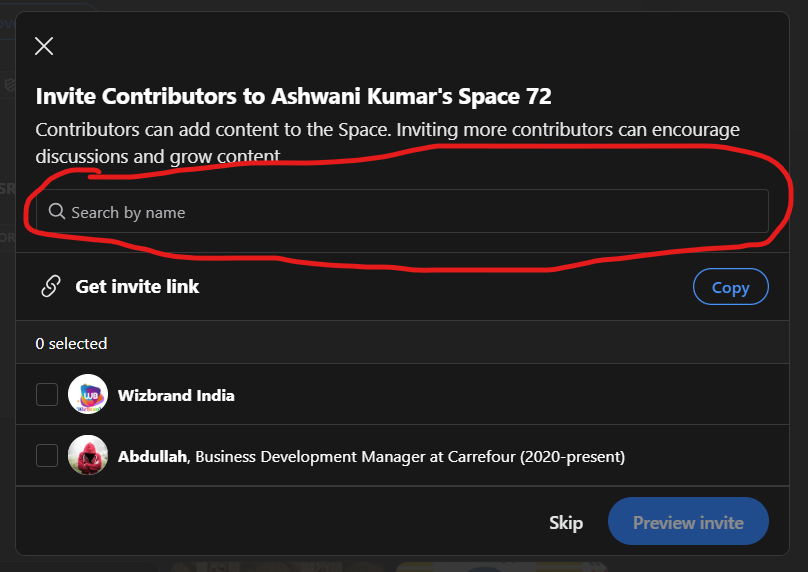
Managing a Quora Space on your own can be overwhelming, especially if you want to keep it active and engaging. This is why it’s a good idea to invite contributors who can help you create content and interact with the audience.
To add contributors:
- Go to your Quora Space and click on the “Manage” tab.
- Click on “Contributors.”
- Search for people by their Quora username or email and send them an invite.
Look for contributors who:
- Have expertise in your industry.
- Can write high-quality, engaging content.
- Are active on Quora and participate in discussions.
Having multiple contributors helps keep your Space fresh and engaging.
Step 4: Post High-Quality Content Consistently
Once your Space is set up, it’s time to start posting valuable content to keep followers engaged.
What Kind of Content Works Best on Quora Spaces?
- Original Articles – Write in-depth posts on topics related to your business.
- Curated Industry News – Share relevant articles, research, or case studies.
- Answers to Common Questions – Repurpose and expand on Quora answers related to your niche.
- Tips and Strategies – Share actionable advice and step-by-step guides.
- Polls and Discussions – Ask engaging questions to spark meaningful conversations.
How Often Should You Post?
Posting at least 3-5 times per week helps keep your Space active and growing.
Use a content calendar to plan and schedule your posts in advance.
Step 5: Engage with Your Audience and Build a Community
A successful Quora Space is not just about posting content—it’s about creating conversations and building a loyal community.
Ways to Engage with Your Audience:
- Reply to comments on your posts to encourage discussions.
- Ask open-ended questions to spark conversations.
- Feature top contributors to encourage more participation.
- Host Q&A sessions where people can ask you industry-related questions.
The more engagement your Space gets, the more Quora will recommend it to new users.
Step 6: Promote Your Quora Space to Gain More Followers
Growing your Quora Space takes time, but you can accelerate growth by actively promoting it.
How to Promote Your Quora Space:
- Share your Space link on social media (LinkedIn, Twitter, Facebook, Instagram).
- Add a link to your Space in your email signature.
- Mention your Space in relevant Quora answers.
- Embed Quora Space content on your website or blog.
- Run Quora Ads to promote your Space to a targeted audience.
If you already have an engaged audience on other platforms, invite them to join your Quora Space for exclusive content.
Step 7: Monitor Performance Using Quora Analytics
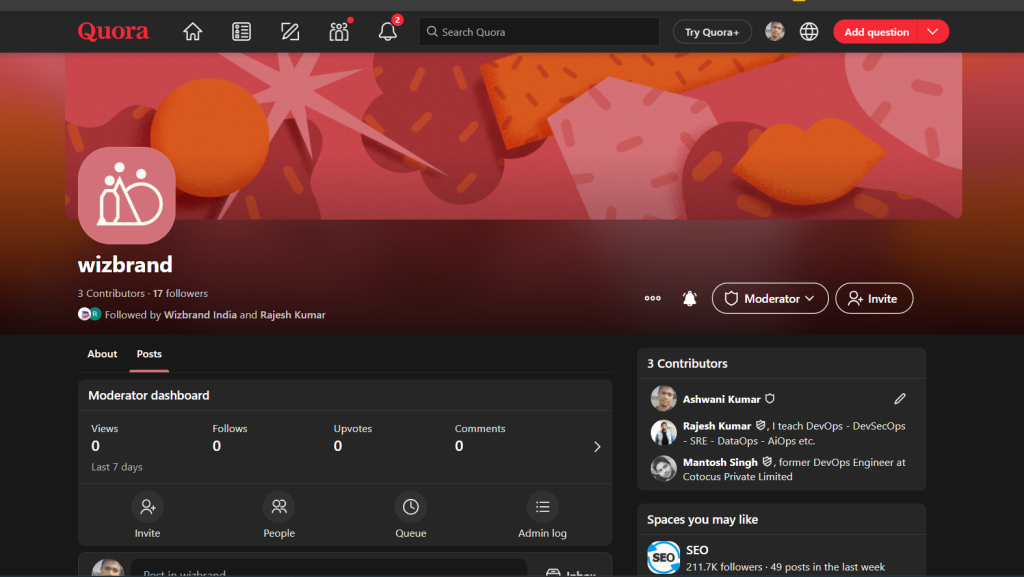
Quora provides analytics tools to help you track the performance of your Space.
To access analytics:
- Go to your Quora Space dashboard.
- Click on “Stats” to view:
- Number of followers
- Post views and engagement
- Top-performing content
Use these insights to adjust your content strategy and focus on topics that resonate most with your audience.
Step 8: Monetize Your Quora Space (Optional)
Once your Quora Space gains a large following, you can monetize it through various options:
- Quora Space Subscription Model – Charge users a monthly fee for exclusive content.
- Quora Partner Program – Earn money by answering questions that generate ad impressions.
- Affiliate Marketing & Sponsored Posts – Promote relevant products and services.
Monetization is not mandatory, but it’s a great way to generate passive income from your expertise.