Limited Time Offer!
For Less Than the Cost of a Starbucks Coffee, Access All DevOpsSchool Videos on YouTube Unlimitedly.
Master DevOps, SRE, DevSecOps Skills!
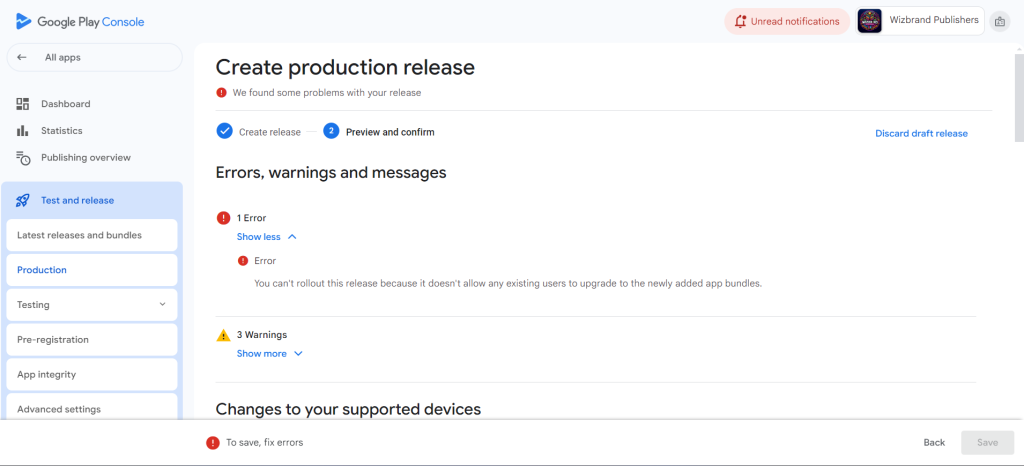
What the error actually means
Play Console is telling you: some (or all) users who already installed your app cannot upgrade to the new build. That happens when the new bundle is not a valid successor of the old one—for example the versionCode didn’t increase, the signing key changed, your package name changed, or you dropped ABIs/devices that existing installs depend on.
Fast path: 10-minute pre-flight checklist
Work through these in order. Most issues are solved by item 1 or 2.
- Bump
versionCode- Every release must have a strictly higher
versionCodethan any version already in any track. - Open
android/app/build.gradle:android { defaultConfig { applicationId "com.yourcompany.yourapp" // must be unchanged versionCode 123 // INCREASE this versionName "1.2.3" minSdkVersion 21 targetSdkVersion 34 } } - Rebuild the bundle after changing it.
- Every release must have a strictly higher
- Use the exact same signing lineage
- If you changed keystores (or aliases) for signing without using Google Play’s key reset flow, upgrades are impossible.
- Flutter/Gradle config should still point to your original keystore:
android/key.propertiesstoreFile=..../release.keystore storePassword=******** keyAlias=your_alias keyPassword=********android/app/build.gradlesigningConfigs { release { storeFile file(properties['storeFile']) storePassword properties['storePassword'] keyAlias properties['keyAlias'] keyPassword properties['keyPassword'] } } buildTypes { release { signingConfig signingConfigs.release minifyEnabled true shrinkResources true } }
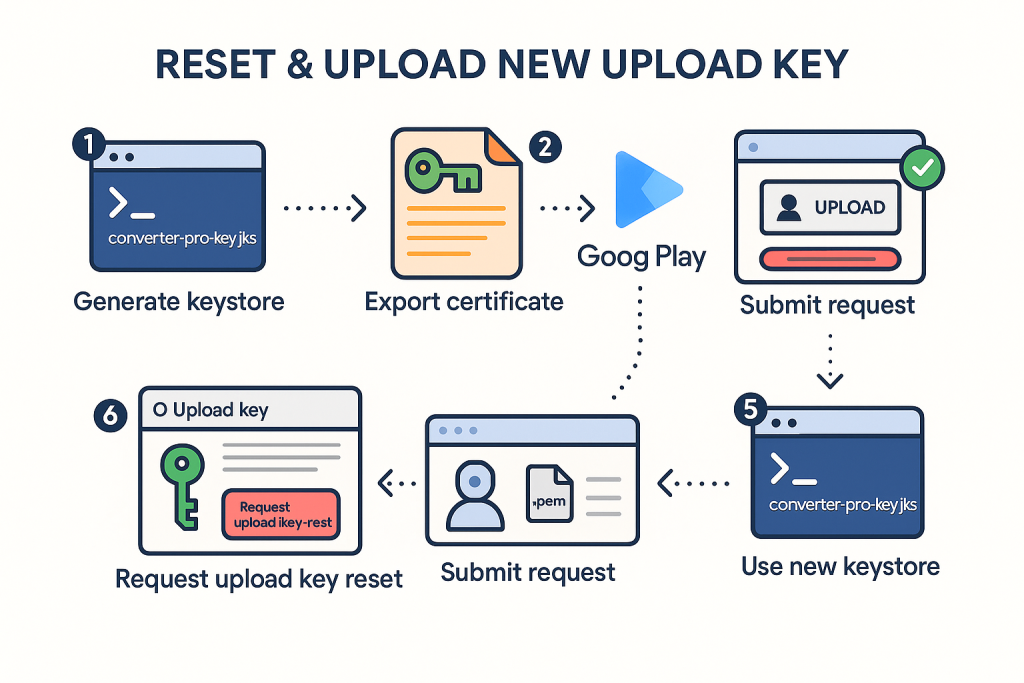
- If you lost the upload key but use Google Play App Signing, request an upload key reset in Play Console (you keep the app signing key; only the upload key changes).
- Keep ABI/device support
- If older releases supported (say)
armeabi-v7aandarm64-v8abut your new build only hasarm64-v8a, existingarmeabi-v7ausers can’t upgrade. - For Flutter, make sure you include both common ABIs when building APKs for local tests:
# For APK testing (not for Play) flutter build apk --release --target-platform=android-arm,android-arm64 - For App Bundles, Gradle should include both ABIs by default; don’t strip them with custom
ndk { abiFilters ... }unless you know the impact.
- If older releases supported (say)
- Package name must be identical
applicationId(package name) inbuild.gradlemust match the one used in your first release. If it changed, Play treats it as a different app.
- Don’t remove critical features for existing users
- If you previously targeted all devices, but now Device Catalog excludes a large portion (e.g., raising
minSdkVersionor dropping architectures), those users won’t see an upgrade path.
- If you previously targeted all devices, but now Device Catalog excludes a large portion (e.g., raising
- Upload a brand-new bundle after changes
flutter clean flutter pub get flutter build appbundle --release
Deep-dive diagnosis (when the quick checks don’t surface it)
A. Compare with the last working artifact
- Play Console → Release → App bundle explorer → select the last released artifact.
- Note:
versionCodeused.- Supported ABIs and device count.
- Signing (App Signing enabled?).
minSdkVersion/targetSdkVersion.
Now open your new upload in App Bundle Explorer as well and compare the same attributes.
B. Verify what’s inside your .aab locally (advanced)
Install bundletool locally and run:
# Print manifest information
java -jar bundletool.jar dump manifest --bundle app-release.aab --xpath /manifest/@package

# List modules and native libraries (see ABIs)
java -jar bundletool.jar dump manifest --bundle app-release.aab --xpath //uses-sdk/@minSdkVersion
java -jar bundletool.jar dump resources --bundle app-release.aab
This confirms package name, min/target SDK, and presence of native splits.
C. Confirm your signing path
If you publish AAB with Play App Signing:
- Play signs the install APKs.
- You sign the upload with your upload key.
- If you changed upload key without the official reset, Play rejects the upgrade path.
If you previously published APK without Play App Signing and now switched to AAB + Play App Signing, you must enroll in Play App Signing (one-time step). After enrollment, do not change the app signing key.
Most common root causes & fixes (with exact symptoms)
| Symptom in Play Console | Likely Cause | Fix |
|---|---|---|
| “doesn’t allow any existing users to upgrade…” | versionCode not higher | Increase versionCode, rebuild, re-upload |
Same error, versionCode is higher | Signing key changed | Use the original keystore; if lost, request upload key reset (if Play App Signing is enabled) |
| Same error, signing is fine | Dropped ABI or raised minSdk too high | Re-enable previously supported ABIs; keep minSdk compatible if possible |
| Users complain some devices don’t see update | Device catalog exclusion (features, OpenGL ES, 64-bit only) | Re-check Device catalog; restore coverage |
| Upload rejected after switching from APK to AAB | Not enrolled in Play App Signing or wrong key lineage | Enroll in Play App Signing; keep the same signing lineage |
Flutter/Gradle reference setup (copy-paste)
android/key.properties
storeFile=/absolute/path/to/release.keystore
storePassword=REDACTED
keyAlias=your_alias
keyPassword=REDACTED
android/app/build.gradle
def keystoreProperties = new Properties()
def keystorePropertiesFile = rootProject.file("key.properties")
if (keystorePropertiesFile.exists()) {
  keystoreProperties.load(new FileInputStream(keystorePropertiesFile))
}

android {
  namespace "com.yourcompany.yourapp"
  compileSdkVersion 34

  defaultConfig {
    applicationId "com.yourcompany.yourapp" // must be unchanged forever
    minSdkVersion 21
    targetSdkVersion 34
    versionCode 124        // bump on every upload
    versionName "1.2.4"
    multiDexEnabled true
  }

  signingConfigs {
    release {
      storeFile file(keystoreProperties["storeFile"])
      storePassword keystoreProperties["storePassword"]
      keyAlias keystoreProperties["keyAlias"]
      keyPassword keystoreProperties["keyPassword"]
    }
  }

  buildTypes {
    release {
      signingConfig signingConfigs.release
      minifyEnabled true
      shrinkResources true
      proguardFiles getDefaultProguardFile('proguard-android-optimize.txt'), 'proguard-rules.pro'
    }
  }

  // Keep ABI coverage unless you absolutely must limit it
  // ndk { abiFilters "armeabi-v7a", "arm64-v8a" }
}
Build & upload
flutter clean
flutter pub get
flutter build appbundle --release
# Upload the generated build at:
# build/app/outputs/bundle/release/app-release.aab
Sanity checks before every upload (preventative)
- Track your last
versionCode(keep a CHANGELOG orversion.txtin the repo). - Never change
applicationIdafter your first Play release. - Back up the keystore(s) and
key.propertiessecurely (and print the SHA-1/SHA-256 somewhere safe). - Don’t drop ABIs casually. If you must, plan a deprecation period and communicate it.
- Run Internal testing first (same signing, same bundle) to catch issues early.
- Check Device catalog after build; sudden coverage drops are red flags.
- Keep min/target SDK migrations gradual; raising
minSdkcan strand existing users.
Other errors you’ll often meet during the same release & quick fixes
- “The Android App Bundle is signed with the wrong key.”
→ You used a different upload key. If Play App Signing is enabled, request an upload key reset and re-upload signed with the new upload key. - “Version code X has already been used.”
→ IncrementversionCode. Remember: every upload consumes a code, even in Internal/Closed testing. - “This release is not compliant with 64-bit requirement.”
→ Includearm64-v8anative libs (for NDK code) or ensure Flutter’s default AAB is used (it produces 64-bit splits automatically). - “Your release is not compliant with Play policies (privacy, SDK versions, permissions).”
→ Check policy center & manifest. Remove unused sensitive permissions (e.g.,QUERY_ALL_PACKAGES), add a privacy policy URL, and target the required SDK level. - “You uploaded an APK. New apps must use App Bundles.”
→ Use AAB:flutter build appbundle --release.
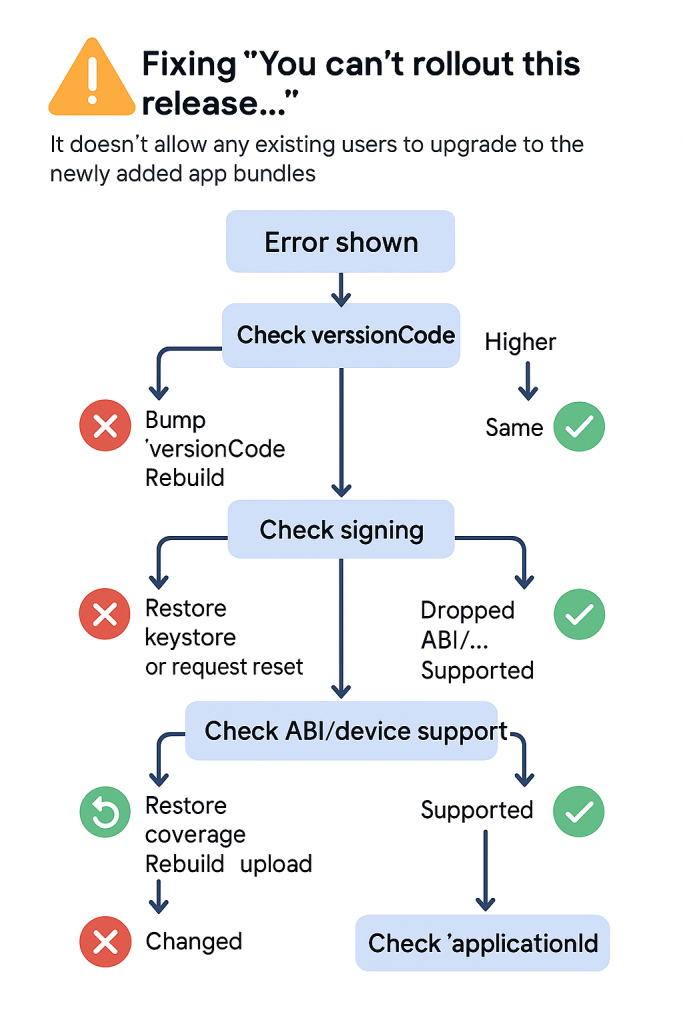
Decision tree (printable)
- Error shown → “no upgrade path”
- Check
versionCode- Not higher → Fix & rebuild → upload
- Higher → go to 3
- Check signing lineage
- Changed key / alias? → Use original keystore or upload key reset
- Same → go to 4
- Check ABI & device coverage in App Bundle Explorer / Device catalog
- Dropped ABI or raised minSdk? → Restore coverage → rebuild
- OK → go to 5
- Check
applicationId- Changed? → must revert to the original
- Same → go to 6
- Still failing? → Compare manifests with bundletool, re-verify Play App Signing enrollment, try an Internal testing upload to isolate.
Quick commands you’ll actually use
# Flutter clean build (AAB)
flutter clean && flutter pub get && flutter build appbundle --release

# Show signing report (helpful to verify keystore alias and SHA-1/SHA-256)
cd android && ./gradlew signingReport

# Build APK for local ABI sanity check (not for Play)
flutter build apk --release --target-platform=android-arm,android-arm64