Limited Time Offer!
For Less Than the Cost of a Starbucks Coffee, Access All DevOpsSchool Videos on YouTube Unlimitedly.
Master DevOps, SRE, DevSecOps Skills!
Instagram is one of the best platforms for businesses today. Whether you’re a small business owner, freelancer, or entrepreneur, having a professional Instagram presence helps you connect with your audience, promote your brand, and even drive sales.
If you’re wondering how to set up an Instagram Business profile, don’t worry—this guide will walk you through the entire process in a simple, easy-to-follow way.
Step 1: Create an Instagram Account or Use an Existing One
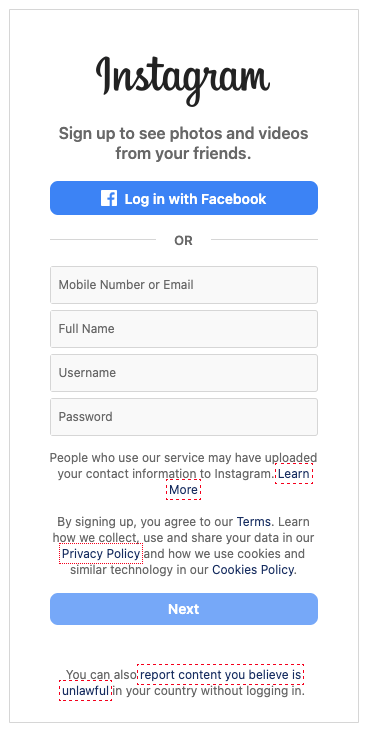
If you already have a personal Instagram account that you want to switch to a business profile, you can skip to the next step. If you’re starting from scratch, here’s what to do.
Go to your phone’s app store, search for Instagram, and download the app. Once installed, open it and tap the sign-up option. You can register using your email, phone number, or Facebook account. It’s a good idea to use your business email to keep things professional.
Create a username that reflects your business name. If your desired username is taken, try adding a word related to your industry, such as “bakery,” “marketing,” or “studio.” Once you complete the registration, you’ll be taken to your new Instagram profile.
Step 2: Switch to a Business Account
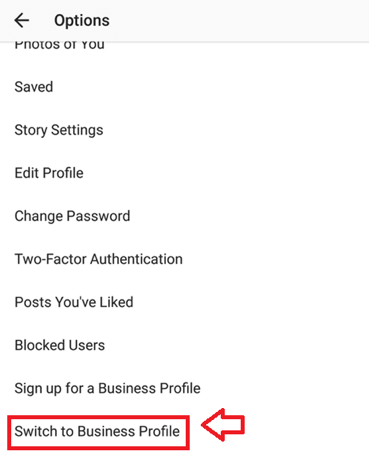
To unlock Instagram’s business tools, you’ll need to switch your account to a business profile. Here’s how to do it.
Go to your profile and tap the menu icon in the top right corner. Select “Settings and Privacy” and scroll down to “Account type and tools.” Tap “Switch to Professional Account” and select “Business” when prompted.
Instagram will guide you through the process, asking for some basic information about your business. Follow the on-screen instructions, and within a few minutes, your account will be officially set up as a business profile.
Step 3: Optimize Your Business Profile
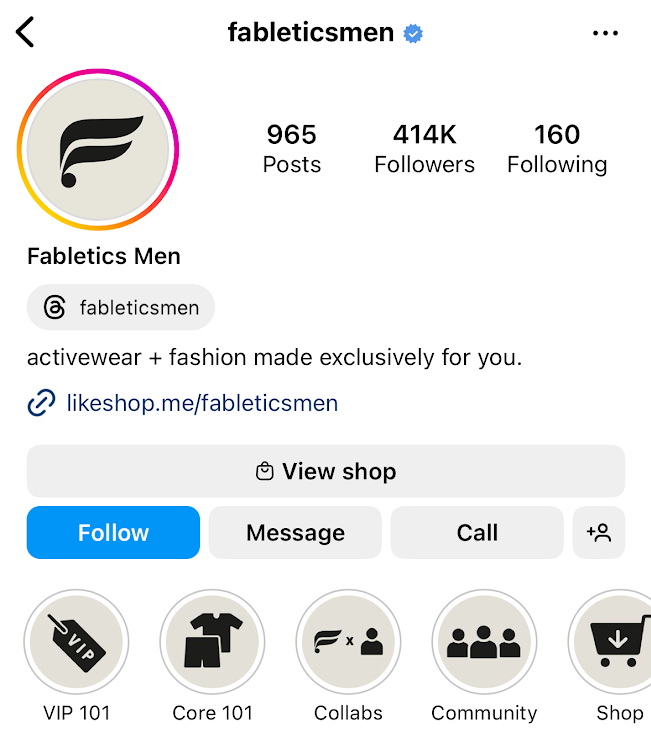
Now that you have a business account, it’s time to make it look professional and inviting.
Choose a Profile Picture
Your profile picture is the first thing people notice. If you have a brand logo, this is the best choice. If you’re a personal brand, you can use a high-quality headshot. Make sure the image is clear and fits well in Instagram’s circular frame.
Update Your Business Name and Username
Your username should be simple and easy to remember. Ideally, it should match your brand name. In the “Name” field, enter your full business name so people can easily identify you.
Write a Strong Bio
Your bio is your chance to make a great first impression. It should briefly describe what your business does, who you help, and include a call to action. You only have 150 characters, so keep it short and impactful.
For example, if you run a handmade skincare business, your bio might say:
“Natural skincare made with love. Vegan, cruelty-free, and perfect for all skin types. Shop now below!”
Add Contact Details
Instagram allows business accounts to include contact buttons, making it easy for customers to reach you. In your profile settings, add your email, phone number, and location if you have a physical store.
Include a Website Link
Instagram only allows you to add one clickable link in your bio. If you have a website, this is the best place to put it. If you want to share multiple links, use a service like Linktree to create a custom landing page with all your important links.
Step 4: Connect to Facebook and Other Platforms
To make content sharing easier and improve your marketing strategy, connect your Instagram business account to your Facebook page.
Go to your profile settings, find “Accounts Center,” and add your Facebook account. Once linked, you can cross-post content and manage messages from both platforms in one place.
Step 5: Enable Instagram Shopping (If You Sell Products)
If you have an online store and want to sell directly through Instagram, you can set up Instagram Shopping.
Go to your settings, tap “Business,” and select “Set Up Instagram Shopping.” Instagram will ask you to link to your eCommerce store, such as Shopify or WooCommerce. After submitting your store for review, Instagram will approve your shop within a few days. Once approved, you can tag products in posts and stories, making it easier for customers to shop directly from your page.
Step 6: Adjust Privacy and Security Settings
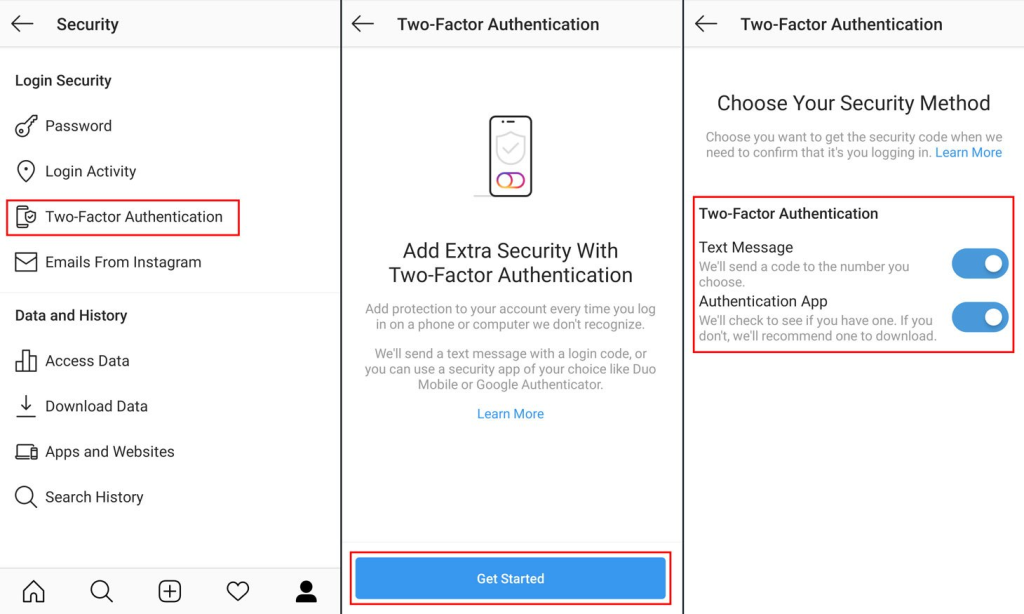
Your business account needs to be set to public so people can find and engage with your content. Also, enable two-factor authentication to protect your account from unauthorized access.
Instagram also allows you to filter comments, restrict messages, and block spam, ensuring a safer online environment for your business.
Step 7: Start Posting and Engaging with Your Audience
Now that your profile is set up, it’s time to create content that attracts and engages your audience.
Post High-Quality Content
Instagram is a visual platform, so focus on posting high-quality images and videos. Whether you’re sharing product photos, behind-the-scenes clips, or customer testimonials, make sure everything looks professional.
When writing captions, keep them engaging and use hashtags relevant to your niche. Posting consistently is key, so aim for at least three to five posts per week.
Use Instagram Stories and Highlights
Instagram Stories are a great way to stay connected with your audience daily. You can use them to share updates, promotions, and behind-the-scenes moments. If you want to save important stories, add them to your profile as Highlights.
Common highlight categories for businesses include FAQs, customer reviews, product details, and promotions.
Engage with Your Followers
Engagement is crucial for growing your Instagram presence. Reply to comments, respond to messages, and interact with other accounts in your industry. The more active you are, the more Instagram will prioritize your content in people’s feeds.
To build community, you can also run giveaways, ask questions in captions, and use interactive features like polls and quizzes in Stories.
Step 8: Track Your Performance with Instagram Insights
To understand what’s working and what’s not, check Instagram Insights regularly.
This built-in analytics tool provides valuable data about your post engagement, reach, and follower growth. Based on these insights, you can adjust your content strategy to better connect with your audience.
