
Limited Time Offer!
For Less Than the Cost of a Starbucks Coffee, Access All DevOpsSchool Videos on YouTube Unlimitedly.
Master DevOps, SRE, DevSecOps Skills!
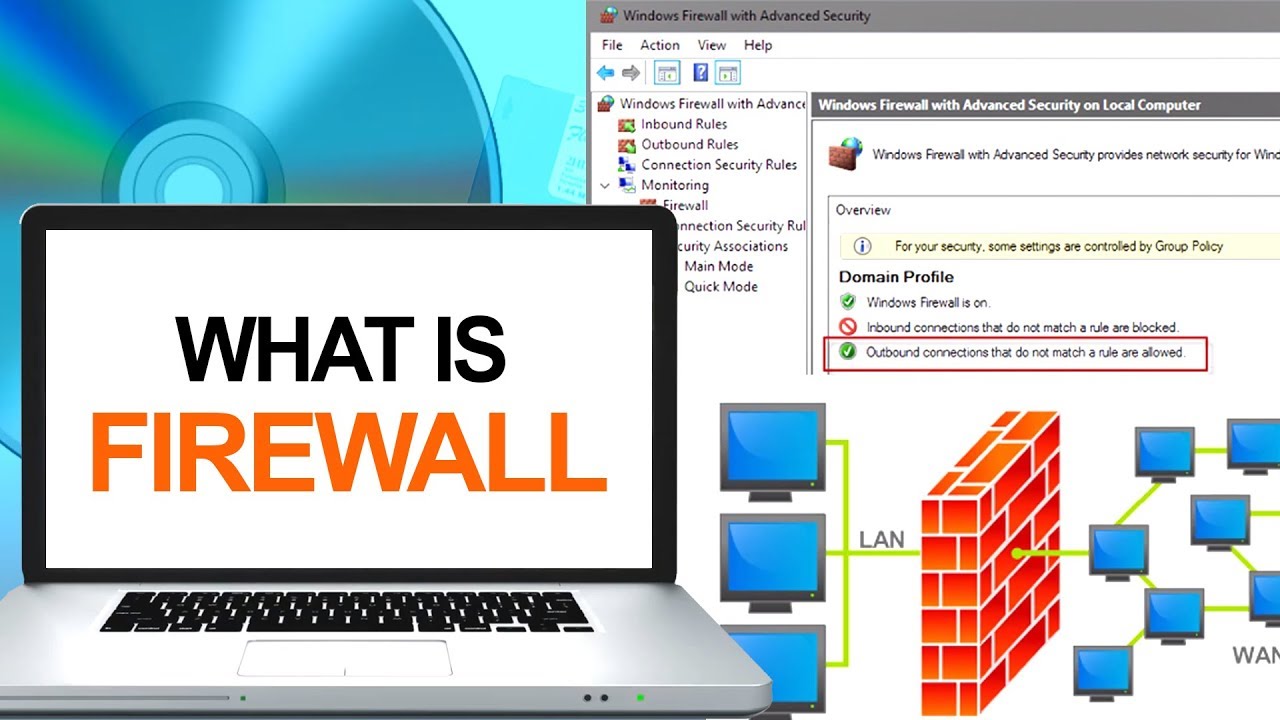
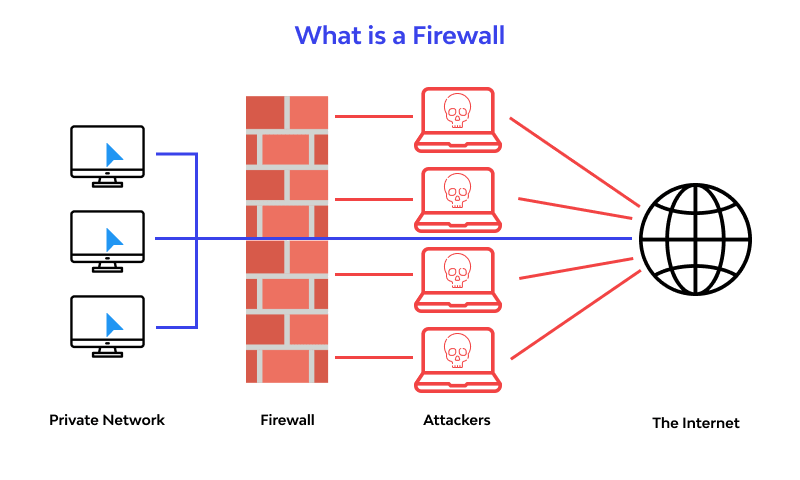
A firewall is a type of network security device that keeps an eye on all incoming and outgoing network traffic and uses pre-established security rules to determine whether to allow or prohibit particular types of data.
For more than 25 years, firewalls have served as the first line of defense in network security. They provide a wall between untrusted external networks, like the Internet, from managed and guarded internal networks that are reliable.
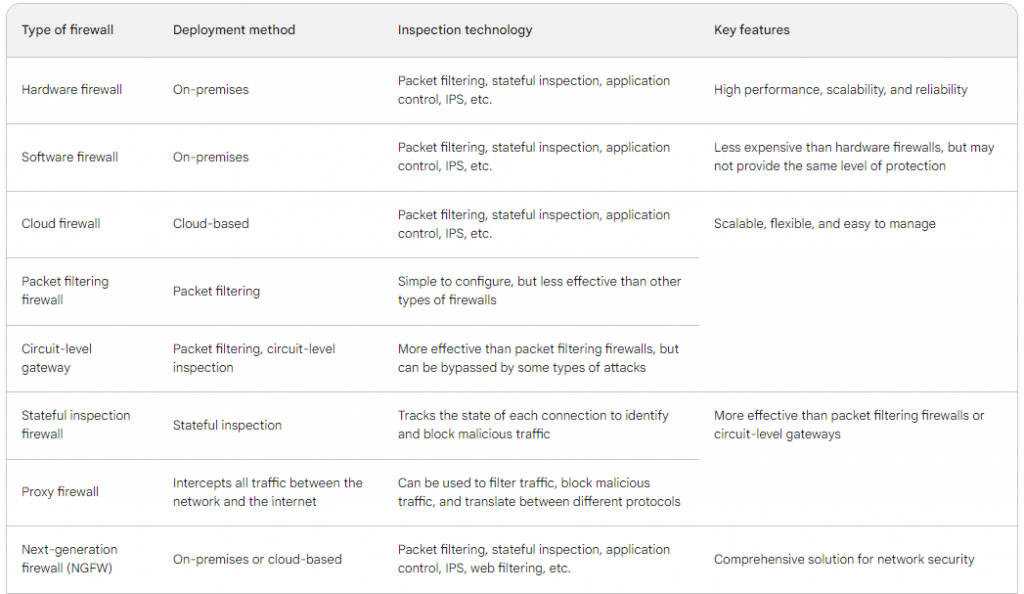
What are the different types of firewalls?
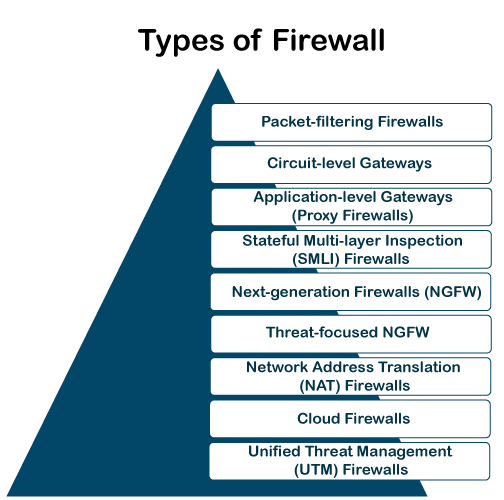
- Packet Filtering:- Firewalls use pre-established rules to examine each individual data packet. Criteria like source and destination IP addresses, ports, and protocols may be included of these rules. After that, the firewall decides whether to let or deny the packets.
- Stateful inspection firewall :- monitor the status of every network connection between two devices. This makes it possible for stateful inspection firewalls to recognize and stop malicious traffic that could be trying to take advantage of a hole in a particular service or application. While stateful inspection firewalls are more difficult to set up than packet filtering firewalls, they are better at defending networks against a larger variety of attacks.
- Proxy firewalls :- Proxy firewalls operate at the application layer, serving as a bridge between systems that are internal and external. After processing requests from internal clients, it sends requests on behalf of the clients to external servers. By concealing internal IP addresses and maybe checking content for harmful components, this provides an additional degree of protection.
- Application Layer Firewall (Next-Generation Firewall) :- In the OSI paradigm, this kind of firewall functions at the application layer. Granular control over traffic may be achieved by using its ability to recognize and manage particular applications or services. In addition to having the ability to filter material, next-generation firewalls are skilled at identifying and thwarting sophisticated attacks.
- Circuit-Level Gateway: – This firewall keeps an eye on sessions between external and internal systems while operating at the session layer. It first confirms that the session is authentic before permitting data flow. It doesn’t examine the data packets’ content, but it does offer an extra degree of security.
- Intrusion Prevention System (IPS):- An IPS enhances firewall capabilities even if it isn’t a firewall in the conventional sense. It actively keeps an eye out for indications of malicious activity or system or network vulnerabilities, stopping possible threats from taking advantage of holes in the system.
- Personal Firewall: Personal firewalls are computer programs that are installed on individual computers and are intended for usage by single users or small networks. They keep an eye on all incoming and outgoing communication, adding an additional degree of defense against viruses and illegal access.
Why are firewalls important?
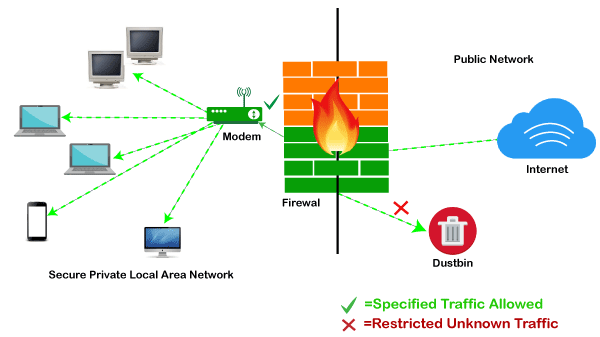
The first line of protection against outside dangers like virus assaults and hackers is a firewall. Specifically, intrusion prevention systems (IPS) and firewalls work together to prevent malware and some application layer assaults.
In the early days of the internet, networks need new security techniques that could manage growing complexity, which is when firewalls first appeared. Since then, they have developed into the cornerstone of network security in the client-server architecture, which is the core of contemporary computing.
In general, firewalls are crucial for stopping cyberattacks, safeguarding private information, and preserving the security and privacy of computer systems and networks.
- Access Control: – Firewalls use pre-established rules to filter both incoming and outgoing network traffic. By doing this, unwanted access to the network and its resources is less likely. Administrators can choose which kinds of data are permitted or prohibited according to standards such as protocols, ports, source and destination IP addresses, and so on.
- Protection Against Threats:- In order to protect against a variety of cyberthreats, such as viruses, malware, worms, and other harmful software, firewalls are the first line of protection. Before questionable or possibly dangerous traffic enters the internal network, they can stop or quarantine it.
- Preventing Unauthorized Access:- Firewalls aid in preventing unauthorized individuals or systems from accessing private or sensitive data. They protect against outside parties trying to take advantage of holes in network services or devices.
- Network Segmentation:- Differentiating between network segments with varying degrees of trust is made possible by firewalls. For instance, a business may have distinct areas for internal employees, servers, and visitor Wi-Fi. To restrict communication, each segment may have its own set of security rules.
- Monitoring and Logging:- Differentiated network segments with varying degrees of trust can be created thanks to firewalls. An organization may, for instance, set off areas for internal workers, servers, and guest Wi-Fi. To restrict communication across segments, each one might have a unique set of security policies.
- Protecting Personal Privacy:- Installing personal firewalls on a person’s computer or other device can help prevent unwanted access and give sensitive data an extra degree of security.
- Compliance and Regulatory Requirements:- Many industries and organizations are subject to regulatory requirements regarding data security. Firewalls are often a fundamental component in meeting these compliance standards.
- Application Control:- Certain firewalls have the ability to recognize and manage particular network services or apps. This makes it possible to restrict the kinds of traffic that are permitted or prohibited more precisely.
How does Firewall works?
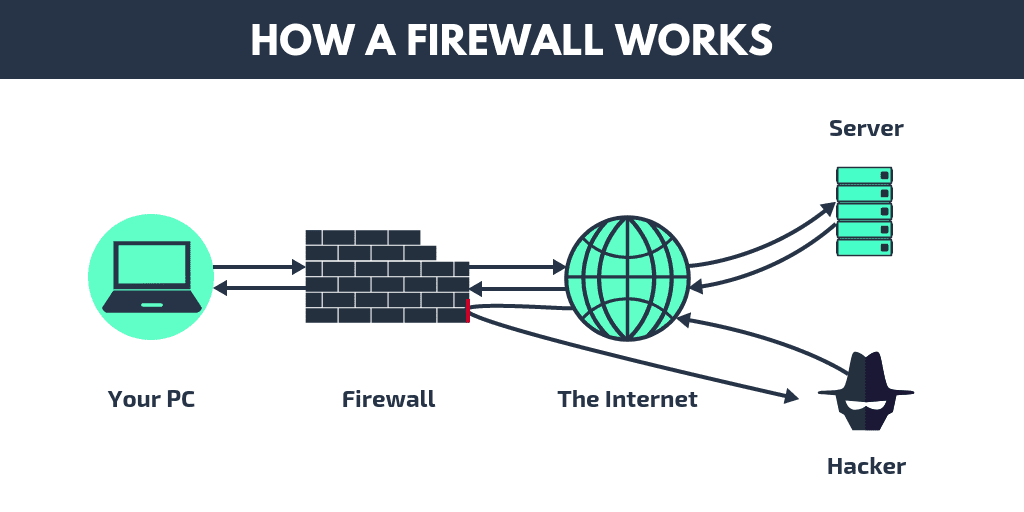
A firewall creates a barrier between the network it protects and an external network. It is placed in the middle of a network connection to check all packets coming into and going out of the secured network. It employs a set of predefined rules to discern between malicious and benign traffic or packets while it inspects.
A chunk of data that has been prepared for internet transport is referred to as a packet. Data and metadata, including the data’s origin, are contained in packets. This packet metadata can be used by firewalls to assess if a particular packet conforms to the rule set. The packet is prevented from accessing the secured network if it doesn’t.
How Does a Firewall Protect Data?
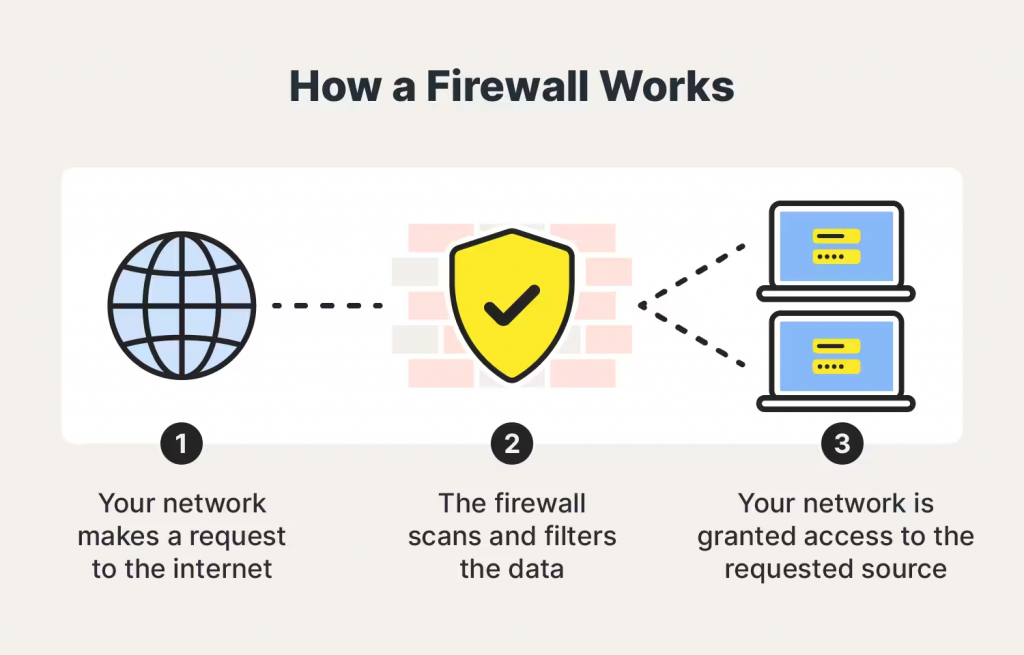
Dangerous info is kept outside of your machine by firewall filters. Firewalls shield your computer against a number of major threats, such as viruses, spam, macros, denial-of-service (DoS) attacks, backdoors, and remote logins.
Backdoors are “doorways” to vulnerable apps that hackers can use to gain access. This includes operating systems that could include vulnerabilities that hackers could use to access your system.
When a hacker asks a server for permission to connect, a denial of service (DoS) assault is launched when the server replies by unable to locate the system that requested the connection. Repeatedly doing this overloads the server, causing it to consume excessive power handling the volume of requests and preventing it from serving the demands of actual visitors. Sometimes, the server must go entirely down. Certain firewalls have the ability to verify if connection requests are authentic, shielding your network against denial-of-service assaults.
Scripts used by apps to automate tasks are referred to as macros. One command can initiate a sequence of interdependent processes in a macro. Hackers create or buy macros that are meant to function with certain apps. A macro may cause havoc on your computer once it gets inside it, even if the data appears to be benign. When a firewall scans through data packets that try to get through, it might find harmful macros.
Occasionally, spam may contain links to dangerous websites. These kinds of websites set off harmful malware that compels a computer to install cookies. Hackers can access the computer through backdoors made by the cookies. Regardless matter who the sender appears to be, avoiding clicking on anything suspect in an email is sometimes the easiest way to stop a spam onslaught. A firewall can scan your emails and stop malware from infecting your machine.
Once on a computer, viruses replicate and go to other connected devices. Viruses may be employed for a wide range of tasks, from destroying data on your computer to doing relatively innocuous activities.
Firewalls can inspect data packets for viruses, but it is better to use antivirus software in conjunction with a firewall to maximize your security.
Which firewall is best to protect your server?
The size and complexity of your network, your spending limit, and your security needs will all affect which firewall is ideal for protecting your server.
- NGFWs:– The most complete server security is provided by next-generation firewalls, or NGFWs. They offer an all-inclusive network security solution by fusing the capabilities of packet filtering, stateful inspection, application control, and intrusion prevention.
- Palo Alto Networks PA-Series
- Cisco ASA
- Fortinet FortiGate
- WAFs:– The purpose of web application firewalls, or WAFs, is to defend web applications from online threats. They can be applied to prevent online application vulnerabilities, filter and stop harmful traffic.
- Imperva SecureSphere
- F5 BIG-IP Application Security Manager
- ModSecurity
- HIPS:– Individual servers are equipped with host-based intrusion prevention systems (HIPS), which keep an eye on the operation of the server and flag any unusual activity. Malware, rootkits, and other dangers can be found and stopped with their help.
- CrowdStrike Falcon Host
- SentinelOne Singularity
- Trend Micro Deep Security
Conclusion
One essential tool for network security is a firewall, which keeps an eye on and controls incoming and outgoing network traffic according to rules that have been predetermined. It serves as a line of defense between reliable internal networks and unreliable external networks, such as the internet. For more than 25 years, firewalls have been the mainstay of network security, acting as the first line of protection against a variety of cyberthreats. There are several varieties of these, including as intrusion prevention systems (IPS), circuit-level gateways, packet filtering, stateful inspection, proxies, application layer (Next-Generation), and personal firewalls. Specific features are provided by each type to accommodate various network settings. In order to manage access, guard against threats, stop illegal access, segment networks, monitor systems, and comply with legal requirements, firewalls are essential. They operate by looking over data packets, using pre-established criteria, and deciding whether to allow or prohibit them. Firewalls also provide protection against malware, spam, macros, denial-of-service attacks, backdoors, and remote logins. The best firewall for protecting servers should be chosen based on the network’s size, complexity, cost, and unique security requirements. Web application firewalls (WAFs) concentrate on safeguarding web applications, whereas next-generation firewalls (NGFWs) offer all-encompassing security solutions. Individual servers have host-based intrusion prevention systems (HIPS) installed to keep an eye on server activity and to spot and stop attacks. It is essential to make a decision based on these factors in order to protect a server and the network that it is connected to.