Limited Time Offer!
For Less Than the Cost of a Starbucks Coffee, Access All DevOpsSchool Videos on YouTube Unlimitedly.
Master DevOps, SRE, DevSecOps Skills!
Cybersecurity should be prioritized in all enterprises, large and small. If your company’s data gets hacked, the repercussions might be disastrous: you could lose a lot of data and be forced to pay large ransoms to get it back.
Every 39 seconds or so, a hacker hits. Cyberattacks are rising year after year, and small and medium-sized organizations are especially vulnerable if they have limited resources or a lack of IT knowledge.
What is Antivirus Software?
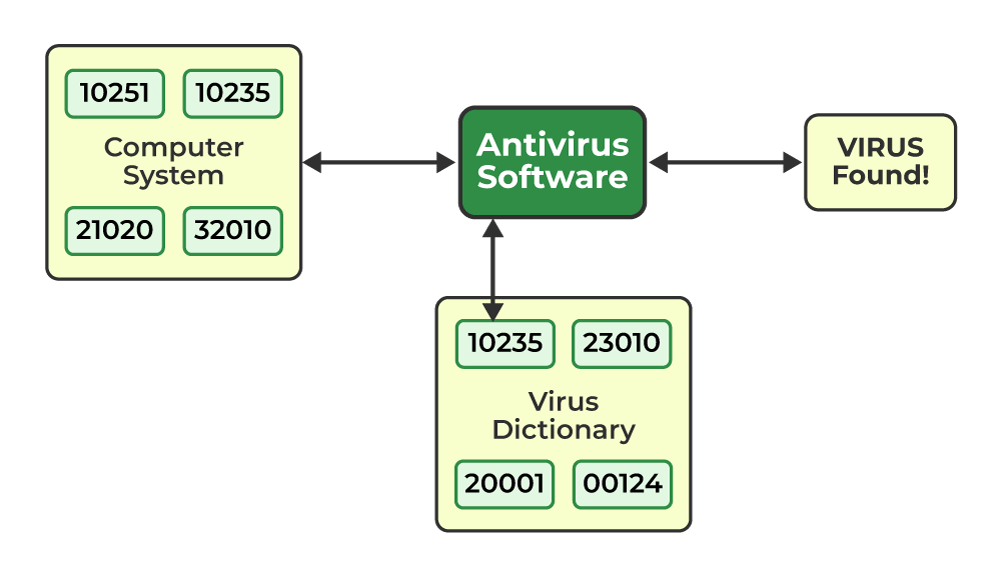
Antivirus software is a sort of software that protects a computer system against viruses. It identifies and eliminates viruses in computer systems. It safeguards the computer system against particular malware. It is used to safeguard the computer system against several common and straightforward dangers. It is primarily utilized in computers for security considerations.
Avast, QuickHeal, AVG
What is Antimalware Software?
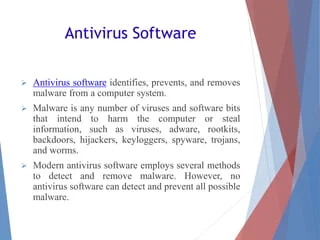
Antivirus software prevents, scans for, detects, and removes viruses from computers. When antivirus software is installed, it examines data – files, web pages, programs, and software – that travels over your device’s network. It searches for known dangers and monitors all program behavior, alerting any questionable behavior. This program aims to detect and remove malware as quickly as possible.
An antivirus provides comprehensive protection for your hardware and files against viruses such as Trojan horses, worms, and spyware, and may also provide extra security such as website filtering and customizable firewalls. Because malware assaults may be costly, choosing and deploying the finest antivirus for your business should be a top concern.
Example:- MalwareBytes, SpyBot Search & Destroy
What are the Difference between Antivirus and Antimalware Software?
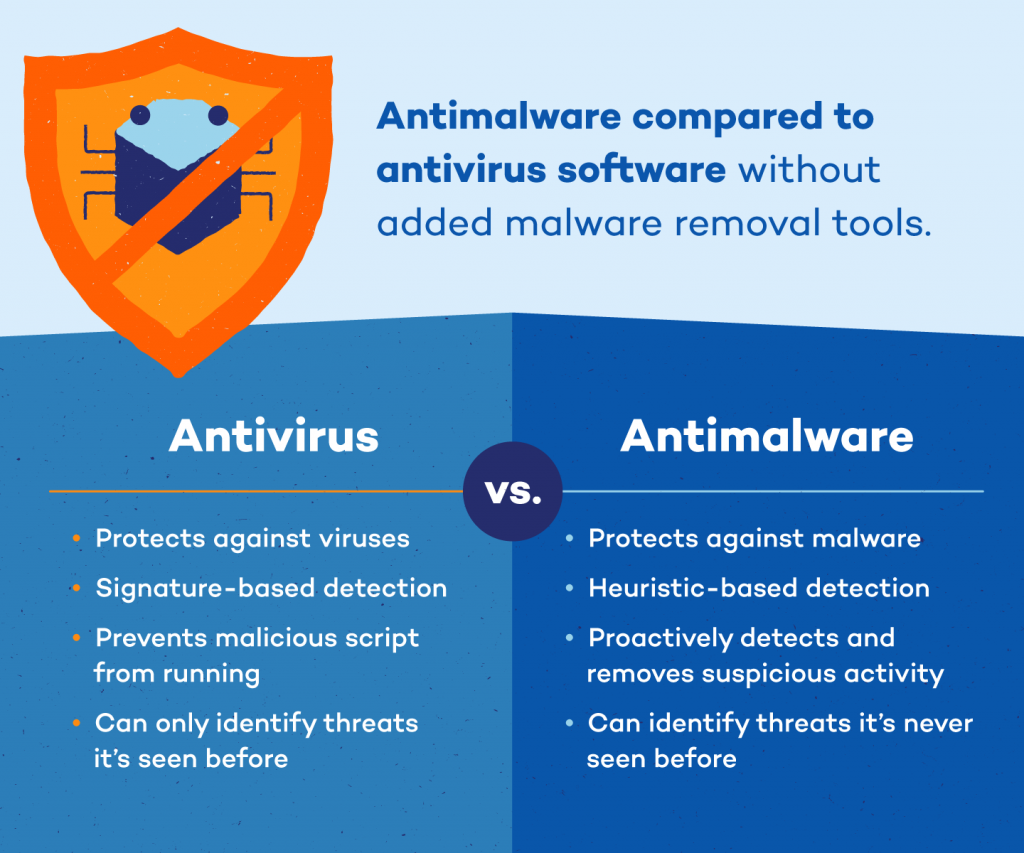
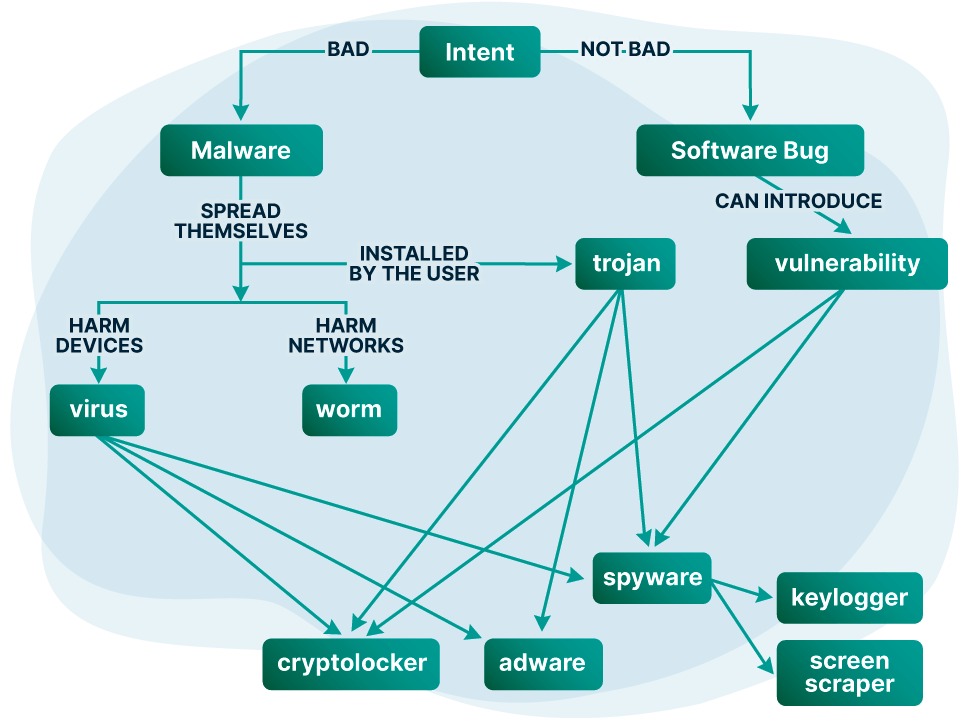
Before we get into the meat of the matter, let’s establish the distinction between malware and viruses. A virus is a type of malware that has the capacity to replicate itself and propagate throughout a system. Malware, on the other hand, is a catch-all word for all sorts of harmful software, including viruses, Trojans, rootkits, adware, spyware, and ransomware. This means that while all viruses are malware, not all malware is a virus.
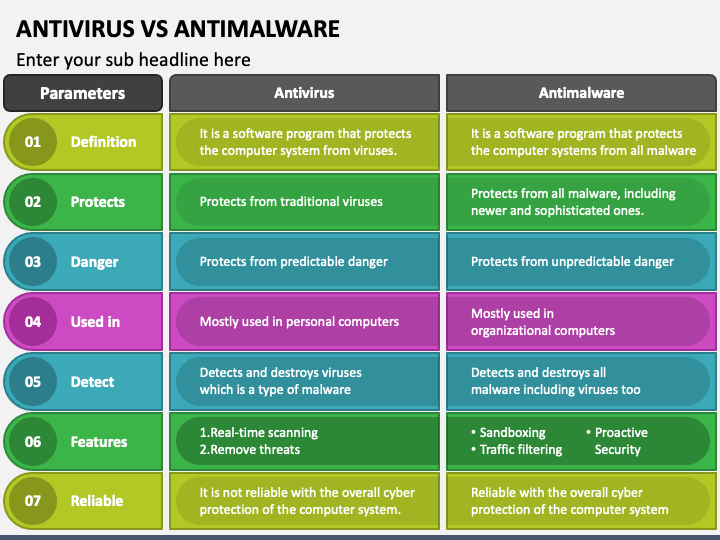
Now that we’ve cleared everything up, here’s a breakdown of the differences between anti-malware and antivirus software:
- Antivirus software detects and removes viruses and other dangerous software from a system, whereas anti malware software protects the system against all types of malware, such as Trojans, worms, and adware.
- While both anti malware and antivirus are utility applications that protect your system against all types of dangerous software, antivirus software is especially designed to defend your digital environment from more established dangers such as viruses, worms, and Trojans. Anti malware, on the other hand, often protects the system against newer and more complicated programs in order to increase system security.
- Antivirus is a type of protection software that is loaded on computers and mobile devices to keep them from becoming infected. Anti-malware software is primarily concerned with providing proactive protection against newer and more sophisticated internet threats.
| S. No. | Parameters | ANTIVIRUS | ANTIMALWARE |
| 1. | Definition | It is a piece of software that guards the computer system from viruses. | It is software that guards computer systems against malware, such as worms, trojans, and viruses. |
| 2. | Protects | It guards against conventional viruses. | All malware, including more recent and sophisticated versions, is protected from it. |
| 3. | Rule update | It doesn’t often amend its regulations. | It regularly changes its criteria to make malware detection simple. |
| 4. | Danger | It provides defense against known threats. | It offers defense against unforeseen danger. |
| 5. | Used in | Most people use it with personal PCs. | It is mostly utilized in computers for organizations. |
| 6. | Cost | It is less expensive in comparison. | It is more costly. |
| 7. | Detect | It is capable of identifying and eliminating malware, such as viruses. | Everything from viruses to malware is found and eliminated by it. |
| 8. | Features | 1. Instantaneous scanning 2. Eliminate dangers | 1. Sandboxing 2. Traffic filtering 3. Proactive Security |
| 9. | Techniques | Techniques Used by Antivirus software- 1. Scanning 2. Integrity checking 3. Interception 4. Heuristic detection. | Used by Anti-malware software- 1. Sandboxing 2. Signature-based detection 3. Behavior-based detection |
| 10. | System compatibility | Owing to its system compatibility, it is more widely utilized. | Because of its high rate and system compatibility, it is not as often utilized. |
| 11. | Protect | It offers defense against prevalent viral kinds. | It has the ability to search for and identify fresh illnesses. |
| 12. | Reliable | Regarding the computer system’s total cyber defense, it is unreliable. | With the computer system’s complete cyber security, it is dependable. |
Why Are Anti Malware and Antivirus Important for Small Businesses?
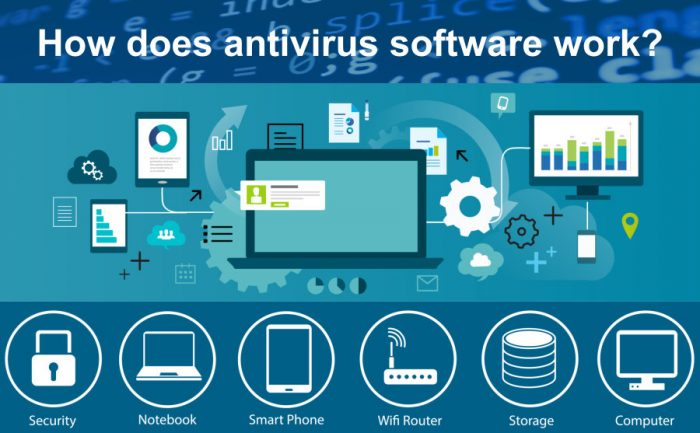
Cyberthreats are always changing. Cybercriminals are developing increasingly complex methods of creating attacks in tandem with the development of new strategies for countering cyber threats. Businesses of all sizes are the subject of a growing number of cybersecurity assaults, with ransomware being of particular concern. In 2020 alone, there were 304 million ransomware assaults worldwide, according to Statista. Businesses are estimated to have lost $20 billion as a result of these assaults.
Nevertheless, antivirus and anti-malware software can assist small firms in defending against these kinds of assaults. Small enterprises can gain the following advantages by utilizing this software:
Virus and malware protection: Malware and viruses are always trying to get into a company’s network through holes in it. For example, organizations frequently explore networks to find out what exposures are open to penetration. Antivirus and anti-malware software can prevent open vulnerabilities that are targeted by threat actors by being installed on all internet-connected devices.
Protection against data thieves: There are spies everywhere looking to steal data from companies. In actuality, since they have fewer security measures in place and fewer resources, small firms are more often targeted. Threat actors might utilize malware and viruses that are detected and eliminated by antivirus and anti-malware software to enter your network.
Increased computer lifespan: Malicious software and viruses are not the only things that antivirus and anti-malware software combat. They may also contribute to extending the life of your computer. For example, computers tend to last longer in perfect condition when they are not attacked by harmful software.
Lower business costs: One further benefit of using antivirus and anti-malware software across your company is that it reduces operating expenses over time. For instance, this program will free up staff members to continue working rather than worrying about the system’s security.
What are the Feature of Antivirus Software?
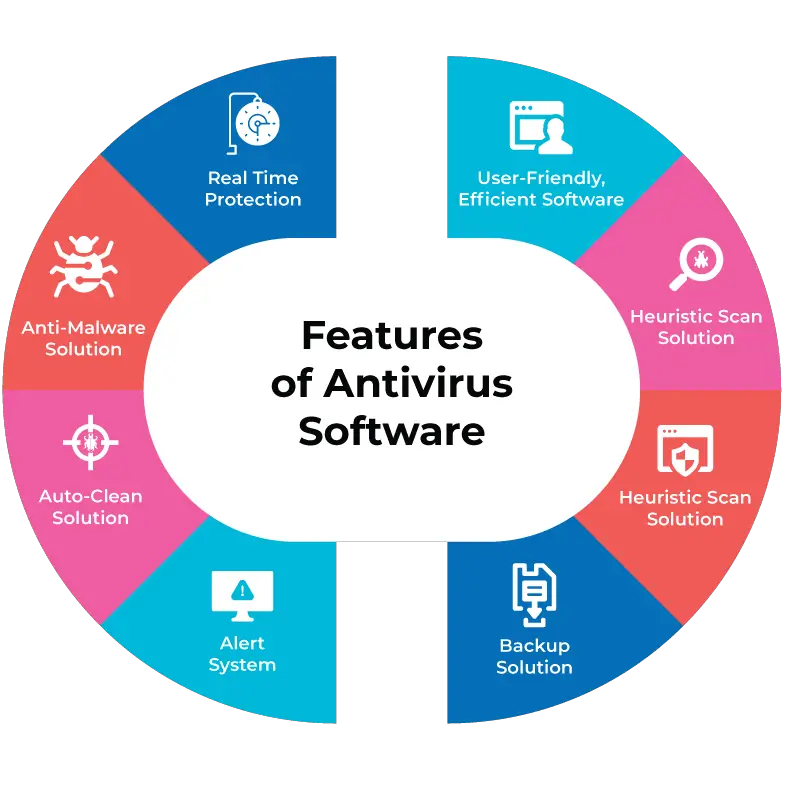
- Virus scanning: Background virus screening takes place. The suspect software or file won’t launch until the antivirus protection has completed its inspection. The majority of antivirus software provides real-time scanning, enabling them to swiftly identify any harmful files on your computer.
- Malicious script files blocking: indicates that the antivirus software stops a harmful file from launching as soon as it finds it. It therefore prevents a possible malware infestation.
- Heuristic analysis: it is a procedure that looks for code that acts strangely in the files. It indicates anything it believes to be a possible threat.
- Automatic updates: Automatic updates are required to monitor and identify emerging dangers. The antivirus program must continuously refresh its list of known threats.
- Malware removal: Removing malware is crucial since you want to get rid of threats from the system as quickly as feasible. Many free antivirus apps, however, are only capable of identifying and preventing malware. Some of them can’t get rid of malware from a machine that has been compromised. To do that, you often need to buy a premium edition of the antivirus or a piece of malware-removal software.
- Database of known malware: Each scanned file is compared to the contents of a database containing known malware.
- Ransomware protection: The majority of antivirus solutions that are commercial versions come with ransomware protection. Premium users are typically offered it by vendors.
What are the Feature of Antimalware Software?
- Examine, find, and eliminate recognized trojans, adware, spyware, and other sophisticated malware.
- provides second-generation malware protection while functioning as a shield.
- Software updates automatically to make it easier to spot new internet dangers.
- traffic filtering for your online activities to protect your computer from online risks and to prevent access to compromised servers.
- Offer security for online banking.
- The goal of anti-phishing defense is to identify and prevent phishing websites and frauds.
- Provide defense against sophisticated exploit kits. This helpful guide on the Angler exploit kit, one of the most well-known exploit kits used in assaults in recent years, is intended for non-technical users.
- Guard against websites that distribute malware.
- offers a specific database of malware.
- Antimalware software might vary greatly in the functions they offer. Features vary based on what the goods are intended to deliver, with a more or less aggressive security focus.
Why Use Both Antivirus vs Antimalware?
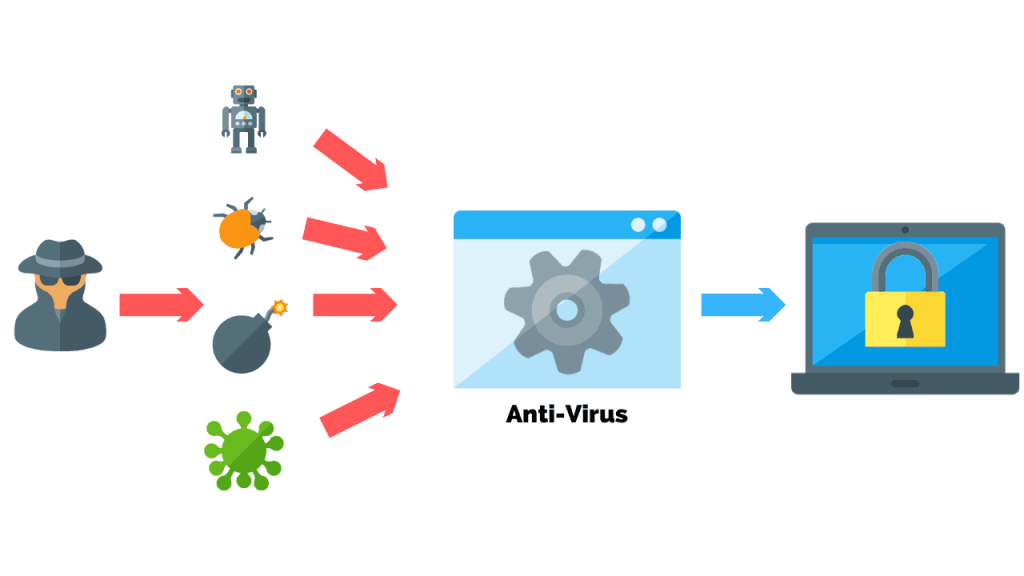
Instead of attempting to replace consumers’ antivirus software, antimalware works in tandem with it. Thus, in order to counteract the increasing number of malware assaults, consumers might profit from having many levels of security.
Antivirus software is more effective and efficient against the common online threat categories, such as trojans, viruses, worms, and keyloggers. Conversely, antimalware enhances security by identifying and eliminating novel and complex malware strains.
Certain antimalware applications take proactive measures to prevent ransomware from encrypting your data in the first place. They offer an additional degree of defense. The antivirus program is still functional; unlike antimalware, it is unable to combat sophisticated malware. You’ll need to utilize both of them for enhanced malware detection and defense.
