
Skip to content
Menu
DevSecOps Now!!!
  • About
  • Certifications
  • Contact
  • Courses
  • DevSecOps Consulting
  • DevSecOps Tools
  • Training
  • Tutorials
DevSecOps Now!!!

Is it possible to run two Xampp of Different version run in one Server?

Posted on November 24, 2023

Limited Time Offer!

For Less Than the Cost of a Starbucks Coffee, Access All DevOpsSchool Videos on YouTube Unlimitedly.
Master DevOps, SRE, DevSecOps Skills!

Enroll Now

Is it possible to run two Xampp of Different version run in one Server? This is one of the major question which comes in every software developer’s mind. Is this Possible, I’m writing this blog for to clear that confusion from all. Please its a humble request to add your point of view in the comment so that it could reach out to many new developers.

Answer:-
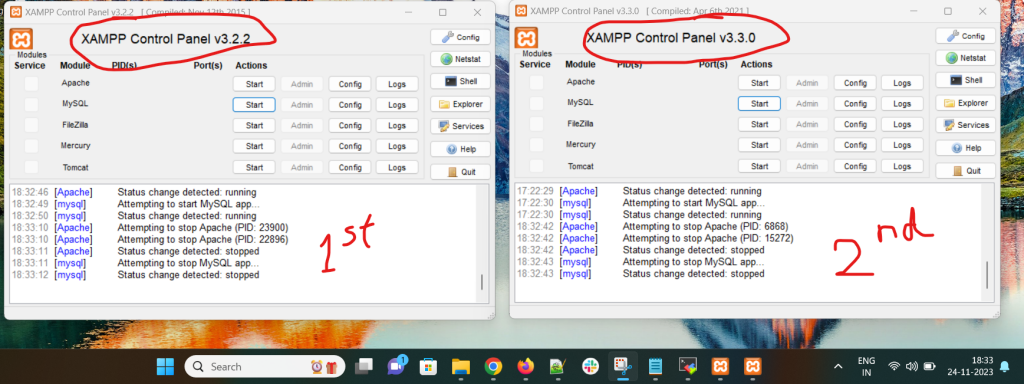
Yes, it possible to run two Xampp of Different version run in one Server. As you can see in the image which i have added here, there are two xampp with different version 1st is V3.2.2 and 2nd is V3.3.0 running on the same screen at same time. Now you will think how this will happens and how this works so i will explain that in the following paragraph.

How to run two Xampp of Different version run in one Server?

We will learn how to run two different versions of PHP on the same Apache server in this post. The Apache webserver employs virtual hosts on a single instance to manage many domains.

Prerequisite: Some familiarity with utilizing the Apache server and the XAMPP server are required.

Download the previous version of XAMPP first; it can be any version. XAMPP 7.4.27 is the previous version, and the most recent version is installed thereafter. The same Apache server will be used by both XAMPP versions.

Steps to install xampp in windows :

Step 1: Download xampp-win32-7.4.27-6-VC9-Installer.exe form xampp official website sourceforge.
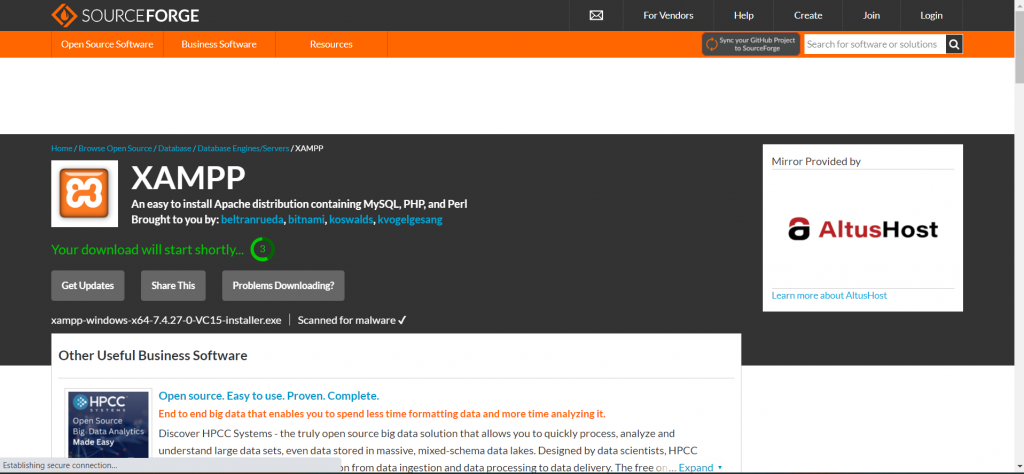
Step 2: Install the software.
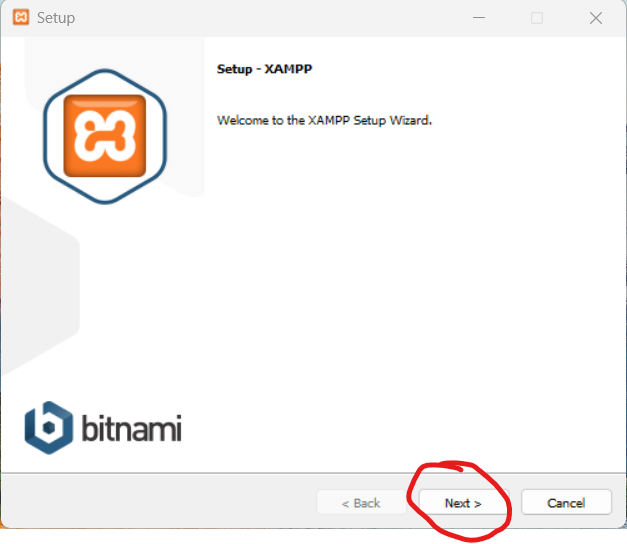
Step 3: Click on the next.
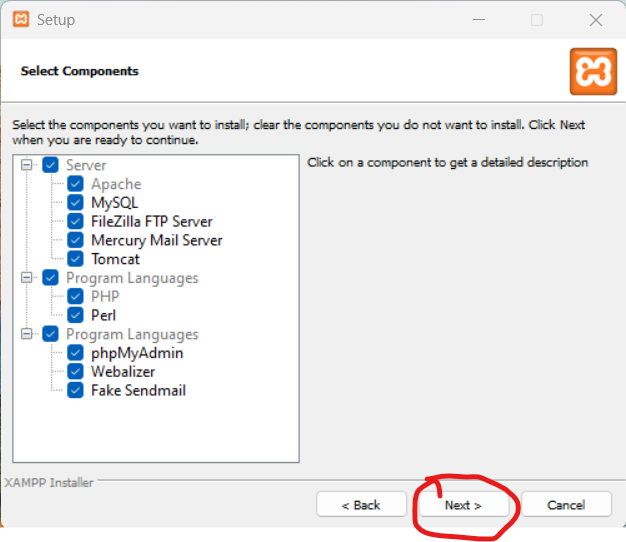
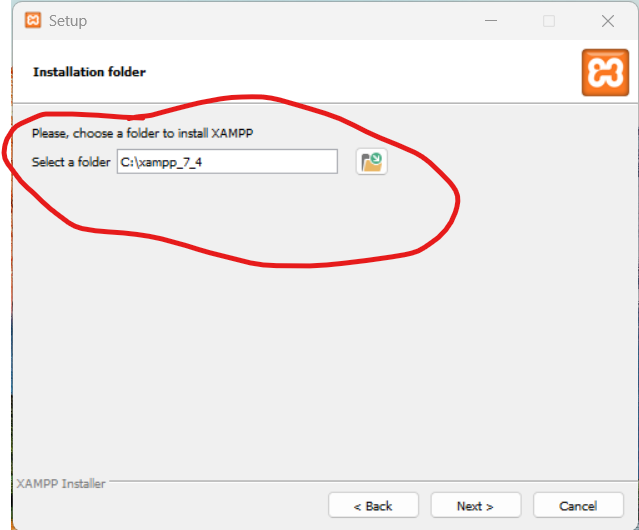
Step 4: Modify the name (XAMPP_7_4 is preferable) so that you can subsequently distinguish between the new and older versions.
Step 5: For the installation to be finished, click “install.”
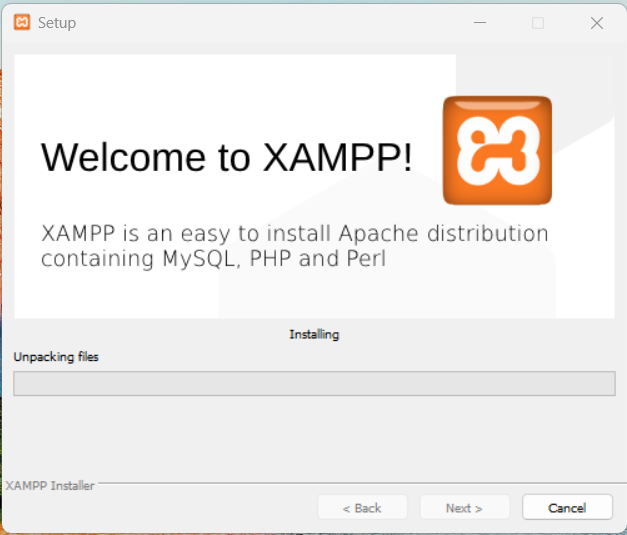
Installation process of Xampp is completed. now you have to change the port of localhost.

Process of changing port of apache and mysql

Install the first version of XAMPP: You have the option to give Apache and MySQL custom ports during the installation procedure. For instance, you can configure MySQL to use port 3307 and Apache to use port 8080.

Install the second version of XAMPP: Use different ports during this installation than the previous version utilized. For instance, configure MySQL to use port 3308 and Apache to use port 8888.

Configure Apache and MySQL: Each XAMPP instance’s Apache and MySQL settings must be adjusted after installation. Within the XAMPP installation folders, the configuration files are located in the apache\conf and mysql\bin directories.
To match the ports you provided after installation, update the port numbers in the configuration files.

Start/Stop Services: To utilize a particular version of XAMPP, launch the relevant services. You may use the command line or the XAMPP Control Panel to do this.

Remember that maintaining several instances of XAMPP could need some manual configuration; in order to prevent conflicts, use great care while handling ports and settings. Running databases and web servers on your local computer may also have security risks; this is especially the case if the system is connected to the internet.

Post Views: 4,203
  • apache
  • changing port of apache
  • How to run two Xampp of Different version run in one Server
  • install xampp
  • Is it possible to run two Xampp of Different version run in one Server
  • it possible to run two Xampp of Different version
  • it possible to run two Xampp of Different version run in one Server
  • MySql
  • Process of changing port of apache and mysql
  • run two Xampp of Different version
  • run two Xampp of Different version run in one Server
  • Steps to install xampp in windows
  • two Xampp of Different version run in one Server
  • Xampp
Subscribe
Login
Notify of
guest
guest
0 Comments
Oldest
Newest Most Voted
Inline Feedbacks
View all comments
  • Mautic and PHP 8.3 Compatibility Guide (2026)
  • Certified AIOps Engineer: The Complete Career Path and Certification Guide
  • How to Rename Apache Virtual Host Files Safely (Step-by-Step Guide for Linux)
  • AIOps Foundation Certification: Everything You Need to Know to Get Certified
  • DevOps to Certified Site Reliability Professional: A Senior Mentor’s Guide
  • Certified Site Reliability Manager Training, Preparation, and Career Mapping
  • Certified Site Reliability Architect: The Complete Career Guide
  • What Is a VPN? A Complete Beginner-to-Advanced Tutorial
  • How to Install, Secure, and Tune MySQL 8.4 on Ubuntu 24.04 for Apache Event MPM and PHP-FPM
  • Complete Guide to Certified Site Reliability Engineer Career
  • Certified DevSecOps Professional Step by Step
  • Certified DevSecOps Manager: Complete Career Guide
  • Certified DevSecOps Engineer: Skills, Career Path and Certification Guide
  • Step-by-Step: Become a Certified DevSecOps Architect
  • Tuning PHP 8.3 for Apache Event MPM and PHP-FPM on Ubuntu: A Complete Step-by-Step Production Guide
  • Complete Step-by-Step Guide to Configure Apache Event MPM, Create index.php, Set Up VirtualHost, and Fix Ubuntu Default Page
  • Convert XAMPP Apache to Event MPM + System PHP-FPM
  • The Gateway to System Observability Engineering (MOE)
  • How to Finetune Apache and Prove It Works: A Real-World Guide to Testing Performance, Concurrency, HTTP/2, Memory, CPU, and Security
  • Building a High-Performance Apache Event MPM + PHP-FPM + MariaDB Stack (Advanced Server Optimization Guide)
  • Master Infrastructure as Code: The Complete Hashicorp Terraform Associate Guide
  • Building a High-Performance Apache Server with Event MPM + PHP-FPM (Step-by-Step Guide)
  • Is XAMPP Safer for Production Than Using Apache and PHP as Root? 2026 Practical Guide
  • Unlock Cloud Security Expertise with Certified Kubernetes Security Specialist (CKS)
  • How to Fix wpDiscuz Not Replacing Default WordPress Comments in Block Themes
  • Complete Guide to Certified Kubernetes Application Developer Certification
  • Overview of Certified Kubernetes Administrator (CKA) Certification
  • How to Install and Configure XAMPP on Ubuntu 24 Server (Latest Version – 2026 Complete Guide)
  • Mastering the Google Cloud Professional DevOps Engineer
  • Mastering Azure Cloud Security: The AZ-500 Path

Recent Comments

  1. digital banking on Complete Tutorial: Setting Up Laravel Telescope Correctly (Windows + XAMPP + Custom Domain)
  2. SAHIL DHINGRA on How to Uninstall Xampp from your machine when it is not visible in Control panel programs & Feature ?
  3. Abhishek on MySQL: List of Comprehensive List of approach to secure MySQL servers.
  4. Kristina on Best practices to followed in .httacess to avoid DDOS attack?
  5. Roshan Jha on Git all Commands

Archives

  • April 2026
  • March 2026
  • February 2026
  • January 2026
  • December 2025
  • November 2025
  • October 2025
  • September 2025
  • August 2025
  • July 2025
  • June 2025
  • May 2025
  • April 2025
  • March 2025
  • February 2025
  • January 2025
  • December 2024
  • November 2024
  • October 2024
  • September 2024
  • August 2024
  • July 2024
  • June 2024
  • May 2024
  • April 2024
  • March 2024
  • February 2024
  • January 2024
  • December 2023
  • November 2023
  • October 2023
  • September 2023
  • August 2023
  • July 2023
  • May 2023
  • April 2023
  • March 2023
  • February 2023
  • January 2023
  • December 2022

Categories

  • Ai
  • AI Blogging
  • AiOps
  • ajax
  • Android Studio
  • Antimalware
  • Antivirus
  • Apache
  • Api
  • API Security
  • Api Testing
  • APK
  • Aws
  • Bike Rental Services
  • ChatGPT
  • Code Linting
  • Composer
  • cPanel
  • Cyber Threat Intelligence
  • Cybersecurity
  • Data Loss Prevention
  • Database
  • dataops
  • Deception Technology
  • DeepSeek
  • Devops
  • DevSecOps
  • DevTools
  • Digital Asset Management
  • Digital Certificates
  • Docker
  • Drupal
  • emulator
  • Encryption Tools
  • Endpoint Security Tools
  • Error
  • facebook
  • Firewalls
  • Flutter
  • git
  • GITHUB
  • Google Antigravity
  • Google play console
  • Google reCAPTCHA
  • Gradle
  • Guest posting
  • health and fitness
  • IDE
  • Identity and Access Management
  • Incident Response
  • Instagram
  • Intrusion Detection and Prevention Systems
  • jobs
  • Joomla
  • Keycloak
  • Laravel
  • Law News
  • Lawyer Discussion
  • Legal Advice
  • Linkedin
  • Linkedin Api
  • Linux
  • Livewire
  • Mautic
  • Medical Tourism
  • MlOps
  • MobaXterm
  • Mobile Device Management
  • Multi-Factor Authentication
  • MySql
  • Network Traffic Analysis tools
  • Paytm
  • Penetration Testing
  • php
  • PHPMyAdmin
  • Pinterest Api
  • Quora
  • SAST
  • SecOps
  • Secure File Transfer Protocol
  • Security Analytics Tools
  • Security Auditing Tools
  • Security Information and Event Management
  • Seo
  • Server Management Tools
  • Single Sign-On
  • Site Reliability Engineering
  • soft 404
  • software
  • SuiteCRM
  • SysOps
  • Threat Model
  • Twitter
  • Twitter Api
  • ubuntu
  • Uncategorized
  • Virtual Host
  • Virtual Private Networks
  • VPNs
  • Vulnerability Assessment Tools
  • Web Application Firewalls
  • Windows Processor
  • Wordpress
  • WSL (Windows Subsystem for Linux)
  • X.com
  • Xampp
  • Youtube
©2026 DevSecOps Now!!! | WordPress Theme: EcoCoded
wpDiscuz