Limited Time Offer!
For Less Than the Cost of a Starbucks Coffee, Access All DevOpsSchool Videos on YouTube Unlimitedly.
Master DevOps, SRE, DevSecOps Skills!
Introduction
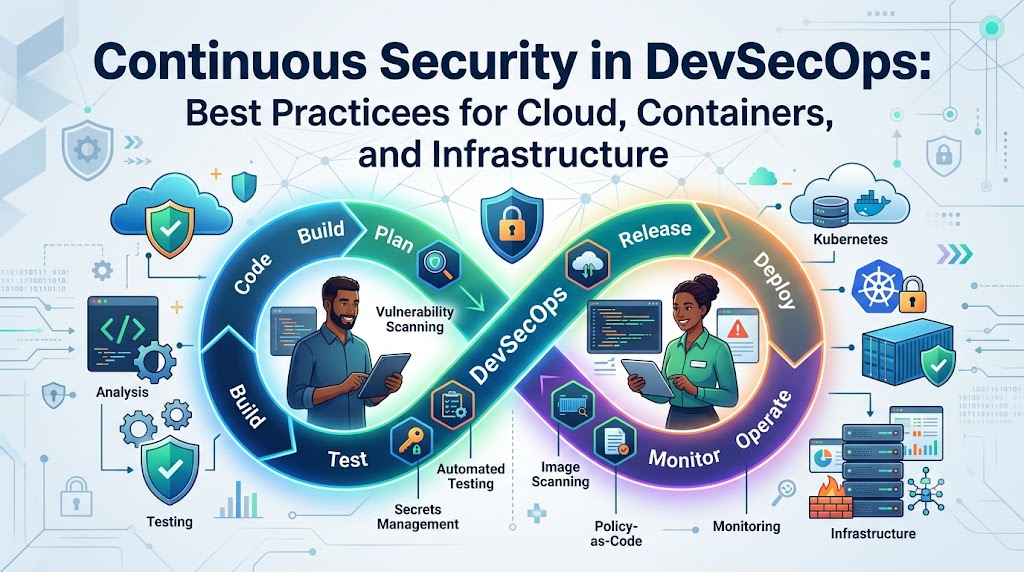
In an era where modern cloud-native architectures and high-velocity CI/CD pipelines push code into production multiple times a day, traditional manual security checkpoints have become a severe operational bottleneck and a critical vulnerability. Relying on late-stage penetration tests and periodic audits forces engineering teams into costly, disruptive emergency fixes right before release windows, creating friction between developers and security teams while leaving modern applications exposed to rapid, automated cyber threats. Continuous Security transforms this legacy paradigm by embedding automated security controls, real-time feedback loops, and policy enforcement into every phase of the Software Development Lifecycle (SDLC)—from initial code commit to live cloud operations. In this comprehensive guide published in collaboration with DevOpsSchool, we will explore the core pillars of Continuous Security, showing you how to integrate security seamlessly across your development pipelines, containerized workloads, and cloud infrastructure without compromising delivery speed.
What Is Continuous Security?
Continuous Security is an engineering approach in which security practices, automated testing, risk evaluation, and compliance monitoring are embedded seamlessly into every phase of the Software Development Lifecycle (SDLC). Instead of performing security audits as an isolated event right before deployment, Continuous Security treats security as a persistent, real-time feedback loop spanning planning, coding, building, testing, deployment, and live production operations.
The primary objective of Continuous Security is to identify, mitigate, and remediate vulnerabilities as early as possible while ensuring that production environments remain resilient against emerging threats.
Key Characteristics of Continuous Security
- Pervasive Integration: Security scanning and controls operate across source code repositories, CI/CD build servers, container registries, infrastructure templates, and running cloud environments.
- Automated Feedback Loops: Developers receive instant security insights right within their IDEs and git pull requests, eliminating long delays between code creation and defect discovery.
- Proactive Security posture: Risk management shifts from reactive patch management to proactive vulnerability elimination and continuous threat hunting.
- Immutable Compliance: Security policies and compliance rules are defined as version-controlled code, allowing automated validation across all environments.
To understand Continuous Security, consider a modern automotive manufacturing line. A traditional security model resembles inspecting a vehicle only after the engine, chassis, and body are fully welded together. If a fundamental flaw is discovered in the frame at that final step, fixing it requires disassembling the entire vehicle. Continuous Security, by contrast, deploys automated sensors and robotic quality checks at every station on the assembly line. If a defective bolt or cracked frame element is detected during early assembly, it is corrected immediately, costing a fraction of the time and resources.
Why Continuous Security Matters
Modern enterprise applications no longer run on single, monolithic servers deployed once or twice a year. Today’s software relies on multi-cloud environments, serverless functions, complex Kubernetes clusters, third-party APIs, and hundreds of open-source dependencies. This operational complexity, combined with unprecedented release velocity, has radically changed the cybersecurity landscape.
1. Exponential Increase in Cyber Threats
Automated threat bots constantly scan public IP ranges and code repositories for exposed credentials, unpatched software, and misconfigured S3 buckets. Attackers do not wait for your annual penetration test; they launch automated exploits minutes after a vulnerability becomes public. Continuous Security ensures your defenses match the speed of modern attackers.
2. Rapid Delivery and Microservices Velocity
Development teams using continuous integration and continuous deployment (CI/CD) ship code dozens or hundreds of times per day. Manual security reviews simply cannot keep up with this volume. Without automated continuous security controls, security teams either delay business releases or allow unvetted code into production.
3. Software Supply Chain Vulnerabilities
Modern application codebases are often composed of up to eighty percent open-source libraries and open-source packages. A single compromise in a deeply nested dependency can expose millions of production instances. Continuous Security continuously tracks the software bill of materials (SBOM) and alerts teams the moment a component is compromised.
4. Regulatory and Compliance Pressures
Global regulatory standards, such as PCI DSS, SOC 2, ISO 27001, HIPAA, and GDPR, demand stringent data protection controls and continuous evidence collection. Periodic snapshot audits are no longer sufficient to prove compliance to enterprise clients and regulatory auditors.
5. Preserving Brand Reputation and Business Continuity
A public security breach results in massive financial penalties, legal liabilities, lost customer trust, and severe brand damage. By catching vulnerabilities in development and detecting operational anomalies in real time, Continuous Security preserves business resilience and protects customer trust.
Continuous Security vs Traditional Security
Understanding how Continuous Security differs from legacy security paradigms is essential for driving organizational transformation.
| Feature | Traditional Security | Continuous Security |
| Testing Approach | Manual penetration testing, periodic audits | Automated SAST, DAST, SCA, IaC scanning |
| Security Timing | End of SDLC (pre-production gatekeeper) | Embedded continuously from planning to runtime |
| Automation Level | Heavy manual work, ticket-based handoffs | Deeply integrated into developer tools and CI/CD pipelines |
| Feedback Mechanism | PDF reports delivered weeks after code was written | Instant inline feedback in IDEs and pull requests |
| Risk Detection | Discovers vulnerabilities late, making fixes costly | Detects flaws instantly during code creation |
| Deployment Impact | Creates major release bottlenecks and delays | Enables rapid, secure, and confident releases |
| Compliance Verification | Point-in-time snapshot checks | Continuous, code-based evidence collection |
Detailed Breakdown of Differences
Testing Approach & Timing
Traditional security relies heavily on scheduled penetration tests and architecture reviews conducted late in the release process. Continuous Security bakes automated scanners into git workflows, build steps, container registries, and production clusters.
Cost of Remediation
Fixing a security defect found during a late-stage manual audit requires refactoring, re-testing, and re-deploying code, costing up to thirty times more than fixing that same flaw while the developer is actively writing the code. Continuous Security keeps the cost of remediation as close to zero as possible.
Operational Agility
When security operates as a traditional manual gatekeeper, it creates an adversarial relationship between development and security teams. Continuous Security provides self-service tooling and automated guardrails, transforming security into an enabler of speed and innovation.
Relationship Between DevOps, DevSecOps, and Continuous Security
To build a modern software delivery ecosystem, it is critical to clarify how these three foundational methodologies interlock.
       [ DevOps ] ----------------> Focuses on Speed, Agility & Collaboration
           |
           v
      [ DevSecOps ] -------------> Embeds Security Culture & Automated Guardrails
           |
           v
[ Continuous Security ] --------> The Operational Execution of Real-Time Security Controls
1. DevOps
DevOps revolutionized software delivery by removing the functional silos between software development (Dev) and IT operations (Ops). It introduced automated CI/CD pipelines, infrastructure automation, rapid feedback loops, and shared operational accountability to accelerate release velocity.
2. DevSecOps
DevSecOps is the cultural, philosophical, and organizational evolution of DevOps. It establishes that security is a shared responsibility across the entire engineering organization, rather than the exclusive job of a standalone security department. DevSecOps mandates that security considerations must be integrated into pipeline automation, architecture choices, and team cultures from day one.
3. Continuous Security
Continuous Security is the practical, technical implementation of DevSecOps. If DevSecOps represents the philosophy and culture, Continuous Security represents the concrete technical capabilities, automated tooling, pipeline checks, policy enforcement rules, runtime security agents, and real-time monitoring mechanisms that make DevSecOps real.
Core Principles of Continuous Security
Building a resilient Continuous Security posture requires embedding core engineering principles into your architecture and organization culture.
+-----------------------------------------------------------------------+
|                    CORE CONTINUOUS SECURITY PILLARS                   |
+-------------------+-------------------+-------------------------------+
|    SHIFT LEFT     |    SHIFT RIGHT    |          ZERO TRUST           |
| Security in Code  | Production Ops &  | Never Trust, Always Verify    |
| & Architecture    | Threat Detection  | Continuous Authentication     |
+-------------------+-------------------+-------------------------------+
|  LEAST PRIVILEGE  | POLICY AS CODE    |     AUTOMATED FEEDBACK        |
| Minimum Access    | Version-Controlled| Instant Notifications to      |
| Permissions       | Security Rules    | Developers and Ops            |
+-------------------+-------------------+-------------------------------+
1. Shift-Left Security
Shift-Left Security means moving security testing, risk assessment, and code analysis as far left toward the beginning of the SDLC as possible. Developers scan code, check open-source dependencies, and evaluate infrastructure templates while writing code on their local workstations, catching bugs before code ever reaches a shared branch.
2. Shift-Right Security
While shifting left catches defects in source code, Shift-Right Security focuses on continuous protection, real-time observation, threat detection, and live vulnerability management in active production environments. It acknowledges that code running in real-world infrastructure faces changing attack vectors and requires continuous runtime validation.
3. Security Automation
Manual security processes do not scale. Continuous Security demands that routine security tasks—code scanning, secret detection, container image checks, infrastructure policy enforcement, and compliance reporting—are entirely automated within pipeline workflows.
4. Zero Trust Architecture
The Zero Trust paradigm operates on the core principle: “Never trust, always verify.” Continuous Security applies Zero Trust across human users, microservices, container workloads, network requests, and external system integrations. Every request must be authenticated, authorized, and encrypted, regardless of network location.
5. Principle of Least Privilege (PoLP)
Users, automation agents, service accounts, and applications must be granted only the minimum necessary permissions required to execute their specific task, and for the minimum necessary duration.
6. Continuous Compliance and Policy as Code
Compliance requirements must be translated into explicit, version-controlled policy code. These policies are evaluated automatically against pull requests, build artifacts, and live cloud environments, ensuring continuous compliance with industry frameworks.
How Continuous Security Works Across the SDLC
To achieve end-to-end protection, security controls must be embedded across every distinct step of the software development lifecycle.
 [ Plan ] ----> [ Code ] ----> [ Build ] ----> [ Test ] ----> [ Deploy ] ----> [ Operate ] ----> [ Monitor ]
    |              |              |              |               |               |                 |
 Threat       SAST & Secret   SCA & Image    DAST & Dynamic   IaC Checks &    Runtime Agent     SIEM, Logs &
 Modeling       Scanning       Scanning        Testing       Zero Trust      & Falco Checks    Threat Intel
1. Planning Phase
- Threat Modeling: Identify potential architectural flaws, attack boundaries, and data flow risks before writing code.
- Security Requirements: Define non-functional security user stories alongside feature requirements (e.g., authentication requirements, encryption standards).
2. Development Phase
- IDE Security Plugins: Instant linting and vulnerability warnings as developers write code.
- Pre-Commit Hooks: Local automated scripts that stop hardcoded secrets, private keys, or plain-text credentials from being committed to git history.
3. Build Phase
- Static Application Security Testing (SAST): Automated deep scanning of source code to catch vulnerabilities like SQL injection, cross-site scripting (XSS), and improper buffer handling.
- Software Composition Analysis (SCA): Automated inventory and vulnerability analysis of open-source libraries and package dependencies.
- Container Image Scanning: Analyzing base OS packages and application runtimes inside container layers for known vulnerabilities (CVEs).
4. Testing Phase
- Dynamic Application Security Testing (DAST): Automated black-box testing of running applications to spot runtime flaws, misconfigured headers, and authentication vulnerabilities.
- Interactive Application Security Testing (IAST): Instrumentation agents inside runtime test environments that report real-time execution flaws during integration testing.
5. Deployment Phase
- Infrastructure as Code (IaC) Validation: Verifying cloud templates (Terraform, CloudFormation) for security misconfigurations before applying infrastructure changes.
- Secret Management Verification: Ensuring credentials and API tokens are dynamically injected into runtime environments from central secret stores, rather than being stored in environment variables or configuration files.
6. Operations Phase
- Runtime Application Self-Protection (RASP): Real-time threat detection within application runtimes.
- Runtime Container Security: Monitoring syscalls, process executions, and file updates inside running Kubernetes pods.
7. Continuous Monitoring Phase
- Log Aggregation and SIEM Integration: Continuous ingestion of application logs, API calls, and system events into centralized threat platforms.
- Continuous Vulnerability Assessment: Regularly re-scanning deployed production assets against freshly published CVE databases.
Security in CI/CD Pipelines
The CI/CD pipeline acts as the central engine for continuous delivery, making it the primary control point for continuous security automation. Injecting security tooling directly into build and delivery workflows establishes automated guardrails that prevent vulnerable code from making its way into production.
+-----------------------------------------------------------------------+
|                  SECURE CI/CD AUTOMATION PIPELINE                     |
+-----------------------------------------------------------------------+
  [ Source Commit ]
         |
         v
  [ Pre-Commit Hook ] -------> Block exposed keys & API tokens
         |
         v
  [ Build Step ] ------------> Run SAST (SonarQube) & SCA (Snyk)
         |
         v
  [ Container Build ] -------> Scan Image Layers (Trivy / Anchore)
         |
         v
  [ IaC Validation ] --------> Verify Policy as Code (Checkov / OPA)
         |
         v
  [ Staging Test ] ----------> Run DAST (OWASP ZAP)
         |
         v
  [ Production Deploy ] -----> Apply Zero Trust & Enable Runtime Agents
Essential Pipeline Security Scans
1. Source Code Scanning & SAST
Static Application Security Testing tools analyze application source code for security anti-patterns without executing the code. SAST tools verify input validation, cryptographic implementation, session management, and language-specific coding flaws.
2. Secret Detection
Secret detection engines search source code, configuration files, and git commit history for exposed passwords, SSH keys, cloud access keys, and API tokens. Preventing secrets from entering git repositories is crucial, as removing leaked secrets from git history requires extensive remediation.
3. Dependency Scanning & SCA
Software Composition Analysis checks third-party packages, libraries, and frameworks against global vulnerability databases. SCA tools maintain a live Software Bill of Materials (SBOM) and automatically open pull requests to update vulnerable packages to safe versions.
4. Dynamic Application Security Testing (DAST)
DAST tools simulate external attacks against running applications deployed in staging environments. DAST evaluates web application responses, HTTP header security, session handling, cookie flags, and authentication mechanisms under live test conditions.
5. Pipeline Integrity & Hardening
In addition to scanning code, the CI/CD pipeline infrastructure itself must be secured:
- Enforce signed git commits and branch protection rules.
- Use ephemeral, short-lived build runners that tear down automatically after job execution.
- Store build secrets in dedicated vault solutions rather than plain-text pipeline environment variables.
- Generate and verify cryptographic build provenance (SLSA framework) to defend against supply chain tampering.
Infrastructure as Code (IaC) Security
Infrastructure as Code (IaC) tools like Terraform, OpenTofu, AWS CloudFormation, Pulumi, and Ansible allow teams to provision complex cloud topologies through code. However, misconfigured IaC templates can easily expose public storage buckets, wide-open security groups, and unencrypted databases. Continuous Security brings rigorous automated testing to infrastructure configurations.
[ Developer Edits Terraform ]
              |
              v
[ Git Push / Pull Request ]
              |
              v
[ Automated IaC Scanner (Checkov / tfsec) ]
              |
      +-------+-------+
      |               |
[ Non-Compliant ]   [ Compliant ]
      |               |
[ Block Merge ]     [ Apply Plan ]
Key Pillars of IaC Security
1. Static IaC Scanning
Automated tools scan IaC files during code review to catch common cloud misconfigurations before infrastructure is provisioned:
- S3 buckets configured for public read or write access.
- Security groups allowing inbound SSH (port 22) or RDP (port 3389) from global IP ranges (
0.0.0.0/0). - Storage volumes and database instances lacking encryption at rest.
- Cloud audit logging and telemetry options disabled.
2. Policy as Code (PaC)
Policy as Code empowers security teams to define institutional security governance rules using declarative policy engines like Open Policy Agent (OPA) or HashiCorp Sentinel. For example, a policy can mandate that no cloud resource may be created without specific tags (e.g., Environment, Owner, CostCenter) and that all public load balancers must enforce TLS 1.3 encryption.
3. Drift Detection
Over time, manual modifications made via cloud management consoles create drift between production infrastructure and git templates. Continuous Security tools continuously scan active cloud environments, flag drift against IaC code repositories, and trigger automated remediation.
Container and Kubernetes Security
As organizations adopt containerization and cloud-native orchestration platforms like Kubernetes, security strategies must evolve to protect multi-tenant cluster environments and microservice workloads.
+--------------------------------------------------------------------+
|                  KUBERNETES LAYERED DEFENSE POSTURE                |
+--------------------------------------------------------------------+
|  Build Phase     | Base image minimization & static CVE scanning   |
+------------------+-------------------------------------------------+
|  Registry Phase  | Image signing (Cosign) & registry access control|
+------------------+-------------------------------------------------+
|  Deploy Phase    | Admission controllers & OPA Gatekeeper policies |
+------------------+-------------------------------------------------+
|  Runtime Phase   | Falco syscall monitoring & NetworkPolicies      |
+--------------------------------------------------------------------+
1. Minimal Base Images & Container Scanning
Building lightweight container images using minimal base images (such as Alpine Linux or Distroless) dramatically reduces the application’s attack surface by stripping out unnecessary shell utilities, compilers, and system binaries. Automated image scanners analyze container filesystem layers for vulnerable packages during build steps and inside image registries.
2. Container Registry Hardening & Image Signing
Container images must be cryptographically signed using tools like Cosign or Notary during build execution. Before any image is deployed to a cluster, container registries and cluster admission controls check signatures to ensure the image originates from a trusted build pipeline and has not been tampered with.
3. Kubernetes Role-Based Access Control (RBAC)
Kubernetes RBAC enforces strict authorization controls across users, service accounts, and system components. Continuous Security mandates applying the principle of least privilege:
- Avoid cluster-admin roles for service accounts wherever possible.
- Restrict namespace permissions to specific teams and applications.
- Periodically audit RBAC bindings to remove stale or overly permissive roles.
4. Admission Controllers & Policy Enforcement
Kubernetes Admission Controllers (such as Kyverno or OPA Gatekeeper) intercept deployment requests to the cluster API before objects are persisted. Admission policies can enforce mandatory security rules:
- Block containers configured to run with
rootprivileges. - Require all pods to specify explicit resource requests and limits.
- Mandate immutable read-only root filesystems for container runtimes.
5. Runtime Security & Network Policies
Container runtime security tools like Falco monitor system calls at the Linux kernel level in real time. They generate immediate alerts if a running container spawns an unauthorized shell, attempts to modify sensitive system files, or opens unexpected network connections. Simultaneously, Kubernetes Network Policies act as container-native firewalls, restricting pod-to-pod communication strictly to authorized microservices.
Cloud Security Best Practices
Securing enterprise applications running on cloud environments (AWS, Microsoft Azure, Google Cloud Platform) requires a structured approach across identity, data protection, and operational visibility.
+---------------------------------------------------------------------+
|                     CLOUD SECURITY LANDSCAPE                        |
+-------------------+--------------------+----------------------------+
| IDENTITY & ACCESS | ENCRYPTION & DATA  | NETWORK & WORKLOAD         |
+-------------------+--------------------+----------------------------+
| MFA Enforcement   | TLS 1.3 In-Transit | Private Endpoints & VPCs   |
| Short-Lived Tokens| KMS At-Rest        | Web Application Firewalls  |
| Least Privilege   | Automated Rotation | Micro-Segmentation         |
+-------------------+--------------------+----------------------------+
1. Identity and Access Management (IAM)
- Enforce Multi-Factor Authentication (MFA) across all user accounts.
- Eliminate permanent service keys; use temporary, short-lived credentials and IAM roles linked to workloads (e.g., AWS IAM Roles for Service Accounts).
- Regularly audit IAM permissions using automated access analyzers to identify unused access rights.
2. Data Encryption and Key Management
- Enforce hardware-backed encryption at rest for all cloud storage buckets, managed databases, and block storage devices using centralized Key Management Services (KMS).
- Enforce strict TLS (minimum version 1.2, ideally 1.3) for all internal and external data transit.
- Implement automated key rotation schedules for cryptographic keys, database credentials, and third-party API credentials.
3. Secure Networking and Edge Protection
- Deploy Web Application Firewalls (WAF) to filter malicious web traffic, SQL injection attacks, and bot networks at the network edge.
- Isolate sensitive database layers and background workers inside private subnets without public internet exposure.
- Utilize private cloud endpoints (e.g., AWS PrivateLink) to connect to managed cloud services without routing traffic across the public internet.
Continuous Monitoring and Threat Detection
Building continuous security capabilities does not end when code is deployed to production. Continuous monitoring and real-time threat detection maintain visibility into runtime behaviors, system performance, and unexpected operational anomalies.
[ Application Logs / CloudTrail / Syscalls ]
                     |
                     v
  [ Centralized Log Collector (Fluentbit / Logstash) ]
                     |
                     v
  [ Security Information & Event Management (SIEM) / ELK ]
                     |
                     v
  [ Anomaly Detection & Threat Correlation ]
                     |
            +--------+--------+
            |                 |
  [ High Severity ]    [ Low Severity ]
            |                 |
  [ PagerDuty Alert ]  [ Slack Notification ]
1. Core Telemetry Pillars: Metrics, Logs, and Traces
A robust security observability stack consumes telemetry from multiple system layers:
- Metrics: Tracking authentication failures, authorization errors, API rate spikes, and memory consumption anomalies via Prometheus and Grafana.
- Logs: Centralizing application access logs, operating system event logs, cloud audit logs (AWS CloudTrail, GCP Audit Logs), and Kubernetes API logs into centralized platforms like the ELK Stack (Elasticsearch, Logstash, Kibana) or OpenSearch.
- Traces: Tracing request propagation across distributed microservices to identify abnormal access patterns or data exfiltration attempts.
2. Security Information and Event Management (SIEM)
SIEM tools aggregate event telemetry across all infrastructure layers, applying correlation rules and threat intelligence feeds to identify potential security incidents. Modern SIEM solutions incorporate Machine Learning (ML) anomalies to detect zero-day exploits, credential stuffing attacks, and lateral network movement.
3. Automated Incident Response
Continuous Security integrates telemetry tools with automated incident response workflows. When critical threats are detected (for example, a compromised access token or unusual administrative login from an unknown location), automated orchestration platforms can revoke active user sessions, quarantine compromised container pods, and block offending IP addresses automatically.
Compliance and Governance
Maintaining enterprise compliance requires transitioning from legacy, audit-based manual documentation to automated, continuous compliance validation.
[ Security Controls Defined in Code ]
                  |
                  v
[ Continuous Automated Verification Scanning ]
                  |
                  v
[ Automatic Evidence Logging & Dashboard Updates ]
                  |
                  v
[ Continuous Audit Readiness (SOC 2, ISO 27001, PCI DSS) ]
Major Industry Frameworks
1. PCI DSS (Payment Card Industry Data Security Standard)
Requires strict data encryption, network segmentation, vulnerability management programs, and granular access controls for any system handling payment card data.
2. ISO/IEC 27001
An international standard detailing best practices for managing information security management systems (ISMS), requiring continuous risk assessments and management controls.
3. SOC 2 (Service Organization Control 2)
Focuses on security, availability, processing integrity, confidentiality, and privacy for cloud service providers. Modern SOC 2 Type II audits evaluate control effectiveness continuously over long observation periods.
4. HIPAA (Health Insurance Portability and Accountability Act)
Mandates strict privacy and data protection controls for electronic protected health information (ePHI) in healthcare systems.
5. GDPR (General Data Protection Regulation)
Enforces data privacy, consent management, user data deletion rights, and strict data protection practices for citizens of the European Union.
Continuous Compliance Automation
By defining compliance rules as version-controlled policy files, automated compliance platforms continuously scan cloud resources, pipelines, and access lists. Compliance dashboards provide live compliance scores and automatically store execution logs, eliminating the need for manual audit preparation.
Popular Tools for Continuous Security
Building an effective Continuous Security architecture requires selecting complementary, enterprise-ready tools designed for distinct phases of the software delivery lifecycle.
+----------------------------------------------------------------------+
|                   CONTINUOUS SECURITY TOOLING ECOSYSTEM             |
+-------------------+--------------------------------------------------+
| CATEGORY          | INDUSTRY STANDARD TOOLS                          |
+-------------------+--------------------------------------------------+
| SAST              | SonarQube, GitHub Advanced Security, Semgrep     |
| SCA               | Snyk, OWASP Dependency-Check, Mend               |
| Container Security| Trivy, Anchore, Aqua Security                    |
| DAST              | OWASP ZAP, Burp Suite Enterprise                 |
| IaC Security      | Checkov, tfsec, Terrascan, Open Policy Agent     |
| Secret Management | HashiCorp Vault, AWS Secrets Manager             |
| Runtime Security  | Falco, Prisma Cloud, Sysdig                      |
+-------------------+--------------------------------------------------+
Tool Profiles & Practical Usage
1. SonarQube
- Primary Focus: Static Application Security Testing (SAST) and Code Quality.
- Usage: Integrates into CI/CD pipelines to scan source code for security vulnerabilities, code smells, and bugs, enforcing strict quality gates before code merging.
2. Snyk
- Primary Focus: Software Composition Analysis (SCA) and Container Vulnerability Management.
- Usage: Scans application dependencies, open-source libraries, container images, and IaC templates, providing automated fix pull requests.
3. Trivy
- Primary Focus: Comprehensive Security Scanner for Containers, Filesystems, and Git Repositories.
- Usage: Lightweight scanner used in local workflows and CI pipelines to detect OS package vulnerabilities, language-specific dependencies, and misconfigurations.
4. OWASP ZAP (Zed Attack Proxy)
- Primary Focus: Dynamic Application Security Testing (DAST).
- Usage: Conducts automated web application vulnerability scans against running staging environments to uncover runtime security defects.
5. HashiCorp Vault
- Primary Focus: Enterprise Secrets Management and Data Protection.
- Usage: Securely manages, stores, and tightly controls access to tokens, passwords, certificates, and encryption keys, providing dynamic short-lived credentials.
6. Falco
- Primary Focus: Cloud-Native Runtime Security and Threat Detection.
- Usage: Parses system calls at the Linux kernel level in Kubernetes clusters, detecting unexpected behavior and security incidents in real time.
7. Checkov
- Primary Focus: Infrastructure as Code (IaC) Security Scanning.
- Usage: Analyzes Terraform, CloudFormation, Kubernetes, and Helm charts to find security misconfigurations prior to deployment.
8. Aqua Security & Prisma Cloud
- Primary Focus: Cloud-Native Application Protection Platforms (CNAPP).
- Usage: Provides comprehensive multi-cloud security, container protection, serverless security, and continuous compliance monitoring for modern enterprise workloads.
9. GitHub Advanced Security
- Primary Focus: Integrated Code Scanning, Secret Detection, and Dependency Review.
- Usage: Delivers native security analysis directly within GitHub developer workflows, pull requests, and code repositories.
How to Enable Continuous Security: Step-by-Step Implementation Roadmap
Transitioning an enterprise from periodic manual audits to a full-spectrum Continuous Security model requires a clear, structured roadmap.
[ Phase 1: Assessment & Strategy ]
                |
                v
[ Phase 2: Shift-Left Foundation (SAST/SCA) ]
                |
                v
[ Phase 3: Secure CI/CD & Secret Management ]
                |
                v
[ Phase 4: IaC & Container Security Guardrails ]
                |
                v
[ Phase 5: Continuous Runtime Observability & Compliance ]
Phase 1: Assess Current Security Posture
- Conduct an audit of current applications, infrastructure assets, deployment pipelines, and compliance obligations.
- Identify high-priority security risks and map current delivery processes to isolate manual bottlenecks.
- Establish clear security objectives and secure leadership endorsement for DevSecOps adoption.
Phase 2: Build Shift-Left Engineering Foundations
- Install security plugins in developer IDEs to catch errors during local code development.
- Implement pre-commit hooks to prevent credential leakage into git history.
- Provide targeted secure coding training for engineering teams.
Phase 3: Secure CI/CD Pipelines
- Integrate automated SAST and SCA tools into build workflows.
- Establish pipeline Quality Gates that block builds exceeding pre-defined vulnerability thresholds (e.g., zero Critical or High vulnerabilities allowed).
- Centralize secret management using enterprise vault solutions, eliminating plain-text credentials in pipeline variables.
Phase 4: Implement IaC and Container Guardrails
- Add static IaC scanning to infrastructure repositories to catch cloud misconfigurations before deployment.
- Standardize on minimal, pre-vetted base container images across all application teams.
- Configure image signing and registry scanning to prevent untrusted images from deploying to production environments.
Phase 5: Continuous Runtime Protection & Monitoring
- Deploy runtime protection agents (such as Falco) to Kubernetes clusters.
- Centralize system logs and cloud audit events into a SIEM platform for real-time correlation and alert management.
- Automate continuous compliance validation and evidence reporting for enterprise frameworks.
Real-World Continuous Security Workflow
To visualize Continuous Security in action, let us trace an end-to-end developer feature release through an automated, secure pipeline.
Step 1: Developer Writes Code & Runs IDE Linting
    |
Step 2: Pre-Commit Script Checks for Exposed Secrets
    |
Step 3: Code Pushed to Git Branch -> CI Pipeline Triggered
    |
Step 4: SAST & SCA Tools Scan Source & Dependencies
    |
Step 5: Docker Image Built & Scanned by Container Security
    |
Step 6: Terraform Infrastructure Manifests Validated
    |
Step 7: Application Deployed to Staging; DAST Tests Execute
    |
Step 8: Automated Quality Gate Passes -> Deployment to Production
    |
Step 9: Runtime Security Agents & SIEM Monitor Operational Behavior
Detailed Workflow Step-by-Step
Step 1: Code Creation & Local Checks
A developer works on a new feature branch. As code is authored, local IDE plugins highlight potential security anti-patterns.
Step 2: Git Commit & Secret Interception
The developer executes a git commit command. A pre-commit hook runs locally, scanning the code delta for exposed API keys, private certificates, or passwords. If a secret is detected, the commit is blocked immediately.
Step 3: CI Build Execution
The code is pushed to the central repository and a pull request is opened. The CI server triggers an automated build job.
Step 4: Automated Static Analysis
The build job executes SAST and SCA tools. If the code introduces a SQL injection flaw or imports an open-source library with a known critical vulnerability, the build fails automatically, and detailed remediation guidance is attached to the pull request.
Step 5: Container Packaging & Image Scanning
Once code checks pass, a container image is compiled. An image scanner checks all Linux layers and application packages against vulnerability databases. If safe, the image is cryptographically signed and stored in the container registry.
Step 6: IaC Template Validation
The pipeline evaluates associated Terraform configuration scripts against Policy as Code rules. The pipeline verifies that database storage volumes are encrypted and network rules are locked down.
Step 7: Staging Deployment & Dynamic Testing
The application is deployed to an isolated staging environment. An automated DAST scanner conducts dynamic security tests against the live endpoint to verify authentication handling and secure HTTP headers.
Step 8: Production Release & Continuous Monitoring
The build passes all security quality gates and is deployed to production. Runtime security tools inspect kernel system calls inside active containers, while SIEM platforms ingest audit telemetry to monitor for operational threats.
Common Challenges and Practical Solutions
Implementing Continuous Security across an enterprise organization can encounter common technical and cultural hurdles.
1. High Volume of False Positives
- Challenge: Security tools can generate thousands of initial security alerts, overwhelming developers and leading to alert fatigue.
- Solution: Tune scanning rule sets carefully for your application context. Focus initial quality gates strictly on Critical and High vulnerabilities, gradually tightening rules over time.
2. Developer Friction and Slowed Delivery
- Challenge: Heavy, slow security scans integrated into CI pipelines can delay build times and frustrate engineering teams.
- Solution: Run fast, differential static scans on active pull requests, deferring longer deep scans to async nightly build jobs. Ensure security tools provide actionable fix instructions directly within developer tools.
3. Cultural Resistance Between Teams
- Challenge: Traditional friction between development, operations, and security teams can stall DevSecOps adoption.
- Solution: Establish a Security Champions Program, embedding security-conscious developers within product feature teams to build trust, share expertise, and encourage collaborative ownership.
4. Legacy Systems and Monolithic Applications
- Challenge: Legacy codebases often lack automated test suites, containerization, or modern pipeline hooks, making automated security testing difficult.
- Solution: Adopt a phased approach. Start by wrapping legacy systems with perimeter checks, secret scanning, and automated dependency updates before attempting deep internal refactoring.
Best Practices Checklist
Use this actionable operational checklist to assess and improve your enterprise Continuous Security posture.
+-----------------------------------------------------------------------+
|                 CONTINUOUS SECURITY CHECKLIST                         |
+-----------------------------------------------------------------------+
   Enable pre-commit hooks to block exposed secrets locally.
   Integrate automated SAST scans into all git pull requests.
   Implement SCA dependency scanning with automated pull requests.
   Enforce immutable signed commits and protected main branches.
   Centralize secrets management using an enterprise vault solution.
   Validate Infrastructure as Code against security policies.
   Minimalize container base images and scan registry artifacts.
   Implement Kubernetes Role-Based Access Control and RBAC audits.
   Enforce zero trust architecture, mutual TLS, and KMS encryption.
   Configure real-time container runtime security and alerts.
   Centralize system, application, and cloud logs into a SIEM.
   Automate continuous compliance checks for relevant standards.
+-----------------------------------------------------------------------+
Measuring Continuous Security Success
To evaluate the impact of your Continuous Security initiative, track key security and operational metrics over time.
| Metric | Why It Matters | Target Outcome |
| Vulnerability Remediation Time (MTTR) | Tracks how quickly teams patch identified vulnerabilities after discovery | Significant reduction (e.g., Critical flaws patched within 24-48 hours) |
| Production Security Incidents | Measures the volume of security breaches or severe bugs reaching production | Continuous trend toward zero high-severity production defects |
| Pipeline Scan Coverage | Measures the percentage of application repositories and pipelines integrated with security tools | 100% coverage across all active codebase repositories |
| False Positive Rate | Evaluates the accuracy and tuning of automated security scanning tooling | Under 5% total alert noise |
| Deployment Frequency | Ensures security controls accelerate or preserve delivery speed rather than blocking releases | Stable or increasing release cadence |
| Mean Time to Detect (MTTD) | Measures how quickly runtime security tools detect anomalous behaviors or attacks | Real-time detection (seconds to minutes) |
| Compliance Audit Preparation Time | Measures effort needed to gather evidence for compliance audits | Reduced from weeks of manual work to automated instant reporting |
Career Opportunities in Continuous Security
The global shift toward DevSecOps and Continuous Security has created immense demand for skilled engineering professionals who bridge the gap between software development, cloud operations, and cybersecurity.
                  [ Security Architect ]
                            ^
                            |
         +------------------+------------------+
         |                                     |
[ DevSecOps Engineer ]              [ Cloud Security Engineer ]
         ^                                     ^
         |                                     |
[ Software Developer / DevOps ]     [ Systems Admin / SRE ]
Essential Career Roles
1. DevSecOps Engineer
- Core Role: Designs, builds, and maintains secure CI/CD pipelines, automates security testing frameworks, and integrates security tooling across application lifecycles.
- Key Skills: CI/CD automation, Python/Go scripting, SAST/SCA tooling, Docker, Kubernetes, Terraform.
2. Cloud Security Engineer
- Core Role: Focuses on securing cloud infrastructure, implementing Identity and Access Management (IAM) architectures, managing key encryption systems, and enforcing cloud security posture.
- Key Skills: AWS/Azure/GCP security architectures, IAM, network security, KMS, cloud compliance frameworks.
3. Security Architect
- Core Role: Provides strategic architectural oversight, designs Zero Trust architectures, defines enterprise threat models, and selects security standards across corporate portfolios.
- Key Skills: Threat modeling, enterprise security architecture, governance frameworks, microservice security.
4. Platform Security Engineer
- Core Role: Builds developer platform guardrails, secures cloud-native infrastructure, and creates self-service security tools for internal engineering teams.
- Key Skills: Kubernetes security, service meshes (Istio/Linkerd), Policy as Code (OPA), container runtime security.
Certifications and Learning Roadmap
Validating your skills through industry-recognized certifications is an effective way to advance your career in DevSecOps and Continuous Security.
| Certification | Target Audience | Skill Level | Core Technical Focus |
| DevSecOps Certified Professional | Developers, DevOps Engineers | Intermediate | CI/CD security automation, SAST/DAST, SCA, pipeline security |
| Certified Kubernetes Security Specialist (CKS) | Kubernetes Admin / Security | Advanced | Cluster hardening, container runtime security, admission controllers |
| AWS Certified Security – Specialty | Cloud Engineers / Architects | Advanced | AWS IAM, encryption, KMS, network security, cloud threat response |
| Microsoft Certified: Azure Security Engineer | Azure Engineers | Intermediate | Azure Identity, platform protection, security operations, data encryption |
| Certified Information Systems Security Professional (CISSP) | Security Managers / Architects | Expert | Enterprise security management, risk architecture, governance |
| CompTIA Security+ | IT Professionals / Beginners | Entry-Level | Core security concepts, network defense, identity management |
To build these critical engineering skills, professional training platforms like DevOpsSchool provide specialized learning programs designed to deliver hands-on, practical experience in DevSecOps, container security, and cloud automation strategies.
Future Trends in Continuous Security
As technology environments evolve, several major trends are shaping the future of Continuous Security.
1. AI-Driven Threat Detection & Automated Remediation
Artificial Intelligence and Machine Learning models are transforming security monitoring by analyzing vast volumes of telemetry data in real time, detecting subtle attack patterns, and automatically applying remediation rules before human intervention is required.
2. Autonomous Supply Chain Protection
With supply chain attacks on the rise, automated generation and validation of Software Bill of Materials (SBOMs) alongside SLSA provenance verification will become mandatory requirements for all modern software delivery pipelines.
3. Platform Engineering & Developer Portals
Platform engineering teams are embedding continuous security capabilities directly into Internal Developer Platforms (IDPs). Developers can provision pre-configured, secure infrastructure templates and pipelines through self-service portals without needing deep expertise in security configuration.
4. GitOps-Driven Security & Continuous Verification
GitOps workflows use version-controlled repositories as the single source of truth for infrastructure and operational state. GitOps security continuously reconciles live runtime cluster states against git configurations, automatically identifying and resolving configuration drift.
Frequently Asked Questions (FAQs)
1. What is Continuous Security?
Continuous Security is the technical practice of embedding automated security testing, vulnerability checks, risk assessments, and monitoring continuously throughout every phase of the software delivery lifecycle, rather than running manual checks at the end of development.
2. Why is Continuous Security essential for modern application delivery?
Modern development relies on rapid CI/CD releases, microservices, open-source libraries, and cloud infrastructure. Traditional manual security checks create severe release bottlenecks and miss flaws in fast-changing systems. Continuous Security matches the speed of modern software delivery while maintaining strong security guardrails.
3. How does Continuous Security differ from traditional security practices?
Traditional security relies on periodic manual penetration tests and gatekeeping checks right before production deployment. Continuous Security uses automated scanners integrated directly into developer workflows, infrastructure code, CI/CD pipelines, and active runtime environments to deliver immediate, real-time feedback.
4. Is Continuous Security the same as DevSecOps?
While closely linked, DevSecOps is the overall culture, mindset, and organizational philosophy of shared security responsibility. Continuous Security is the actual technical implementation—the automated scanning tools, pipeline security gates, policy engines, and runtime monitoring systems that make DevSecOps work in practice.
5. What does Shift-Left Security mean?
Shift-Left Security means moving security assessments, static code checks, and vulnerability scanning as early as possible into the development cycle (to the “left” on a timeline). Developers catch and fix vulnerabilities in their IDEs or during pull requests before code reaches staging or production.
6. What role does static analysis (SAST) play in Continuous Security?
Static Application Security Testing (SAST) scans application source code without executing it. It helps identify common coding vulnerabilities—such as SQL injection, cross-site scripting (XSS), and buffer overflows—directly within developer branches and CI build steps.
7. Why is dependency scanning (SCA) critical in modern development?
Modern applications rely heavily on open-source libraries, which often make up most of the final codebase. Software Composition Analysis (SCA) automatically inventories third-party packages, checks them against vulnerability databases, and alerts developers when updates are required.
8. How is security automated in a CI/CD pipeline?
Security is automated in CI/CD pipelines by embedding scanning scripts—such as SAST, SCA, container image checks, and Infrastructure as Code validation—directly into build stages. Quality gates block builds that do not meet pre-defined security standards.
9. Why is Infrastructure as Code (IaC) security necessary?
IaC templates define cloud infrastructure configurations. Scanning IaC scripts before provisioning prevents common security flaws—such as unencrypted storage, exposed database endpoints, and wide-open firewall rules—from reaching live cloud environments.
10. How are containerized and Kubernetes environments secured continuously?
Container security requires scanning base images for vulnerabilities, signing verified images, enforcing least-privilege RBAC roles in Kubernetes, applying admission policy checks, and running kernel-level monitoring agents like Falco to detect unexpected runtime behavior.
11. What is Policy as Code and why is it useful?
Policy as Code translates governance and security rules into executable code files using engines like Open Policy Agent (OPA). This enables automated, version-controlled validation of cloud resources and pipelines across all engineering teams.
12. How does Continuous Security streamline regulatory compliance?
Instead of manually gathering screenshots and audit logs right before an audit, continuous compliance tools validate policy rules automatically against active environments and store audit trails continuously, maintaining real-time audit readiness.
13. Which security metrics are most important to track?
Key metrics include Vulnerability Remediation Time (MTTR), production security incident volume, security scan coverage across codebases, build failure rates due to security gates, and Mean Time to Detect (MTTD) operational threats.
14. Can small development teams implement Continuous Security?
Yes. Small teams can start simply by using automated secret scanning in pre-commit hooks, enabling free open-source dependency scanning on code repositories, and adding basic static analysis checks to their existing CI build steps.
15. What career opportunities exist in the Continuous Security domain?
Demand is high across roles like DevSecOps Engineer, Cloud Security Engineer, Platform Security Specialist, and Security Architect. Professionals skilled in CI/CD automation, cloud platforms, Kubernetes, and security tooling are among the most sought-after talent in IT today.
Final Thoughts
Adopting Continuous Security is no longer optional for organizations delivering software in modern cloud environments. Attempting to secure rapid release pipelines using manual, point-in-time assessments creates release bottlenecks and leaves applications vulnerable to automated cyber threats. Continuous Security changes this dynamic by converting security from an operational bottleneck into an automated engineering capability. By shifting security left into development workflows, embedding automated guardrails into CI/CD pipelines, enforcing policy as code, and maintaining continuous observability across production environments, organizations build applications that are secure by design. Building a successful Continuous Security practice is a continuous journey. Start small by automating secret detection and dependency scanning, foster collaboration between development and security teams, and continuously refine your automated guardrails over time.
