Limited Time Offer!
For Less Than the Cost of a Starbucks Coffee, Access All DevOpsSchool Videos on YouTube Unlimitedly.
Master DevOps, SRE, DevSecOps Skills!
1) Overview of the Environment and Goals
- Stack: LAMPP/XAMPP on Linux (Apache, MariaDB/MySQL, PHP).
- PHP version: LAMPP PHP 8.2.4 (non-ZTS), extension dir
no-debug-non-zts-20220829. - Goal: Install the Eventmie Laravel project, which requires PHP GMP. Ensure GMP is compiled, installed, enabled, and recognized by both CLI and Apache.
- Also covered: Composer extension issues, PATH and PHP switching, Apache vhost basics, Keycloak server startup and admin bootstrap issues, database checks, and Git divergent branch handling.
2) Eventmie Requirement: Enabling PHP GMP on LAMPP
2.1. What GMP Is and Why Eventmie Needs It
GMP (GNU Multiple Precision) provides high-precision arithmetic functions. Some Laravel packages (including Eventmie’s stack) rely on GMP for operations like token generation, hashing, or math utilities.
2.2. How to Check if GMP Is Installed/Enabled
Run:
/opt/lampp/bin/php -m | grep gmp
Expected output if enabled:
gmp
If nothing prints, GMP isn’t enabled or didn’t load.
For more info:
/opt/lampp/bin/php -i | grep -i gmp
2.3. Confirming the Correct php.ini and extension_dir
Always confirm which php.ini the LAMPP CLI uses:
/opt/lampp/bin/php -i | grep "Loaded Configuration File"
Expected:
Loaded Configuration File => /opt/lampp/etc/php.ini
Confirm the extension directory:
/opt/lampp/bin/php -i | grep -i extension_dir
Example:
extension_dir => /opt/lampp/lib/php/extensions/no-debug-non-zts-20220829 => /opt/lampp/lib/php/extensions/no-debug-non-zts-20220829
This must match where your gmp.so resides. In your case you had:
/opt/lampp/lib/php/extensions/no-debug-non-zts-20220829/gmp.so
And a directory listing confirmed it exists:
-rwxr-xr-x 1 root root 71944 Nov 4 06:24 gmp.so
2.4. Enabling extension=gmp in LAMPP
Open the php.ini:
sudo nano /opt/lampp/etc/php.ini
Add or ensure:
extension_dir="/opt/lampp/lib/php/extensions/no-debug-non-zts-20220829"
extension=gmp
Save, then restart LAMPP:
sudo /opt/lampp/lampp restart
Recheck:
/opt/lampp/bin/php -m | grep gmp
2.5. When gmp.so Exists but PHP Doesn’t Load It
You tried forcing a one-off load to surface loader errors:
/opt/lampp/bin/php -d extension=/opt/lampp/lib/php/extensions/no-debug-non-zts-20220829/gmp.so -m 2>&1 | head -n 50
But no error printed and gmp still didn’t appear. This usually points to a build/ABI mismatch or headers not found during compilation (yielding a wrong/empty .so), or the module missing a linked runtime library.
You also checked for missing shared libraries:
ldd /opt/lampp/lib/php/extensions/no-debug-non-zts-20220829/gmp.so | grep "not found" || true
No missing libs were reported.
2.6. Rebuilding gmp Against LAMPP’s PHP (Correct, Safe Method)
Install build prerequisites and the development headers for GMP:
sudo apt-get update
sudo apt-get install -y build-essential autoconf pkg-config libgmp-dev
Download the exact PHP source version that matches LAMPP’s PHP:
cd /tmp
PHPV=$(/opt/lampp/bin/php -r 'echo PHP_MAJOR_VERSION.".".PHP_MINOR_VERSION.".".PHP_RELEASE_VERSION;')
wget -O php-src.tar.gz https://www.php.net/distributions/php-$PHPV.tar.gz
rm -rf php-src && mkdir php-src && tar -xf php-src.tar.gz -C php-src --strip-components=1
cd php-src/ext/gmp
Initialize the extension build:
/opt/lampp/bin/phpize
At this step you saw numerous Autoconf warnings; those are harmless for this build.
Your first ./configure attempt failed:
configure: error: Unable to locate gmp.h
This is the key failure: the GMP header gmp.h was not found at the default include path.
2.7. Ubuntu Multi-arch Headers and Why gmp.h Was Not Found
On Ubuntu Jammy, libgmp-dev installs gmp.h under the multi-arch path:
/usr/include/x86_64-linux-gnu/gmp.h
You confirmed it with:
dpkg -L libgmp-dev | grep gmp.h
Output:
/usr/include/x86_64-linux-gnu/gmp.h
Therefore you must explicitly point the compiler to this path when configuring.
2.8. Full, Working Build Commands (with Explanations)
From the extension directory:
cd /tmp/php-src/ext/gmp
make clean 2>/dev/null || true
/opt/lampp/bin/phpize
Now configure with the correct include and lib paths:
CPPFLAGS="-I/usr/include/x86_64-linux-gnu" \
LDFLAGS="-L/usr/lib/x86_64-linux-gnu" \
./configure --with-php-config=/opt/lampp/bin/php-config --with-gmp
Explanation:
CPPFLAGSpoints the compiler to the non-default location ofgmp.h.LDFLAGSpoints the linker to the location oflibgmp.so.--with-php-configensures we compile against LAMPP’s PHP build metadata, preventing ABI mismatches.
Build and install:
make -j"$(nproc)"
sudo make install
You should see:
Installing shared extensions: /opt/lampp/lib/php/extensions/no-debug-non-zts-20220829/
Enable and restart:
; /opt/lampp/etc/php.ini
extension_dir="/opt/lampp/lib/php/extensions/no-debug-non-zts-20220829"
extension=gmp
sudo /opt/lampp/lampp restart
2.9. Verifying Success in CLI and Browser
CLI:
/opt/lampp/bin/php -m | grep -i gmp
Should print:
gmp
Also test the function directly:
/opt/lampp/bin/php -r 'var_dump(function_exists("gmp_init"));'
Expect:
bool(true)
Under Apache, place a temporary phpinfo.php and browse to it:
<?php phpinfo();
Verify:
- Loaded Configuration File:
/opt/lampp/etc/php.ini - extension_dir:
/opt/lampp/lib/php/extensions/no-debug-non-zts-20220829 - The
gmpsection is present.
If CLI shows gmp but Apache does not, it means Apache is not using LAMPP’s PHP. Ensure you’re serving via LAMPP’s Apache and restart LAMPP again.
2.10. Alternative: Header Symlink Compatibility Trick
If you prefer not to pass CPPFLAGS/LDFLAGS, you can add compatibility symlinks:
sudo ln -s /usr/include/x86_64-linux-gnu/gmp.h /usr/include/gmp.h
sudo ln -s /usr/lib/x86_64-linux-gnu/libgmp.so /usr/lib/libgmp.so || true
Then:
cd /tmp/php-src/ext/gmp
make clean 2>/dev/null || true
/opt/lampp/bin/phpize
./configure --with-php-config=/opt/lampp/bin/php-config --with-gmp=/usr
make -j"$(nproc)"
sudo make install
sudo /opt/lampp/lampp restart
/opt/lampp/bin/php -m | grep -i gmp
2.11. Will Enabling GMP Affect Existing Projects?
No. Enabling gmp is additive. Projects that do not use gmp_* functions will behave exactly the same.
3) Related PHP Extension and Composer Issues
3.1. ext-bcmath Missing for moneyphp/money / laravel/cashier
Composer error excerpt you saw:
moneyphp/money [...] require ext-bcmath * -> it is missing from your system. Install or enable PHP's bcmath extension.
Fix:
- Enable or install
bcmathfor LAMPP’s PHP. Ifbcmathis already present inphp -m, you’re fine. If not:
- Check if LAMPP ships
bcmathas a module in your extensions dir; if so, add in/opt/lampp/etc/php.ini:
extension=bcmath
- If not present, you can build it similarly to
gmp(from PHP sources:php-src/ext/bcmath) using/opt/lampp/bin/phpizeand./configure --with-php-config=/opt/lampp/bin/php-config, thenmake && sudo make install.
- Restart LAMPP and re-run
composer installorcomposer update.
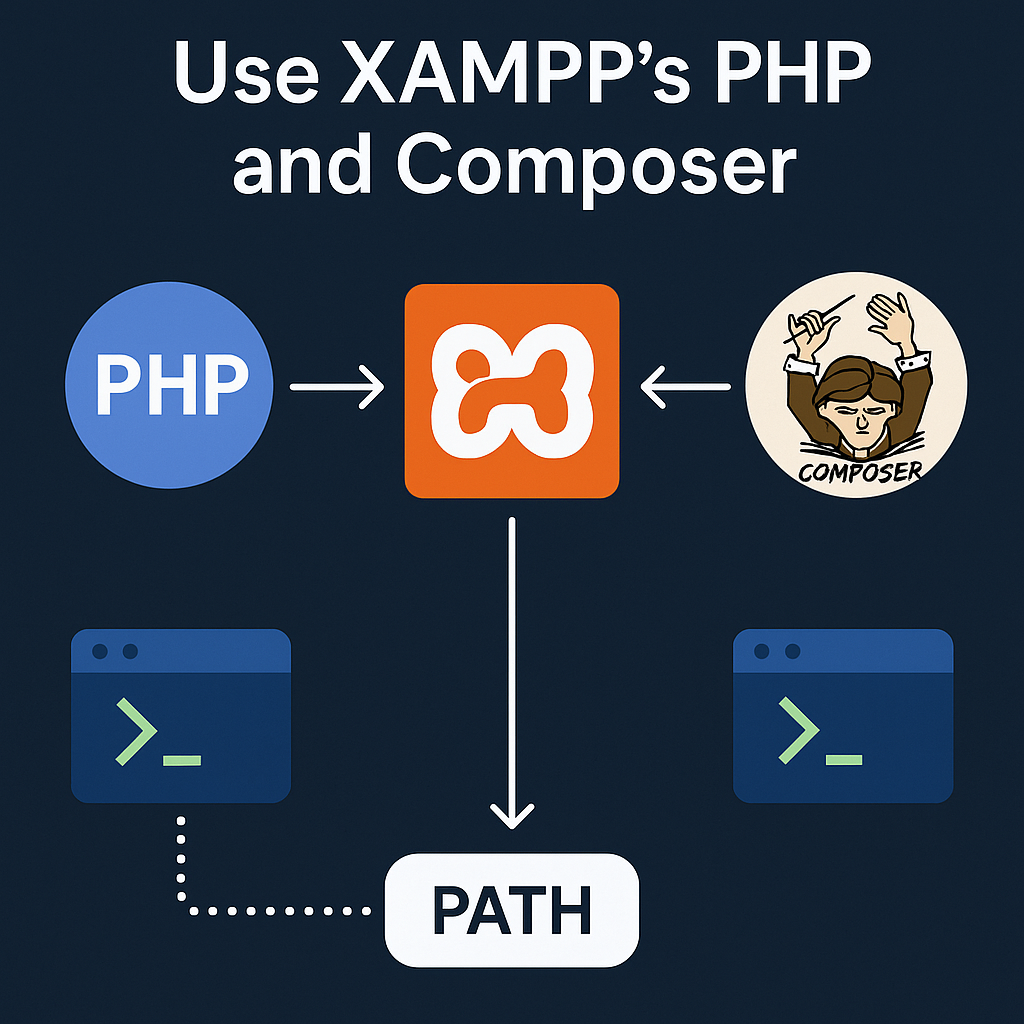
4) PHP Binary and PATH Management on LAMPP Servers
4.1. Seeing Which PHP You’re Using
which php
If you see /opt/lampp/bin/php you’re using LAMPP PHP. If you want system PHP:
/usr/bin/php -v
4.2. Forcing LAMPP PHP First in PATH
echo 'export PATH=/opt/lampp/bin:$PATH' >> ~/.bashrc
source ~/.bashrc
This was your command; it is correct.
4.3. Switching Back to System PHP (/usr/bin/php)
To prefer system PHP:
Option A: Remove the LAMPP PATH injection from ~/.bashrc, then:
hash -r
which php
Option B: Call explicitly:
/usr/bin/php ...
Option C: Temporarily override PATH for a single command:
PATH=/usr/bin:$PATH php -v
5) LAMPP/Apache Routine Operations
5.1. Restarting LAMPP
sudo /opt/lampp/lampp restart
5.2. Using phpinfo() to Verify Extensions Under Apache
Create phpinfo.php in your vhost public:
<?php phpinfo();
Open it in the browser and confirm:
Loaded Configuration Filepoints to/opt/lampp/etc/php.ini.extension_dirmatches yourgmp.solocation.- The
gmpsection exists.
5.3. Checking PHP Startup Errors
CLI:
/opt/lampp/bin/php -d display_startup_errors=1 -m
LAMPP PHP error log:
tail -n 200 /opt/lampp/logs/php_error_log
These reveal loader errors if a module fails to initialize.
6) Keycloak Issues Encountered and Fixes
6.1. Ports and Process Checks
You saw Keycloak listening on ports:
ss -ltnp | egrep ':8080|:9000'
LISTEN ... *:9000 ... users:(("java",pid=464574,fd=363))
LISTEN ... *:8080 ... users:(("java",pid=464574,fd=362))
This confirms Keycloak is running on 8080 (HTTP) and 9000 (admin/management, depending on config). Use these to diagnose binding/collision issues.
6.2. MariaDB Access Denied and Verifying DB State
Log excerpts:
WARN [org.mariadb.jdbc.message.server.ErrorPacket] Error: 1045-28000: Access denied for user 'root'@'localhost' (using password: YES)
WARN [io.agroal.pool] Datasource '<default>': (conn=12213) Access denied for user 'root'@'localhost' (using password: YES)
Check whether MySQL is up and listening:
sudo ss -ltnp | grep 3306 || echo "nothing on 3306"
ps aux | egrep 'mysqld|mariadbd' | grep -v grep || echo "mysqld not running"
In your trace:
/opt/lampp/sbin/mysqld ...
So MySQL is running via LAMPP. Ensure Keycloak’s datasource credentials match your actual DB user, password, host, and port. Use a dedicated DB user with correct privileges.
6.3. Bootstrapping the Admin User with kc.sh
You ran:
./kc.sh bootstrap-admin user --username newadmin --password NewStrongPass@123
Keycloak complained:
Unknown option: '--password'
Possible solutions: --password:env
Correct method is to use environment variables:
export KC_BOOTSTRAP_ADMIN_USERNAME='newadmin'
export KC_BOOTSTRAP_ADMIN_PASSWORD='NewStrongPass@123'
./kc.sh bootstrap-admin user
If running with --optimized later, ensure the values are persisted appropriately or set again before first start on a fresh config image.
6.4. Hostname v1 Warnings and redirect_uri Errors
Warnings:
WARNING: Hostname v1 options [hostname-strict-backchannel, proxy] are still in use, please review your configuration
INFO  If hostname is specified, hostname-strict is effectively ignored
This indicates mixed hostname configuration keys across v1/v2 modes. Cleanly set modern hostname options or review existing v1 flags.
redirect_uri error you saw:
We are sorry...
Invalid parameter: redirect_uri
Typical causes:
- The
redirect_uriisn’t exactly whitelisted in the Keycloak client (must match scheme, host, path). - Using
prompt=nonewithout a valid session causes Keycloak to require an interactive login; if your app can’t handle the fallback, removeprompt=noneor ensure SSO/session exists.
Validate:
- Client configuration → Valid Redirect URIs must include the exact callback, e.g.
http://wz-account-admin-ms/oauth/keycloak/callbackor a pattern that matches it. - Ensure
redirectUrl(route('keycloak.callback'))resolves to the same URL Keycloak expects.
7) MySQL/MariaDB Quick Checks on the Host
Check the listener:
sudo ss -ltnp | grep 3306 || echo "nothing on 3306"
Check processes:
ps aux | egrep 'mysqld|mariadbd' | grep -v grep || echo "mysqld not running"
If MySQL is LAMPP’s bundled server, DB configs in Keycloak and Laravel should point to 127.0.0.1 with the correct credentials and port (usually 3306).
8) Apache VirtualHost and DNS Notes (events.motoshare.ca)
You provided vhost snippets. Key points to review:
- Avoid stray quotes in
DocumentRoot. For example, this is wrong due to the trailing quote:
DocumentRoot /opt/lampp/htdocs/motoshare-events/events.motoshare.ca/public"
Should be:
<VirtualHost *:80>
    ServerAdmin contact@holidaylandmark.com
    DocumentRoot "/opt/lampp/htdocs/motoshare-events/events.motoshare.ca/public"
    ServerName events.motoshare.ca
    ServerAlias events.motoshare.ca

    RewriteEngine On
    RewriteOptions inherit

    ErrorLog  "/opt/lampp/logs/vhost-error-events.motoshare.ca.log"
    CustomLog "/opt/lampp/logs/vhost-access-events.motoshare.ca.log" common

    <Directory "/opt/lampp/htdocs/motoshare-events/events.motoshare.ca/public">
        Options Indexes FollowSymLinks
        AllowOverride All
        Require all granted
    </Directory>
</VirtualHost>
For SSL vhost:
<VirtualHost *:443>
    ServerAdmin contact@holidaylandmark.com
    DocumentRoot "/opt/lampp/htdocs/motoshare-events/events.motoshare.ca/public"
    ServerName events.motoshare.ca
    ServerAlias events.motoshare.ca

    SSLEngine on
    SSLCertificateFile      "/path/to/fullchain.pem"
    SSLCertificateKeyFile   "/path/to/privkey.pem"

    ErrorLog  "/opt/lampp/logs/vhost-ssl-error-events.motoshare.ca.log"
    CustomLog "/opt/lampp/logs/vhost-ssl-access-events.motoshare.ca.log" common

    <Directory "/opt/lampp/htdocs/motoshare-events/events.motoshare.ca/public">
        Options Indexes FollowSymLinks
        AllowOverride All
        Require all granted
    </Directory>
</VirtualHost>
After changes:
sudo /opt/lampp/lampp restart
Ensure DNS A/AAAA records for events.motoshare.ca point to your server IP.
9) Git: Fixing Divergent Branches During git pull
You received:
hint: You have divergent branches and need to specify how to reconcile them.
Pick one strategy:
- Merge (default):
git pull --no-rebase
# or set default
git config pull.rebase false
- Rebase:
git pull --rebase
# or set default
git config pull.rebase true
- Fast-forward only:
git pull --ff-only
# or set default
git config pull.ff only
Choose based on your team workflow.
10) Full Command and Log Transcript (Selected, With Explanations)
Below are representative commands and outputs you shared, annotated with what they mean.
10.1. Confirm php.ini and extension_dir
/opt/lampp/bin/php -i | grep "Loaded Configuration File"
Loaded Configuration File => /opt/lampp/etc/php.ini
Confirms the correct php.ini is in use.
/opt/lampp/bin/php -i | grep -i extension_dir
extension_dir => /opt/lampp/lib/php/extensions/no-debug-non-zts-20220829 => /opt/lampp/lib/php/extensions/no-debug-non-zts-20220829
Confirms the extension directory that PHP will search.
10.2. Force-load gmp.so to surface errors
/opt/lampp/bin/php -d extension=/opt/lampp/lib/php/extensions/no-debug-non-zts-20220829/gmp.so -m 2>&1 | head -n 50
[PHP Modules]
...
No gmp appeared and no warning printed, indicating the installed gmp.so was not built correctly or was incompatible.
10.3. Check ABI
/opt/lampp/bin/php -i | grep -E 'PHP API|Zend Module API|Zend Extension API|Thread Safety'
PHP API => 20220829
Thread Safety => disabled
These values must match what the extension was built against. Using /opt/lampp/bin/phpize and /opt/lampp/bin/php-config ensures a match.
10.4. configure fails to find gmp.h
configure: error: Unable to locate gmp.h
Root cause: header is in multi-arch include dir, not /usr/include.
10.5. Locate header via dpkg
dpkg -L libgmp-dev | grep gmp.h
/usr/include/x86_64-linux-gnu/gmp.h
Confirmed header location. Use CPPFLAGS and LDFLAGS or symlink.
10.6. Successful configure/build path
CPPFLAGS="-I/usr/include/x86_64-linux-gnu" LDFLAGS="-L/usr/lib/x86_64-linux-gnu" \
./configure --with-php-config=/opt/lampp/bin/php-config --with-gmp
make -j"$(nproc)"
sudo make install
This places gmp.so under the correct LAMPP extensions directory.
11) Final Checklists
11.1. GMP Enablement Checklist
gmp.sopresent in:/opt/lampp/lib/php/extensions/no-debug-non-zts-20220829/php.inicontains:extension_dir="/opt/lampp/lib/php/extensions/no-debug-non-zts-20220829"extension=gmpsudo /opt/lampp/lampp restart- CLI:
/opt/lampp/bin/php -m | grep gmp→gmp - Browser
phpinfo()showsgmpsection.
If not:
- Rebuild with multi-arch flags as shown.
- Check
php_error_logand CLI startup errors. - Ensure Apache is using LAMPP’s PHP.
11.2. Composer/Common Extensions
- For
moneyphp/moneyor similar packages: ensurebcmathis enabled or built. - Re-run Composer after enabling required extensions.
11.3. Keycloak Quick Checks
- Ports:
8080,9000listen. - DB connectivity: ensure MySQL is running and credentials are correct.
- Bootstrap admin via env vars (
KC_BOOTSTRAP_ADMIN_*), not--passwordflag. redirect_urimust exactly match whitelisted URIs in the client.
11.4. Apache vhost
- No stray quotes.
- Correct
DocumentRootand<Directory>paths. - SSL vhost blocks set, cert/key paths correct.
- DNS A/AAAA records resolve.
11.5. Git
- Choose merge, rebase, or fast-forward strategy for divergent branches.
- Set a default with
git config.
12) Key Takeaways and Best Practices
- Always confirm which PHP and which
php.iniyou are using before enabling extensions. LAMPP PHP is not the same as system PHP. - When building PHP extensions on Ubuntu, remember multi-arch include paths. If a header “cannot be found,” check
dpkg -L <dev-package>. - Build PHP extensions against LAMPP’s PHP using
/opt/lampp/bin/phpizeand--with-php-config=/opt/lampp/bin/php-configto avoid ABI mismatches. - Use
php -d extension=...andphp -nto surface loader errors quickly during debugging. - Enable extensions in
/opt/lampp/etc/php.iniand restart LAMPP. Verify both CLI and Apache contexts; they can differ. - For Keycloak, use environment variables to bootstrap the admin user and ensure your
redirect_uriis exactly whitelisted. - Keep Apache vhosts clean and consistent; avoid typos like stray quotes in
DocumentRoot. - Decide on a Git pull strategy (merge/rebase/ff-only) and set it as default to avoid future divergence prompts.
This tutorial captures our entire debugging journey in one place: the context, the missteps, the exact commands, and why each change matters. If you follow these sections in order, you can reliably enable GMP for Eventmie on LAMPP and resolve the adjacent environment issues we touched throughout the session.