Limited Time Offer!
For Less Than the Cost of a Starbucks Coffee, Access All DevOpsSchool Videos on YouTube Unlimitedly.
Master DevOps, SRE, DevSecOps Skills!

If you’ve been running a blog or publishing technical content for a while and wondering why your Google search traffic remains low, you’re not alone. Many developers and technical content creators face this challenge — especially when they’re putting real effort into writing helpful articles. With the rise of AI tools like ChatGPT, there’s a growing temptation to hand over the writing to automation.
But here’s the core question: Will AI blogging help grow your website traffic, or will it damage your site’s trust with Google?
Let’s dive deep and address this with practical clarity, especially for developers and tech site owners managing niche sites like DevSecOpsNow.com.
Why Your Website May Not Be Gaining Traction
You’ve owned your domain for a couple of years. You’ve posted real bug fixes, some insightful blogs, and are building a technical repository. But if your website only gets 6–10 clicks per day from Google, something is missing. Here’s a breakdown of common reasons why you’re not seeing significant traffic growth:
1. You’re Not Targeting Searchable Topics
You might be posting high-quality content that makes sense to you — but not necessarily writing about what people are searching for. Search engine traffic is heavily driven by keywords. If your titles, headings, and content don’t align with popular or niche queries, Google has no reason to prioritize your pages.
For example, writing a post titled “Bug Fix in Production Deployment Config” might be accurate, but it doesn’t compete with topics like “How to Fix CI/CD Deployment Failures in GitLab”.
2. Your Posts Are Too Short or Lacking Depth
Google wants content that fully answers a user’s query. Posts that are under 400–500 words are rarely considered authoritative. If most of your blogs are short, lack structure, or don’t provide examples, code snippets, or step-by-step guides, then they won’t rank.
3. Lack of On-Page SEO Elements
Even great content won’t perform well without proper formatting. If you’re missing elements like meta titles, descriptions, structured headings (H1, H2, H3), image alt text, and internal linking, Google may struggle to index and understand your page properly.
4. Weak Domain Authority
If your website doesn’t have backlinks from other authoritative domains, Google won’t consider it a trusted source. This is especially important in competitive niches like DevOps or cybersecurity. Without backlinks, your domain authority remains low, and it becomes difficult to outrank others.
5. You’re Not Updating or Promoting Content
Many people hit publish and then wait. But Google rewards freshness and content that gains traffic, shares, and engagement over time. If you’re not updating older posts or actively promoting your blogs on LinkedIn, Dev.to, Reddit, or Quora, they may sit unnoticed.
Should You Use AI for Writing Blogs?
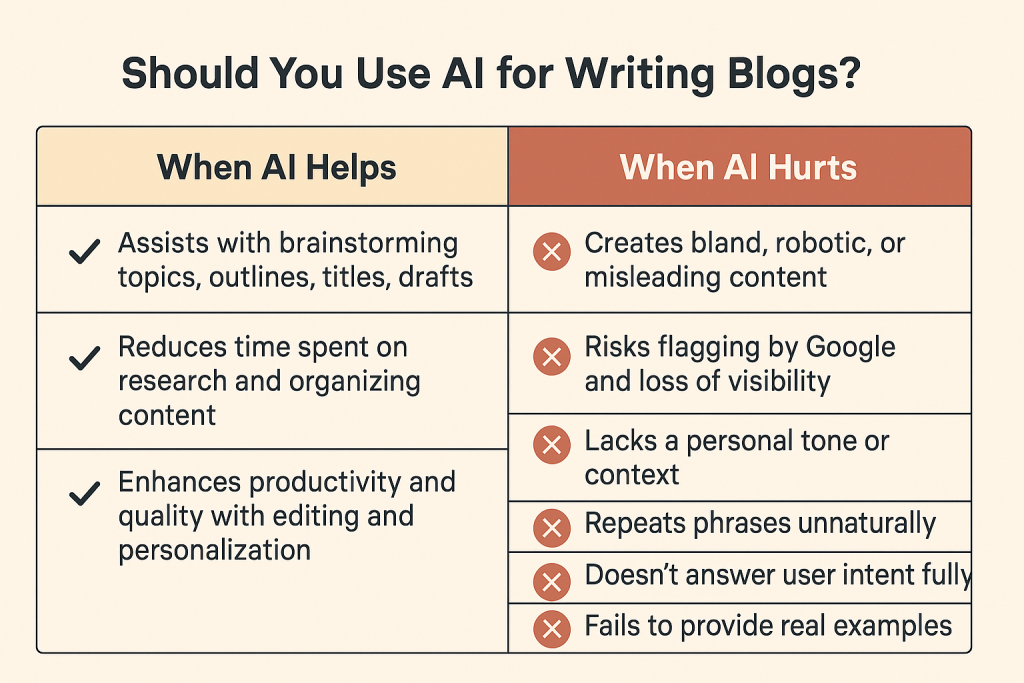
AI content tools are powerful, fast, and inexpensive — but not magic. Let’s look at both sides:
When AI Helps
AI can be incredibly useful when used responsibly. It can assist with brainstorming article topics, generating outlines, suggesting titles, and producing initial drafts. It helps reduce the time spent on research and organizing content, especially when you’re writing technical material.
If you edit and personalize that content with your real-world experience, code examples, and commentary, AI can boost your productivity and quality.
When AI Hurts
If you copy and paste raw AI-generated content and publish it without any editing, you risk creating bland, robotic, and even misleading content. Worse, Google is increasingly targeting “low-quality, unhelpful, or automated” content in its updates. If your website gets flagged, it may lose visibility — and traffic could drop overnight.
Low-value AI content:
- Lacks a personal tone or context
- Repeats phrases unnaturally
- Doesn’t answer user intent fully
- Fails to provide real examples
So, yes — AI can help your SEO, but only if you remain in control.
How to Create High-Traffic Blog Posts Using AI + Human Expertise
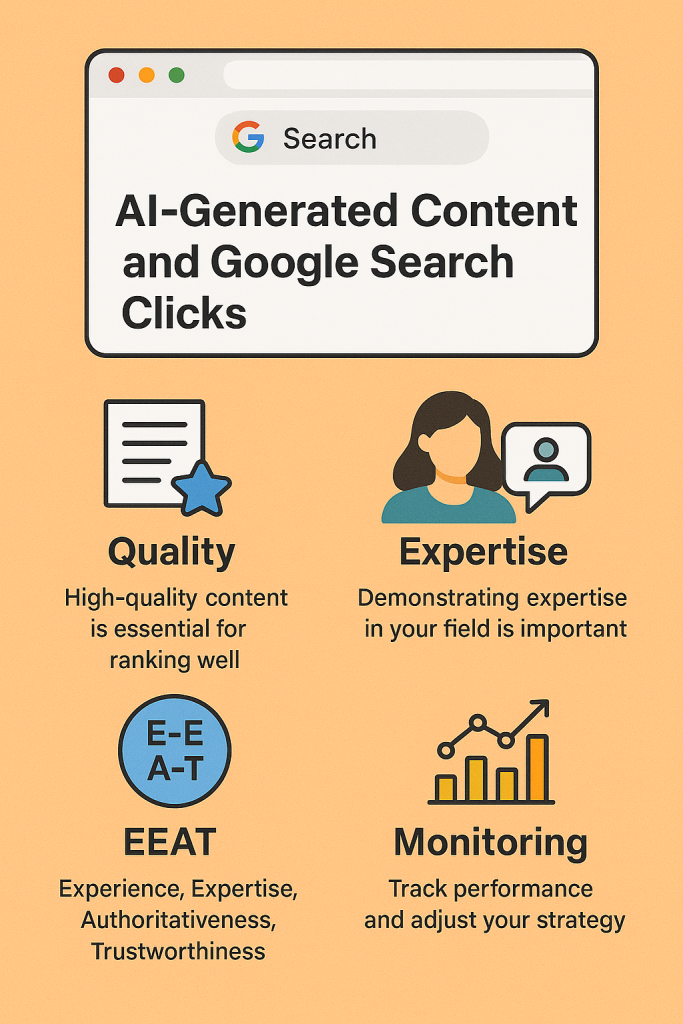
Here is a step-by-step content workflow that blends the speed of AI with the quality of human insight:
Step 1: Research Searchable Blog Topics
Use tools like Google Keyword Planner, Ubersuggest, or even Google’s autocomplete to find popular topics in your niche. Focus on long-tail keywords like “how to integrate Trivy in GitLab pipeline” rather than generic phrases like “DevSecOps tools”.
Step 2: Use AI to Generate the First Draft
You can ask AI to help structure the article, create a summary of the topic, or suggest a content outline. This helps reduce writer’s block and speeds up initial content creation.
Step 3: Add Personal Voice and Examples
Now comes the important part. Inject your real experience into the content. Add:
- Specific tools or environments you’ve used
- Screenshots
- Code snippets
- A “what worked for me” section
- Real troubleshooting steps
This is where your article becomes authentic — and useful.
Step 4: Format for Readability and SEO
Break your content into small paragraphs. Use headings and subheadings. Add bullet points and numbered steps when explaining procedures. Use internal links to other pages of your website. Make sure to include a title, a short meta description, and proper tags.
Step 5: Promote It
Once published, don’t stop. Share the article on LinkedIn, Reddit, Dev.to, Twitter, and relevant Slack or Discord communities. The more traffic it gets early on, the more likely Google will consider it worth ranking.
How to Track Your Progress and Adjust
If you’re serious about growing traffic, keep a content performance spreadsheet. Track:
- Blog title
- Target keyword
- Publish date
- Number of impressions (from Google Search Console)
- Clicks
- Bounce rate
- Time on page
Update this monthly. You’ll begin to see what types of content work best for your audience.
Building a Long-Term Strategy for DevSecOpsNow.com
You have a solid niche. Your domain is established. Your next step is to create a consistent publishing calendar and build topic authority.
Here’s a suggested content plan for one month:
Week 1:
Topic: “How to Use Snyk for Vulnerability Scanning in Docker”
Action: Write a detailed, step-by-step tutorial with screenshots and a sample Dockerfile.
Week 2:
Topic: “Top DevSecOps Certifications to Get in 2025”
Action: Write a comparison-style blog including pricing, credibility, and outcomes.
Week 3:
Topic: “Securing Your CI/CD Pipeline: GitLab, Trivy, and Gatekeeper Integration”
Action: Create a workflow diagram and explain how the components work together.
Week 4:
Topic: “DevSecOps for Teams: How to Set Up Roles, Auditing, and Alerts”
Action: Cover practical aspects of access control, Git logs, and security auditing.
Each post should be shared, updated after 2 months, and internally linked with older content.
Final Thoughts
AI won’t replace your experience. But it will multiply your output, help you stay consistent, and remove the friction from writing. To succeed in Google Search, you need a blend of quality, structure, and trust.
So, will AI blogging help your clicks?
Yes — if you lead with human insight and let AI support your process, not drive it blindly. Your website, DevSecOpsNow.com, can absolutely attract more traffic — but it needs focused effort, consistent content, and strategic promotion.
Start today with one blog post. Ask the right questions. Give it structure. Make it human. And then repeat.