Limited Time Offer!
For Less Than the Cost of a Starbucks Coffee, Access All DevOpsSchool Videos on YouTube Unlimitedly.
Master DevOps, SRE, DevSecOps Skills!
Definition
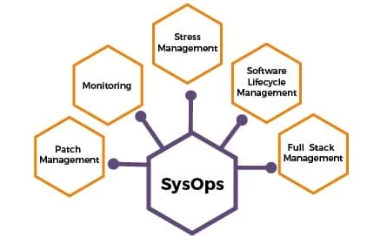
SysOps (Systems Operations) refers to the management, administration, and operation of IT infrastructure, ensuring that systems are running smoothly, efficiently, and securely. It encompasses activities such as system monitoring, automation, security, disaster recovery, and cloud resource management.
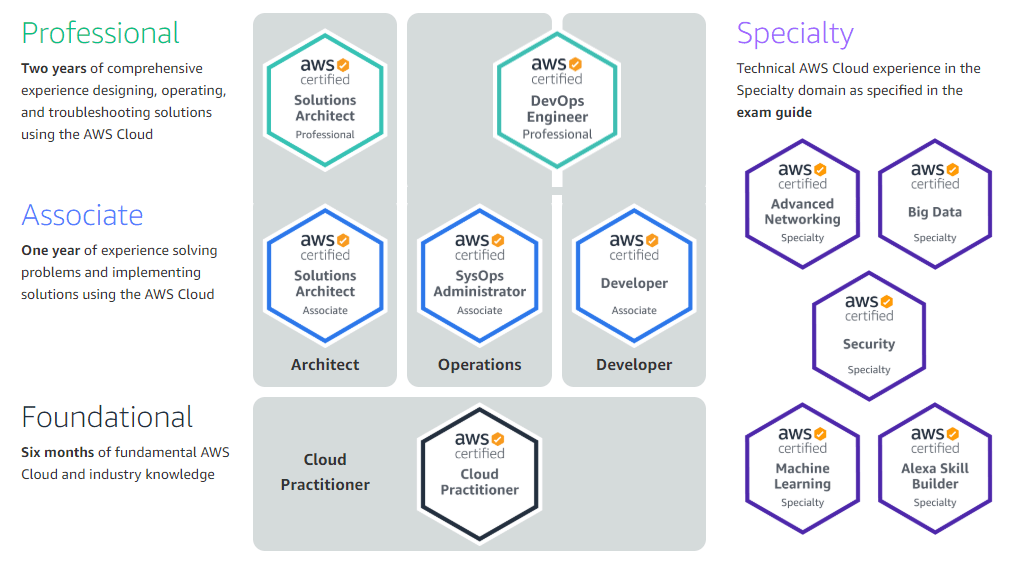
SysOps teams are responsible for maintaining servers, networks, databases, cloud services, and applications to ensure maximum uptime and optimal performance. The term SysOps Engineer often applies to professionals handling these tasks, particularly in cloud-based environments like AWS, Azure, and Google Cloud.
Key Responsibilities of SysOps Engineers:
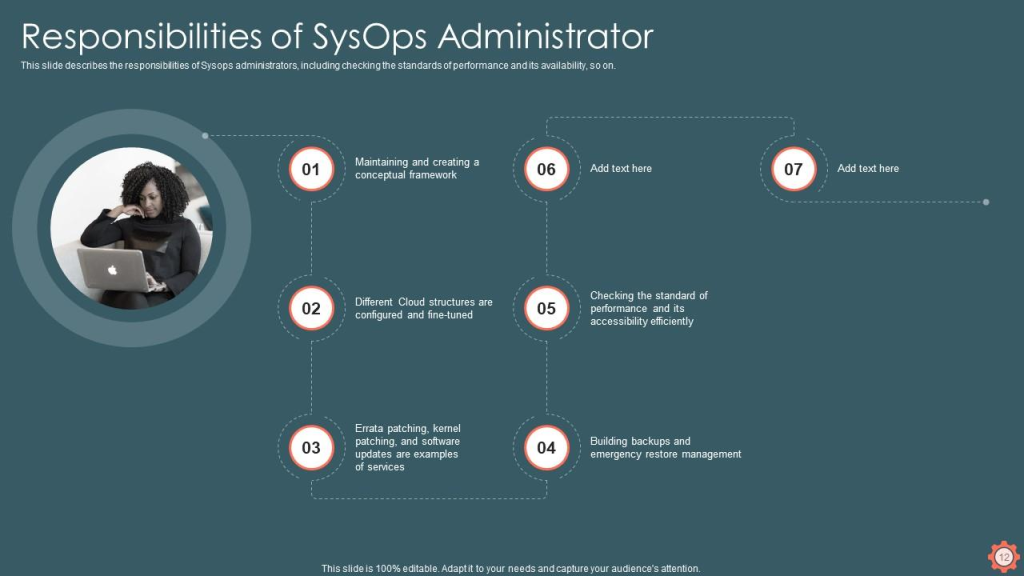
- System Monitoring: Continuously tracking system health, server performance, and network activity.
- Cloud & On-Premise Infrastructure Management: Maintaining cloud instances, storage, and on-premise hardware.
- Security & Compliance: Implementing security controls like firewalls, encryption, IAM policies, and regular audits.
- Disaster Recovery & Backup: Ensuring regular backups and rapid recovery in case of failures.
- Automation & Orchestration: Using automation tools to manage configuration, scaling, and deployments.
- Incident Management & Troubleshooting: Quickly resolving performance issues and failures.
- Cost Optimization: Managing IT resources efficiently to minimize cloud costs and operational expenses.
SysOps plays a critical role in IT operations, ensuring the infrastructure supports business goals and delivers high availability to users.
Why Do We Need SysOps?
1. Ensuring System Stability and Uptime
Businesses rely on IT systems to function 24/7. SysOps professionals ensure high availability by monitoring and optimizing server performance.
2. Scalability & Performance Optimization
As businesses grow, they require scalable IT resources. SysOps helps in autoscaling cloud infrastructure, optimizing databases, and balancing workloads across multiple servers.
3. Security & Compliance Enforcement
With the increasing number of cyber threats, SysOps ensures data security, access controls, and compliance with regulations like GDPR, HIPAA, and ISO 27001.
4. Incident Management & Troubleshooting
System failures can cause downtime and financial losses. SysOps teams proactively detect issues using monitoring tools (e.g., Prometheus, Grafana, AWS CloudWatch) and resolve them before they escalate.
5. Disaster Recovery & Business Continuity
SysOps ensures automatic backups, failover systems, and recovery plans to minimize data loss during outages or cyberattacks.
6. Automation for Efficiency
Manual infrastructure management is inefficient. SysOps uses Infrastructure as Code (IaC) with Terraform, Ansible, or AWS CloudFormation to automate deployments and scaling.
7. Cost & Resource Optimization
By analyzing CPU, RAM, and network usage, SysOps optimizes cloud costs by shutting down idle resources and using reserved instances.
Example Scenario:
A large e-commerce platform faces traffic spikes during sales. SysOps engineers use AWS Auto Scaling and CloudFront CDN to handle increased traffic without downtime.
What are the Advantages of SysOps?
- Maximum Uptime & Reliability – Ensures continuous operation of business applications.
- Automation-Driven Efficiency – Reduces manual intervention, automating repetitive tasks.
- Better Security – Implements firewalls, encryption, and access controls to protect sensitive data.
- Improved Scalability – Uses load balancing and cloud auto-scaling to handle traffic spikes.
- Faster Troubleshooting – Identifies and resolves system issues proactively.
- Data Backup & Disaster Recovery – Prevents data loss with automated backup solutions.
- Reduced IT Costs – Optimizes cloud resources and minimizes infrastructure expenses.
- Supports Multi-Cloud & Hybrid Environments – Enables businesses to seamlessly manage AWS, Azure, and GCP infrastructure.
- Compliance & Audit Readiness – Helps in meeting legal and regulatory compliance requirements.
- Seamless CI/CD Integration – Works with DevOps teams to enable continuous integration & deployment pipelines.
What are the Features of SysOps?
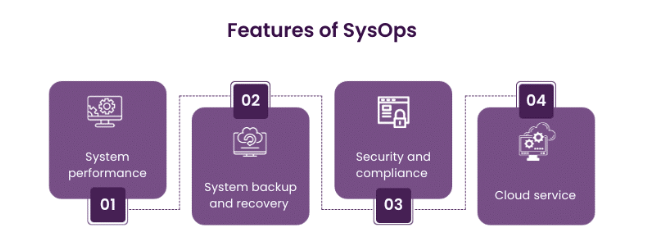
1. Infrastructure Monitoring & Logging
- Uses AWS CloudWatch, Prometheus, or Datadog for real-time server health monitoring.
- Implements log management with ELK Stack (Elasticsearch, Logstash, Kibana) to track system errors.
2. Automated Resource Provisioning
- Uses Terraform, AWS CloudFormation, or Ansible to deploy infrastructure as code.
3. Performance Optimization
- Implements load balancing and caching mechanisms to improve speed and reduce latency.
4. Security Management
- Implements firewalls, IAM policies, VPNs, and SIEM solutions to protect IT infrastructure.
5. Backup & Disaster Recovery
- Uses AWS Backup, Veeam, or Azure Site Recovery for automated backup solutions.
Top 10 Use Cases of SysOps
- Cloud Infrastructure Management – Managing servers, databases, and cloud resources (AWS, Azure, GCP).
- Monitoring & Logging – Tracking real-time performance using Prometheus, Grafana, or CloudWatch.
- Security & Compliance – Enforcing security policies, firewalls, and intrusion detection.
- Load Balancing & Scaling – Distributing traffic efficiently using AWS ELB, Kubernetes HPA.
- Infrastructure as Code (IaC) – Automating deployments with Terraform, Ansible, or CloudFormation.
- Disaster Recovery & Backups – Implementing failover solutions and automated backup strategies.
- Patch Management & Software Updates – Managing OS updates, security patches, and software deployments.
- Cost Optimization – Reducing cloud spending using AWS Cost Explorer & right-sizing resources.
- Identity & Access Management (IAM) – Managing users, roles, and permissions securely.
- Incident Management & Troubleshooting – Proactively identifying system failures and fixing them.
How to Implement SysOps?
Step 1: Infrastructure Setup
- Choose between on-premise, cloud, or hybrid infrastructure.
- Provision servers, databases, storage, and networking resources.
Step 2: Monitoring & Logging
- Deploy Nagios, Prometheus, or AWS CloudWatch for monitoring.
- Implement log management using Splunk or ELK Stack.
Step 3: Security & Compliance
- Enforce firewalls, IDS/IPS, and SIEM tools for security monitoring.
- Implement role-based access controls (RBAC) and multi-factor authentication (MFA).
Step 4: Automation & Configuration Management
- Use Terraform, Ansible, or AWS Systems Manager for automating infrastructure deployments.
Step 5: Backup & Disaster Recovery
- Set up automatic backups and multi-region disaster recovery plans.
Step 6: Incident Management & Troubleshooting
- Establish an alert system using PagerDuty or OpsGenie.
- Develop a runbook for handling common incidents.
Step 7: Cost Optimization & Performance Tuning
- Implement AWS Auto Scaling, Load Balancers, and CDN (CloudFront) for better performance.
Step 8: Documentation & Training
- Maintain standard operating procedures (SOPs) for SysOps activities.
Conclusion
SysOps is essential for managing IT infrastructure, ensuring security, performance, and cost-efficiency. By automating system administration tasks, implementing security best practices, and optimizing resources, SysOps professionals enable businesses to run smoothly in today’s digital landscape.
