Limited Time Offer!
For Less Than the Cost of a Starbucks Coffee, Access All DevOpsSchool Videos on YouTube Unlimitedly.
Master DevOps, SRE, DevSecOps Skills!
What is Threat Model?
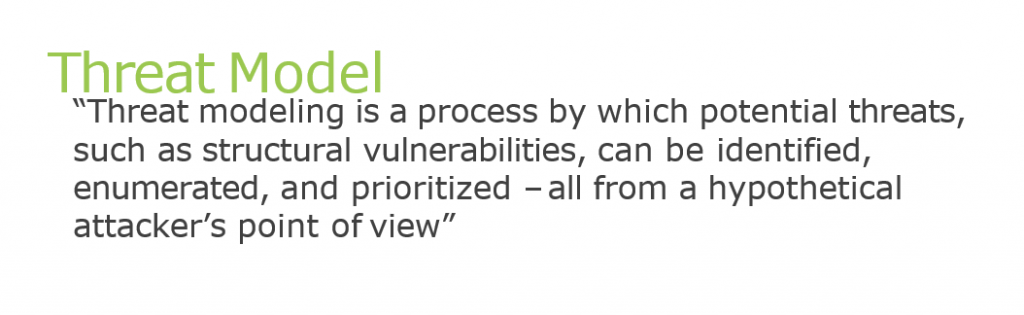
Use of Threat Models
When performed correctly, threat modeling can provide a clear line of sight across a software project, helping to justify security efforts. The threat modeling process helps an organization document knowable security threats to an application and make rational decisions about how to address them.
Most popular threat modeling methodologies
- STRIDE
- DREAD
- P.A.S.T.A
- Trike
- VAST
- Attack Tree
- Common Vulnerability Scoring System (CVSS)
- T-MAP
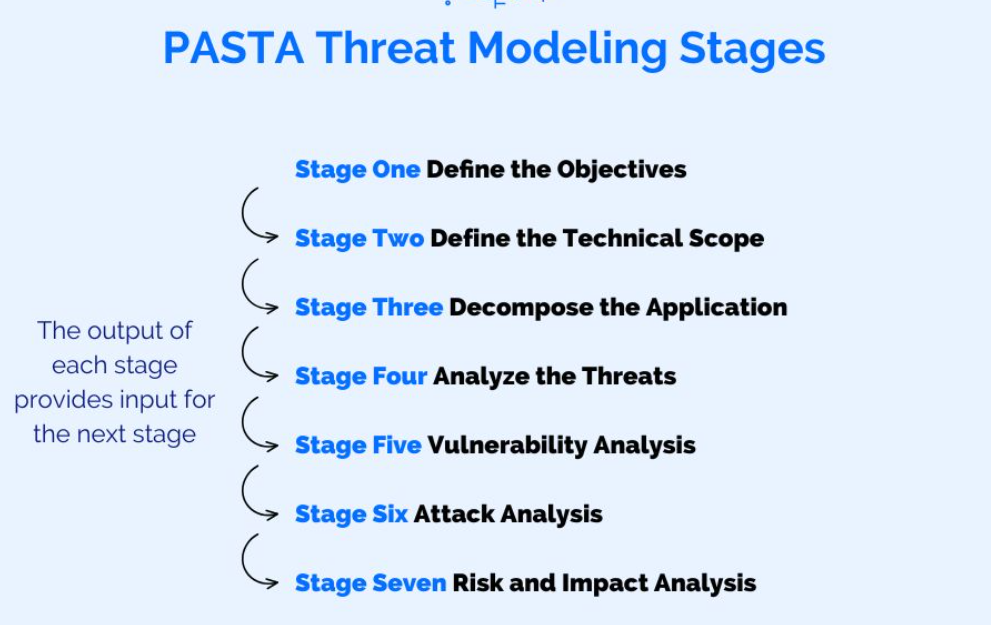
What is PASTA Threat Modeling?
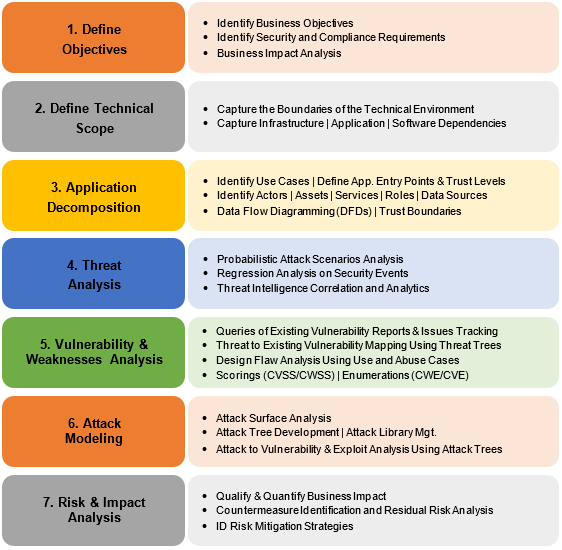
The Process for Attack Simulation and Threat Analysis (PASTA) is a seven-step, risk-centric methodology.[10] It provides a seven-step process for aligning business objectives and technical requirements, taking into account compliance issues and business analysis. The intent of the method is to provide a dynamic threat identification, enumeration, and scoring process. Once the threat model is completed, security subject matter experts develop a detailed analysis of the identified threats. Finally, appropriate security controls can be enumerated. This methodology is intended to provide an attacker-centric view of the application and infrastructure from which defenders can develop an asset-centric mitigation strategy.
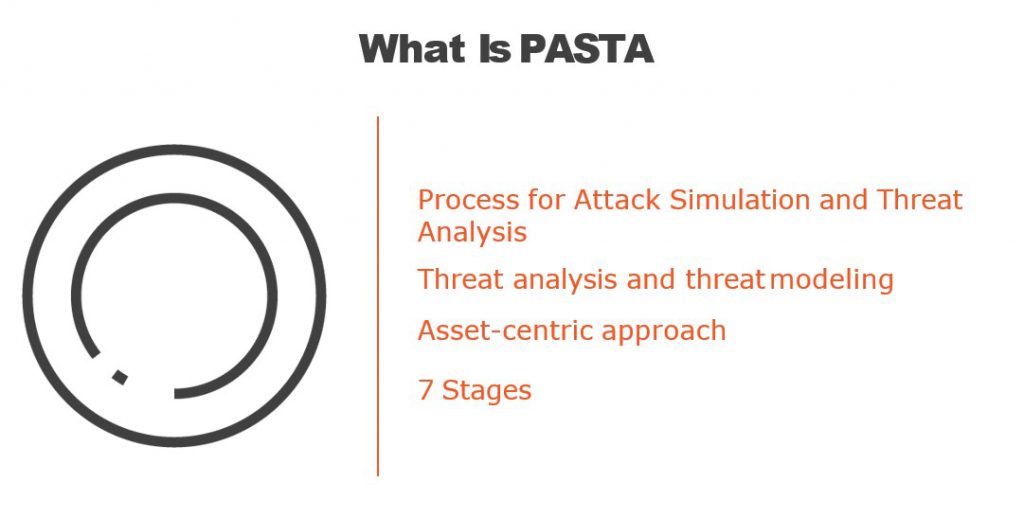
PASTA Threat Modeling Stages
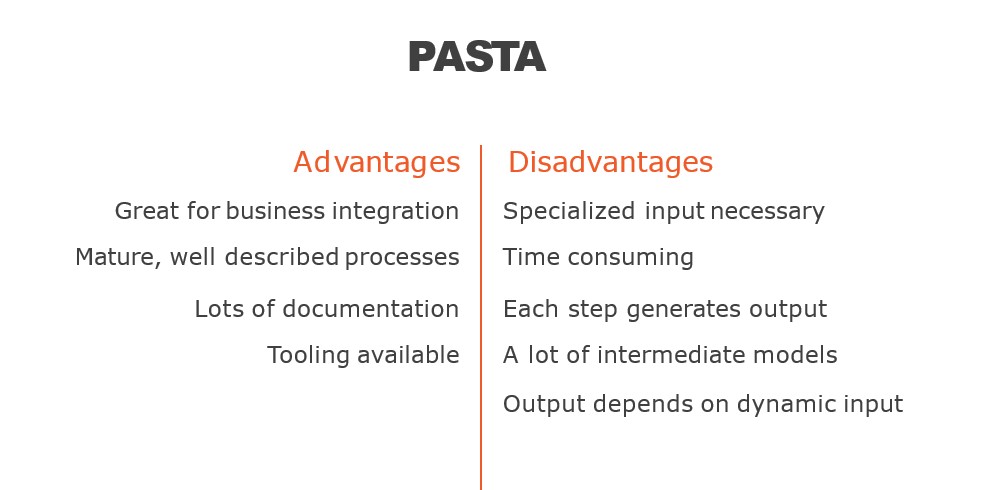
What are the Advantage of PASTA Threat Modeling?
PASTA (Process for Attack Simulation and Threat Analysis) is a threat modeling methodology that helps organizations identify potential security threats and vulnerabilities in their software applications. Here are some advantages of using PASTA for threat modeling:
- Flexible and Adaptable: PASTA is a flexible methodology that can be customized to fit the specific needs of different organizations, making it suitable for a wide range of applications.
- Comprehensive: PASTA covers all phases of the software development life cycle (SDLC), from the requirements gathering phase to post-release maintenance, which ensures a comprehensive approach to threat modeling.
- Business-oriented: PASTA considers the business context and objectives of the software application, ensuring that the threat model is aligned with the business goals.
- Involves Stakeholders: PASTA involves stakeholders from different areas of the organization, including business, development, and security teams, ensuring that everyone’s concerns are heard and addressed.
- Emphasis on Risk Management: PASTA is risk-focused, which means that it helps organizations prioritize and manage risks based on their severity and impact on the business.
- Uses Realistic Threats: PASTA uses real-world attack scenarios, making it more relevant and useful for identifying potential threats and vulnerabilities.
- Iterative: PASTA is an iterative methodology, meaning that it is an ongoing process that can be refined and improved over time based on new information and changes in the software application.
Overall, PASTA provides a structured approach to threat modeling that can help organizations identify and address potential security risks, improve the security posture of their software applications, and reduce the risk of a security breach.
What are the Disadvantage of PASTA Threat Modeling?
While PASTA (Process for Attack Simulation and Threat Analysis) is a useful threat modeling methodology, it also has some disadvantages that organizations should be aware of:
- Time-Consuming: PASTA can be a time-consuming process, particularly for larger and more complex software applications, which may require more resources to complete the threat modeling process.
- Costly: PASTA can be costly, particularly if organizations need to hire external consultants or security experts to conduct the threat modeling process.
- Resource-Intensive: PASTA requires involvement from multiple stakeholders, including business, development, and security teams, which can be resource-intensive and may require significant coordination.
- Limited to Technical Threats: PASTA primarily focuses on technical threats, such as vulnerabilities and exploits, and may not consider other types of threats, such as social engineering attacks or insider threats.
- May Miss Emerging Threats: PASTA is based on past attack scenarios and may not account for emerging threats or new attack vectors that have not yet been identified.
- May Lead to Over-Engineering: PASTA may lead to over-engineering, as security teams may focus on addressing all potential threats and vulnerabilities, which may not always be practical or cost-effective.
- May Create False Sense of Security: PASTA can create a false sense of security, as it is based on assumptions about the attacker’s capabilities and motivations, which may not always be accurate.
Overall, PASTA is a useful methodology for threat modeling, but it has some limitations and disadvantages that organizations should consider before adopting it.
PASTA threat modeling Phases
How to implement PASTA threat modeling?
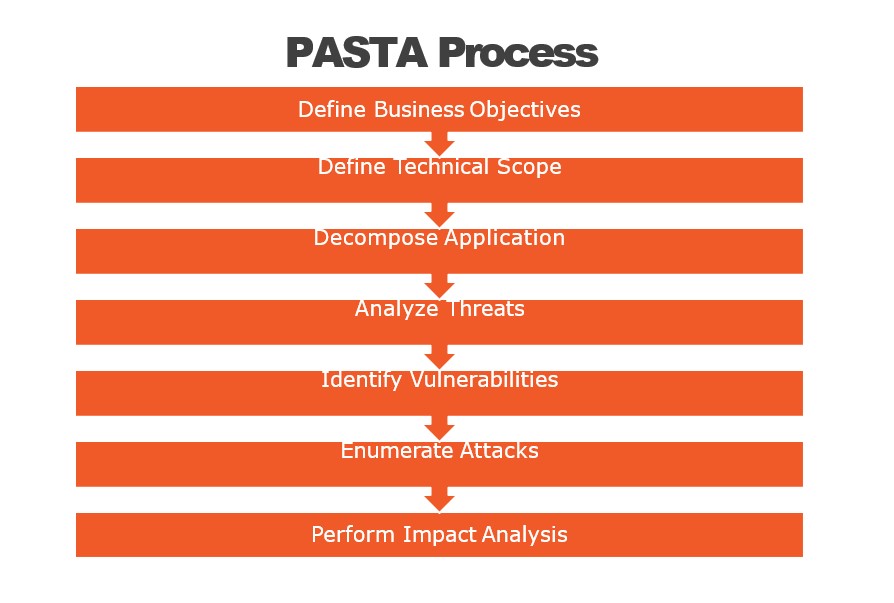
PASTA (Process for Attack Simulation and Threat Analysis) is a seven-step threat modeling process designed to help identify, analyze, and prioritize security threats for software applications. Here are the steps to implement PASTA:
- Identify the stakeholders and define the scope: Identify the stakeholders who are responsible for the application and define the scope of the threat modeling process. This will help you to determine the boundaries of the application and focus on the areas that need to be assessed for security risks.
- Create an architectural profile: Create an architectural profile of the application, including the technologies used, the data flow, and the interactions between components. This will help you to understand the application’s architecture and identify potential areas of vulnerability.
- Identify the security objectives: Identify the security objectives of the application, including confidentiality, integrity, and availability. This will help you to focus on the most critical security risks.
- Decompose the application: Decompose the application into smaller components and identify the security risks associated with each component. This will help you to identify the specific areas that need to be addressed.
- Identify the threats: Identify the potential threats to the application, including those related to the confidentiality, integrity, and availability of data. This will help you to prioritize the security risks based on their severity.
- Rank the threats: Rank the threats based on their potential impact on the application and the likelihood of occurrence. This will help you to prioritize the security risks and allocate resources accordingly.
- Mitigate the threats: Develop a plan to mitigate the most significant threats identified in the previous steps. This may include implementing security controls, modifying the application architecture, or enhancing the software development process to ensure that security risks are addressed throughout the software development lifecycle.
Overall, PASTA is a flexible and scalable threat modeling process that can be adapted to fit the needs of different organizations and applications. By following these steps, you can identify and mitigate security risks to help ensure the safety and security of your application.
PASTA threat modeling template reference
There is no one-size-fits-all PASTA threat modeling template, as the specific steps and information required will depend on the individual application and its unique security requirements. However, here are some common elements that you may want to include in your PASTA threat modeling template:
- Stakeholder identification: List the stakeholders involved in the development, deployment, and operation of the application, including end-users, developers, system administrators, and security professionals.
- Scope definition: Define the boundaries of the application, including the components, data flows, and interaction points that will be included in the threat modeling process.
- Architectural profile: Document the application’s architecture, including the technologies used, the data flow, and the interactions between components.
- Security objectives: List the security objectives of the application, including the confidentiality, integrity, and availability of data.
- Component decomposition: Decompose the application into smaller components and identify the security risks associated with each component.
- Threat identification: Identify the potential threats to the application, including those related to the confidentiality, integrity, and availability of data.
- Threat ranking: Rank the threats based on their potential impact on the application and the likelihood of occurrence.
- Mitigation plan: Develop a plan to mitigate the most significant threats identified in the previous steps, including implementing security controls, modifying the application architecture, or enhancing the software development process.
- Review and validation: Review and validate the threat model to ensure that all potential security risks have been identified and addressed.
- Maintenance and update: Plan for the ongoing maintenance and update of the threat model as the application evolves and new security risks emerge.
