
Limited Time Offer!
For Less Than the Cost of a Starbucks Coffee, Access All DevOpsSchool Videos on YouTube Unlimitedly.
Master DevOps, SRE, DevSecOps Skills!
If you’re learning to code—or trying to work faster as a professional developer—you’ve probably heard the term IDE. But what exactly is an IDE? And why are AI-powered IDEs in 2026 changing the way developers write software?
This article is for beginners, intermediate developers, advanced engineers, and Windows/Mac users who want a clear understanding of:
- What an IDE really is
- How it works behind the scenes
- Why AI-powered IDEs are transforming development
- Which AI IDEs are leading in 2026
- How to choose the right one
By the end, you’ll not only understand IDEs—you’ll know how to use them strategically to improve productivity and code quality.
Why This Topic Matters in 2026
Software development has changed dramatically over the last few years.
Previously:
- Developers manually wrote most logic.
- Debugging consumed hours.
- Documentation was read separately.
- Boilerplate code was repetitive.
Now:
- AI suggests code in real time.
- Errors are predicted before they break builds.
- Tests are auto-generated.
- Refactoring happens with intelligent assistance.
In 2026, using an IDE without AI is like using a calculator without memory functions. You can still work—but you’re slower.
For beginners, AI reduces the learning curve.
For professionals, AI reduces repetitive workload.
For teams, AI improves consistency and quality.
Understanding IDEs is no longer optional—it’s foundational.
What Is IDE? (Simple Explanation First)
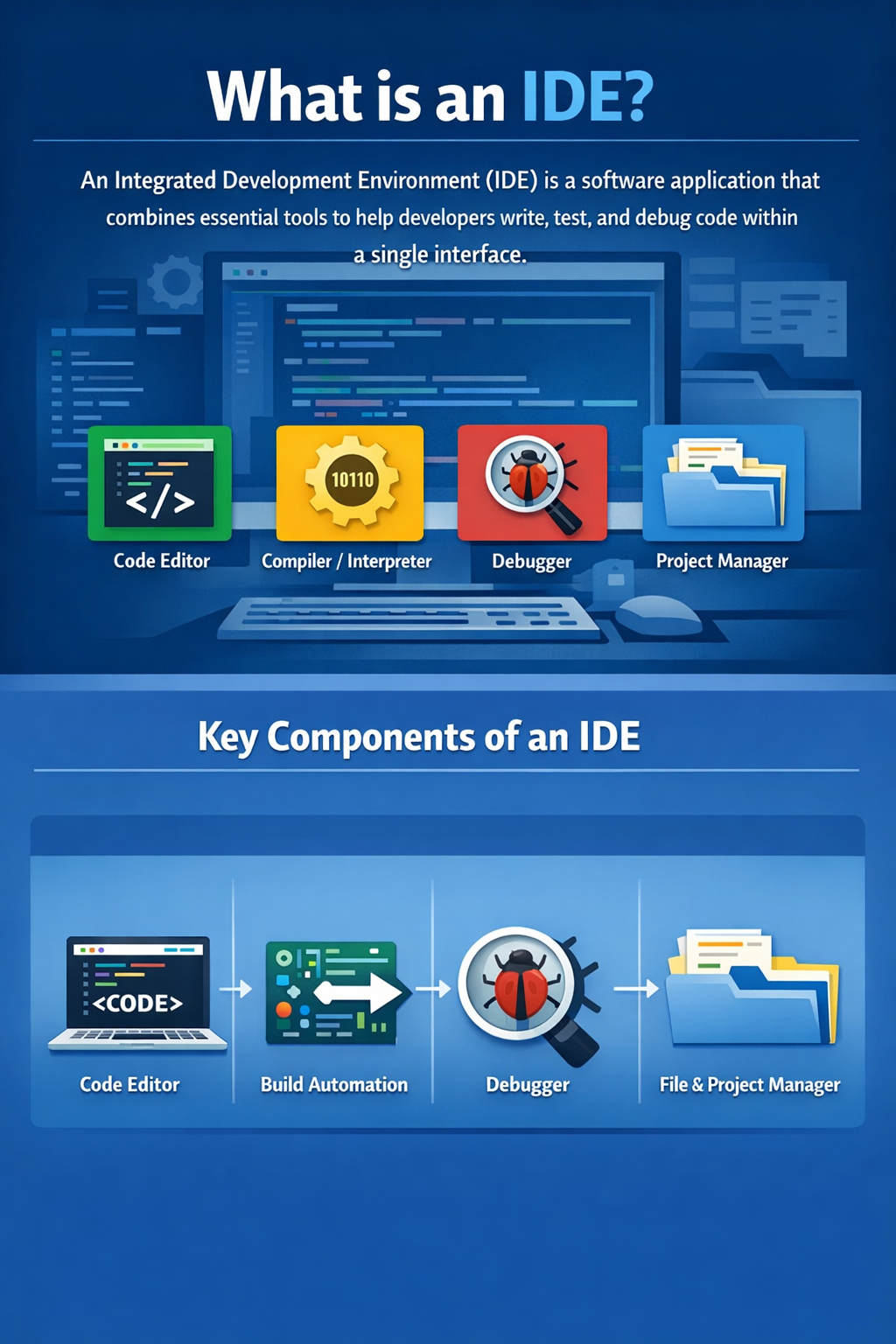
An IDE (Integrated Development Environment) is a software application that provides everything you need to write, test, and debug code in one place.
Think of it as a complete workspace for programmers.
Instead of using separate tools for:
- Writing code
- Running programs
- Debugging errors
- Managing files
An IDE integrates them into a single interface.
The 5 Core Components of an IDE
Most IDEs include:
- Code Editor – Where you write your code.
- Compiler/Interpreter – Translates code into executable instructions.
- Debugger – Helps find and fix errors.
- Build Automation Tools – Compile and package projects.
- File & Project Manager – Organizes project structure.
How an IDE Works (Deeper Technical Understanding)
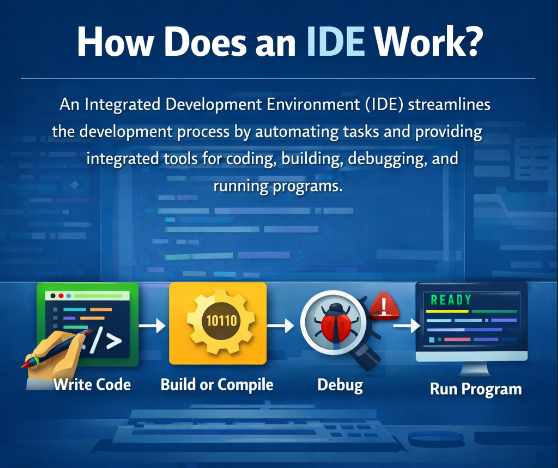
Behind the scenes, an IDE performs several advanced tasks:
1. Syntax Analysis
It understands the programming language’s grammar and highlights errors instantly.
Example:
print("Hello"
The IDE will immediately detect a missing parenthesis.
2. Code Intelligence (IntelliSense)
It analyzes:
- Variables
- Functions
- Imports
- Types
Then suggests relevant completions.
3. Static Code Analysis
Modern IDEs detect:
- Memory leaks
- Security vulnerabilities
- Performance issues
- Dead code
4. Debugging Environment
You can:
- Set breakpoints
- Inspect variables
- Step through code line by line
- Analyze runtime behavior
This is essential for professional development.
Types of IDEs
Before jumping into AI IDEs, understand categories:
1. Language-Specific IDEs
Built for one ecosystem.
- Java → IntelliJ IDEA
- Python → PyCharm
2. Multi-Language IDEs
Support many languages.
- Visual Studio
- Eclipse
3. Lightweight Code Editors (Not Full IDEs)
Example:
- VS Code (becomes IDE with extensions)
4. Cloud-Based IDEs
Run in browser.
- GitHub Codespaces
- Replit
Now let’s move into the major shift—AI.
What Are AI-Powered IDEs in 2026?
An AI-powered IDE is an Integrated Development Environment enhanced with artificial intelligence to assist in writing, debugging, optimizing, and documenting code.
These IDEs do more than autocomplete. They:
- Understand intent
- Generate entire functions
- Explain code
- Suggest architectural improvements
- Predict bugs before runtime
- Generate test cases automatically
AI is no longer an add-on. In 2026, it’s embedded deeply into development workflows.
Core Features of AI-Powered IDEs
1. Context-Aware Code Generation
AI understands:
- Project structure
- Existing functions
- Coding style
- Naming conventions
It generates relevant code—not generic snippets.
2. Natural Language to Code
You can type:
“Create a REST API endpoint for user login with JWT authentication.”
And the IDE generates working scaffolding.
3. Smart Refactoring
AI suggests:
- Cleaner logic
- Better naming
- Performance improvements
- SOLID principle alignment
4. Auto Debugging Suggestions
Instead of just showing an error, AI explains:
- Why it happened
- How to fix it
- Alternative solutions
5. AI-Powered Testing
Generates:
- Unit tests
- Edge-case tests
- Mock data
Leading AI-Powered IDEs in 2026
Here are the major players shaping development in 2026.
1. Visual Studio Code + GitHub Copilot X
Best for: Web developers, full-stack engineers
Why it’s powerful:
- Deep GitHub integration
- Chat-based coding assistant
- Terminal command suggestions
- Code explanation mode
Strength:
Large extension ecosystem.
2. IntelliJ IDEA AI Assistant
Best for: Java, Kotlin, enterprise development
Features:
- Intelligent code review
- Spring Boot scaffolding
- Automated refactoring
- Enterprise security scanning
Strong for backend teams.
3. Cursor IDE (AI-First IDE)
Best for: Developers who want AI-native workflow
Why unique:
- Built entirely around AI
- Can edit entire files intelligently
- Understands project-wide context
Feels like pair programming with an expert.
4. Replit AI IDE
Best for: Beginners and cloud-first teams
Advantages:
- Browser-based
- No installation needed
- AI helps beginners understand code
- Instant environment setup
5. Amazon CodeWhisperer (Integrated in AWS IDEs)
Best for: Cloud-native and AWS developers
Strength:
- Security-aware suggestions
- AWS service integration
- Infrastructure-as-code support
6. JetBrains AI (2026 Version)
Best for: Professional teams
Highlights:
- AI-assisted debugging
- Performance optimization insights
- Architectural suggestions
- Code documentation automation
7. Zed AI IDE
Best for: High-performance developers
Focus:
- Speed
- Real-time collaboration
- AI-assisted edits
Practical Implementation: How to Use an AI IDE Effectively
Many developers install AI IDEs—but don’t use them strategically.
Here’s how to get real value.
Step 1: Use AI for Structure, Not Final Code
Let AI:
- Generate scaffolding
- Create boilerplate
- Suggest architecture
But always review logic.
Step 2: Ask Specific Prompts
Instead of:
“Fix this”
Use:
“Optimize this function for performance and reduce memory usage.”
Specific prompts = better output.
Step 3: Use AI for Learning
Beginners can:
- Ask for explanation of complex code
- Convert between languages
- Understand design patterns
This accelerates learning massively.
Step 4: Automate Testing
Ask IDE:
“Generate unit tests for this controller with edge cases.”
Then refine manually.
Step 5: Combine AI with Traditional Debugging
AI helps—but still:
- Use breakpoints
- Inspect runtime data
- Validate logic yourself
Never blindly trust suggestions.
Common Mistakes Developers Make
1. Blindly Accepting AI Code
AI can generate insecure or inefficient logic.
Always:
- Review
- Test
- Validate
2. Over-Reliance
If you depend completely on AI:
- Your problem-solving skills weaken
- Debugging ability declines
Use AI as assistant—not replacement.
3. Ignoring Security
AI suggestions may:
- Expose vulnerabilities
- Suggest outdated libraries
Always check:
- Dependencies
- Security scans
- Official documentation
4. Not Customizing AI Settings
Many IDEs allow:
- Context window adjustment
- Code style preferences
- Model selection
Advanced users should fine-tune.
Best Practices and Expert Recommendations (2026)
After working with multiple AI IDEs, here’s what consistently works:
✔ Use Version Control Strictly
Commit frequently.
Review AI changes carefully.
✔ Create Coding Standards
Let AI follow team conventions.
✔ Use AI for:
- Boilerplate
- Refactoring
- Documentation
- Test generation
✔ Avoid Using AI for:
- Critical security logic without review
- Cryptography implementation
- Compliance-sensitive systems
✔ Keep Learning Core Concepts
Understanding:
- Data structures
- Algorithms
- Architecture
Still matters more than ever.
AI multiplies knowledge—but doesn’t replace it.
Frequently Asked Questions (FAQs)
1. What is IDE in simple words?
An IDE is software that combines a code editor, compiler, debugger, and project manager into one application for writing and testing programs.
2. Is VS Code an IDE or a code editor?
VS Code is technically a code editor, but with extensions, it functions like a full IDE.
3. Are AI-powered IDEs replacing developers?
No. They increase productivity but still require human oversight, architecture decisions, and validation.
4. Which AI IDE is best for beginners in 2026?
Replit AI and VS Code with Copilot are beginner-friendly due to strong guidance and explanations.
5. Do AI IDEs work on Windows and Mac?
Yes. Most major AI IDEs support:
- Windows
- macOS
- Linux
- Cloud browser environments
6. Are AI IDEs safe for enterprise use?
Yes, but enterprises must:
- Use secure AI configurations
- Avoid sharing confidential code externally
- Use private models where possible
7. Should advanced developers use AI IDEs?
Absolutely. They improve:
- Speed
- Refactoring quality
- Documentation generation
- Test coverage
But they should be used strategically.
Conclusion: The Future of IDEs Is Intelligence
An IDE is more than a code editor—it’s your development environment.
In 2026, the evolution is clear:
- Traditional IDEs focus on syntax.
- AI-powered IDEs focus on intent.
Developers who learn to collaborate with AI tools gain:
- Faster development cycles
- Cleaner codebases
- Better documentation
- Higher productivity
But the key principle remains unchanged:
Understanding fundamentals matters more than ever.
AI amplifies skill—it does not replace it.
If you’re a beginner, start with an AI-enabled IDE and use it to learn faster.
If you’re advanced, use AI to remove friction and focus on architecture and problem-solving.
The best developers in 2026 aren’t those who avoid AI.
They’re the ones who know exactly when—and how—to use it.