
Limited Time Offer!
For Less Than the Cost of a Starbucks Coffee, Access All DevOpsSchool Videos on YouTube Unlimitedly.
Master DevOps, SRE, DevSecOps Skills!
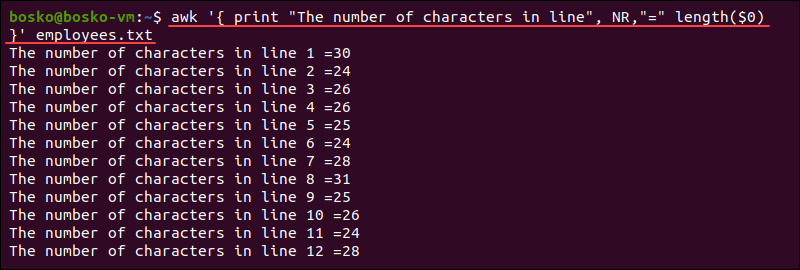
The awk command in Linux is a powerful text-processing tool used for pattern scanning, extracting, formatting, and manipulating text files, logs, CSVs, and structured data. It reads files line by line, splits them into fields, and performs actions on them.
Let’s go deep into 20 powerful awk commands, explained in a humanized and detailed way.
1. Print the Entire File
awk '{print}' file.txt
✔ How it works:
{print}tellsawkto print every line.- This is equivalent to
cat file.txt, butawkallows modifications.
2. Print Only Specific Columns
awk '{print $1, $3}' file.txt
✔ How it works:
$1→ Represents the first column.$3→ Represents the third column.- Example: If
file.txtcontains:
John 25 Developer
Sarah 30 Designer
Output:
John Developer
Sarah Designer
- This is useful for CSV files and log analysis.
3. Print Lines Matching a Pattern
awk '/error/ {print}' log.txt
✔ How it works:
- Searches for “error” in
log.txtand prints the matching lines. - Example:
INFO: Process started
ERROR: File not found
WARNING: Disk space low
Output:
ERROR: File not found
✔ Alternative:
To match case-insensitively:
awk 'tolower($0) ~ /error/' log.txt
4. Print Lines Where a Column Matches a Value
awk '$2 == "30" {print $1}' file.txt
✔ How it works:
- If the second column is “30”, print the first column.
📌 Example Input (file.txt):
John 25 Developer
Sarah 30 Designer
Mike 30 Manager
Output:
Sarah
Mike
5. Print Only Lines Where a Number is Greater Than a Value
awk '$2 > 25' file.txt
✔ How it works:
- Prints lines where the second column is greater than 25.
6. Print Line Number Along with Each Line
awk '{print NR, $0}' file.txt
✔ How it works:
NR→ Stands for “Number of Record” (line number).
📌 Example:
1 John 25 Developer
2 Sarah 30 Designer
3 Mike 40 Engineer
7. Print Total Number of Lines
awk 'END {print NR}' file.txt
✔ How it works:
ENDexecutes after processing all lines.NRgives the last line number (total lines).
8. Calculate the Sum of a Column
awk '{sum += $2} END {print "Total:", sum}' file.txt
✔ How it works:
- Adds all values in column 2 and prints the total.
📌 Example Input:
John 25
Sarah 30
Mike 40
Output:
Total: 95
9. Calculate Average of a Column
awk '{sum += $2; count++} END {print "Average:", sum/count}' file.txt
✔ How it works:
- Sums up column 2 and divides by count.
10. Print Only Even-Numbered Lines
awk 'NR % 2 == 0' file.txt
✔ How it works:
NR % 2 == 0means print only even lines.
11. Print Only Odd-Numbered Lines
awk 'NR % 2 == 1' file.txt
✔ How it works:
NR % 2 == 1means print only odd lines.
12. Print Only the Last Column
awk '{print $NF}' file.txt
✔ How it works:
$NF→ Represents the last field in each line.
📌 Example Input:
John 25 Developer
Sarah 30 Designer
Mike 40 Engineer
Output:
Developer
Designer
Engineer
13. Print Only the First and Last Column
awk '{print $1, $NF}' file.txt
✔ How it works:
- Prints first and last column in each line.
14. Change Column Separator (FS)
awk -F',' '{print $1, $3}' file.csv
✔ How it works:
-F','sets,as the field separator for CSV files.
15. Replace a Word in a Column
awk '{gsub("old", "new", $2); print}' file.txt
✔ How it works:
- Replaces “old” with “new” only in column 2.
16. Extract Unique Values from a Column
awk '!seen[$2]++' file.txt
✔ How it works:
- Uses an associative array to filter duplicates from column 2.
17. Count Occurrences of Words
awk '{count[$1]++} END {for (word in count) print word, count[word]}' file.txt
✔ How it works:
- Counts occurrences of each unique word in column 1.
📌 Example Input:
Apple
Banana
Apple
Mango
Banana
Output:
Apple 2
Banana 2
Mango 1
18. Find the Longest Line
awk '{if (length > max) {max = length; line = $0}} END {print line}' file.txt
✔ How it works:
- Finds the longest line in a file.
19. Extract Lines Between Two Patterns
awk '/START/,/END/' file.txt
✔ How it works:
- Prints everything between “START” and “END”.
20. Execute Shell Commands in awk
awk 'BEGIN { system("date") }'
✔ How it works:
- Runs
datebefore executingawk.
Final Thoughts
awkis an advanced text-processing tool, making it essential for system administrators, data analysts, and programmers.- These 20 commands cover real-world applications, including data extraction, calculations, filtering, and reporting.



0 Comments
Most Voted