Limited Time Offer!
For Less Than the Cost of a Starbucks Coffee, Access All DevOpsSchool Videos on YouTube Unlimitedly.
Master DevOps, SRE, DevSecOps Skills!
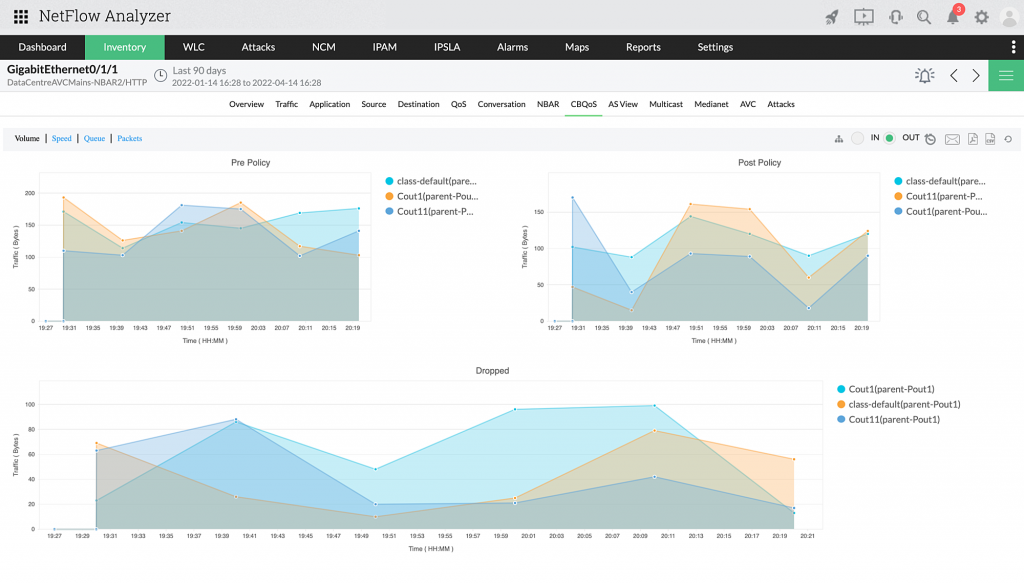
What is Network Traffic Analysis (NTA)?
Monitoring a network’s performance, device capabilities, network speed, and another factor that many network administrators ignore—network traffic—is the first step in analyzing the stability of the system.
Although it is sometimes the least taken into account factor, network traffic analysis (NTA) has a significant impact on a number of problems, including user slowness and performance deterioration. Security risks may arise if it is neglected.
For instance, an enterprise’s network will have little bandwidth available to operate business operations if resource-intensive apps like video streaming and telepresence are used outside of business-critical apps. This frequently has a detrimental effect on productivity, which affects all operations and frequently reduces income. It is a cascading impact that establishments should avert.
Why is network traffic analysis (NTA) important?
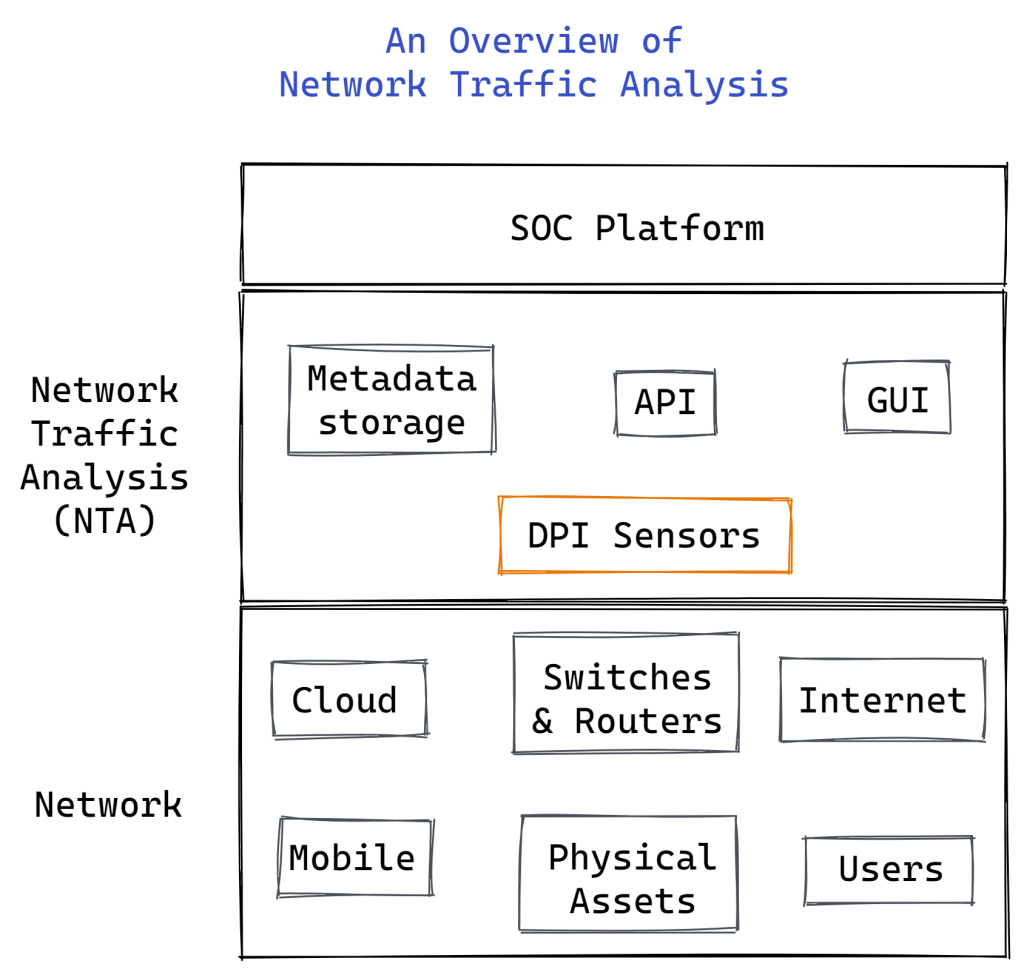
The network is eventually necessary for the operation of any enterprise-level application. Employee or customer-facing user devices must connect with many servers, such as DNS servers and web servers. The dedicated storage area network (SAN) and the company’s database must be in communication with the web server. The network must be able to handle all of these communications without being overloaded. Understanding network traffic enables simple management of this.
NTA helps network administrators know:
- Their network capacity is being used by what or who?
- If the business’s essential apps are receiving the necessary network bandwidth
- Which particular endpoints, users, and apps are clogging the network and producing excessive traffic?
- Any indications of a network problem, such as slowdowns or outages
- Once the bandwidth surpasses the designated threshold amount
- If the distribution of bandwidth is ideal
NTA offers significant security advantages as well. An irregular volume of traffic or traffic that shouldn’t be on the network can be used to identify major criminal intrusion occurrences, such as distributed denial of service (DDoS) assaults and data breaches. These traffic conditions are marked as “out of normal” by NTA.
This aids network administrators in taking countermeasures against cyberattacks or greatly minimizing their harm. In general, NTA gives useful information on network activity and helps businesses to decide how best to safeguard their data and network equipment.
What are the Key Benefits of Network Traffic Analysis?
Because of the current mentality that “it’s not if, it’s when” when it comes to cyberattacks, security experts may find it difficult to cover as much of an organization’s surroundings as feasible.
One of the most important components of their attack surface is the network; by seeing their network data, they may identify and thwart assaults in other areas.
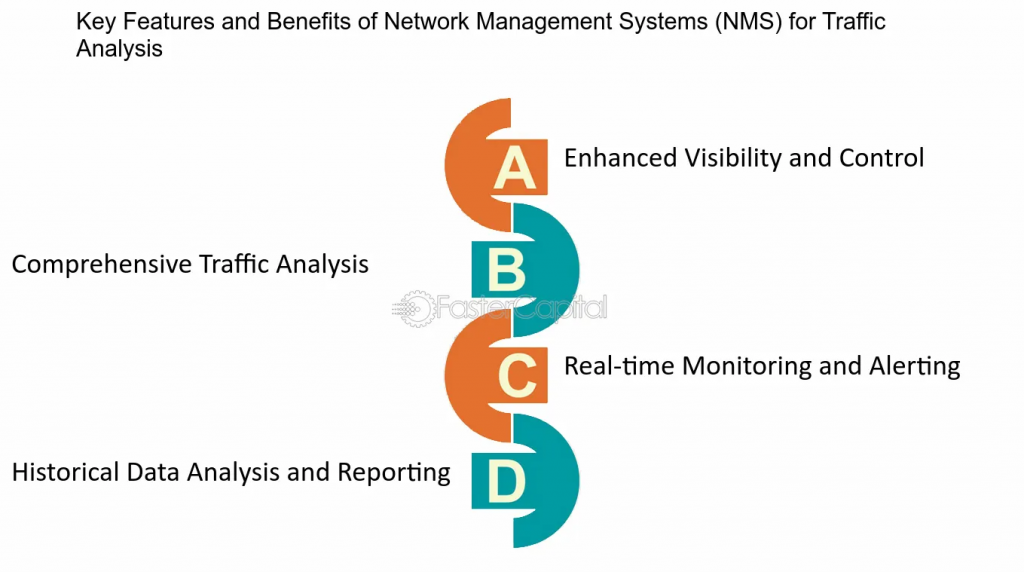
Benefits of NTA include:
- enhanced insight into the devices (such as Internet of Things gadgets and medical visits) joining your network
- Fulfill the standards for compliance
- Diagnose and resolve operational and security problems
- Quickly respond to inquiries with comprehensive information and extra network context
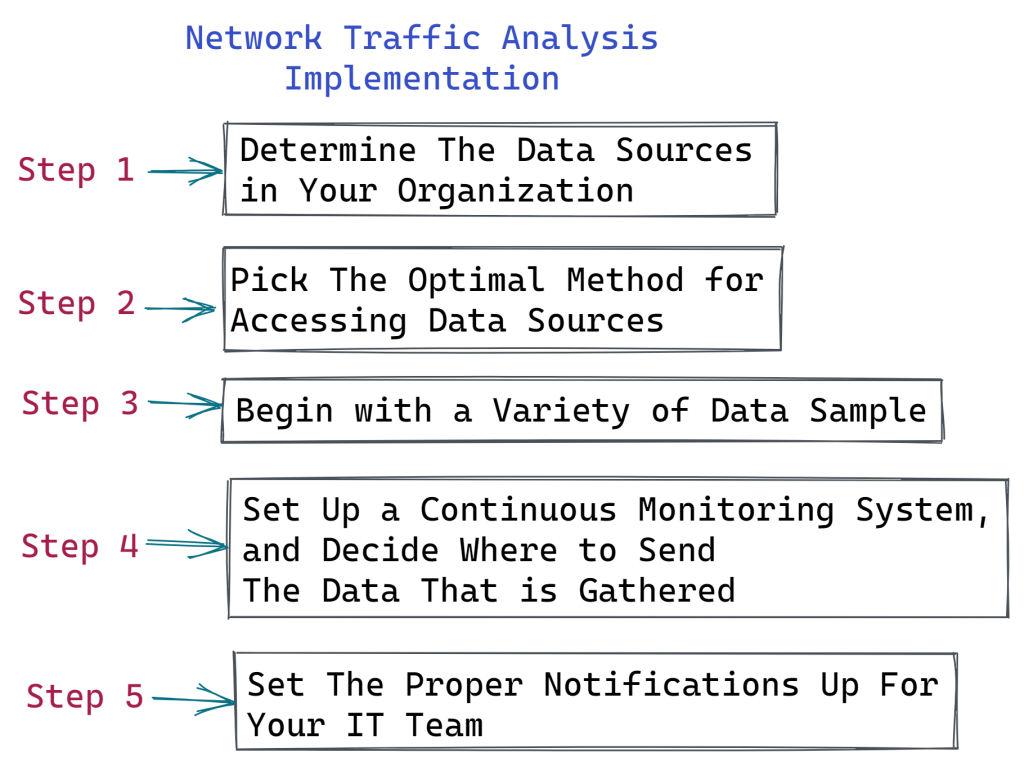
Making sure you’re gathering data from the appropriate sources is a crucial step in setting up NTA. If you want to chart the path taken by a network packet from its origin to its destination or find out about traffic levels, flow data is excellent. This degree of data can be useful in identifying illegal WAN activity and optimizing network performance, but it may not provide enough context or rich detail to delve further into cybersecurity concerns.
Network administrators may monitor for suspected malware or other security problems, measure use on WAN lines, and gain insight into how users are adopting and using programs by using packet data derived from network packets.
Why do you need an NTA solution?
Since the first packet data analyzer, tcpdump, was launched in 1988, the practice of gathering and analyzing network data has existed. In the past, network managers kept an eye on a little, constrained network. To carry out NTA and enhance network performance, system administrators employed packet capture and network flow monitoring technologies like NetFlow.
However, the business network architecture of today is a very different animal, largely dependent on cloud apps, high-speed lines, and the internet. Organizations remain susceptible to security threats such as ransomware, DDoS assaults, malware infections, and zero-day attacks even with encryption, firewalls, and other security measures in place.
It becomes necessary to analyze network traffic in real-time in order to correctly identify risks early on. NTA solutions of today meet this demand. They provide deep packet inspection and sophisticated ML-based analysis for advanced threat detection, going beyond flow data analysis and packet grabbing.
Moreover, NDR systems offer threat intelligence, incident response, and network forensics by combining the features of several different network security solutions.
Challenges of network traffic analysis (NTA)
When implementing NTA, organizations have three main challenges:
- Growing amounts and intricacies of network data
- Large-scale computer and storage resources are required for the gathering and analysis of network data.
- Protecting privacy and according to regulations
In order to effectively handle these issues, selecting the appropriate NTA tools with the necessary functionality is crucial. In order to assist with this, we have listed below the top NTA tools and attributes that companies should consider when choosing NTA products.
How Does NTA Enhance Your Security?
Organizations may monitor network traffic more efficiently and spot abnormalities that can indicate cyberattacks or other possible problems thanks to NTA. An organization may gain a lot from these competencies, such as the following:
Network Visibility: Maintaining visibility in corporate networks is becoming increasingly challenging due to their rising size and complexity. By providing businesses with improved insight into their networks and the unusual network behavior that may point to a possible attack, NTA solutions may assist to improve security.
Threat Detection: The network is used for several phases of a cyberattack, such as first access, lateral movement, and command and control communications. NTA can assist a company in identifying these actions, which can help with the identification and removal of cyberattacks.
Troubleshooting: Natural disasters or cyberattacks may cause corporate IT systems to fail or perform worse. NTA solutions can assist in determining whether a system is down and offer context that is helpful in identifying and resolving the problem.
Investigation Support: Network traffic data is gathered by NTA solutions and can be stored for later use or analysis. An NTA solution may be used to locate and examine related network traffic in the event that a security operations center (SOC) has detected a possible incident. This will give further insight into the malicious activity that was carried out on the system.
Threat Intelligence: An NTA solution may gather distinct features, including IP addresses, from a threat once it has been discovered. These data can then be utilized to create indications of compromise (IoCs). By using this information, more risks may be recognized and attempted assaults can be avoided in the future.
Policy Enforcement: Corporate IT systems can only be used for permitted purposes, according to security measures such firewall rules, zero trust security standards, and others. NTA may be used to find security holes and policy infractions.
Regulatory Compliance: Data protection laws frequently require an entity to provide proof that it guards against unauthorized access to regulated data. To prove that only authorized users have accessed restricted data and systems, NTA traffic logs might be useful.
What is the Purpose of Monitoring Network Traffic?
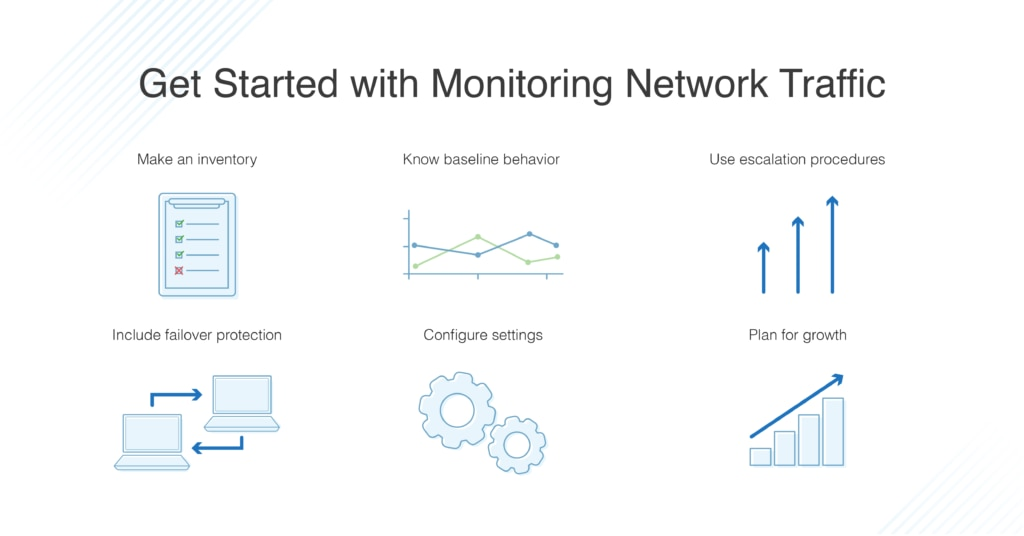
Network traffic analysis may be used at the network edge and the network core to analyze a variety of operational and security concerns. You may identify suspect inbound or outgoing traffic, huge downloads, streaming, and other activities using the traffic analysis tool. Start by keeping an eye on the firewalls’ internal interfaces, since this will enable you to trace activities back to individual users or clients.
Beyond the endpoint, NTA gives an enterprise greater insight into threats on its networks. You need something smarter than simply the firewall logs, what with the proliferation of mobile devices, IoT gadgets, smart TVs, etc. Problems with firewall logs may arise when a network is being attacked.
It is possible that the firewall’s resource overload has rendered them unusable, or that hackers have erased or altered them, losing important forensic data in the process.
Use cases for network traffic analysis and monitoring include the following:
- Finding evidence of ransomware behavior
- keeping an eye on internet activity and data exfiltration
- Keep an eye on file server or MSSQL database access.
- Utilize User Forensics reports to keep tabs on a user’s network behavior.
- List all of the hardware, software, and servers that are connected to the network.
- Emphasize and determine the underlying cause of network bandwidth peaks.
- Give out dashboards in real time that highlight user and network activities.
- Create reports on network activities for management and auditors at any given moment.
What are the Best Network Traffic Analysis (NTA) Tools for 2023?
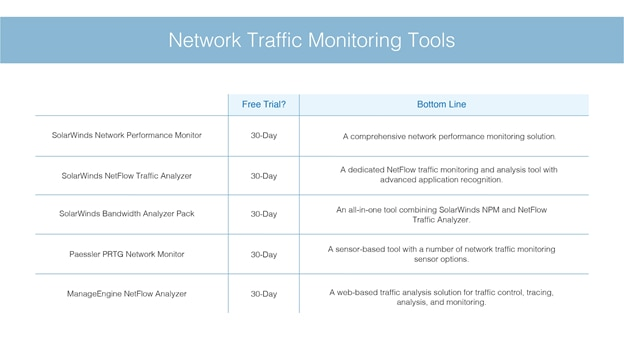
By using traffic shaping techniques and capacity planning, network traffic analysis may help you increase network performance. It’s also used to security protocols. You can see the top NTA tools here.
Analyzing network traffic entails looking at packets as they go through the system. Originally, the goal of this approach was to do a capacity study by looking at the sources of all traffic and throughput quantities.
The list of top network traffic analysis tools demonstrates the variety of uses for traffic analysis:
- SolarWinds NetFlow Traffic Analyzer :- the top network traffic analysis tool. For packet capture, it is compatible with IPFIX, J-Flow, sFlow, NetStream, and NetFlow.
- ManageEngine OpManager Plus:- an addition of traffic analysis to the regular OpManager network performance monitor.
- Noction Flow Analyzer:- This set of network monitoring tools includes a capacity planning analyzer that accesses traffic data that has been saved. operates on Linux.
- Elastic Stack :- a collection of tools for collecting and analyzing data that includes Kibana and Elasticsearch.
- Plixer Scrutinizer :- a traffic analyzer that concurrently collects data from several network sites for use in network security.
- Open WIPS-NG: – an analysis of traffic and protection mechanism for wireless networks.
