Limited Time Offer!
For Less Than the Cost of a Starbucks Coffee, Access All DevOpsSchool Videos on YouTube Unlimitedly.
Master DevOps, SRE, DevSecOps Skills!
Linux administrators are the backbone of modern IT infrastructure, responsible for ensuring that systems run smoothly, securely, and efficiently. With the vast capabilities Linux offers, system administrators rely heavily on a powerful set of commands that grant them precise control over every aspect of the system. Mastering these commands allows administrators to effectively monitor system health, manage files, control user permissions, automate repetitive tasks, and troubleshoot unexpected issues.
These commands not only streamline day-to-day operations but also provide the flexibility and power needed to respond to emergencies, optimize resource usage, and enforce security protocols across the system. Whether a new administrator or an experienced pro, knowing these commands is essential for maintaining optimal system performance and availability.
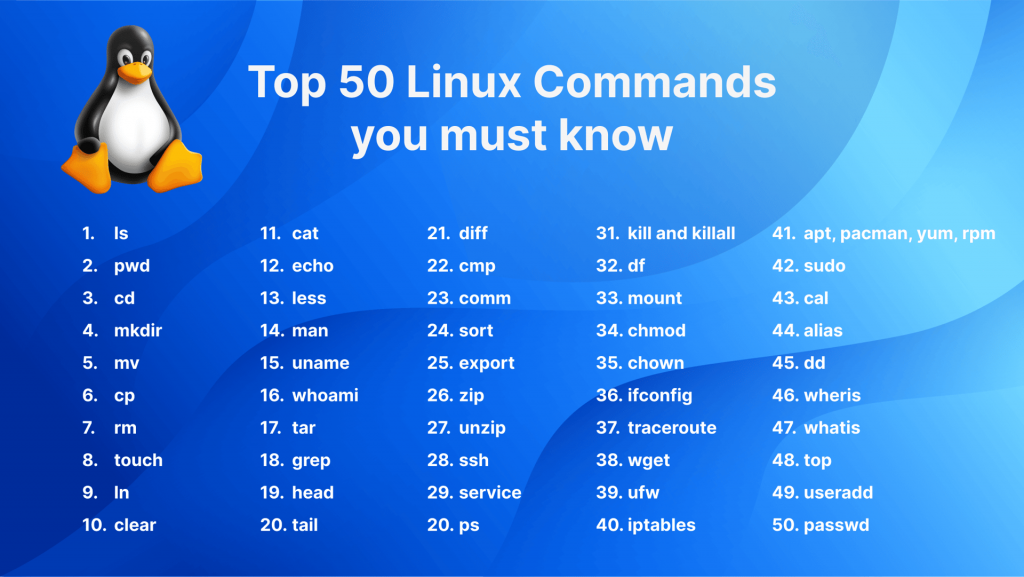
Why to Know Top 50 Linux Commands for Administrator is Important?
This guide presents a carefully curated list of the top 50 Linux commands, each with an in-depth look at its purpose, options, and practical applications. From basic commands like ls and cd to advanced tools like rsync and systemctl, this list covers essential commands that every administrator should have at their fingertips. For each command, we’ll cover:
- Purpose and Functionality: A clear explanation of what the command does and when to use it.
- Common Options and Flags: Key options that enhance command functionality.
- Real-World Examples: Practical, scenario-based examples for quick reference.
- Advanced Tips: Tips and insights for optimizing usage in real-world administration.
These commands are organized to cover a wide range of administrative needs, including:
- File and Directory Management: Fundamental operations for navigating, creating, and managing files and directories, like
ls,mkdir,rm, andcp. - System Monitoring: Tools for observing system performance and identifying potential issues, such as
top,ps, andfree. - Process Management: Commands for handling running processes, like
kill,jobs, andfg/bg. - User and Permission Management: Essential commands for controlling access and permissions, including
chmod,chown, andsudo. - Networking: Commands to manage network connections and monitor network status, such as
ifconfig,ip, andping. - Package Management: For installing, updating, and removing software, using package managers like
aptandyum. - System Maintenance and Automation: Commands for scheduling tasks, rebooting systems, and managing services, including
cron,shutdown,systemctl, andservice. - Data Transfer and Synchronization: Utilities like
scpandrsyncfor secure data transfer and file synchronization.
Top 50 Linux Commands for Administrators
Top 50 Linux Commands for Administrators
- ls (List Directory Contents)
- Description: Displays files and directories in the current directory.
- Common Options:
-l(Long listing format),-a(Show hidden files) - Example:
ls -la
- cd (Change Directory)
- Description: Changes the current working directory.
- Usage:
cd /path/to/directory
- pwd (Print Working Directory)
- Description: Displays the full path of the current working directory.
- Usage:
pwd
- mkdir (Make Directory)
- Description: Creates a new directory.
- Example:
mkdir new_directory
- rmdir (Remove Directory)
- Description: Deletes empty directories.
- Usage:
rmdir directory_name
- rm (Remove Files or Directories)
- Description: Removes files or directories.
- Options:
-r(Recursively delete directory contents),-f(Force deletion) - Example:
rm -rf directory_name
- cp (Copy Files and Directories)
- Description: Copies files or directories.
- Usage:
cp source_file destination
- mv (Move/Rename Files and Directories)
- Description: Moves or renames files or directories.
- Usage:
mv old_name new_name
- cat (Concatenate and Display File Contents)
- Description: Displays file contents in the terminal.
- Usage:
cat file.txt
- less (View File Contents Page-by-Page)
- Description: Opens a file in a scrollable view.
- Example:
less file.txt
- touch (Create an Empty File)
- Description: Creates an empty file or updates a file’s timestamp.
- Usage:
touch newfile.txt
- chmod (Change File Permissions)
- Description: Modifies file or directory permissions.
- Example:
chmod 755 file.txt
- chown (Change File Ownership)
- Description: Changes the owner and group of a file or directory.
- Example:
chown user:group file.txt
- df (Disk Space Usage)
- Description: Shows file system disk space usage.
- Example:
df -h
- du (Directory Disk Usage)
- Description: Displays disk usage of files and directories.
- Example:
du -sh *
- free (Memory Usage)
- Description: Displays the amount of free and used memory.
- Usage:
free -h
- top (Task Manager)
- Description: Displays real-time running processes.
- Example:
top
- ps (Process Status)
- Description: Shows information about active processes.
- Example:
ps aux
- kill (Terminate Processes)
- Description: Sends a signal to terminate processes.
- Usage:
kill process_id
- grep (Search Text)
- Description: Searches for patterns within files.
- Example:
grep 'search_term' filename
- find (Locate Files)
- Description: Finds files or directories within a specified directory.
- Example:
find / -name filename
- ssh (Secure Shell)
- Description: Connects to a remote server securely.
- Example:
ssh user@hostname
- wget (Download Files)
- Description: Downloads files from the internet.
- Example:
wget url
- curl (Transfer Data)
- Description: Transfers data from or to a server.
- Example:
curl url
- uname (System Information)
- Description: Shows system information.
- Example:
uname -a
- hostname (Display or Set Hostname)
- Description: Shows or sets the system’s hostname.
- Usage:
hostname
- ifconfig (Configure Network Interfaces)(deprecated in favor of
ip)- Description: Configures or displays network interfaces.
- Example:
ifconfig
- ip (Network Management)
- Description: Manages and configures network interfaces.
- Example:
ip addr show
- df (Disk Free)
- Description: Displays available disk space.
- Example:
df -h
- reboot (Reboot System)
- Description: Restarts the system.
- Usage:
reboot
- shutdown (Shut Down or Reboot System)
- Description: Shuts down or reboots the system.
- Example:
shutdown -h now
- alias (Create Aliases)
- Description: Creates shortcuts for commands.
- Example:
alias ll='ls -la'
- sudo (Run as Superuser)
- Description: Runs commands with superuser privileges.
- Example:
sudo command
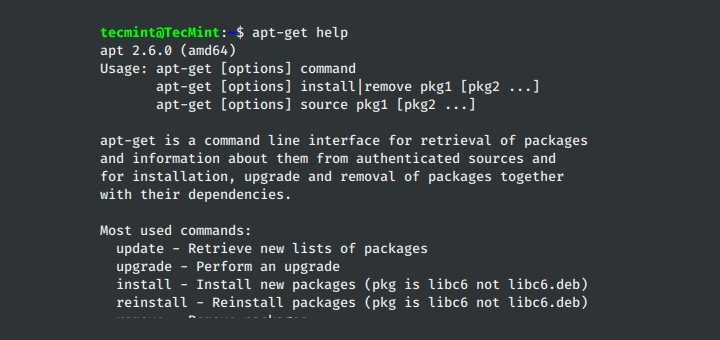
- apt (Package Manager – Debian-based Systems)
- Description: Installs or manages packages.
- Example:
sudo apt update
- yum (Package Manager – RedHat-based Systems)
- Description: Installs or manages packages.
- Example:
sudo yum update
- man (Manual Pages)
- Description: Shows the manual page for commands.
- Example:
man ls
- echo (Display Message or Variable)
- Description: Outputs text or variable values.
- Example:
echo "Hello World"
- tar (Archive Files)
- Description: Archives multiple files into one.
- Example:
tar -cvf archive.tar file1 file2
- zip/unzip (Compress/Decompress Files)
- Description: Compresses and decompresses files.
- Example:
zip compressed.zip file
- scp (Secure Copy)
- Description: Transfers files between hosts securely.
- Example:
scp file user@host:/path
- rsync (Remote Sync)
- Description: Synchronizes files between systems.
- Example:
rsync -av source destination
- df (Disk Space)
- Description: Shows disk space on the filesystem.
- Example:
df -h
- free (Memory Usage)
- Description: Displays free and used memory in the system.
- Example:
free -h
- jobs (Background Jobs)
- Description: Lists current jobs.
- Usage:
jobs
- bg/fg (Background/Foreground Jobs)
- Description: Moves jobs between the background and foreground.
- Example:
bg job_id
- service (Manage Services)
- Description: Controls system services.
- Example:
sudo service apache2 restart
- systemctl (System Management)
- Description: Manages systemd services.
- Example:
sudo systemctl start nginx
- crontab (Scheduled Jobs)
- Description: Manages scheduled tasks.
- Usage:
crontab -e
- uname (System Information)
- Description: Displays kernel and OS information.
- Example:
uname -a
- whoami (Current User)
- Description: Prints the username of the current user.
- Example:
whoami