
Limited Time Offer!
For Less Than the Cost of a Starbucks Coffee, Access All DevOpsSchool Videos on YouTube Unlimitedly.
Master DevOps, SRE, DevSecOps Skills!
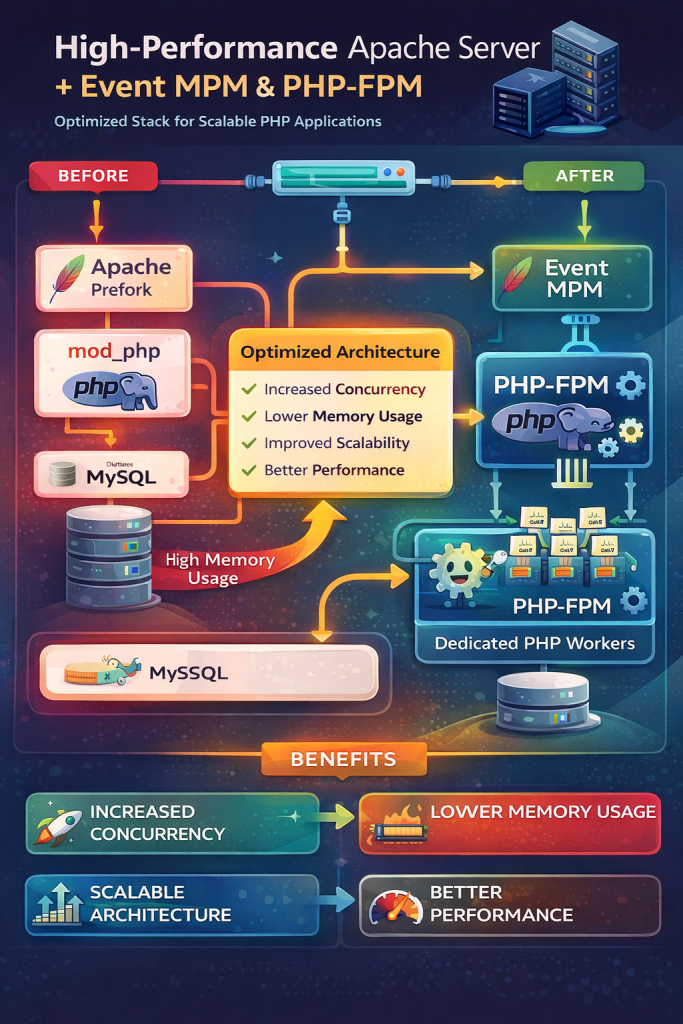
Modern PHP applications—especially frameworks like Laravel, Symfony, and high-traffic CMS systems—benefit greatly from a modern web server architecture. One of the most reliable and efficient combinations today is:
Apache Event MPM
+
PHP-FPM
This setup separates web server responsibilities from PHP execution, resulting in better concurrency, improved memory efficiency, and much higher scalability compared to the traditional Apache Prefork + mod_php configuration.
This guide explains the entire process in a simple, practical, and human-friendly way. Even if you currently use XAMPP or a default Apache installation, you will be able to migrate smoothly to a more scalable architecture.
Understanding the Architecture First
Before starting the configuration, it is important to understand how things work.
Traditional Apache Setup (Prefork + mod_php)
In older setups, Apache loads PHP directly inside each worker process.
Apache
→ mod_php
→ PHP execution
The problem with this architecture is that every Apache worker must load the PHP interpreter. This increases memory usage and limits concurrency.
If 100 users visit your site simultaneously, Apache may create 100 processes, each containing the PHP runtime.
Modern Setup (Event MPM + PHP-FPM)
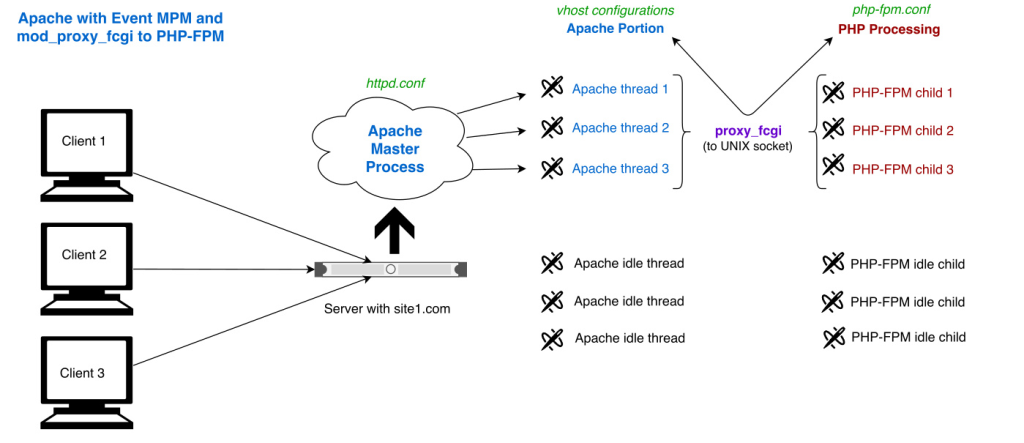
The modern architecture separates responsibilities.
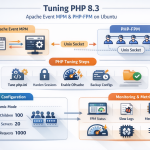
Apache Event MPM
→ handles connections
→ forwards PHP requests
PHP-FPM
→ executes PHP scripts
→ returns output
So the flow becomes:
Apache
→ PHP-FPM socket
→ PHP workers
→ response back to Apache
This architecture has several advantages:
- Apache becomes lightweight
- PHP runs in its own worker pool
- memory usage drops significantly
- concurrency increases dramatically
Step 1 — Install PHP-FPM
First, install PHP-FPM from the system repository.
Run:
apt update
apt install php8.2-fpm
What happens in this step:
- PHP-FPM service is installed
- PHP execution will run as a background service
- Apache will later communicate with this service
To verify installation:
php-fpm8.2 -v
Step 2 — Start and Enable PHP-FPM
Start the PHP-FPM service.
systemctl start php8.2-fpm
systemctl enable php8.2-fpm
Check if the service is running:
systemctl status php8.2-fpm
If everything is correct, you will see that PHP-FPM is active.
Step 3 — Locate the PHP-FPM Socket
Apache communicates with PHP-FPM through a socket file.
Run:
ls /run/php
You should see something like:
php8.2-fpm.sock
This socket file is the bridge between Apache and PHP-FPM.
Step 4 — Disable mod_php in Apache
If you are using XAMPP or Apache with mod_php enabled, we must disable it.
Open the configuration file:
nano /opt/lampp/etc/extra/httpd-xampp.conf
Find the line:
LoadModule php_module modules/libphp.so
Comment it out:
#LoadModule php_module modules/libphp.so
Also comment any PHP handlers such as:
AddType application/x-httpd-php .php
What happens here:
Apache stops executing PHP internally.
Step 5 — Switch Apache to Event MPM
Apache can run in different Multi-Processing Modules (MPMs).
The default in many stacks is Prefork.
Prefork is stable but inefficient for modern workloads.
Event MPM is designed to handle large numbers of concurrent connections.
Open Apache configuration:
nano /opt/lampp/etc/httpd.conf
Find:
LoadModule mpm_prefork_module modules/mod_mpm_prefork.so
Comment it:
#LoadModule mpm_prefork_module modules/mod_mpm_prefork.so
Then enable Event MPM:
LoadModule mpm_event_module modules/mod_mpm_event.so
Now Apache will run in a threaded model instead of process-based.
Step 6 — Enable Required Apache Modules
Apache must be able to communicate with PHP-FPM using FastCGI.
Ensure these modules are enabled:
LoadModule proxy_module modules/mod_proxy.so
LoadModule proxy_fcgi_module modules/mod_proxy_fcgi.so
LoadModule setenvif_module modules/mod_setenvif.so
These modules allow Apache to forward PHP requests to PHP-FPM.
Step 7 — Configure Apache to Use PHP-FPM
Now we tell Apache how to process PHP files.
Add this configuration near the bottom of httpd.conf.
<FilesMatch \.php$>
    SetHandler "proxy:unix:/run/php/php8.2-fpm.sock|fcgi://localhost/"
</FilesMatch>
What happens here:
Whenever Apache receives a request for a .php file:
Apache forwards the request to the PHP-FPM socket.
PHP-FPM executes the script and returns the response.
Step 8 — Restart Services
Restart PHP-FPM first:
systemctl restart php8.2-fpm
Then restart Apache/XAMPP:
/opt/lampp/lampp restart
Step 9 — Verify Apache is Using Event MPM
Run the command:
/opt/lampp/bin/httpd -V
You should see:
Server MPM: event
This confirms Apache is running with Event MPM.
Step 10 — Verify PHP is Running Through FPM
Create a simple test file.
nano /opt/lampp/htdocs/info.php
Add:
<?php phpinfo(); ?>
Open it in your browser:
http://your-server-ip/info.php
Look for this line in the output:
Server API: FPM/FastCGI
If you see this, your migration is successful.
How the Server Works After Migration
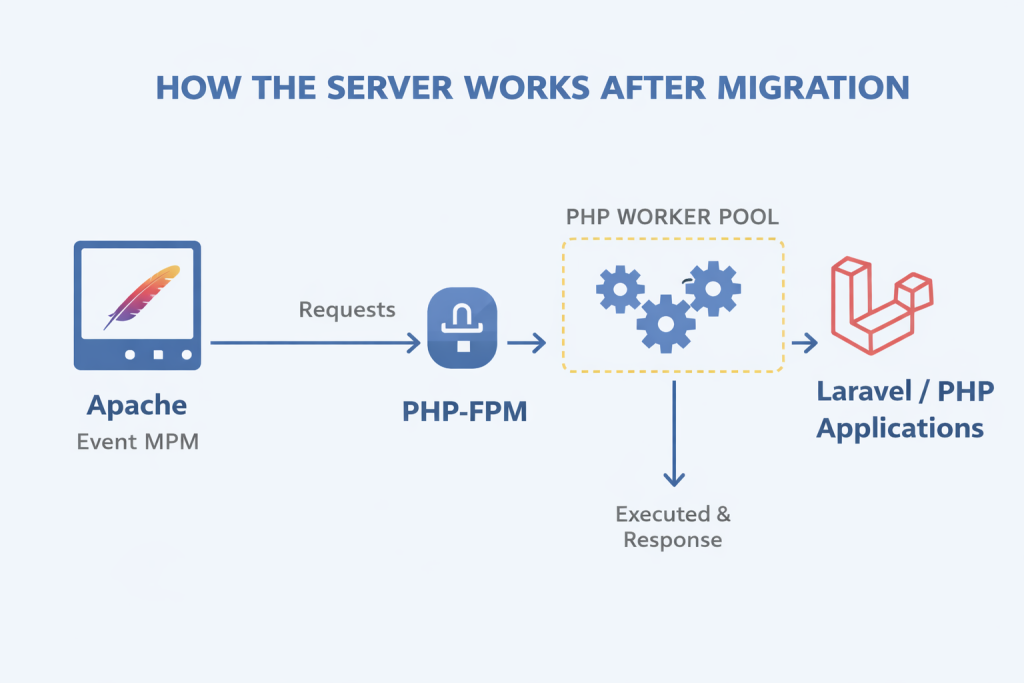
Before:
Apache Prefork
- mod_php
- high memory usage
After:
Apache Event MPM
→ PHP-FPM
→ PHP worker pool
Now Apache handles connections efficiently while PHP runs separately.
Performance Improvements
With this architecture you can expect:
Lower memory usage
Higher concurrency
Better CPU utilization
More stable performance under load
For example, a server with:
8 CPU cores
15 GB RAM
can comfortably handle thousands of concurrent requests depending on the application workload.
Why This Architecture Is Widely Used
Most modern PHP infrastructures rely on this architecture because it separates responsibilities:
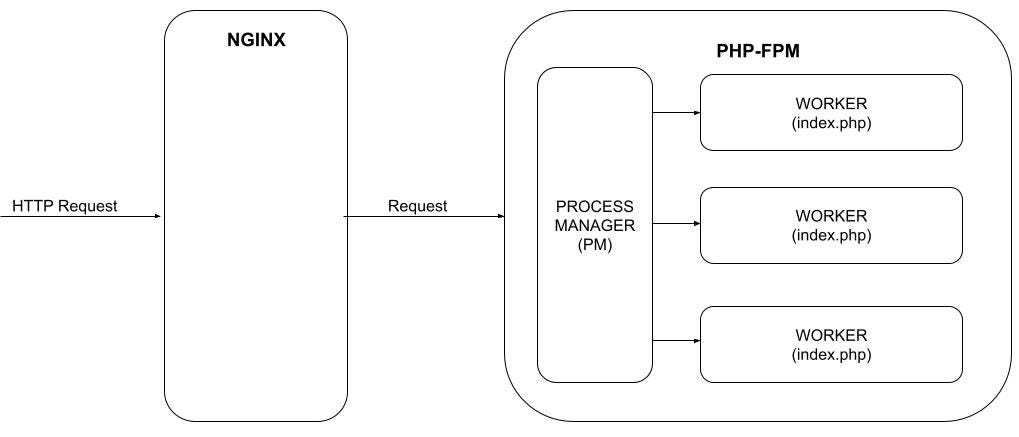
Apache or Nginx
→ web server
PHP-FPM
→ application runtime
Database
→ data storage
Cache systems such as Redis
→ performance optimization
This modular design makes the system easier to scale and maintain.
Final Thoughts
Migrating from Apache Prefork with mod_php to Apache Event MPM with PHP-FPM is one of the most impactful improvements you can make to a PHP server.
It transforms Apache from a heavy process-based server into a lightweight connection manager while PHP-FPM efficiently manages application execution.
Once this setup is working, the next steps typically include:
- tuning Apache Event MPM worker limits
- optimizing PHP-FPM worker pools
- enabling OPcache
- adding Redis caching
- configuring HTTP/2
Together, these improvements create a powerful and scalable PHP environment suitable for modern production workloads.




0 Comments
Most Voted